> ## Documentation Index
> Fetch the complete documentation index at: https://docs.noimosai.com/llms.txt
> Use this file to discover all available pages before exploring further.
# Cambiar tema
> Cambiar entre los modos de tema claro, oscuro y del sistema
## Descripción general
La configuración del tema controla la apariencia visual de NoimosAI para su cuenta.
## Dónde encontrar
Utilice la siguiente ruta para abrir esta área.
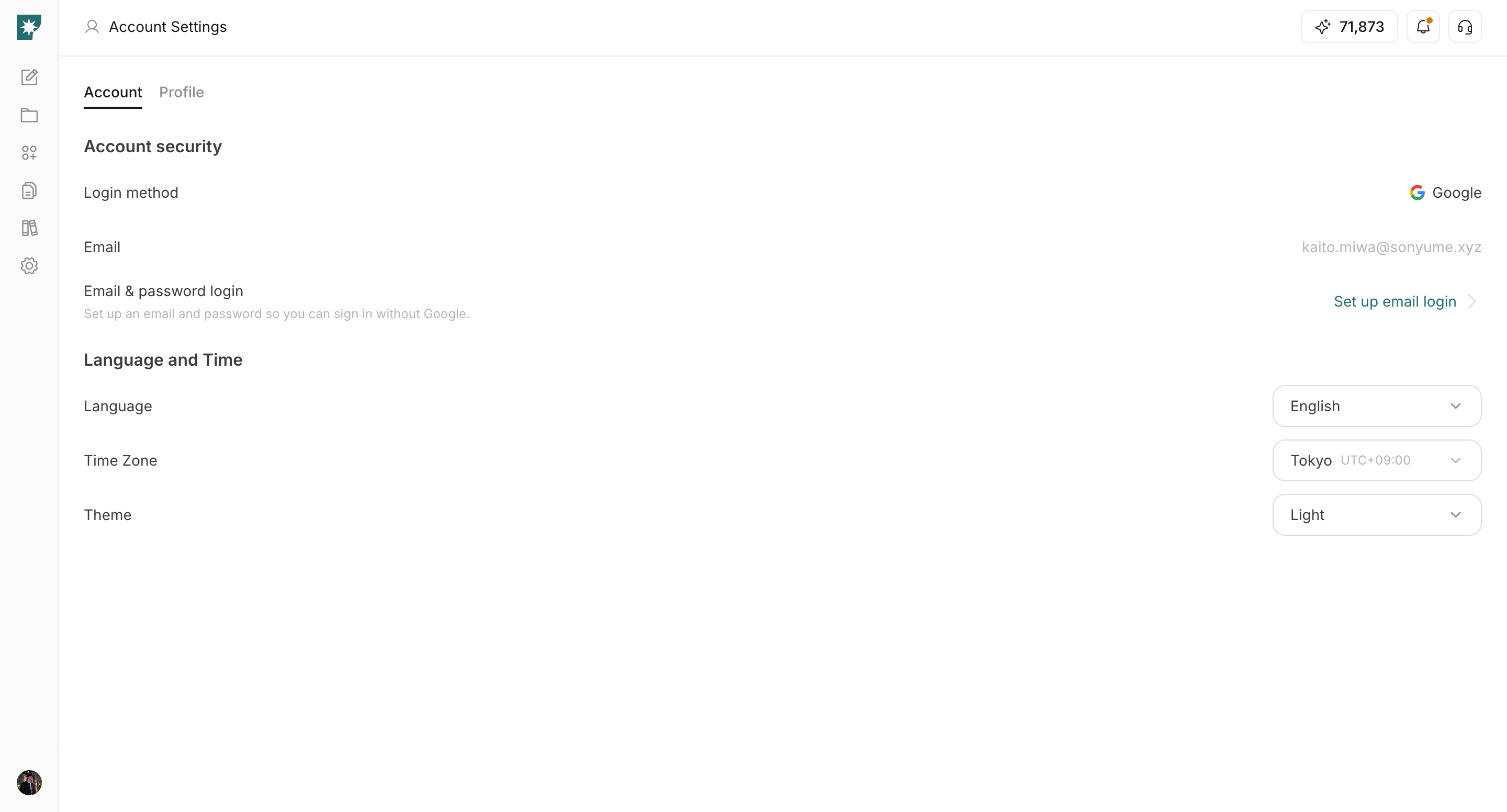
* `Configuración -> Cuenta -> Idioma y tiempo`.
## Cómo actualizar
Siga los pasos a continuación para completar esta acción.
1. Abra el menú desplegable `Tema`.
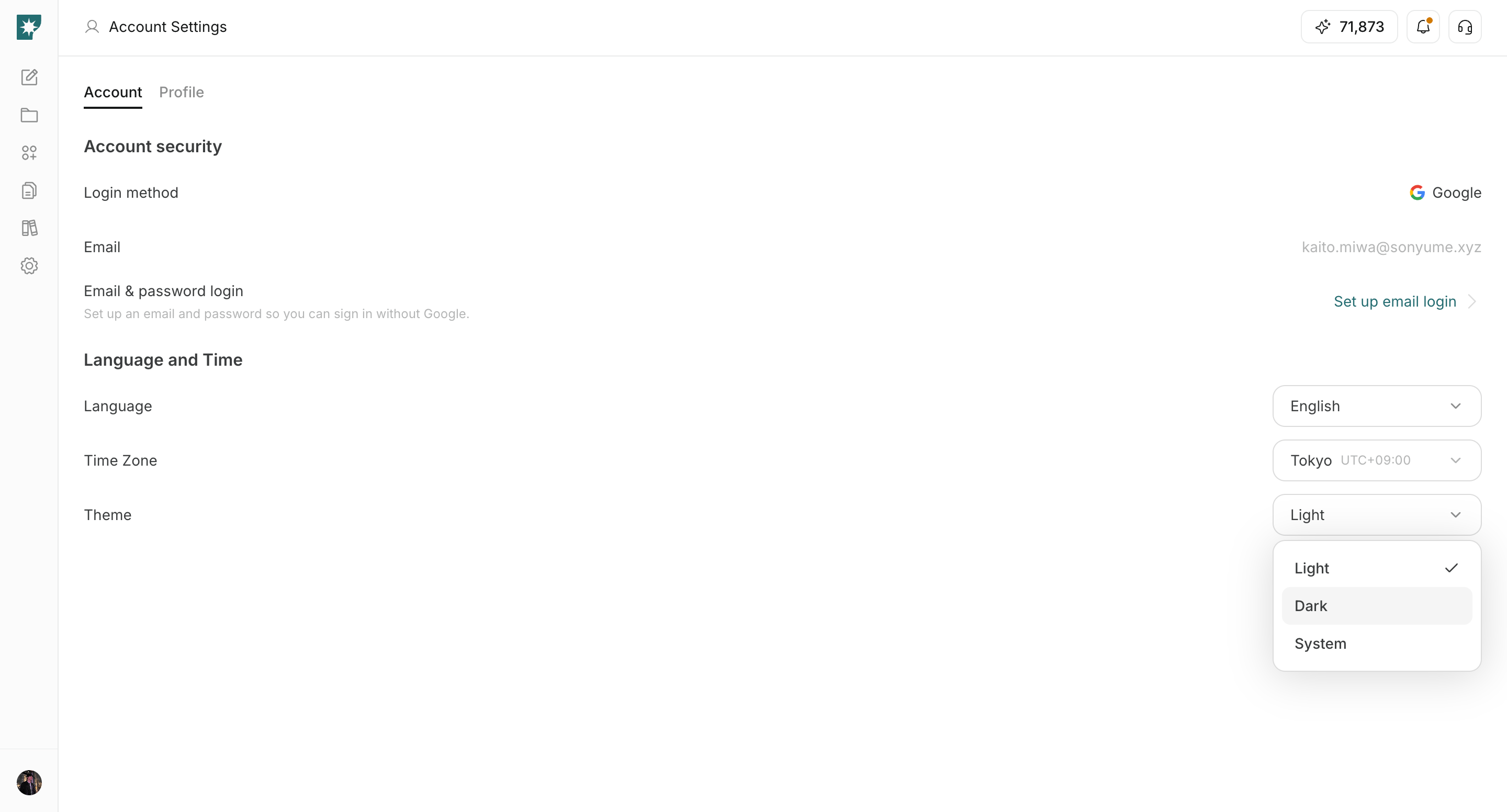
 2. Seleccione `Claro`, `Oscuro` o `Sistema`.
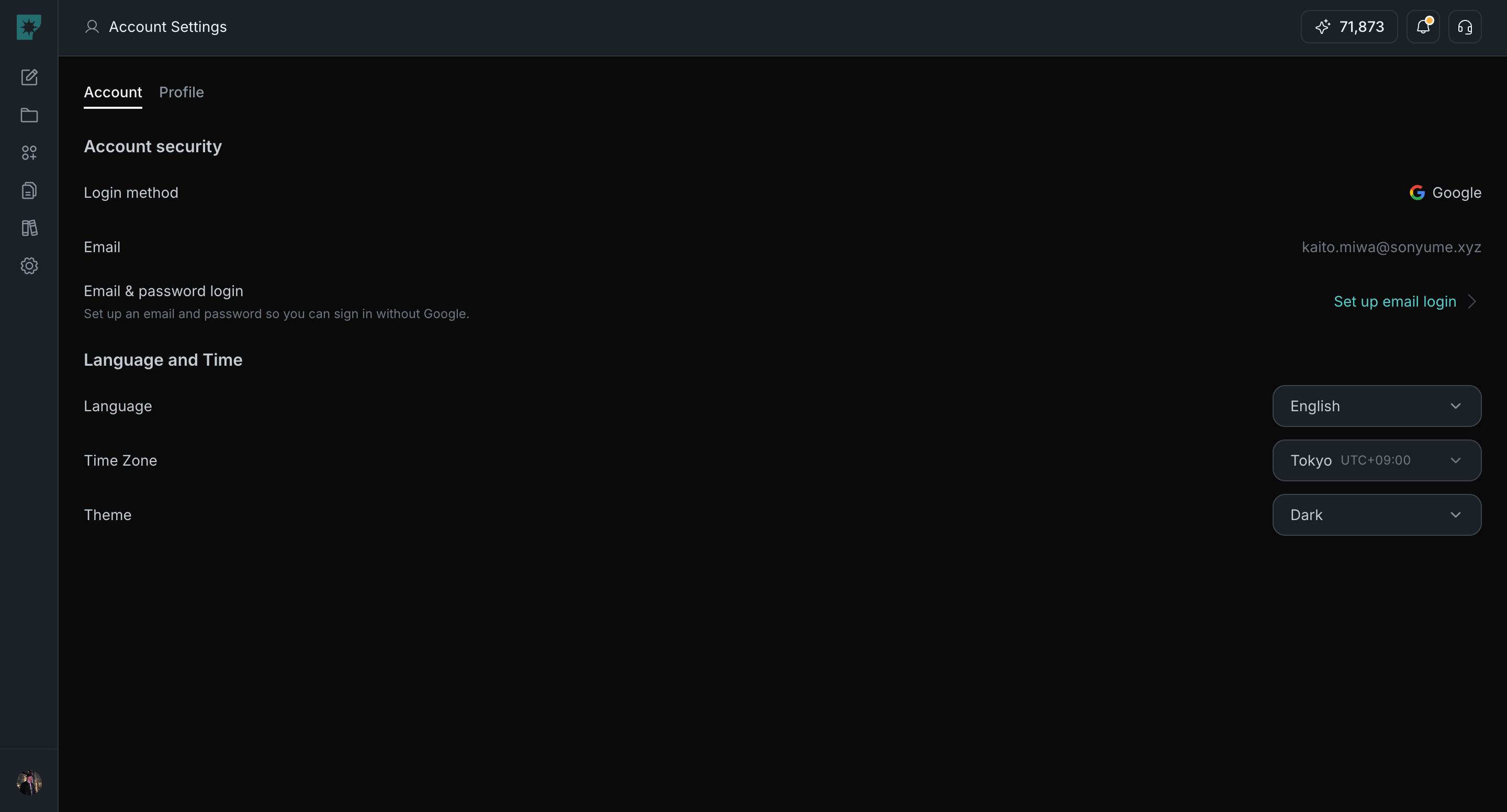
 3. Confirme las actualizaciones de la interfaz inmediatamente.
 ## Opciones de tema
Utilice las siguientes opciones para elegir el modo de apariencia.
1. `Claro`: usa siempre el modo luz.
2. `Oscuro`: usa siempre el modo oscuro.
3. `Sistema`: sigue la configuración de tu dispositivo.
## Relacionado
Utilice estas páginas relacionadas para obtener una guía más profunda.
* [Conceptos básicos de la cuenta](/es/help-center/account/account-basics)
* [Cambiar idioma](/es/help-center/account/change-language)
* [Cambiar zona horaria](/es/help-center/account/change-timezone)
## Opciones de tema
Utilice las siguientes opciones para elegir el modo de apariencia.
1. `Claro`: usa siempre el modo luz.
2. `Oscuro`: usa siempre el modo oscuro.
3. `Sistema`: sigue la configuración de tu dispositivo.
## Relacionado
Utilice estas páginas relacionadas para obtener una guía más profunda.
* [Conceptos básicos de la cuenta](/es/help-center/account/account-basics)
* [Cambiar idioma](/es/help-center/account/change-language)
* [Cambiar zona horaria](/es/help-center/account/change-timezone)