> ## Documentation Index
> Fetch the complete documentation index at: https://docs.noimosai.com/llms.txt
> Use this file to discover all available pages before exploring further.

# Create an Agent From a Template

> Use a template to create an agent quickly, then adjust execution conditions, instructions, and integrations.

## Overview

`Create from template` is the fastest way to start operating an agent.
Use a template for the initial setup, then fine-tune it for your workspace.

## Steps

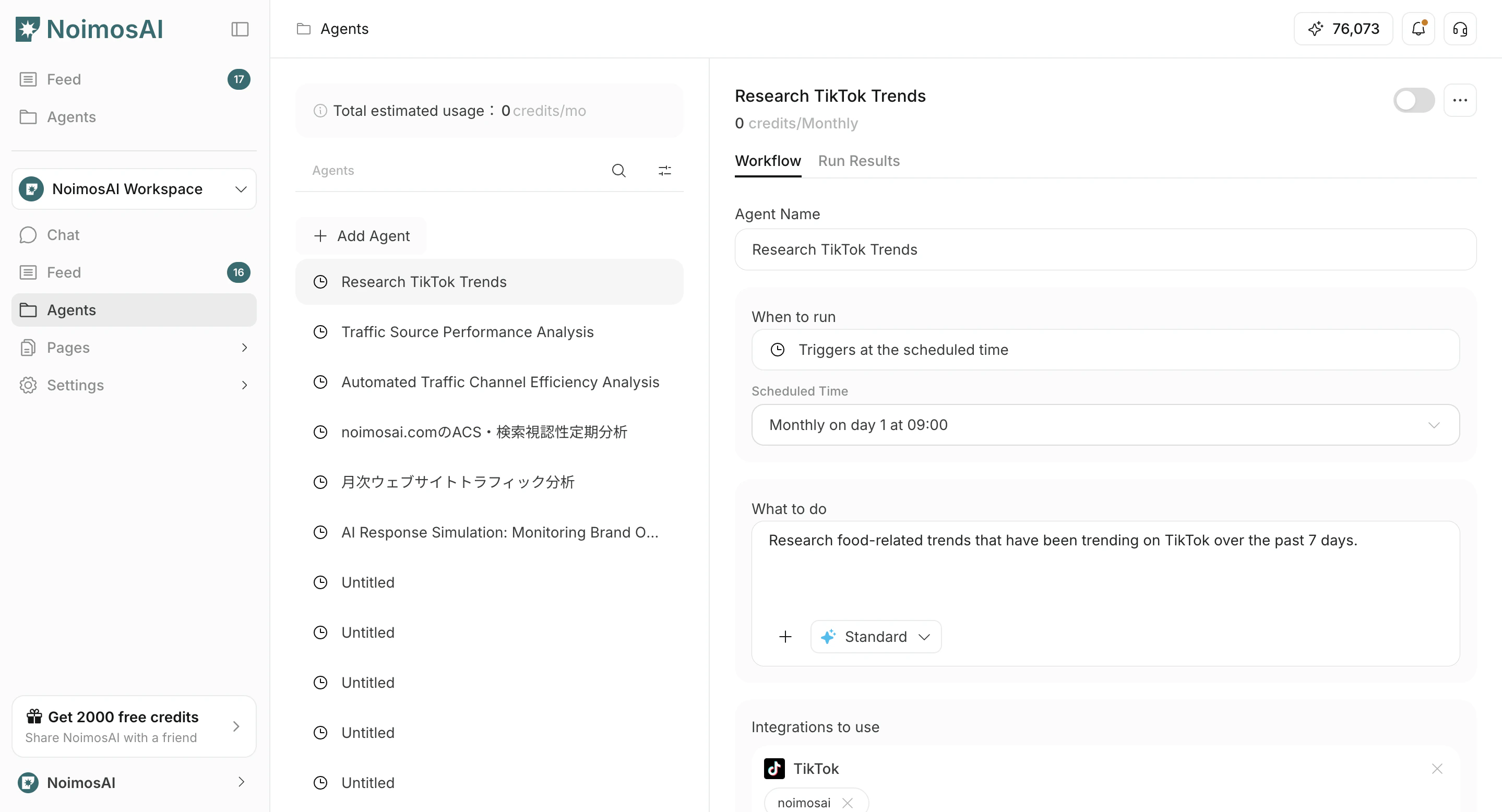
1. Open `Agents`.
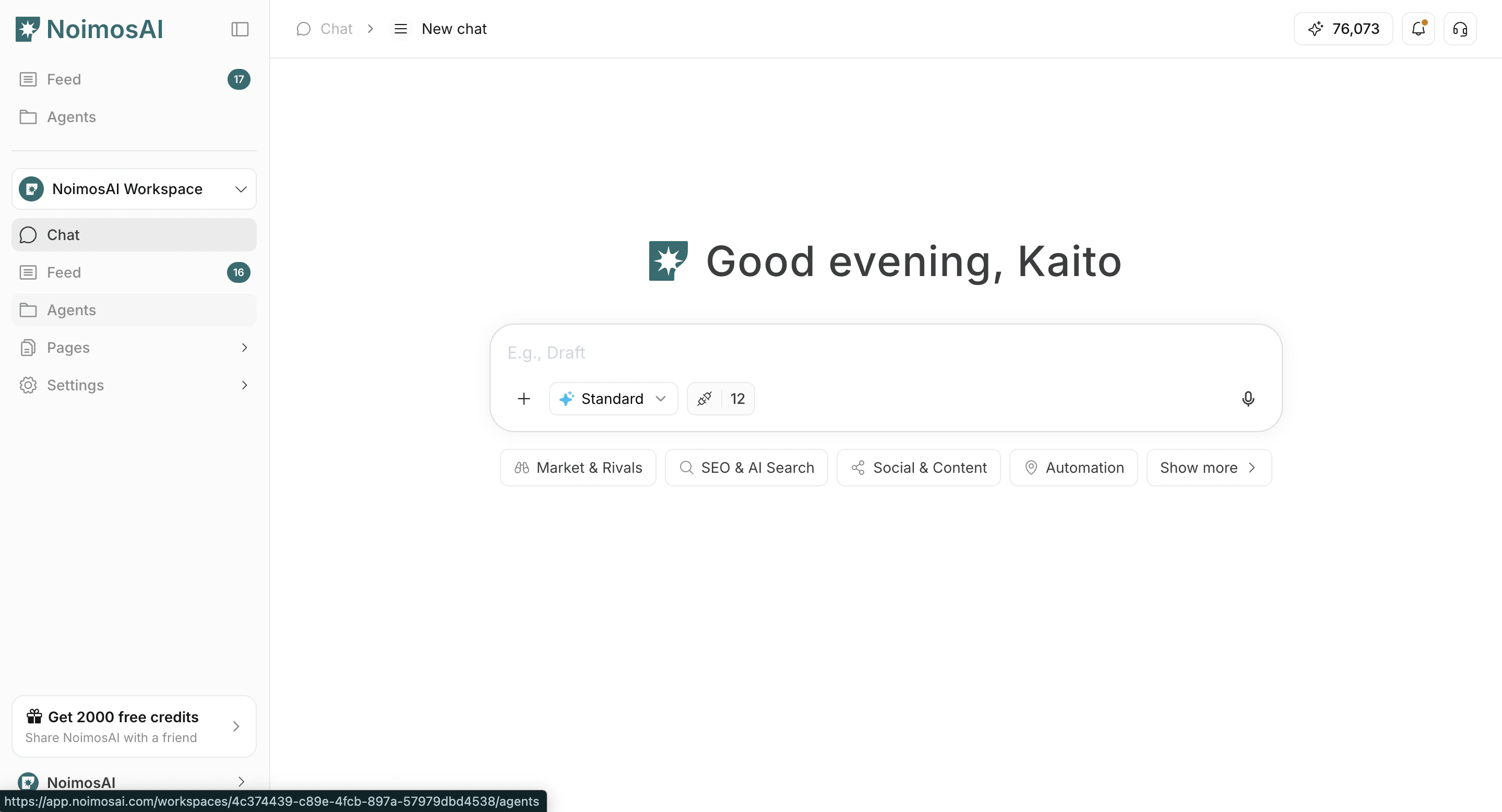
<img src="https://mintcdn.com/agoslabstechnologiesfzco/vjbeim587jrR_hCh/public/help-center/arcade/ai-team/create-trigger-from-template/step-02.png?fit=max&auto=format&n=vjbeim587jrR_hCh&q=85&s=fb7b360a0b6016018103a30c39f1357c" alt="Open Agents" style={{ border: '1px solid #e5e7eb', borderRadius: '8px', marginBottom: '1rem' }} width="2878" height="1556" data-path="public/help-center/arcade/ai-team/create-trigger-from-template/step-02.png" />

2. Click `Add Agent`.

<img src="https://mintcdn.com/agoslabstechnologiesfzco/vjbeim587jrR_hCh/public/help-center/arcade/ai-team/create-trigger-from-template/step-03.png?fit=max&auto=format&n=vjbeim587jrR_hCh&q=85&s=7102987233a3b9c6709d4ecebe28b961" alt="Click Add Agent" style={{ border: '1px solid #e5e7eb', borderRadius: '8px', marginBottom: '1rem' }} width="2878" height="1556" data-path="public/help-center/arcade/ai-team/create-trigger-from-template/step-03.png" />

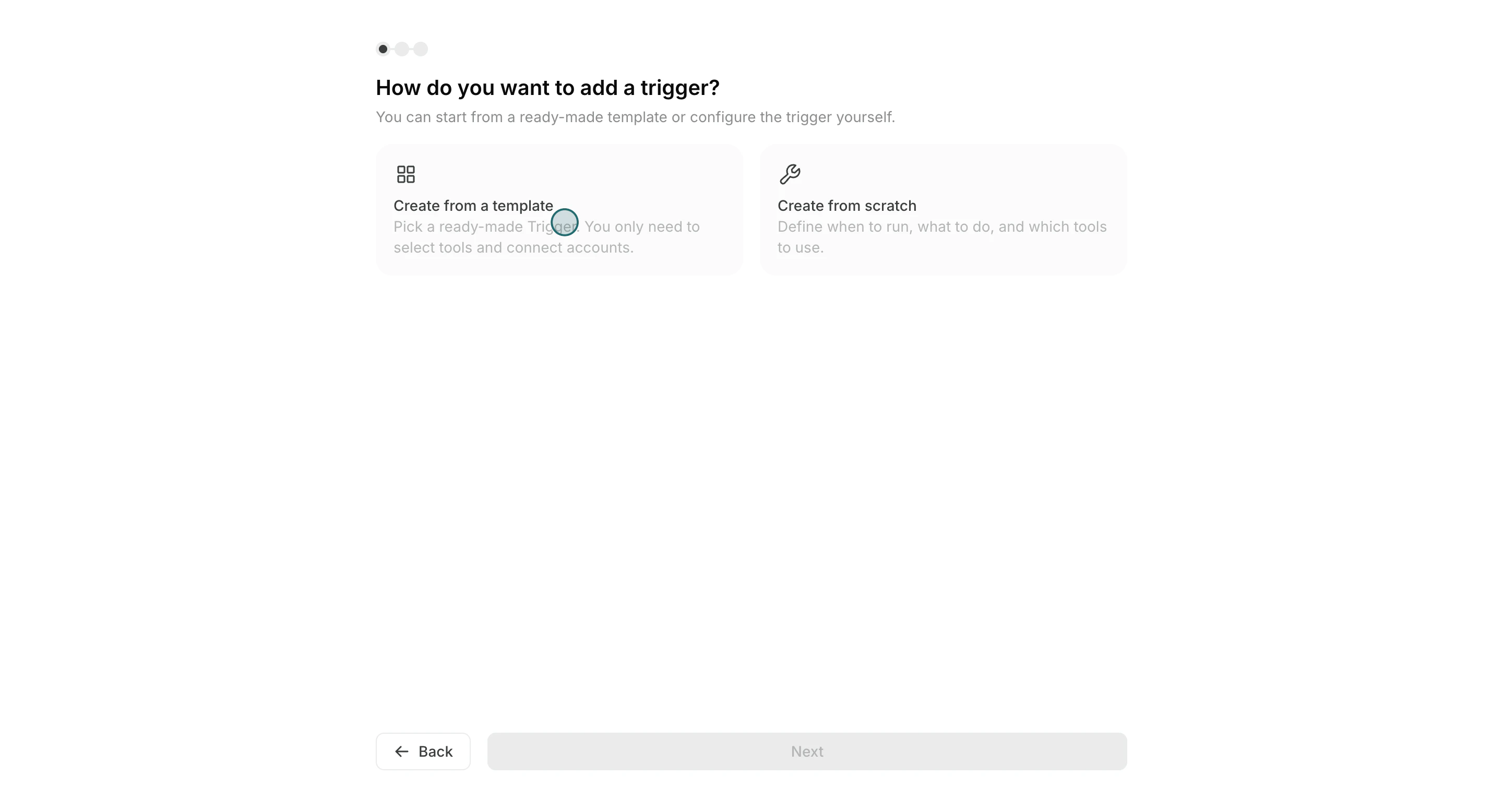
3. Select `Create from template`.

<img src="https://mintcdn.com/agoslabstechnologiesfzco/Fp8XwoziZBVDha6p/public/help-center/arcade/ai-team/create-trigger-from-template/step-04.png?fit=max&auto=format&n=Fp8XwoziZBVDha6p&q=85&s=7c99640e8ddb4b9738f8bb59f3fa2837" alt="Select Create from template" style={{ border: '1px solid #e5e7eb', borderRadius: '8px', marginBottom: '1rem' }} width="2880" height="1556" data-path="public/help-center/arcade/ai-team/create-trigger-from-template/step-04.png" />

4. Choose a template close to your goal.
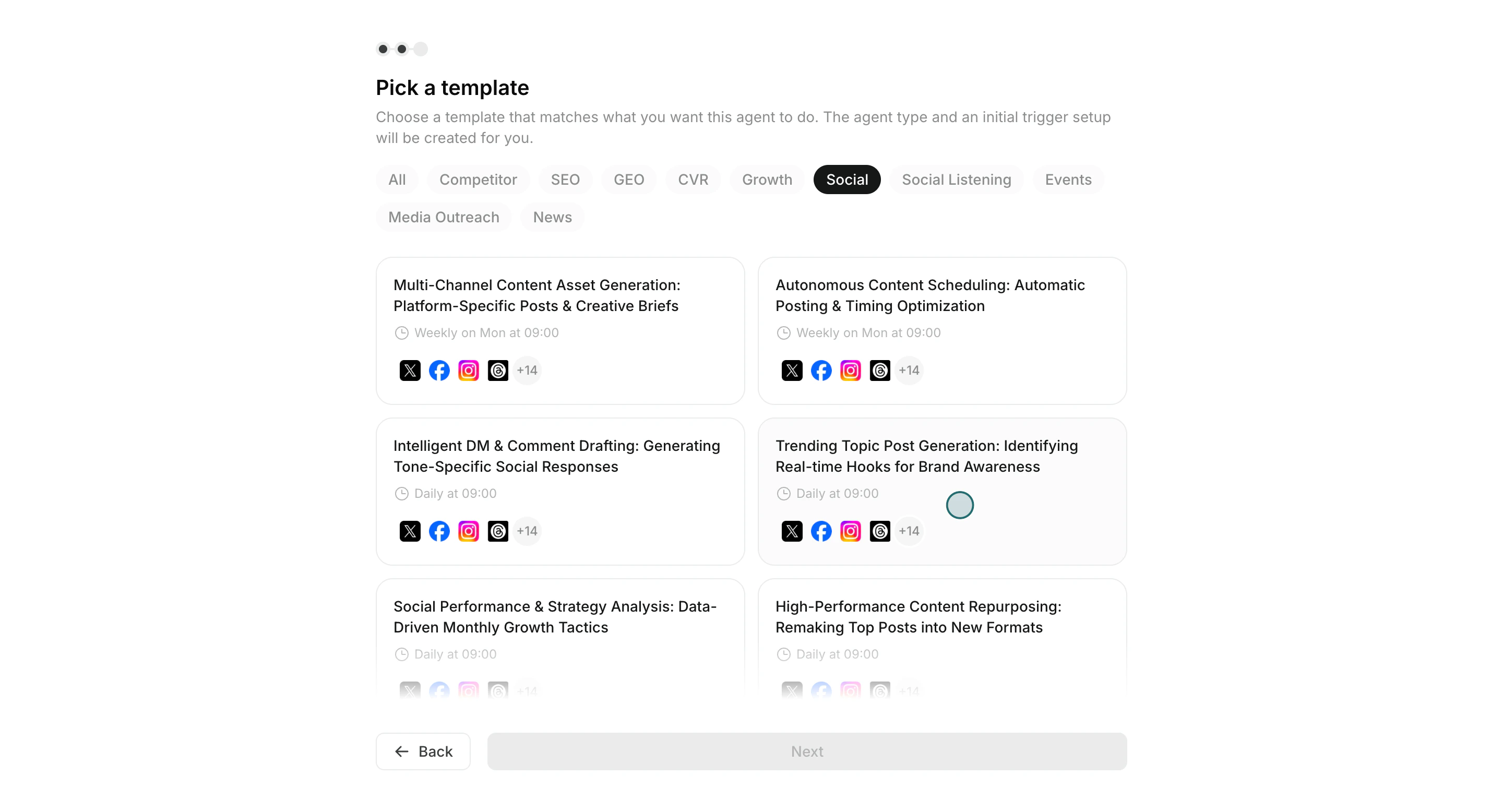
<img src="https://mintcdn.com/agoslabstechnologiesfzco/okAbFobT9iaP0HDF/public/help-center/arcade/ai-team/create-trigger-from-template/step-07.png?fit=max&auto=format&n=okAbFobT9iaP0HDF&q=85&s=f020fb5cb5e7599ea630b70df1c2257c" alt="Select a template" style={{ border: '1px solid #e5e7eb', borderRadius: '8px', marginBottom: '1rem' }} width="2880" height="1556" data-path="public/help-center/arcade/ai-team/create-trigger-from-template/step-07.png" />

5. Adjust `Execution timing`, `Workflow`, and optional `Destinations`.
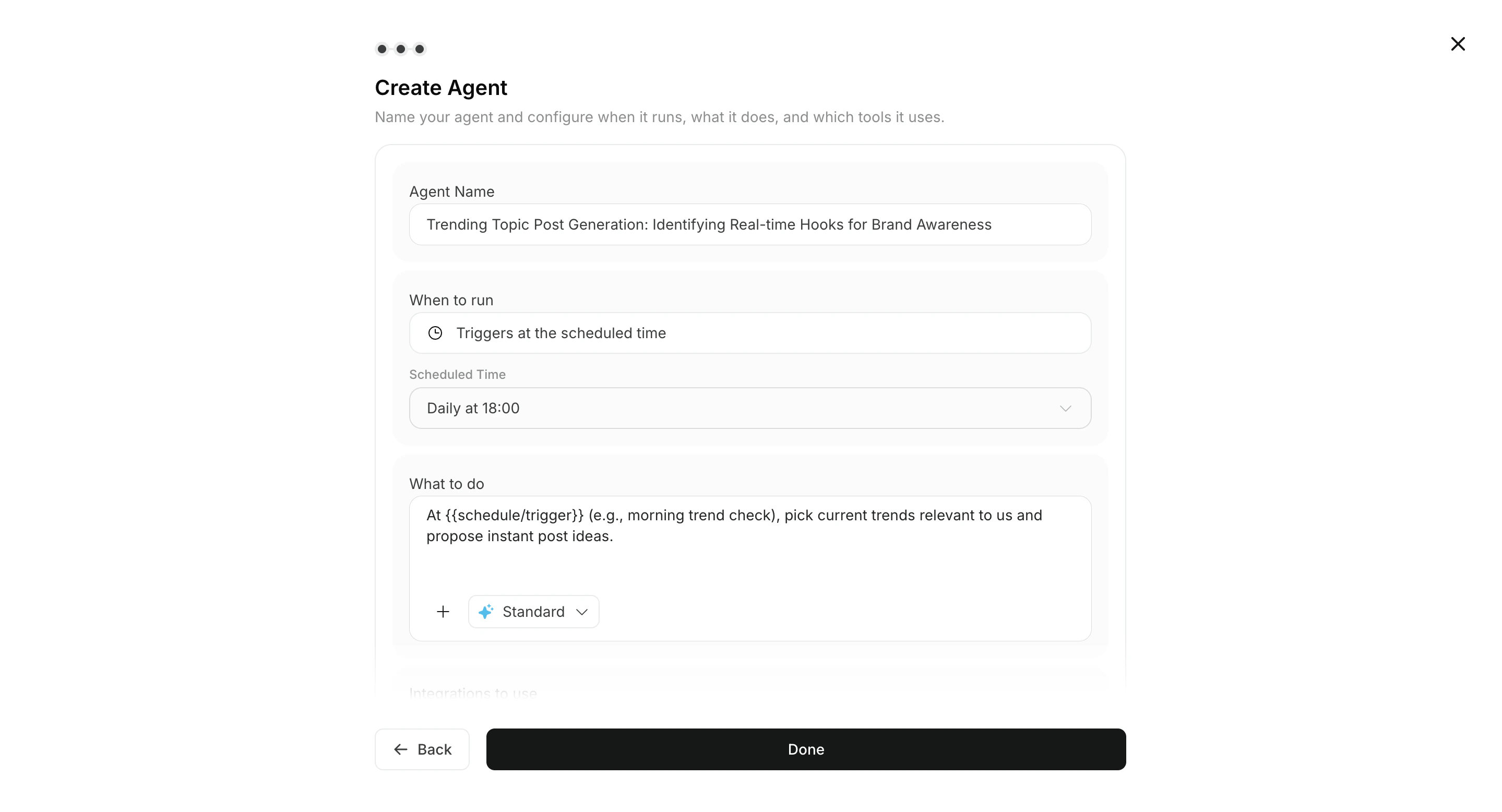
<img src="https://mintcdn.com/agoslabstechnologiesfzco/vjbeim587jrR_hCh/public/help-center/arcade/ai-team/create-trigger-from-template/step-12.png?fit=max&auto=format&n=vjbeim587jrR_hCh&q=85&s=612649204820db434696360ad3bac3dd" alt="Adjust schedule and instructions" style={{ border: '1px solid #e5e7eb', borderRadius: '8px', marginBottom: '1rem' }} width="2878" height="1556" data-path="public/help-center/arcade/ai-team/create-trigger-from-template/step-12.png" />

6. If needed, attach images or Knowledge Bases to the workflow.
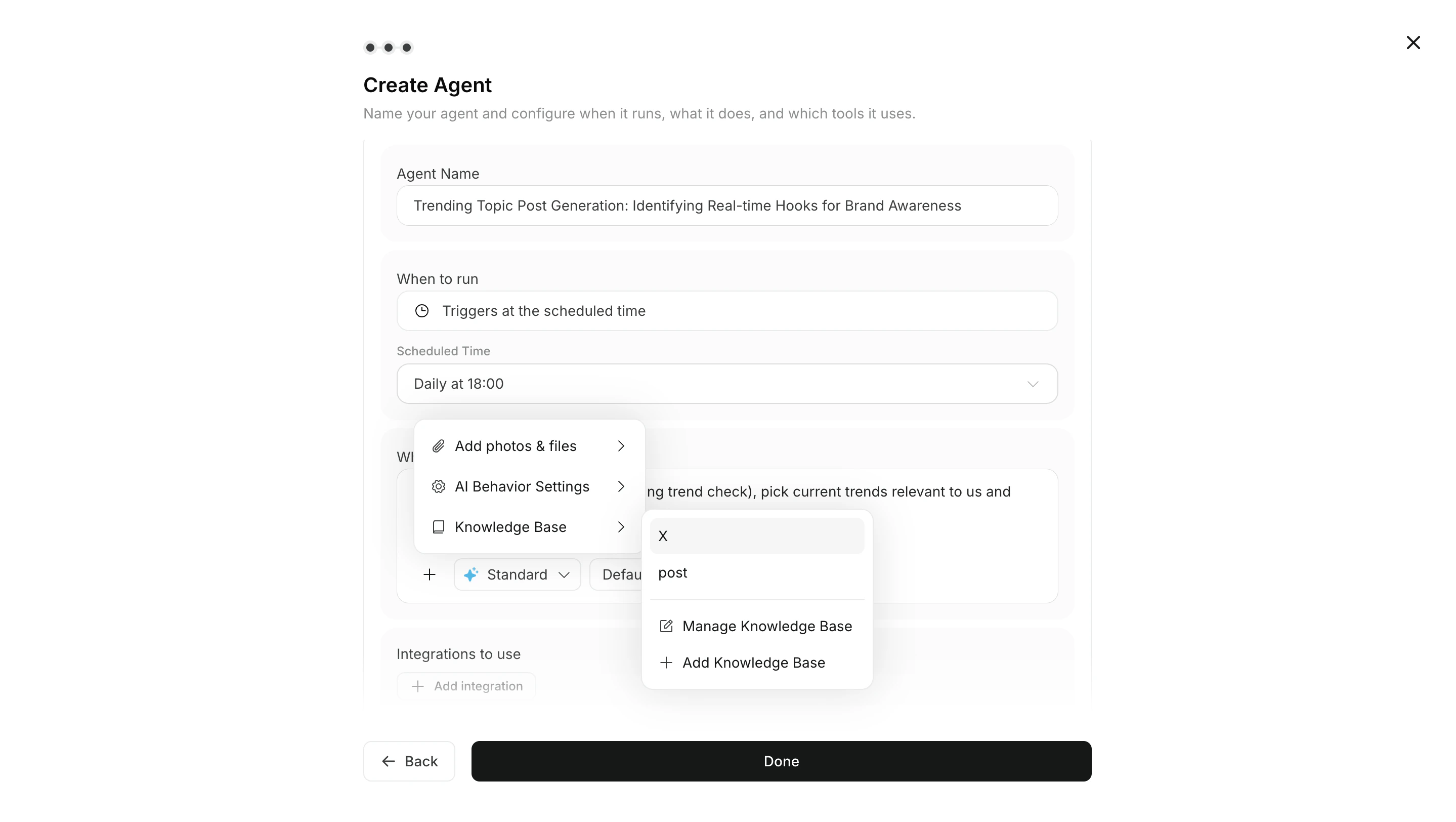
<img src="https://mintcdn.com/agoslabstechnologiesfzco/Xa0ytaJcNHhSum5F/public/help-center/ai-team/agent-workflow-attachments.png?fit=max&auto=format&n=Xa0ytaJcNHhSum5F&q=85&s=2d0b5d22611c846a4b7851a1ce8129bd" alt="Attach images or Knowledge Bases to the workflow" style={{ border: '1px solid #e5e7eb', borderRadius: '8px', marginBottom: '1rem' }} width="2878" height="1624" data-path="public/help-center/ai-team/agent-workflow-attachments.png" />

7. Set `Integrations` and connected accounts.
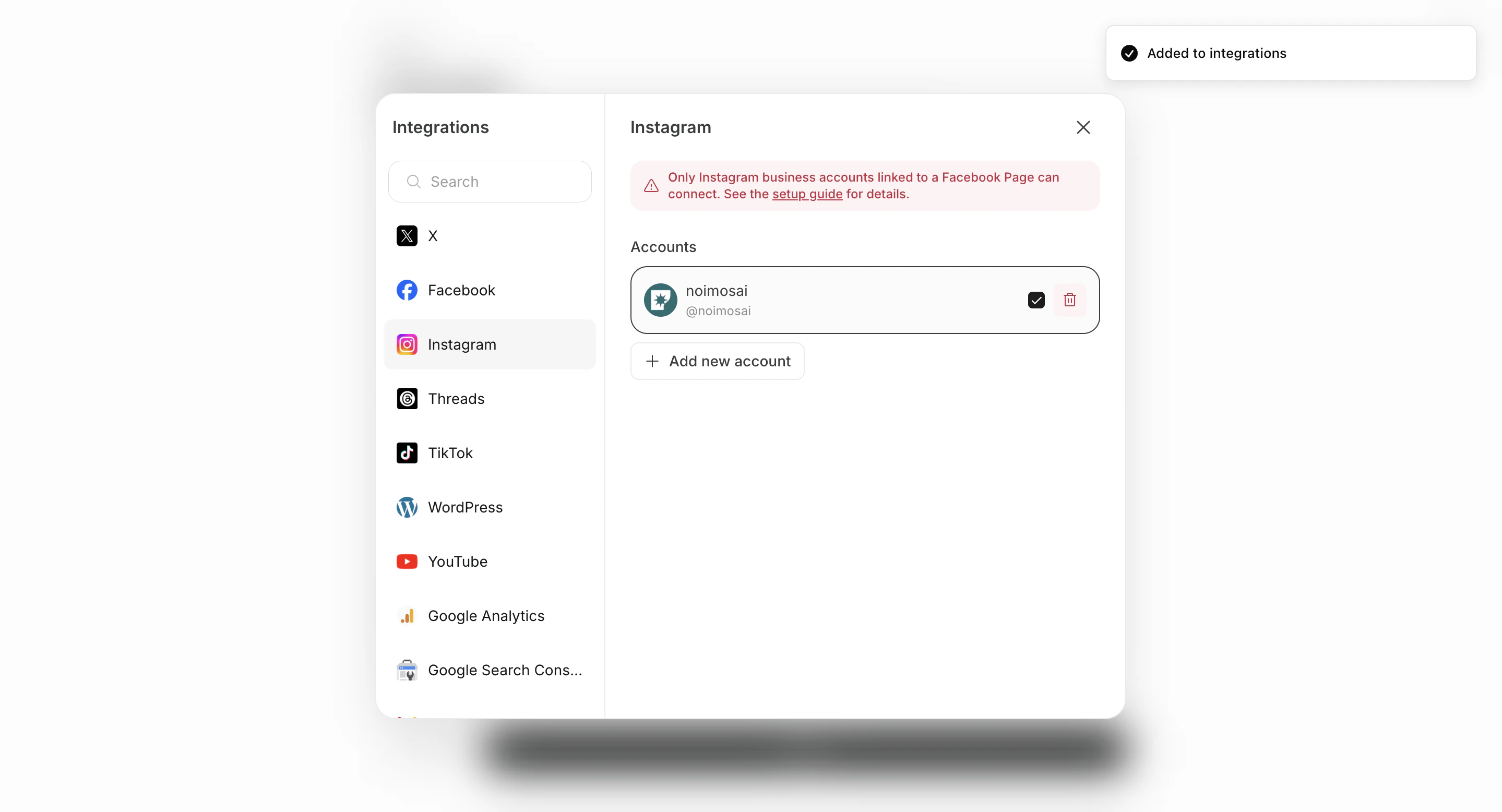
<img src="https://mintcdn.com/agoslabstechnologiesfzco/O_z-4_xsRkHd_wIv/public/help-center/arcade/ai-team/create-trigger-from-template/step-14.png?fit=max&auto=format&n=O_z-4_xsRkHd_wIv&q=85&s=600da341d064691dd9c3c510d4697a79" alt="Set integrations and accounts" style={{ border: '1px solid #e5e7eb', borderRadius: '8px', marginBottom: '1rem' }} width="2878" height="1556" data-path="public/help-center/arcade/ai-team/create-trigger-from-template/step-14.png" />

8. Save with `Create`, then enable the agent if needed.
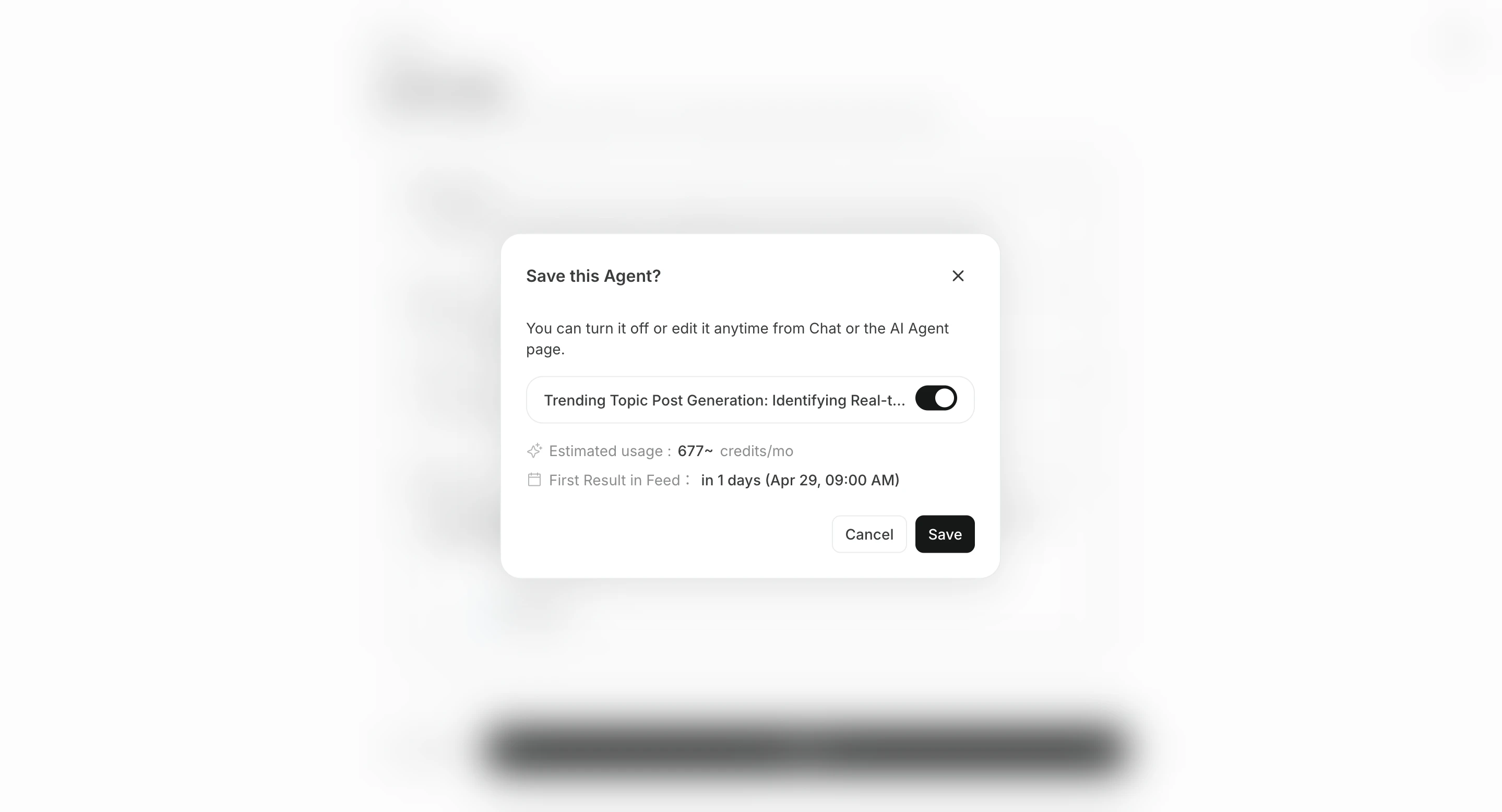
<img src="https://mintcdn.com/agoslabstechnologiesfzco/O_z-4_xsRkHd_wIv/public/help-center/arcade/ai-team/create-trigger-from-template/step-19.png?fit=max&auto=format&n=O_z-4_xsRkHd_wIv&q=85&s=275461ca32f4791b01a61e62c160821e" alt="Create the agent" style={{ border: '1px solid #e5e7eb', borderRadius: '8px', marginBottom: '1rem' }} width="2878" height="1556" data-path="public/help-center/arcade/ai-team/create-trigger-from-template/step-19.png" />

## Configure destinations

`Destinations` are optional. Results are available from `All Tasks` in the related chat session, but you can add destinations when you also want notifications or shared storage.

There are two main ways to add a destination.

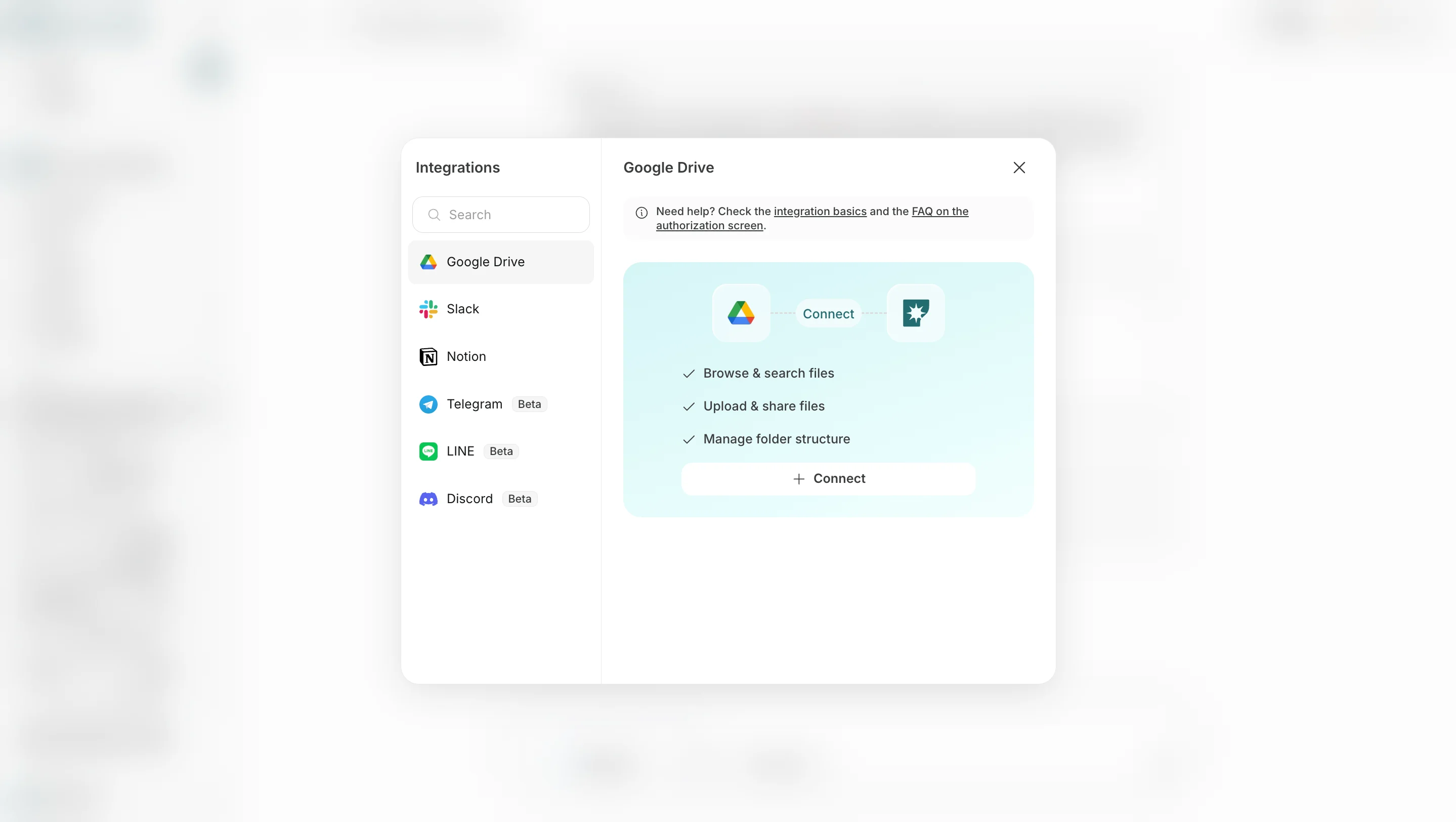
1. **Add destination** lets you choose connected apps or storage destinations such as Slack, LINE, Discord, Telegram, WhatsApp, Notion, and Google Drive.
<img src="https://mintcdn.com/agoslabstechnologiesfzco/FJKw6eZ1ZQ6W2xoq/public/help-center/ai-team/agent-output-destination.png?fit=max&auto=format&n=FJKw6eZ1ZQ6W2xoq&q=85&s=33b172d6df5dd38e302900d7e6694670" alt="Add a destination" style={{ border: '1px solid #e5e7eb', borderRadius: '8px', marginBottom: '1rem' }} width="2878" height="1624" data-path="public/help-center/ai-team/agent-output-destination.png" />

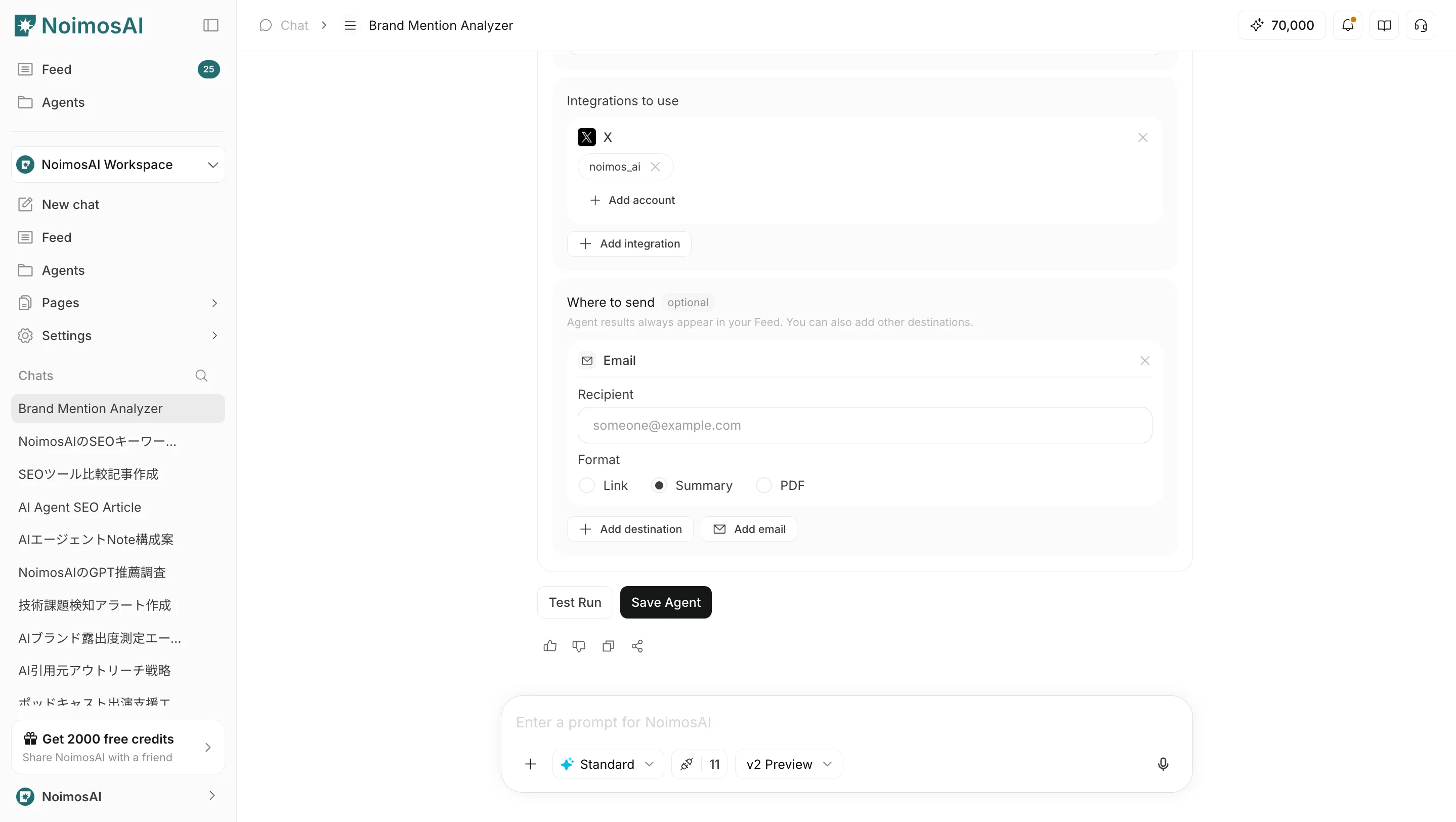
2. **Add email** lets you specify an email address so results can also be sent by email.
<img src="https://mintcdn.com/agoslabstechnologiesfzco/FJKw6eZ1ZQ6W2xoq/public/help-center/ai-team/agent-output-email.png?fit=max&auto=format&n=FJKw6eZ1ZQ6W2xoq&q=85&s=43468fe34f49dde63d0e960b7b141049" alt="Add an email destination" style={{ border: '1px solid #e5e7eb', borderRadius: '8px', marginBottom: '1rem' }} width="2878" height="1624" data-path="public/help-center/ai-team/agent-output-email.png" />

In either case, you can choose the output format from `Link`, `Summary`, or `PDF`.

## Operating tips

* Start at a low frequency, review quality in `Execution Results`, then increase the frequency.
* Make the instructions specific about what to return and in what format.

## Related pages

* [Create an agent from scratch](/help-center/ai-team/create-an-agent-from-scratch)
* [Edit and delete agents](/help-center/ai-team/edit-add-and-delete-triggers)