> ## Documentation Index
> Fetch the complete documentation index at: https://docs.noimosai.com/llms.txt
> Use this file to discover all available pages before exploring further.
# Edit and Delete Agents
> Learn how to edit agents, enable or disable them, and delete agents you no longer need.
## Overview
This page explains how to edit or delete an existing agent.
## 1. Go to Agents and select the agent
1. Go to the `Agents` tab.
2. Select the agent you want to edit or delete.
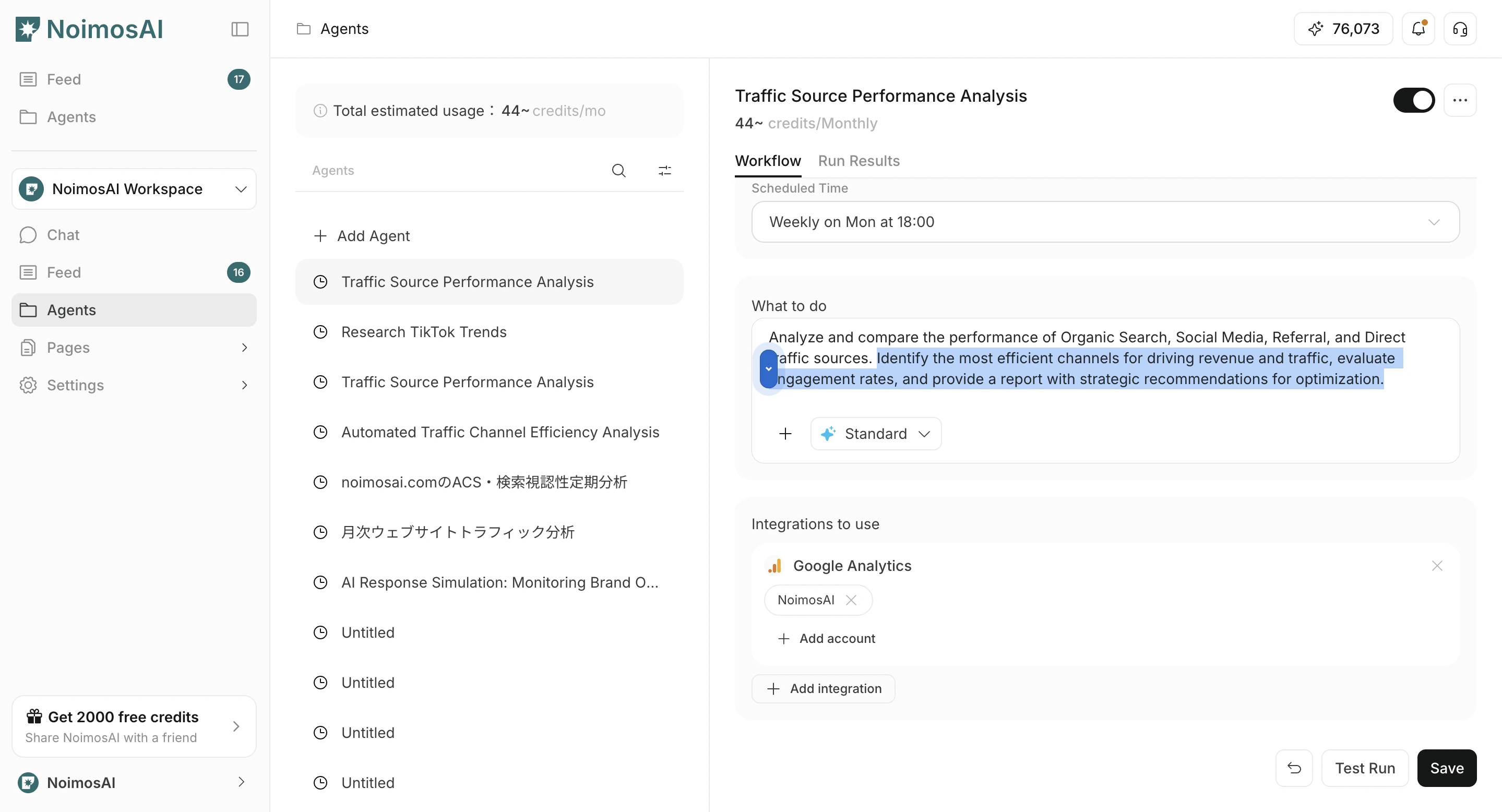
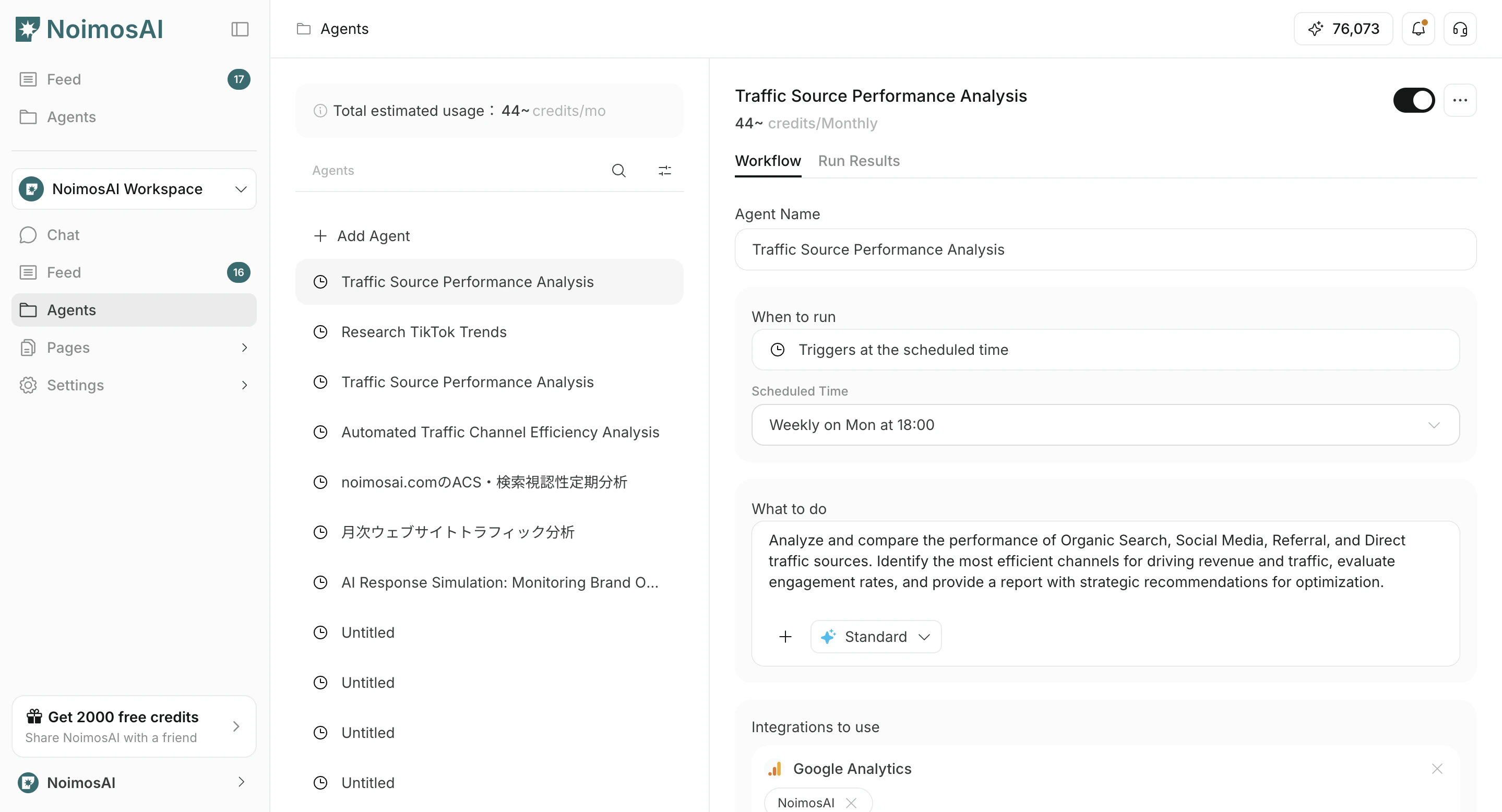 ## 2. Edit an agent
1. Open the `Workflow` tab.
2. Change `Execution timing`, `Workflow`, `Integrations`, and optional `Destinations`.
3. If needed, attach images or Knowledge Bases to the workflow.
4. Click `Save`.
5. To enable or disable the agent, turn the toggle on or off.
In `Destinations`, you can choose Slack, LINE, Discord, Telegram, WhatsApp, email, Notion, Google Drive, and other destinations, then set the output format to `Link`, `Summary`, or `PDF`.
## 2. Edit an agent
1. Open the `Workflow` tab.
2. Change `Execution timing`, `Workflow`, `Integrations`, and optional `Destinations`.
3. If needed, attach images or Knowledge Bases to the workflow.
4. Click `Save`.
5. To enable or disable the agent, turn the toggle on or off.
In `Destinations`, you can choose Slack, LINE, Discord, Telegram, WhatsApp, email, Notion, Google Drive, and other destinations, then set the output format to `Link`, `Summary`, or `PDF`.
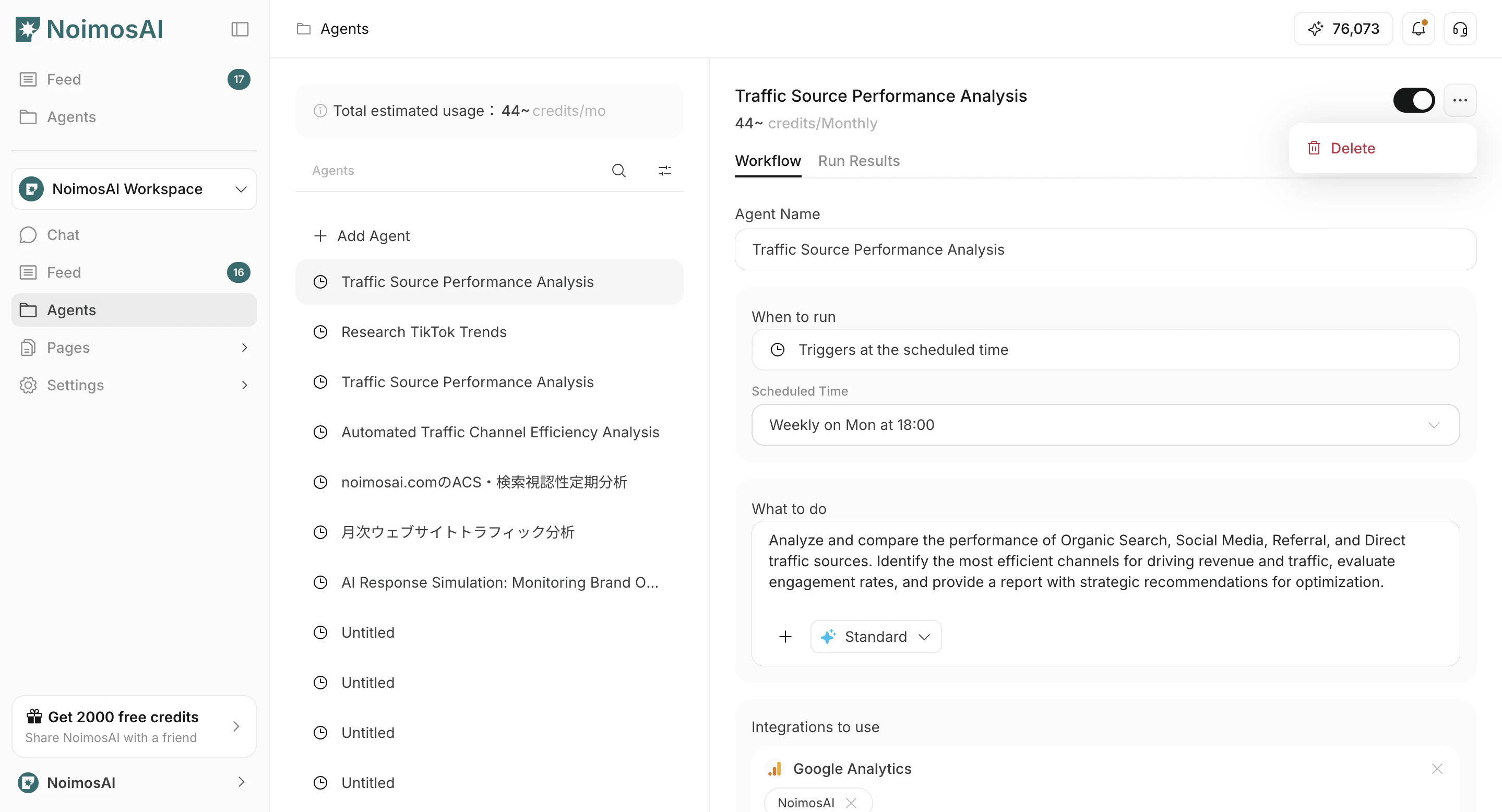
 ## 3. Delete an agent
1. Click `...` on the target agent.
2. Click `Delete`.
## 3. Delete an agent
1. Click `...` on the target agent.
2. Click `Delete`.
 ## Disable or delete
* **Disable**: Temporarily stop execution while keeping the settings.
* **Delete**: Permanently remove an agent you no longer use.
## Related pages
* [Create an agent from a template](/help-center/ai-team/create-an-agent-from-a-template)
* [View estimated credit usage](/help-center/ai-team/view-estimated-credit-usage)
## Disable or delete
* **Disable**: Temporarily stop execution while keeping the settings.
* **Delete**: Permanently remove an agent you no longer use.
## Related pages
* [Create an agent from a template](/help-center/ai-team/create-an-agent-from-a-template)
* [View estimated credit usage](/help-center/ai-team/view-estimated-credit-usage)