> ## Documentation Index
> Fetch the complete documentation index at: https://docs.noimosai.com/llms.txt
> Use this file to discover all available pages before exploring further.
# View Estimated Credit Usage
> Check estimated monthly usage and control costs by adjusting active agent settings.
## Overview
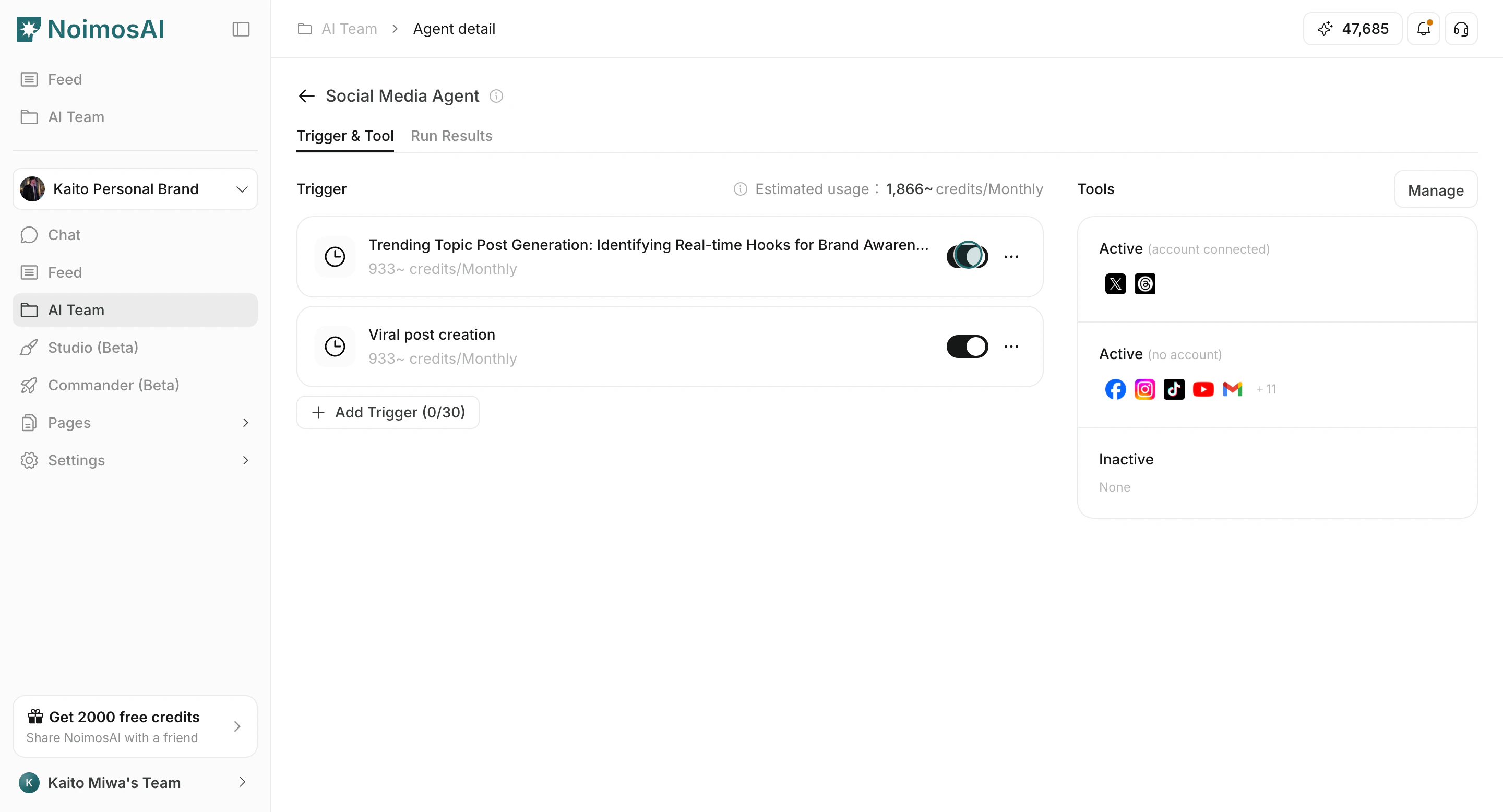
In agent detail, `Estimated usage` shows the monthly credit estimate based on active triggers and expected run frequency. Use this value to plan scale before increasing trigger volume.
## How to Check and Adjust
Follow the steps below to complete this action.
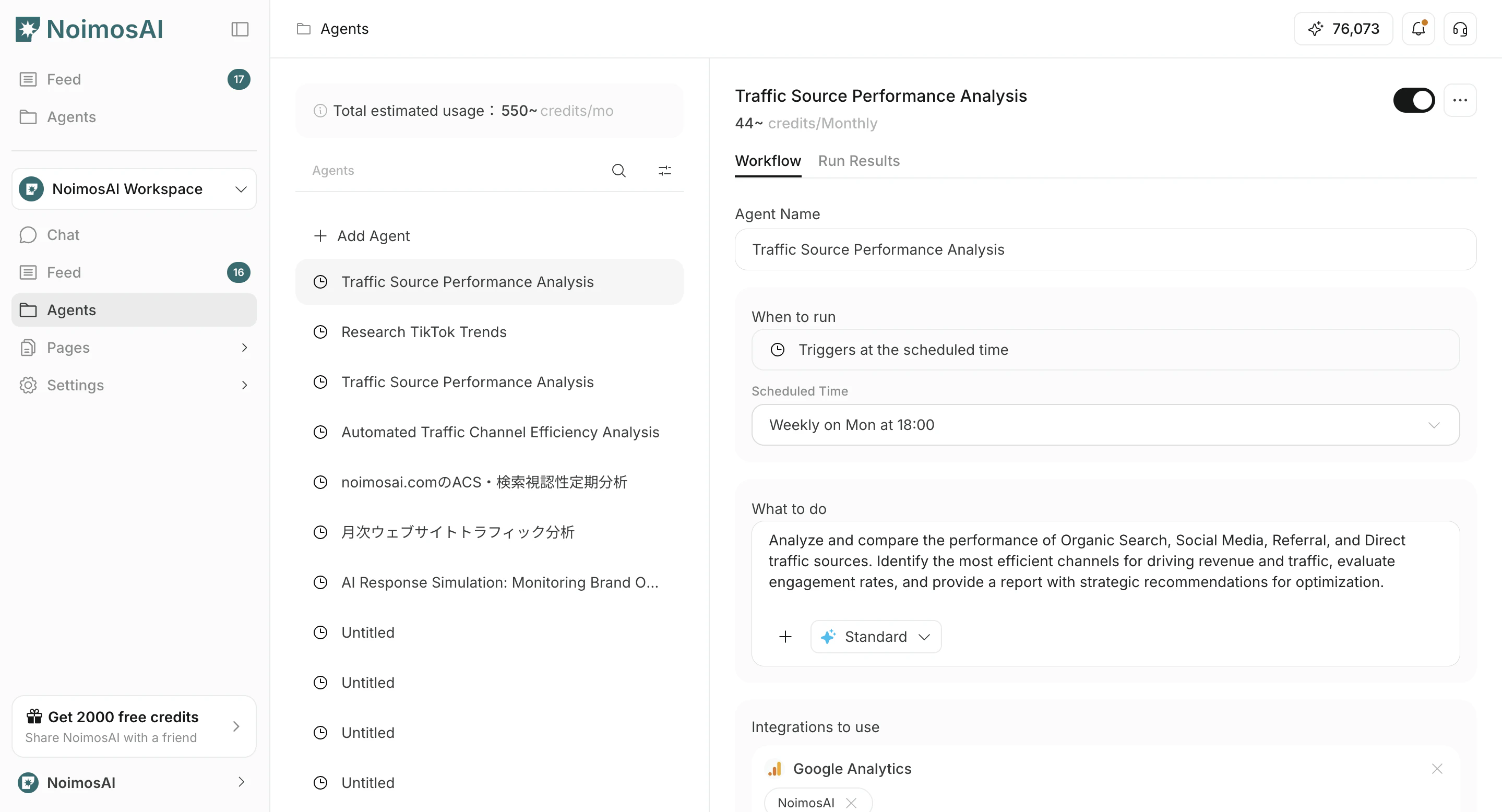
1. Open the target agent in `Agents`.
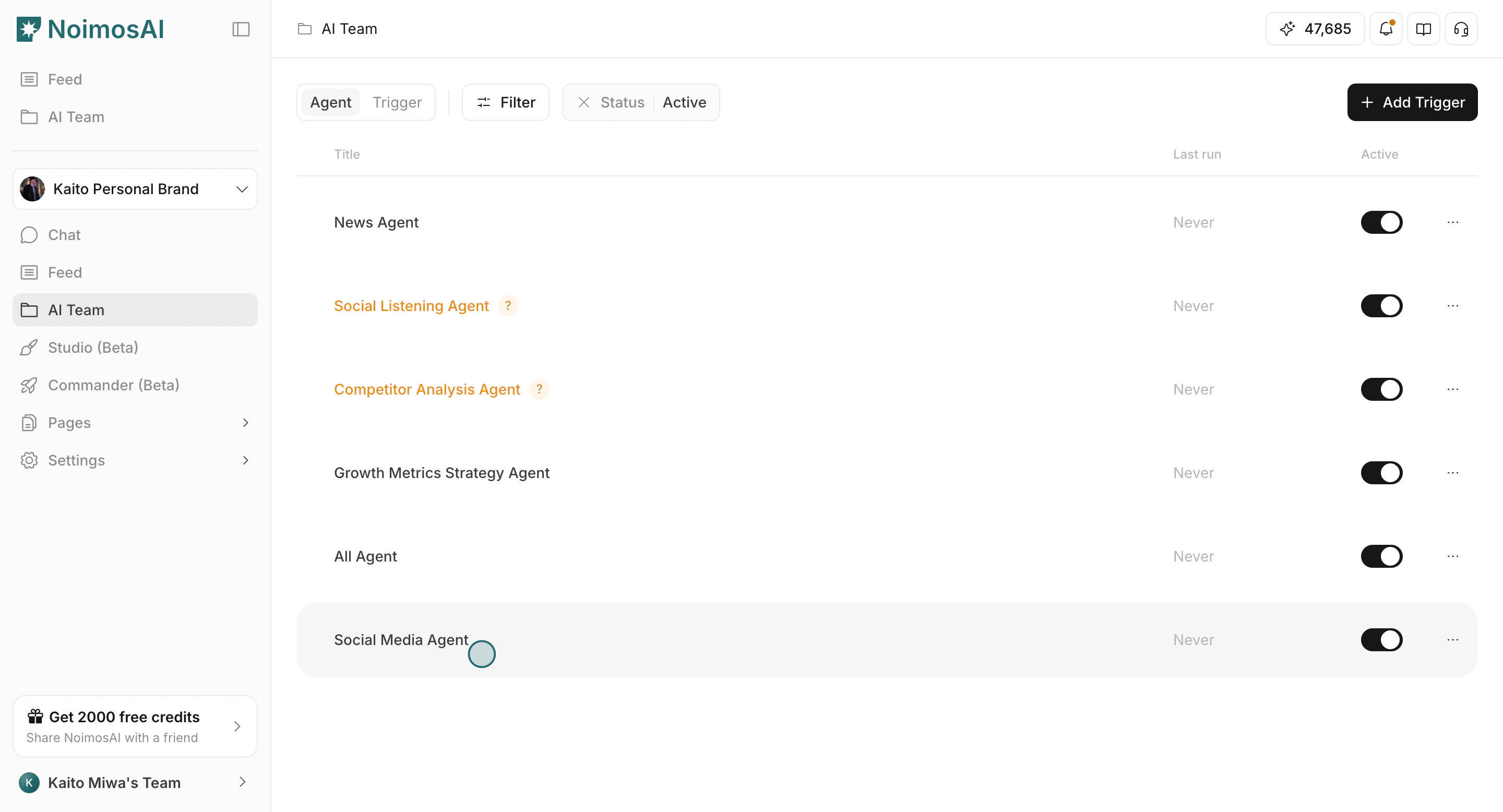 2. Check the estimated usage value near the trigger list.
 3. Turn executions on/off and confirm how estimates change.
 ## Why Actual Usage Can Differ
Actual usage can vary by:
* Connected tools and external data volume
* Trigger type and run behavior
* Prompt complexity and execution details
Treat estimated usage as a planning baseline, not an exact credit amount.
## Cost Control Tips
Use these tips to improve consistency and output quality.
* Start with fewer active triggers and scale gradually.
* Disable triggers for paused campaigns.
* Review output quality in `Execution Results` before increasing frequency.
## Related
Use these related pages for deeper guidance.
* [Edit and Delete Agents](/help-center/ai-team/edit-add-and-delete-triggers)
* [Check Credit Usage and Purchase More](/help-center/plans-and-billing/check-credit-usage-and-purchase-more)
* [Learning Demo: View Estimated Credit Usage](/learning-center/ai-team/view-estimated-credit-usage)
## Why Actual Usage Can Differ
Actual usage can vary by:
* Connected tools and external data volume
* Trigger type and run behavior
* Prompt complexity and execution details
Treat estimated usage as a planning baseline, not an exact credit amount.
## Cost Control Tips
Use these tips to improve consistency and output quality.
* Start with fewer active triggers and scale gradually.
* Disable triggers for paused campaigns.
* Review output quality in `Execution Results` before increasing frequency.
## Related
Use these related pages for deeper guidance.
* [Edit and Delete Agents](/help-center/ai-team/edit-add-and-delete-triggers)
* [Check Credit Usage and Purchase More](/help-center/plans-and-billing/check-credit-usage-and-purchase-more)
* [Learning Demo: View Estimated Credit Usage](/learning-center/ai-team/view-estimated-credit-usage)