> ## Documentation Index
> Fetch the complete documentation index at: https://docs.noimosai.com/llms.txt
> Use this file to discover all available pages before exploring further.
# Where Can I Cancel My Subscription?
> Find where to start subscription cancellation.
## Short Answer
Go to `Team -> Billing -> Usage`, then open `Plan Details` and click `Cancel subscription`.
## Step-by-Step
1. Open Team Billing Usage.
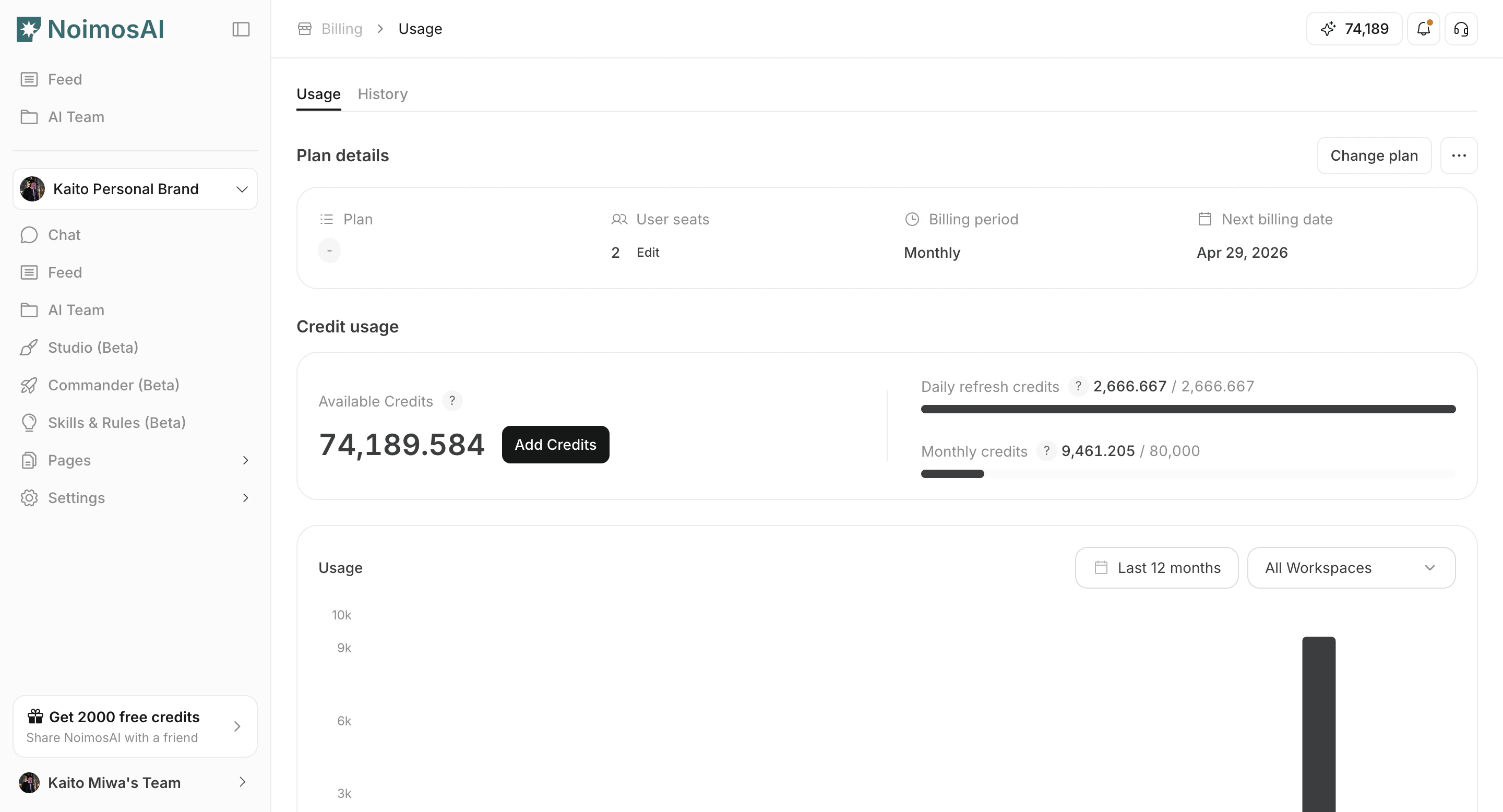 2. In Plan Details, start cancellation.
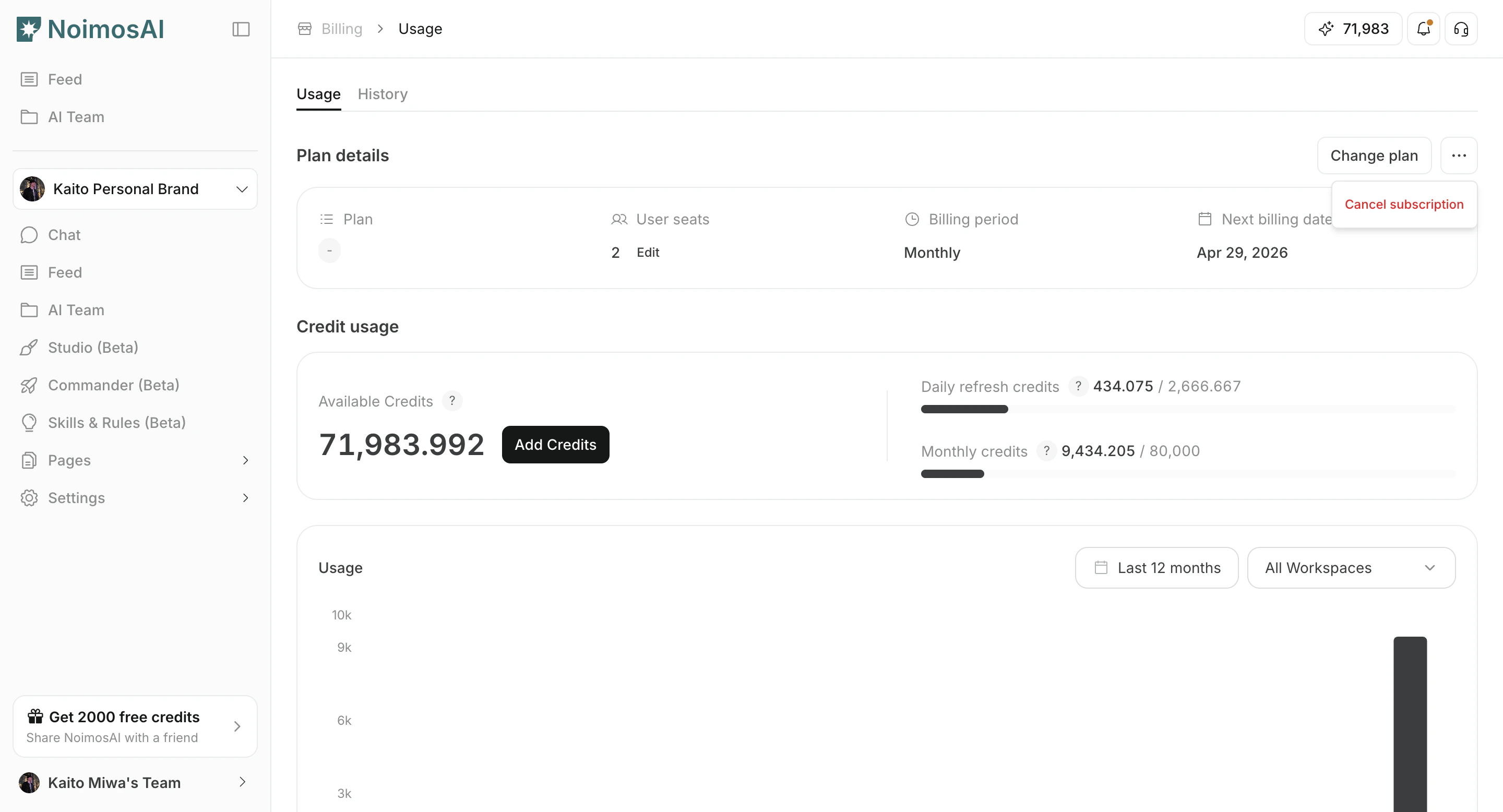 3. Review the confirmation text and finish cancellation.
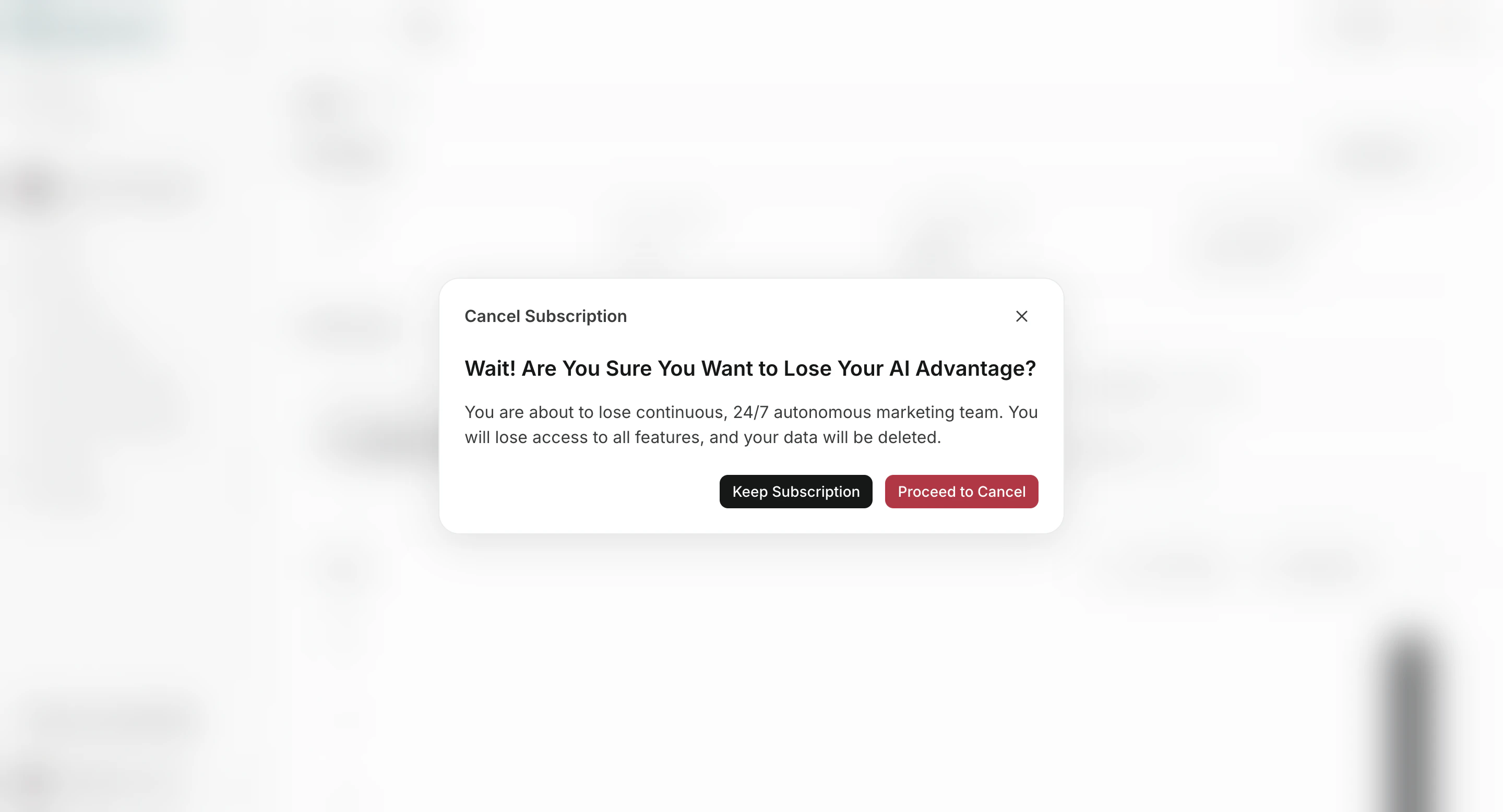 ## After You Cancel
* If your subscription is active, cancellation is usually scheduled for the end of the billing period.
* If your subscription is trialing or payment-failed, cancellation can be immediate.
* You can verify status in `Billing -> Usage`.
## Demo
* [Cancel Subscription (Learning Center)](/learning-center/plan-and-billing/cancel-subscription)
* [Arcade Demo](https://app.arcade.software/share/K5TAdwueKLKS3pWG7Xqd)
## After You Cancel
* If your subscription is active, cancellation is usually scheduled for the end of the billing period.
* If your subscription is trialing or payment-failed, cancellation can be immediate.
* You can verify status in `Billing -> Usage`.
## Demo
* [Cancel Subscription (Learning Center)](/learning-center/plan-and-billing/cancel-subscription)
* [Arcade Demo](https://app.arcade.software/share/K5TAdwueKLKS3pWG7Xqd)