> ## Documentation Index
> Fetch the complete documentation index at: https://docs.noimosai.com/llms.txt
> Use this file to discover all available pages before exploring further.
# Why Is Facebook Integration Not Working?
> Troubleshoot issues when Facebook integration cannot be connected.
## Short Answer
Facebook integration requires a `Facebook Page`.
A personal profile alone cannot be connected to NoimosAI.
Having a Facebook Page is not enough by itself. The Facebook personal account used during connection must be able to manage that Page.
## What Is a Facebook Page?
A Facebook Page is a profile for businesses, brands, organizations, and public figures.
NoimosAI Facebook integration works with Pages, not personal profiles.
If you need setup details for Facebook Pages, see:
* [What is a Facebook Page / Create a Facebook Page (Meta Help Center)](https://www.facebook.com/help/www/104002523024878)
* [Create and manage a Facebook Page (Meta Help Center)](https://www.facebook.com/help/135275340210354)
## Before You Start
* You have a Facebook Page for the brand or business.
* The Facebook personal account used for connection can manage that Page.
* You are signed in to the correct Facebook account in the same browser.
If the Page is in Meta Business Manager (business portfolio), you may also need access to that Page as a business asset.
## Required Page Access
Facebook Pages can use classic Page roles or the new Pages experience. In either case, the Facebook personal account used for Meta authorization must be able to manage the target Page.
* Classic Pages: the account has an `Admin` or `Editor` Page role.
* New Pages experience: the account has full control or partial control through `Facebook access`.
* Business Manager Pages: the account has access to the target Page as a business asset.
If the Page does not appear, or appears greyed out and cannot be selected, this permission is often missing.
## Step-by-Step
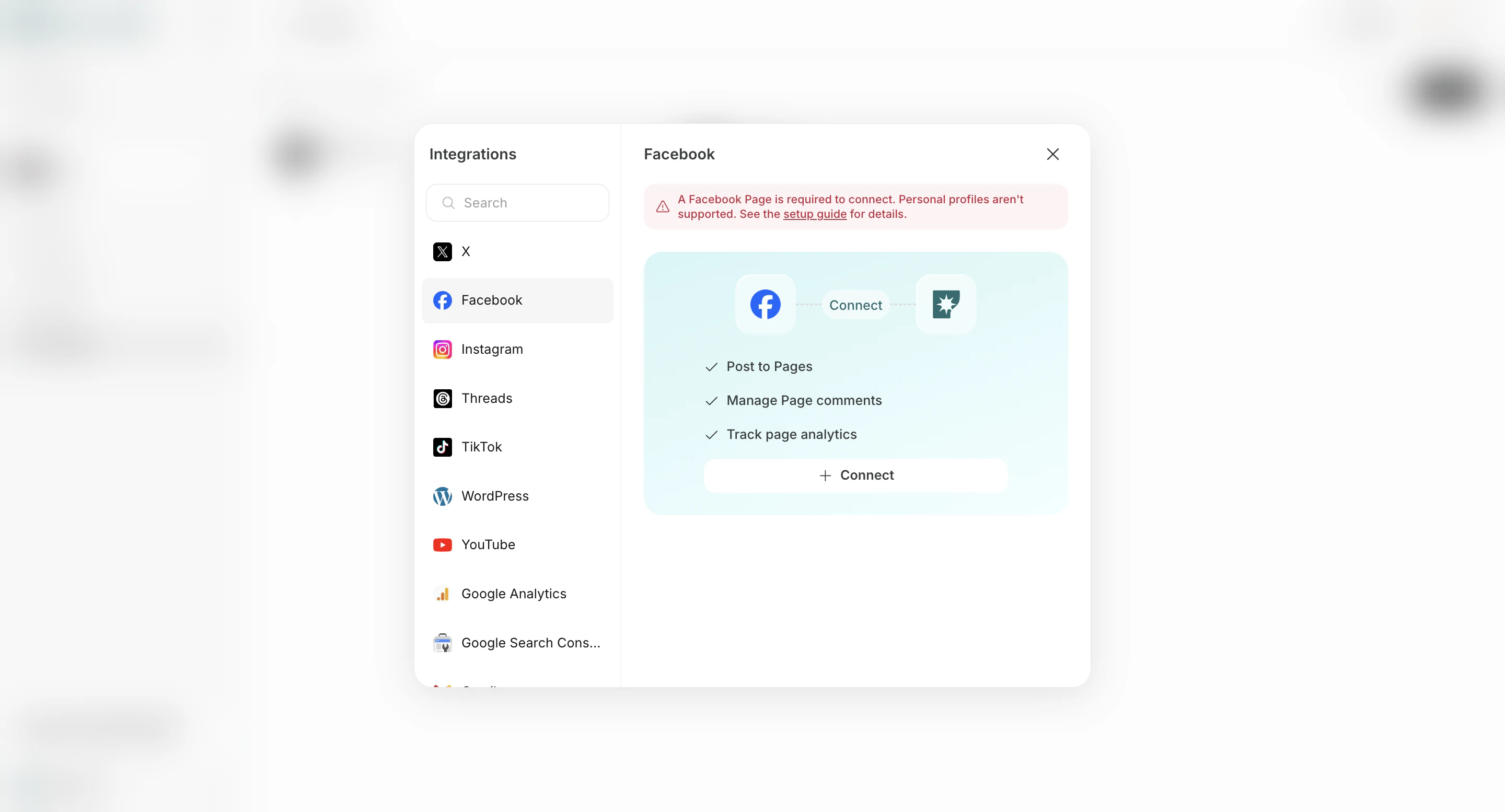
1. In `Workspace -> Integrations -> Add`, click `Connect` under Facebook.
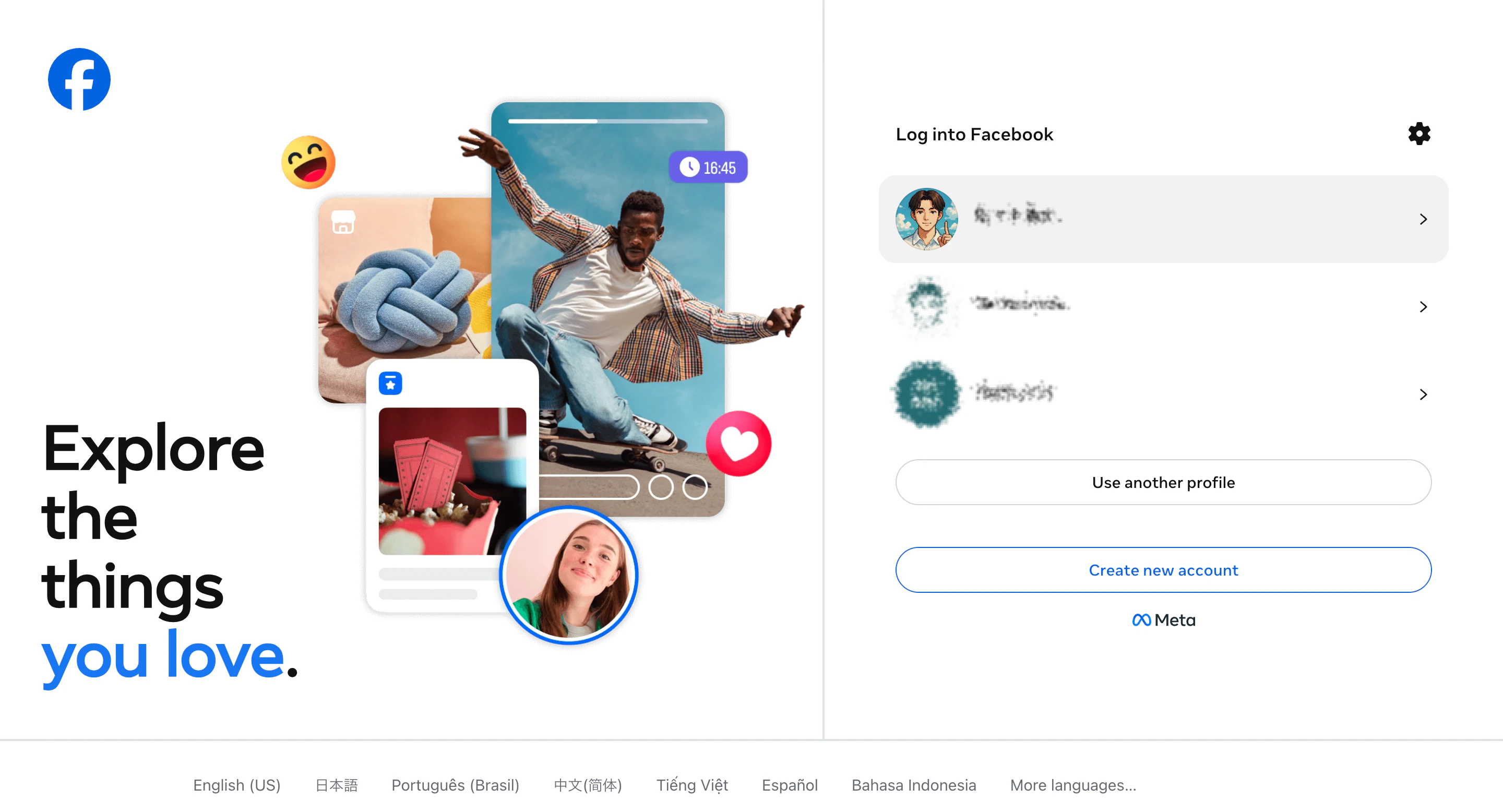
 2. Choose the Facebook personal account that manages the Facebook Page you want to connect.
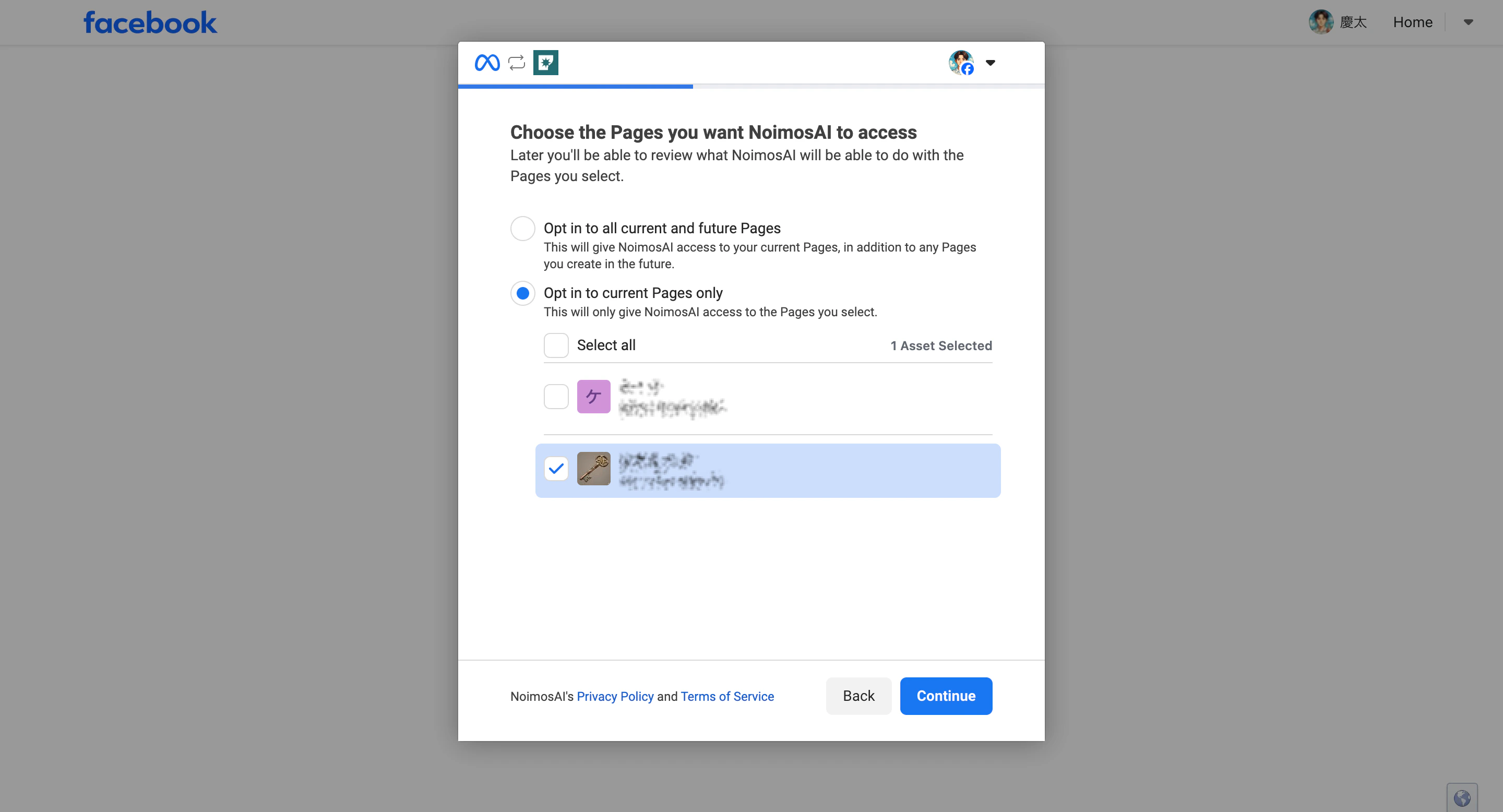
 3. Select the Facebook Page you want NoimosAI to manage.
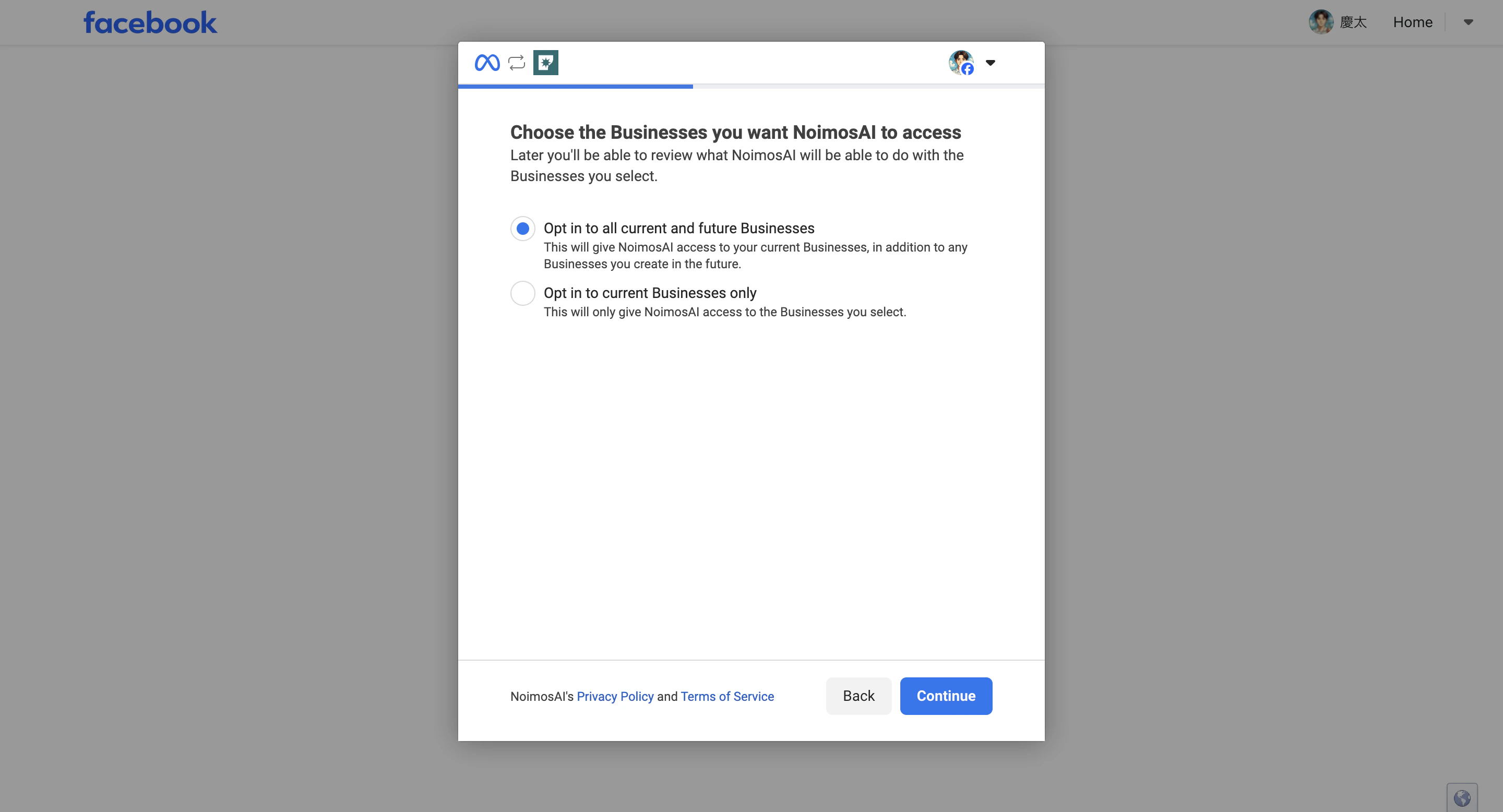
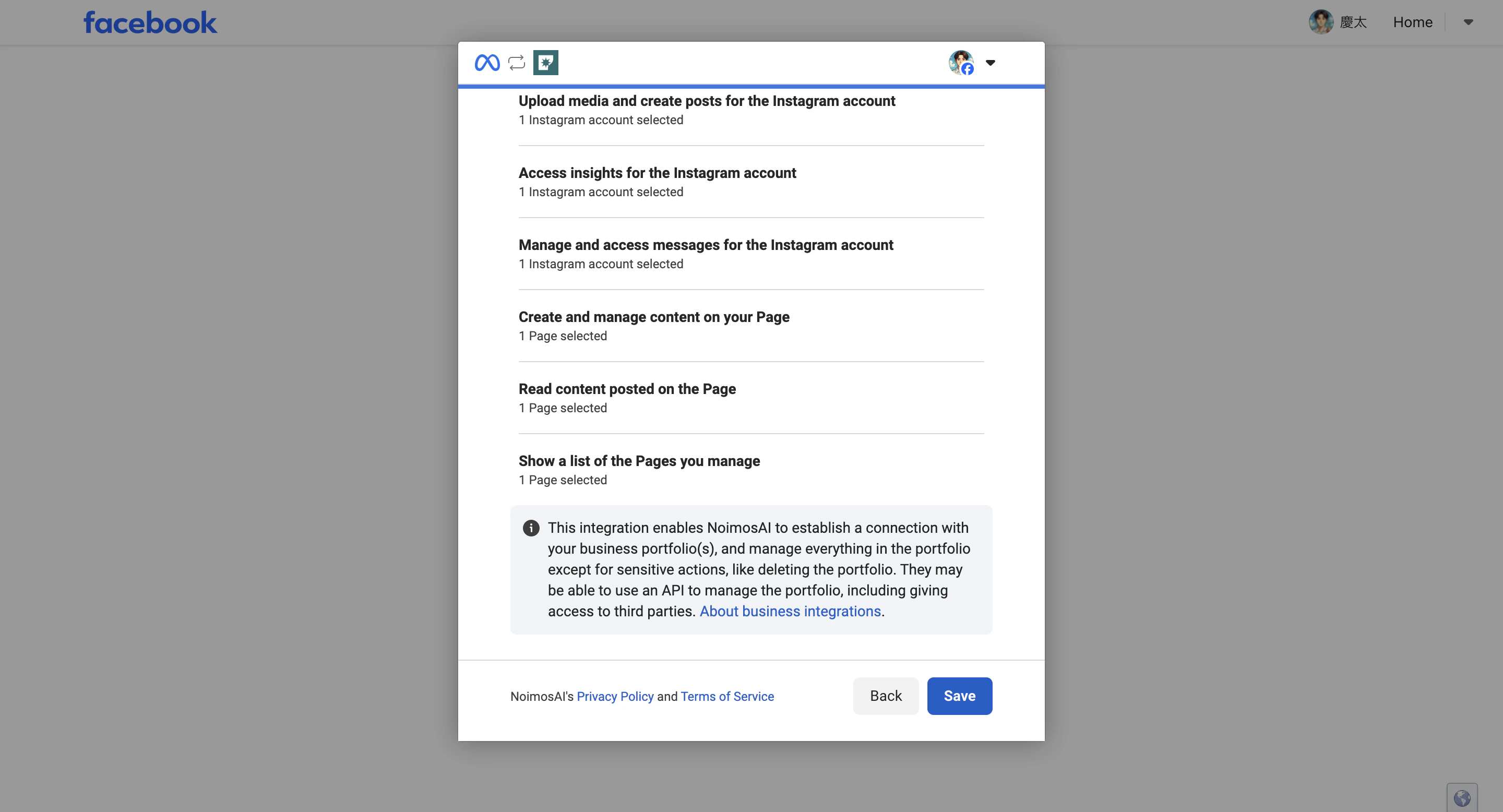
 4. Choose the business assets to allow for this connection.
 5. Confirm that the target Page and business assets are selected, then click `Save` to finalize permissions.
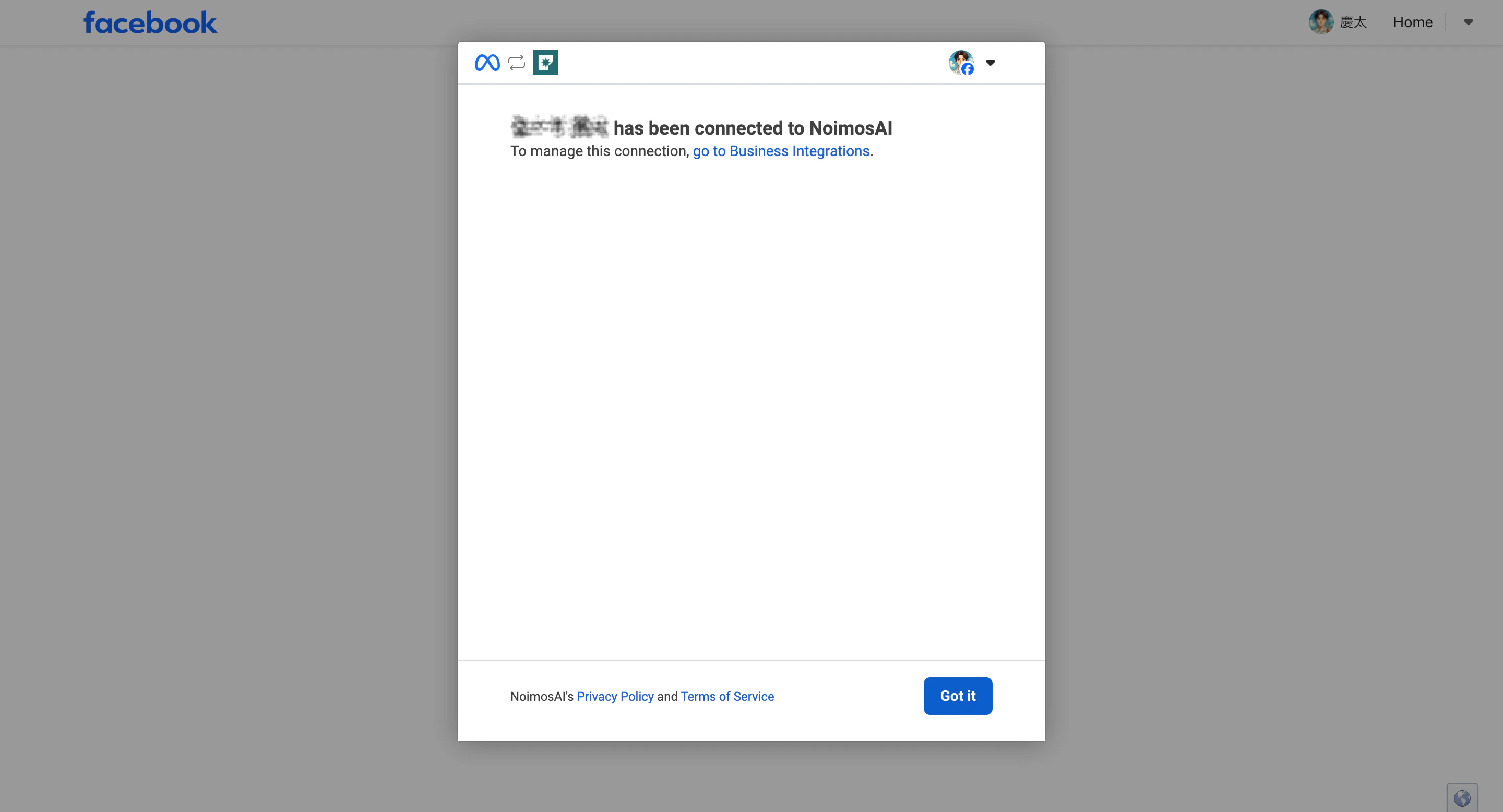
 6. Click `Got it` and return to NoimosAI.
 ## If the Page Does Not Appear or Cannot Be Selected
If the Facebook Page does not appear in the authorization screen, check the following:
* Make sure the browser is not signed in to a different Facebook account.
* Log out of Facebook once, then log in again with the personal account that manages the target Page.
* In Facebook, check `Settings and privacy > Settings > Business integrations` and confirm that NoimosAI is allowed to access the Page.
* For Pages managed in Business Manager, confirm that you have business asset access to the target Page.
* When connecting a location Page, confirm that you have access to the specific location Page, not only the parent Page.
If the Page is greyed out and cannot be selected, you may be able to see the Page but not have the management permission required to connect it. Ask a Page admin to confirm your Page access.
## If You Also Need Instagram
Instagram must be a `Professional account` and must be linked to a Facebook Page. Due to Meta restrictions, a personal Instagram account cannot be connected to external tools such as NoimosAI.
## If Connection Still Fails
Share the following with support:
* Exact error message
* Team and Workspace name
* Facebook Page name
* Screenshot of the failed step
## References
* [Meta for Developers: Facebook Pages API Overview](https://developers.facebook.com/docs/pages-api/overview)
* [Meta Help Center: Create and manage a Facebook Page](https://www.facebook.com/help/135275340210354)
## Related
* [Can I Connect a Facebook Professional Profile?](/help-center/faq/integrations/can-i-connect-facebook-professional-profile)
* [Why Is Instagram Integration Not Working?](/help-center/faq/integrations/instagram-integration-not-working)
## If the Page Does Not Appear or Cannot Be Selected
If the Facebook Page does not appear in the authorization screen, check the following:
* Make sure the browser is not signed in to a different Facebook account.
* Log out of Facebook once, then log in again with the personal account that manages the target Page.
* In Facebook, check `Settings and privacy > Settings > Business integrations` and confirm that NoimosAI is allowed to access the Page.
* For Pages managed in Business Manager, confirm that you have business asset access to the target Page.
* When connecting a location Page, confirm that you have access to the specific location Page, not only the parent Page.
If the Page is greyed out and cannot be selected, you may be able to see the Page but not have the management permission required to connect it. Ask a Page admin to confirm your Page access.
## If You Also Need Instagram
Instagram must be a `Professional account` and must be linked to a Facebook Page. Due to Meta restrictions, a personal Instagram account cannot be connected to external tools such as NoimosAI.
## If Connection Still Fails
Share the following with support:
* Exact error message
* Team and Workspace name
* Facebook Page name
* Screenshot of the failed step
## References
* [Meta for Developers: Facebook Pages API Overview](https://developers.facebook.com/docs/pages-api/overview)
* [Meta Help Center: Create and manage a Facebook Page](https://www.facebook.com/help/135275340210354)
## Related
* [Can I Connect a Facebook Professional Profile?](/help-center/faq/integrations/can-i-connect-facebook-professional-profile)
* [Why Is Instagram Integration Not Working?](/help-center/faq/integrations/instagram-integration-not-working)