> ## Documentation Index
> Fetch the complete documentation index at: https://docs.noimosai.com/llms.txt
> Use this file to discover all available pages before exploring further.
# Why Was I Charged After Canceling During the Free Trial?
> Understand what to do if you were billed after trial cancellation.
## Short Answer
First verify the billing event, then send support the required details for investigation.
## What to Check
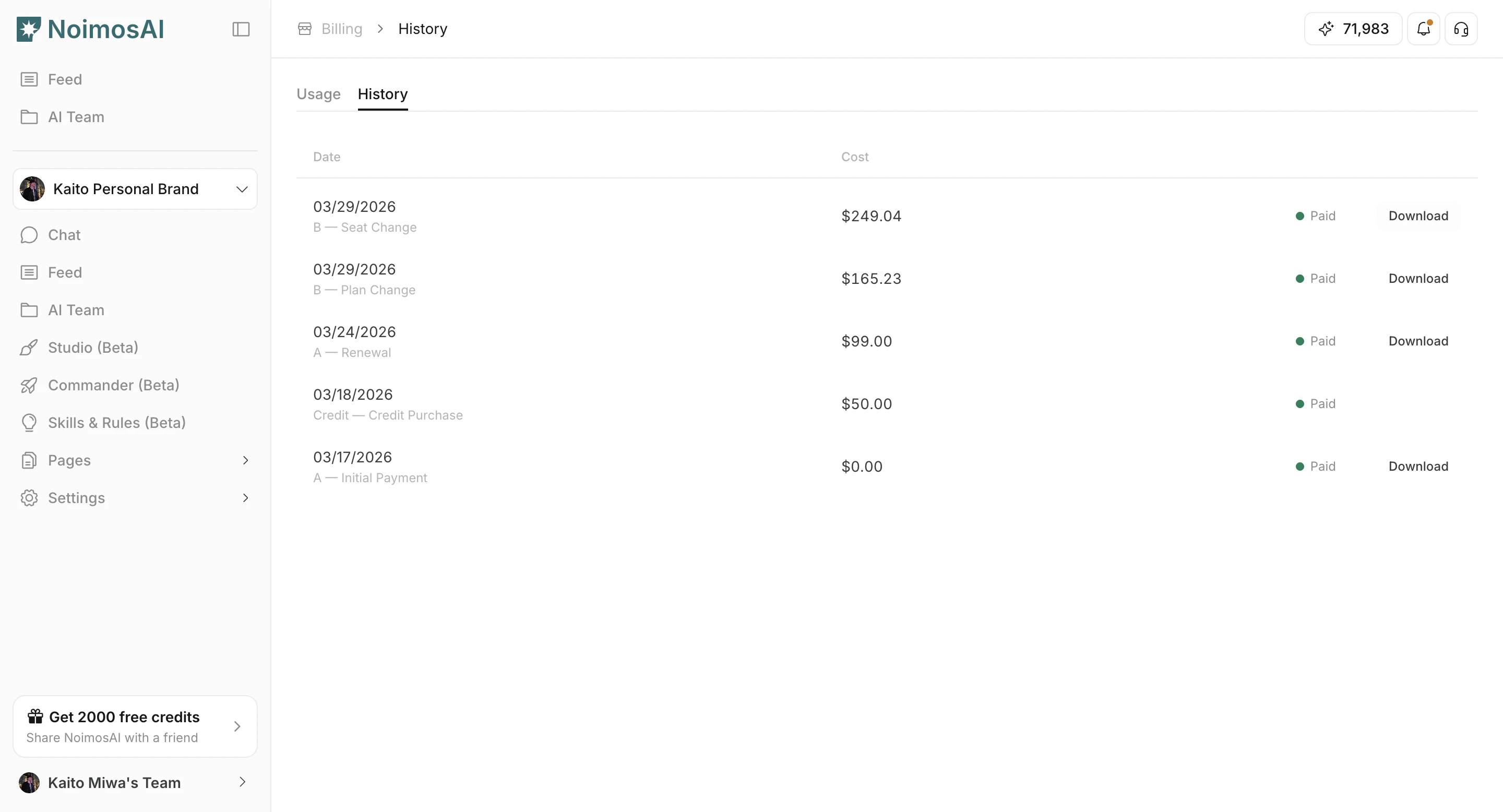
1. Open `Team -> Billing -> History` and confirm the charge date/amount.
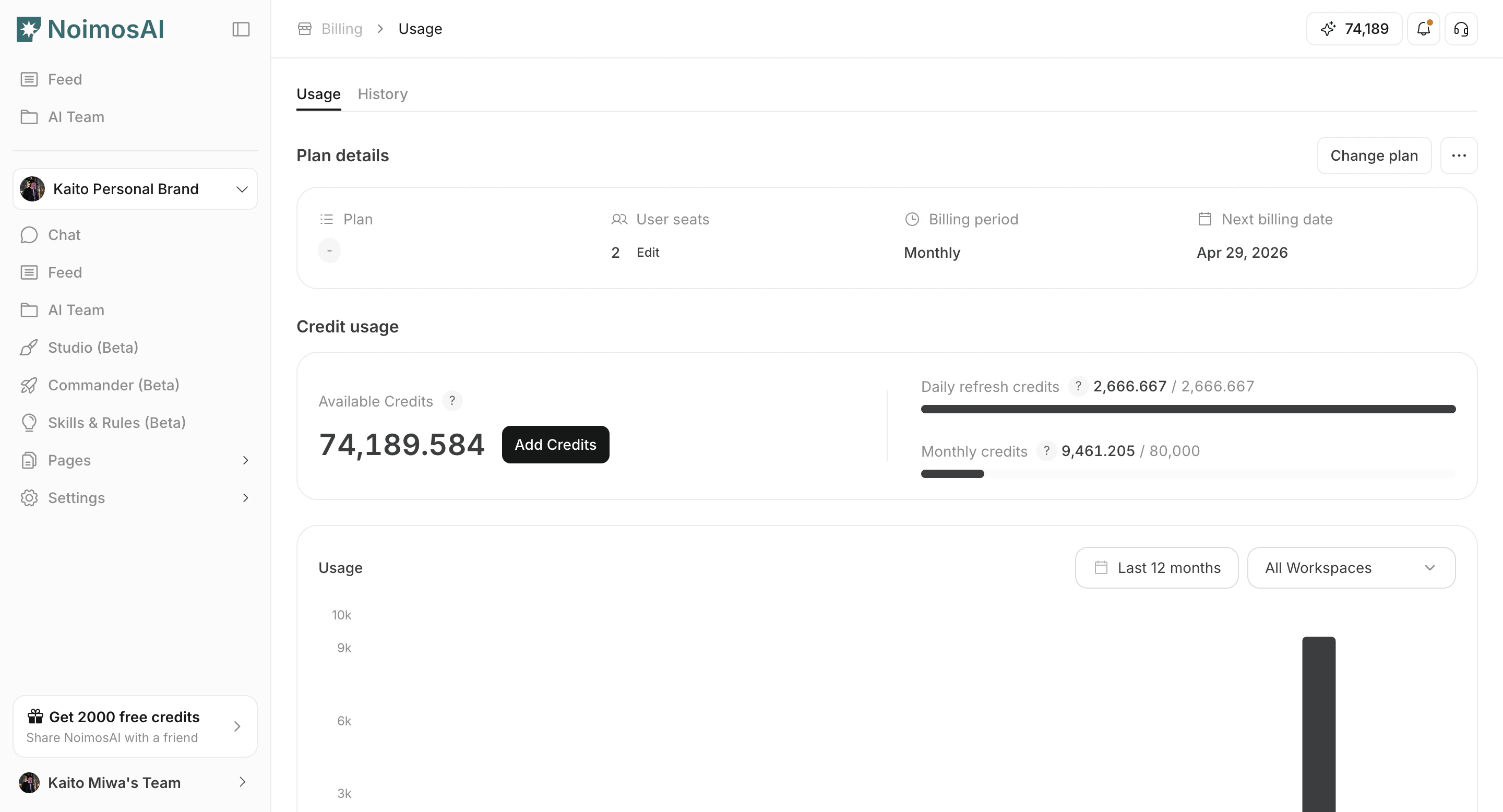
 2. Open `Team -> Billing -> Usage` and confirm cancellation status.
 3. Collect cancellation timestamp and invoice/screenshot evidence.
## Send This to Support
* Account email
* Team name
* Charge date, amount, and currency
* Cancellation operation date/time
* Invoice link or screenshot
This allows support to trace the billing timeline accurately.
## Related
* [How Can I Contact Support?](/help-center/faq/support/how-can-i-contact-support)
* [How Do I Check Duplicate Charge or Subscription?](/help-center/faq/plans-billing-credits/how-do-i-check-duplicate-charge-or-subscription)
3. Collect cancellation timestamp and invoice/screenshot evidence.
## Send This to Support
* Account email
* Team name
* Charge date, amount, and currency
* Cancellation operation date/time
* Invoice link or screenshot
This allows support to trace the billing timeline accurately.
## Related
* [How Can I Contact Support?](/help-center/faq/support/how-can-i-contact-support)
* [How Do I Check Duplicate Charge or Subscription?](/help-center/faq/plans-billing-credits/how-do-i-check-duplicate-charge-or-subscription)