> ## Documentation Index
> Fetch the complete documentation index at: https://docs.noimosai.com/llms.txt
> Use this file to discover all available pages before exploring further.
# Why Isn't My Payment Information Displayed?
> Explains billing permissions and what to check when a team's payment information is not displayed.
## Key point
Sensitive billing details, including registered payment methods and payment history, are visible only to team `Admins`.
If you are signed in as a `Member` or `Guest`, the screen may say `No payment method` or show an empty payment history even when a payment method is registered. This does not mean that the payment method was deleted.
## What to check
1. Select the team whose payment information you want to view.
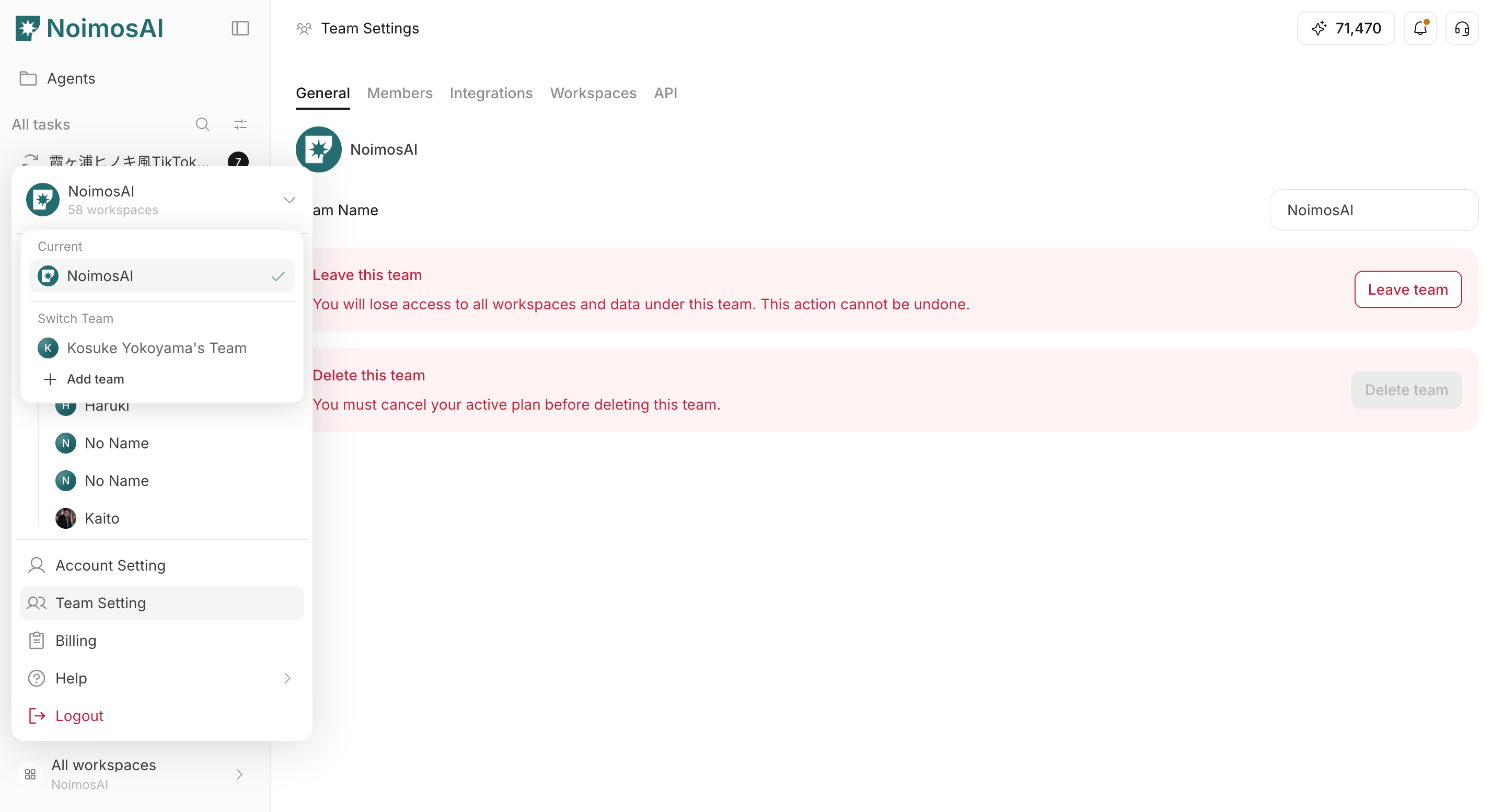 2. Open `Team settings -> Members` and check your team role.
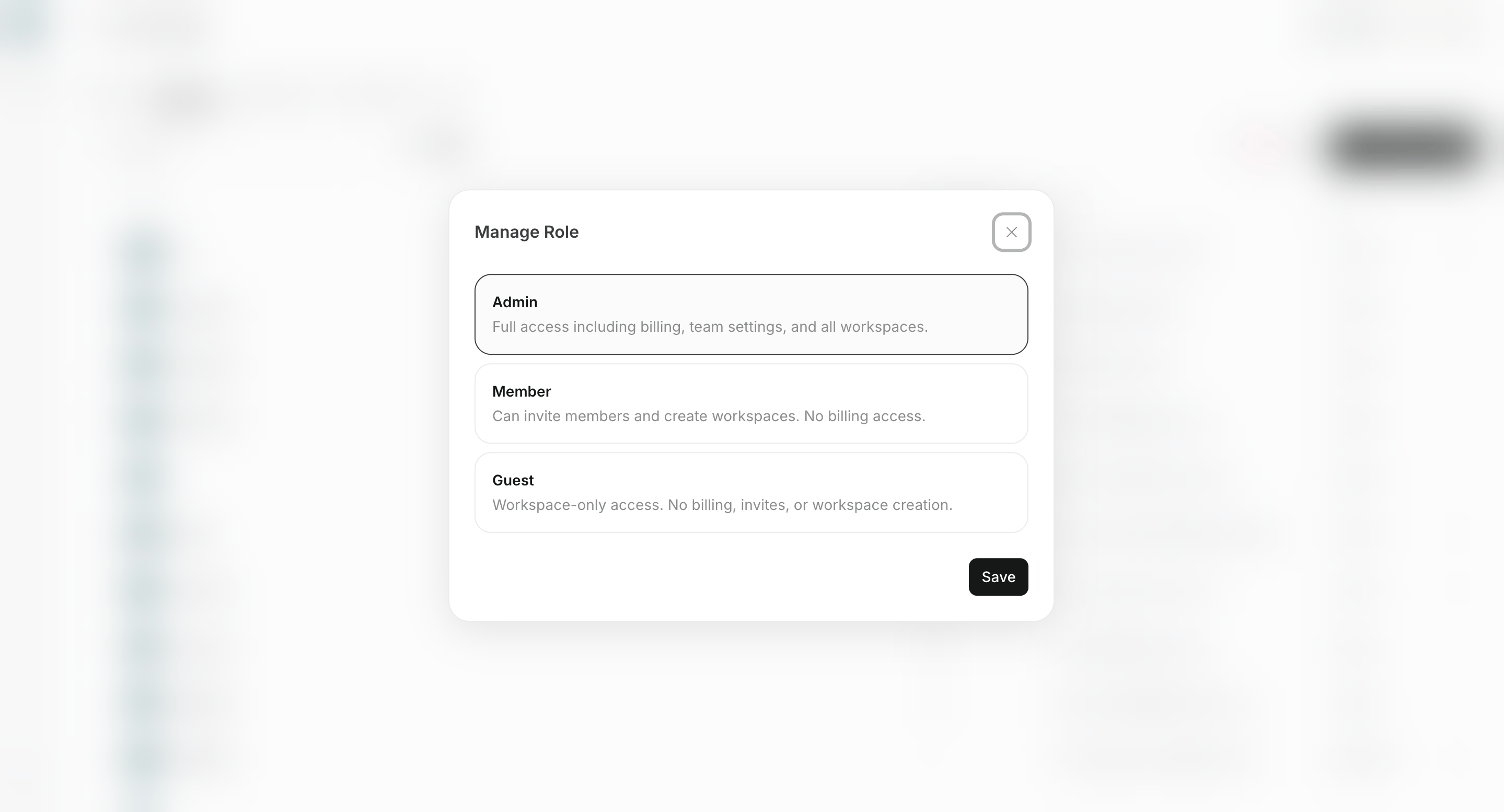 3. If you are a `Member` or `Guest`, ask a team `Admin` to review or update the payment information.
## If you are an Admin
Confirm that you selected the correct team, then reload the page. If the information is still missing, contact support with the team name and a screenshot of the billing screen.
## Related
* [Add and edit team members](/help-center/team/add-and-edit-team-members)
* [Check and download payment history](/help-center/plans-and-billing/check-and-download-payment-history)
* [How can I contact support?](/help-center/faq/support/how-can-i-contact-support)
3. If you are a `Member` or `Guest`, ask a team `Admin` to review or update the payment information.
## If you are an Admin
Confirm that you selected the correct team, then reload the page. If the information is still missing, contact support with the team name and a screenshot of the billing screen.
## Related
* [Add and edit team members](/help-center/team/add-and-edit-team-members)
* [Check and download payment history](/help-center/plans-and-billing/check-and-download-payment-history)
* [How can I contact support?](/help-center/faq/support/how-can-i-contact-support)