> ## Documentation Index
> Fetch the complete documentation index at: https://docs.noimosai.com/llms.txt
> Use this file to discover all available pages before exploring further.
# Add, Edit, and Delete Datasets
> Manage reusable datasets in the General tab so agents can use accurate, up-to-date reference context.
## What Datasets Are
Datasets are reusable reference collections in `Knowledge Base -> General`.
They help agents use stable source material instead of relying only on prompt-time instructions.
## Where to Find It
Use the following path to open this area.
* `Workspace -> Knowledge Base -> General`.
## Create a Dataset
Use this section to understand create a dataset and what to confirm while completing this part.
1. Click `Create new`.
2. Enter a dataset title.
3. Open the dataset and add content items.
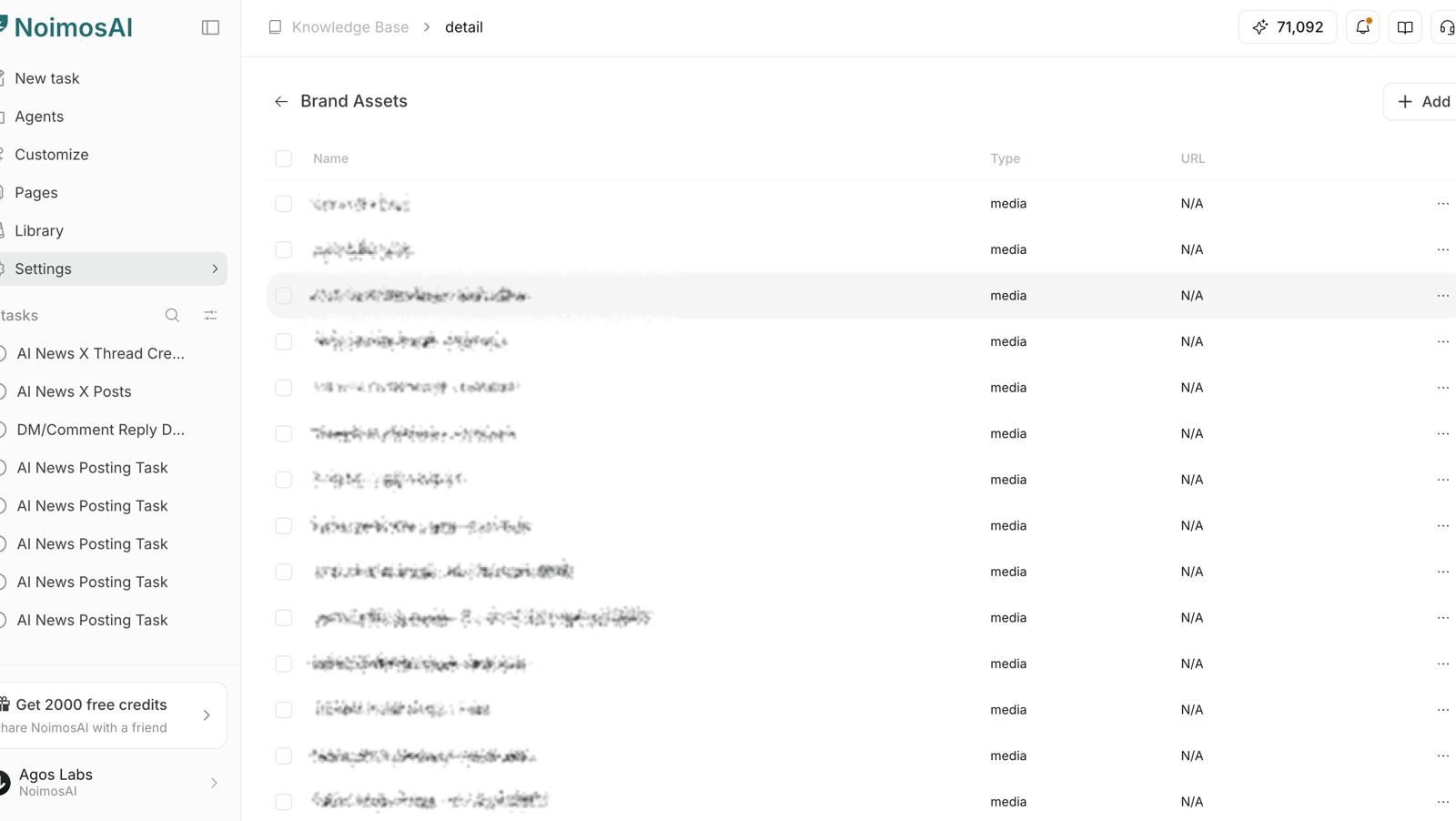 ## Edit a Dataset
Use this section to understand edit a dataset and what to confirm while completing this part.
1. Open a dataset from the list.
2. Update dataset title if needed.
3. Add or update content by type: `Text`, `URL`, `Media`, or `File`.
## Edit a Dataset
Use this section to understand edit a dataset and what to confirm while completing this part.
1. Open a dataset from the list.
2. Update dataset title if needed.
3. Add or update content by type: `Text`, `URL`, `Media`, or `File`.
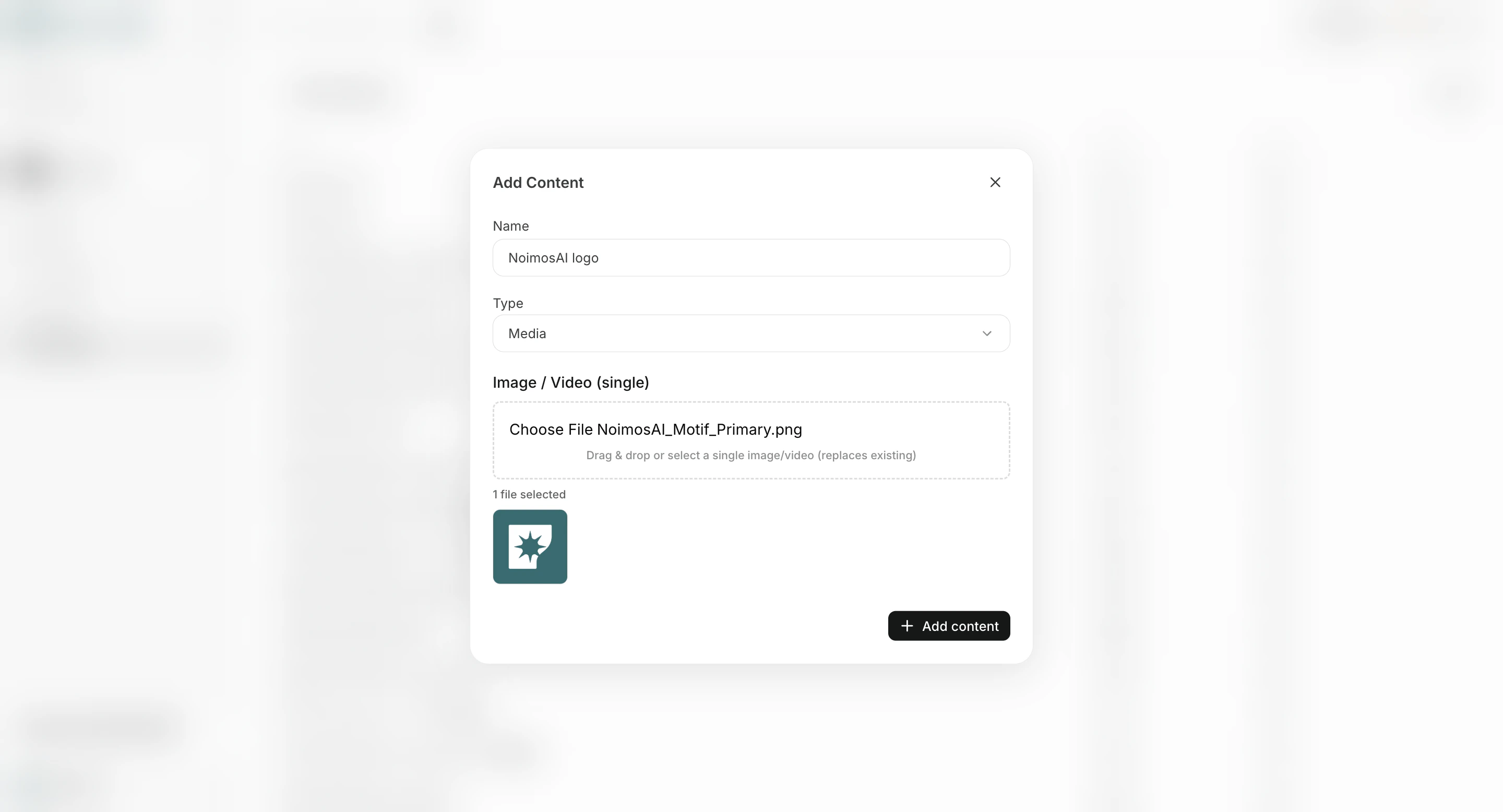 ## Delete a Dataset
Use this section to understand delete a dataset and what to confirm while completing this part.
1. Remove datasets that are obsolete or duplicated.
2. Keep only current datasets that should affect future outputs.
## Content Guidelines
Use this section to understand content guidelines and what to confirm while completing this part.
* Keep one purpose per dataset (for example: product facts, policy, brand assets).
* Prefer concise and verifiable content over long unstructured text.
* Remove stale items after launches, rebrands, or policy updates.
* Keep naming explicit so team members can find the correct dataset quickly.
## Related
Use these related pages for deeper guidance.
* [Knowledge Base Basics](/help-center/knowledge-base/knowledge-base-basics)
* [Edit Guides](/help-center/knowledge-base/edit-guides)
## Delete a Dataset
Use this section to understand delete a dataset and what to confirm while completing this part.
1. Remove datasets that are obsolete or duplicated.
2. Keep only current datasets that should affect future outputs.
## Content Guidelines
Use this section to understand content guidelines and what to confirm while completing this part.
* Keep one purpose per dataset (for example: product facts, policy, brand assets).
* Prefer concise and verifiable content over long unstructured text.
* Remove stale items after launches, rebrands, or policy updates.
* Keep naming explicit so team members can find the correct dataset quickly.
## Related
Use these related pages for deeper guidance.
* [Knowledge Base Basics](/help-center/knowledge-base/knowledge-base-basics)
* [Edit Guides](/help-center/knowledge-base/edit-guides)