> ## Documentation Index
> Fetch the complete documentation index at: https://docs.noimosai.com/llms.txt
> Use this file to discover all available pages before exploring further.
# Check Credit Usage and Purchase More
> Track Team credit usage and purchase additional credits when needed.
## Overview
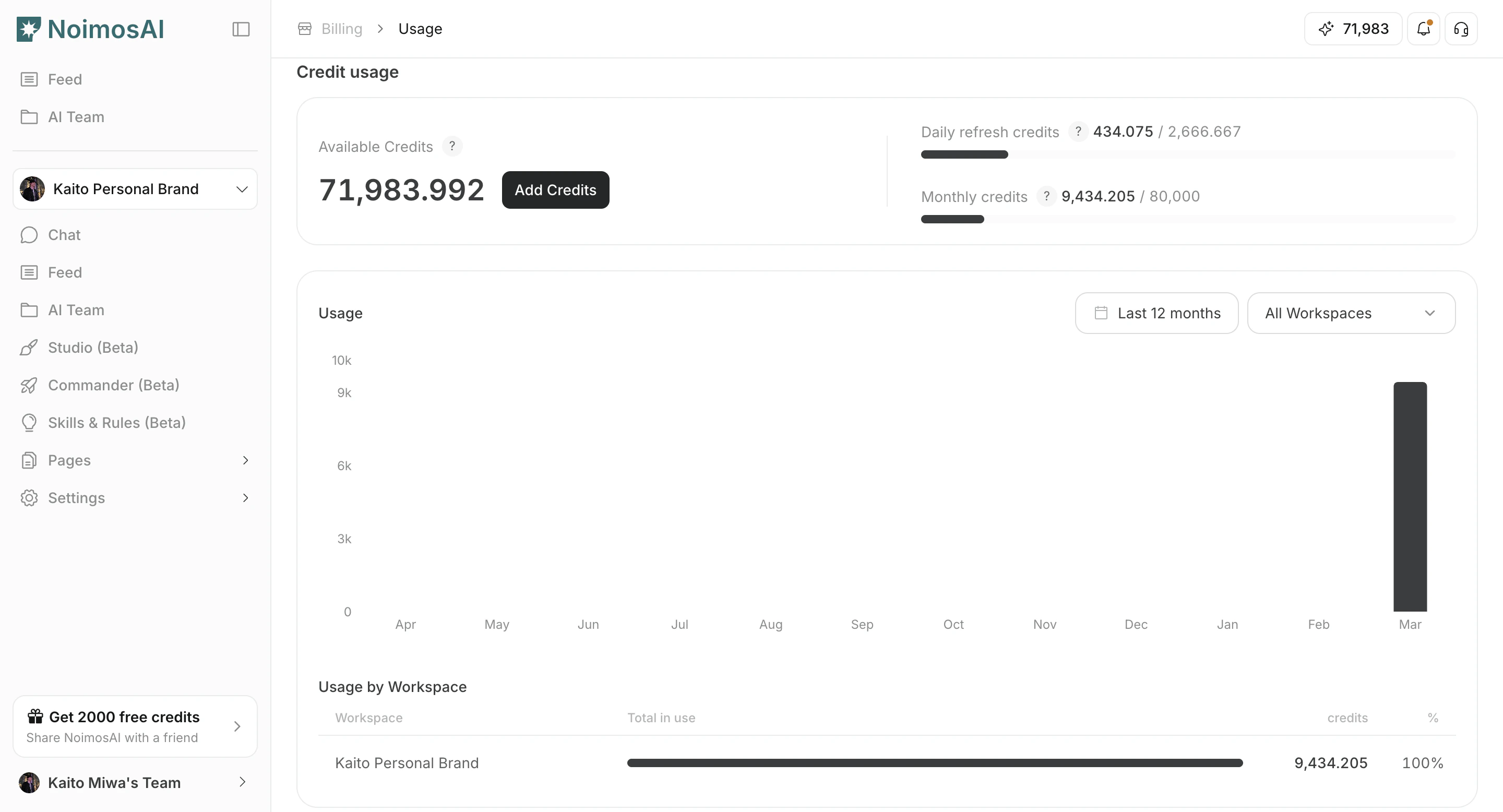
Use `Billing -> Usage` to monitor Team credit balance, monthly consumption, and Workspace-level usage trends. You can also top up credits when needed.
## When to use
Use the following cases to decide when this is appropriate.
* Before launching higher-volume autonomous workflows.
* When credit balance is decreasing faster than expected.
* When you need to estimate whether to top up or change plan.
## Where to find
Use the following path to open this area.
* `Team -> Billing -> Usage`.
### Credit balance and top-up action
Use this section to understand credit balance and top-up action and what to confirm while completing this part.
 ### Workspace-level usage breakdown
Use this section to understand workspace-level usage breakdown and what to confirm while completing this part.
### Workspace-level usage breakdown
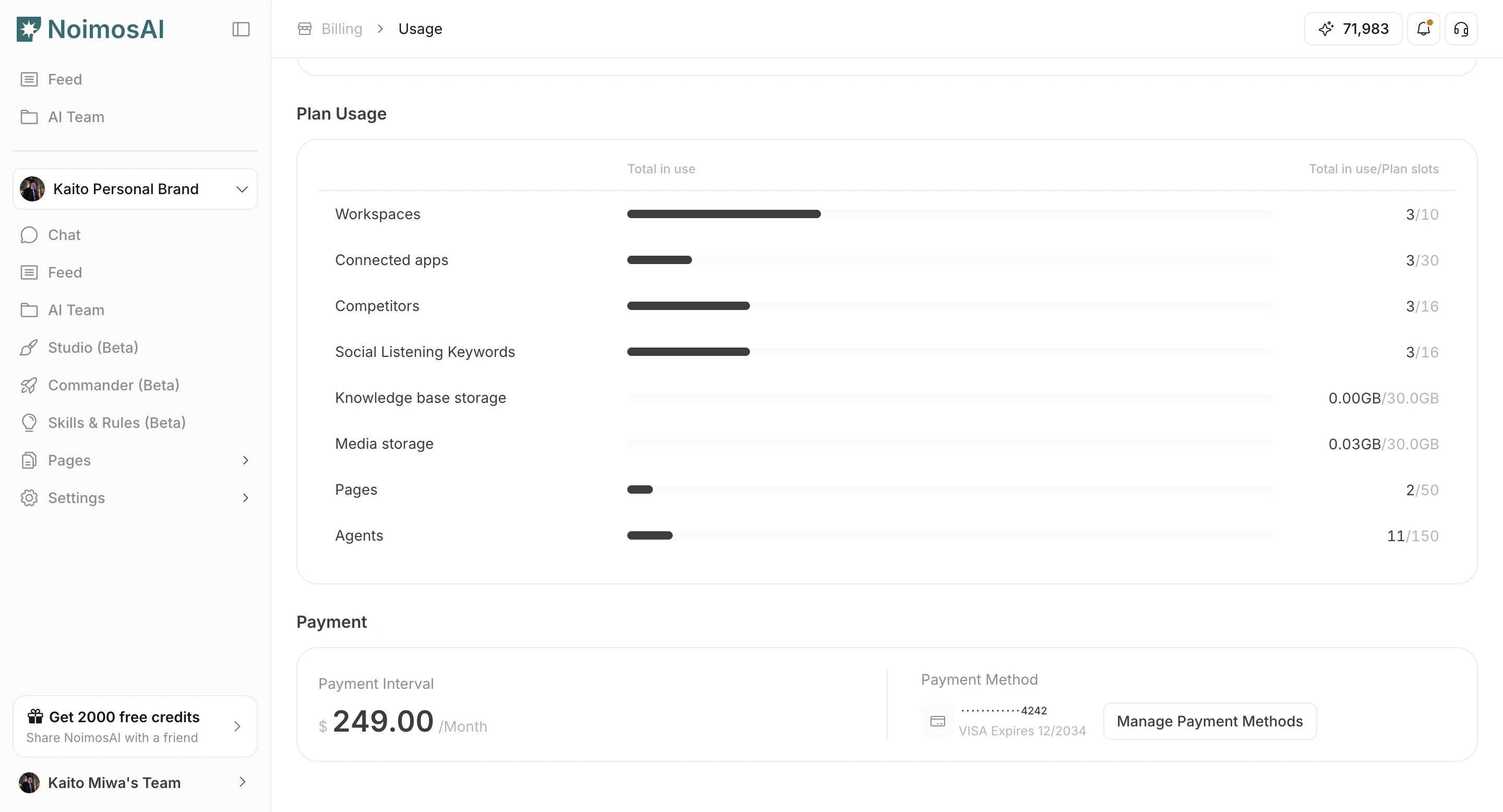
Use this section to understand workspace-level usage breakdown and what to confirm while completing this part.
 ## How to monitor and top up
Follow the steps below to complete this action.
1. Check current available credits.
2. Review monthly consumption trends.
3. Compare usage by Workspace to find major cost drivers.
4. Open credit history for detailed changes.
5. Click `Add Credits` to purchase additional credits.
## Tips
Use these tips to improve consistency and output quality.
* Combine this view with Agent execution volume to forecast upcoming usage.
* Reduce unnecessary reruns before purchasing more credits.
## Related
Use these related pages for deeper guidance.
* [Check Agent Credit Usage](/help-center/ai-team/check-agent-credit-usage)
* [Check Plan](/help-center/plans-and-billing/check-plan)
## How to monitor and top up
Follow the steps below to complete this action.
1. Check current available credits.
2. Review monthly consumption trends.
3. Compare usage by Workspace to find major cost drivers.
4. Open credit history for detailed changes.
5. Click `Add Credits` to purchase additional credits.
## Tips
Use these tips to improve consistency and output quality.
* Combine this view with Agent execution volume to forecast upcoming usage.
* Reduce unnecessary reruns before purchasing more credits.
## Related
Use these related pages for deeper guidance.
* [Check Agent Credit Usage](/help-center/ai-team/check-agent-credit-usage)
* [Check Plan](/help-center/plans-and-billing/check-plan)