> ## Documentation Index
> Fetch the complete documentation index at: https://docs.noimosai.com/llms.txt
> Use this file to discover all available pages before exploring further.

# Create Workspaces

> Create a new workspace through onboarding and complete the initial setup.

## Overview

Workspace creation covers basic info, integrations, and initial setup in sequence.
Defining the operating unit first helps keep output quality stable later.

## Decide the Workspace Unit First

Create workspaces by brand or service line, not by department.

* Guideline: `1 brand / 1 service line = 1 workspace`
* Team is the organization unit, workspace is the execution unit
* For agency operations, split workspaces by client within the same team
* Connected accounts, Knowledge Base, and Memory are isolated per workspace

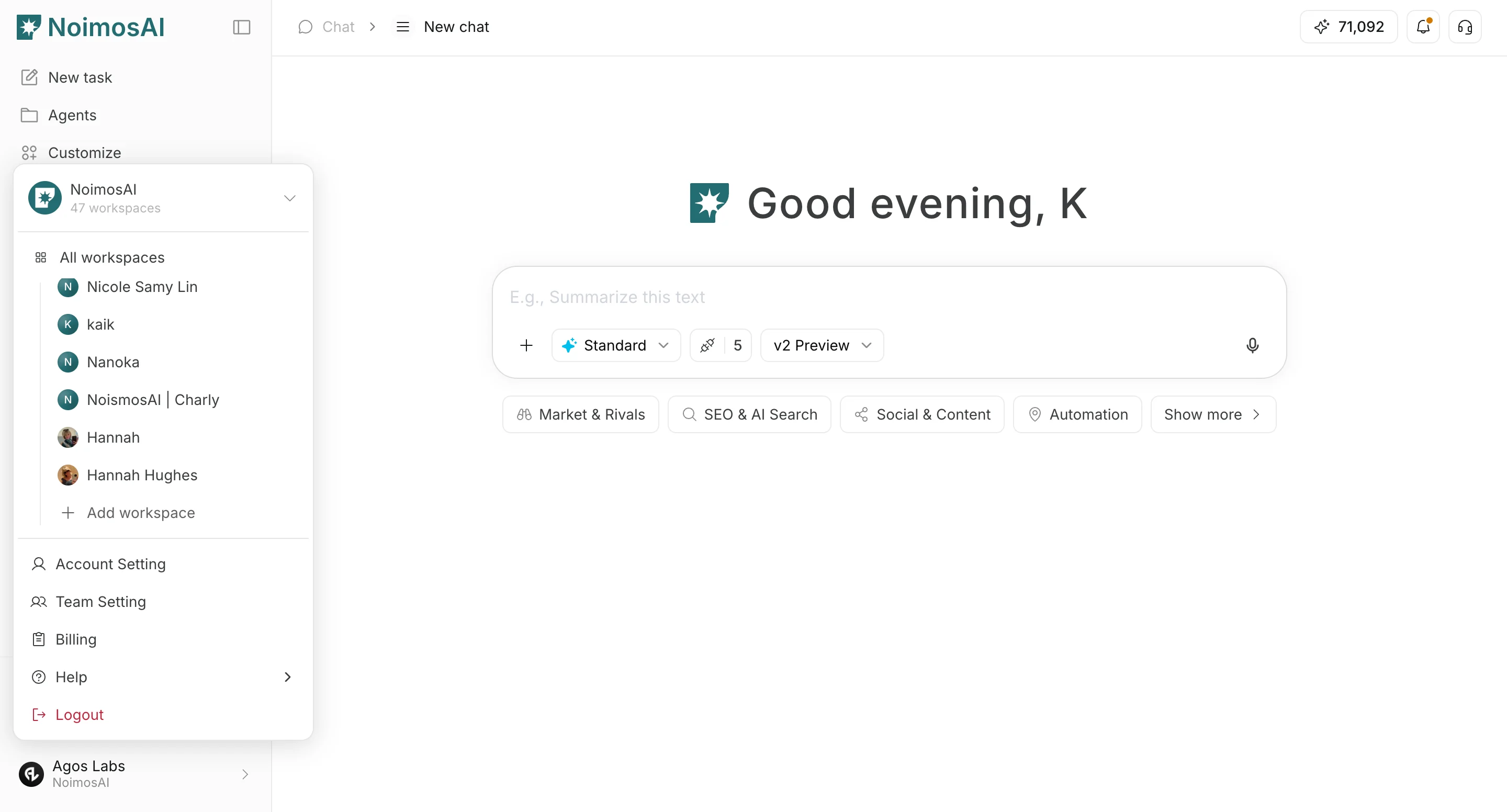
## Where to find

* `Workspace selector -> Add workspace`
* `Team settings -> Workspaces -> Create new workspace`
<img src="https://mintcdn.com/agoslabstechnologiesfzco/ZX2-jlxWH_CC2UiO/public/help-center/workspace/create-workspaces-add-new.png?fit=max&auto=format&n=ZX2-jlxWH_CC2UiO&q=85&s=94860afb9e497a8c7147d11e9ccc74ba" alt="Add a new workspace from the workspace selector" style={{ border: '1px solid #e5e7eb', borderRadius: '8px', marginBottom: '1rem' }} width="2880" height="1552" data-path="public/help-center/workspace/create-workspaces-add-new.png" />

## Setup Steps

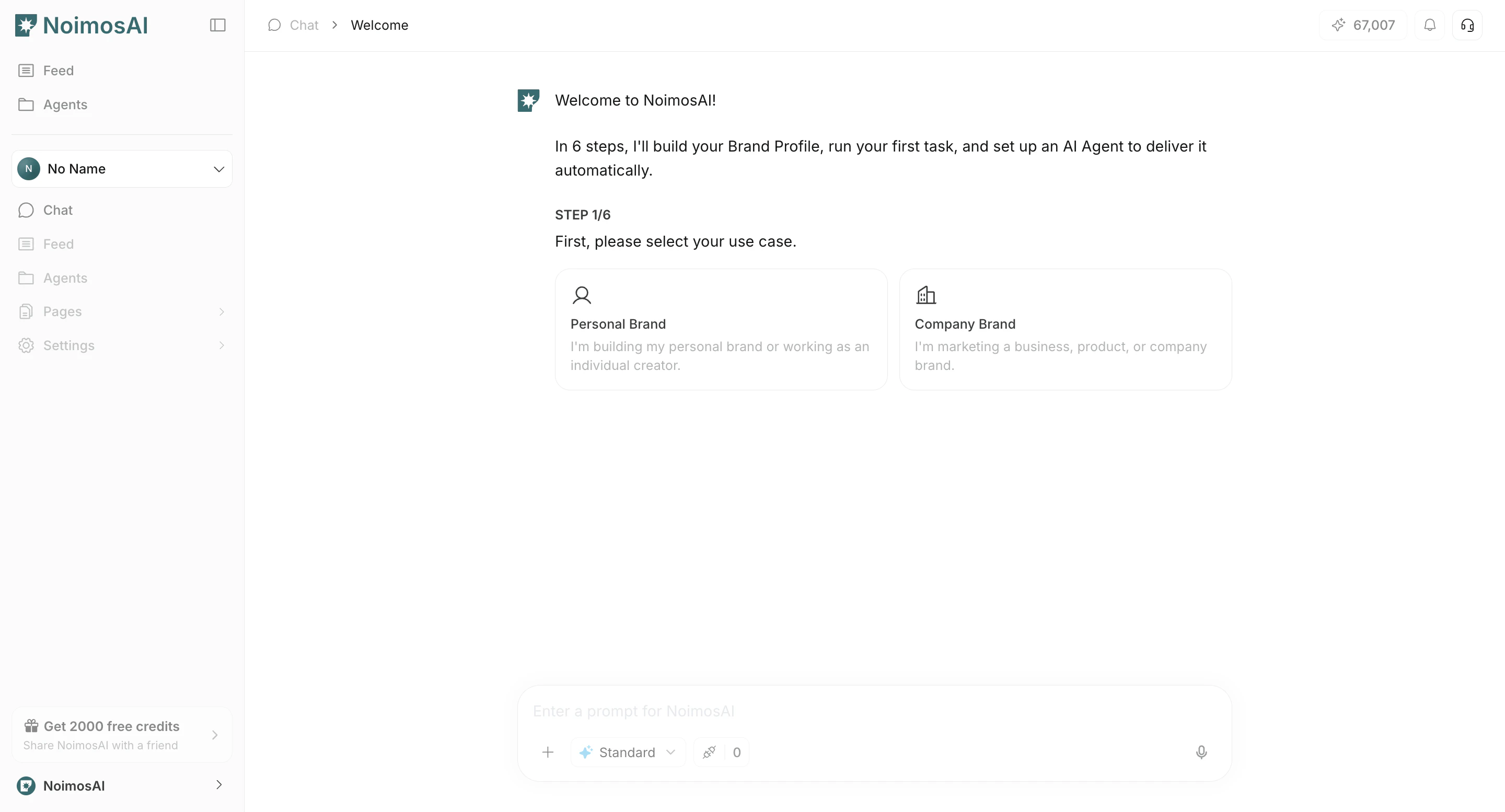
1. Select workspace type (`Personal brand` / `Company brand`).
<img src="https://mintcdn.com/agoslabstechnologiesfzco/n5mIcTELwfhqxdjk/public/help-center/workspace/create-workspaces-step-01-v2.png?fit=max&auto=format&n=n5mIcTELwfhqxdjk&q=85&s=50076b0259962ba952f2c560b07b53b9" alt="Start workspace creation" style={{ border: '1px solid #e5e7eb', borderRadius: '8px', marginBottom: '1rem' }} width="2880" height="1554" data-path="public/help-center/workspace/create-workspaces-step-01-v2.png" />

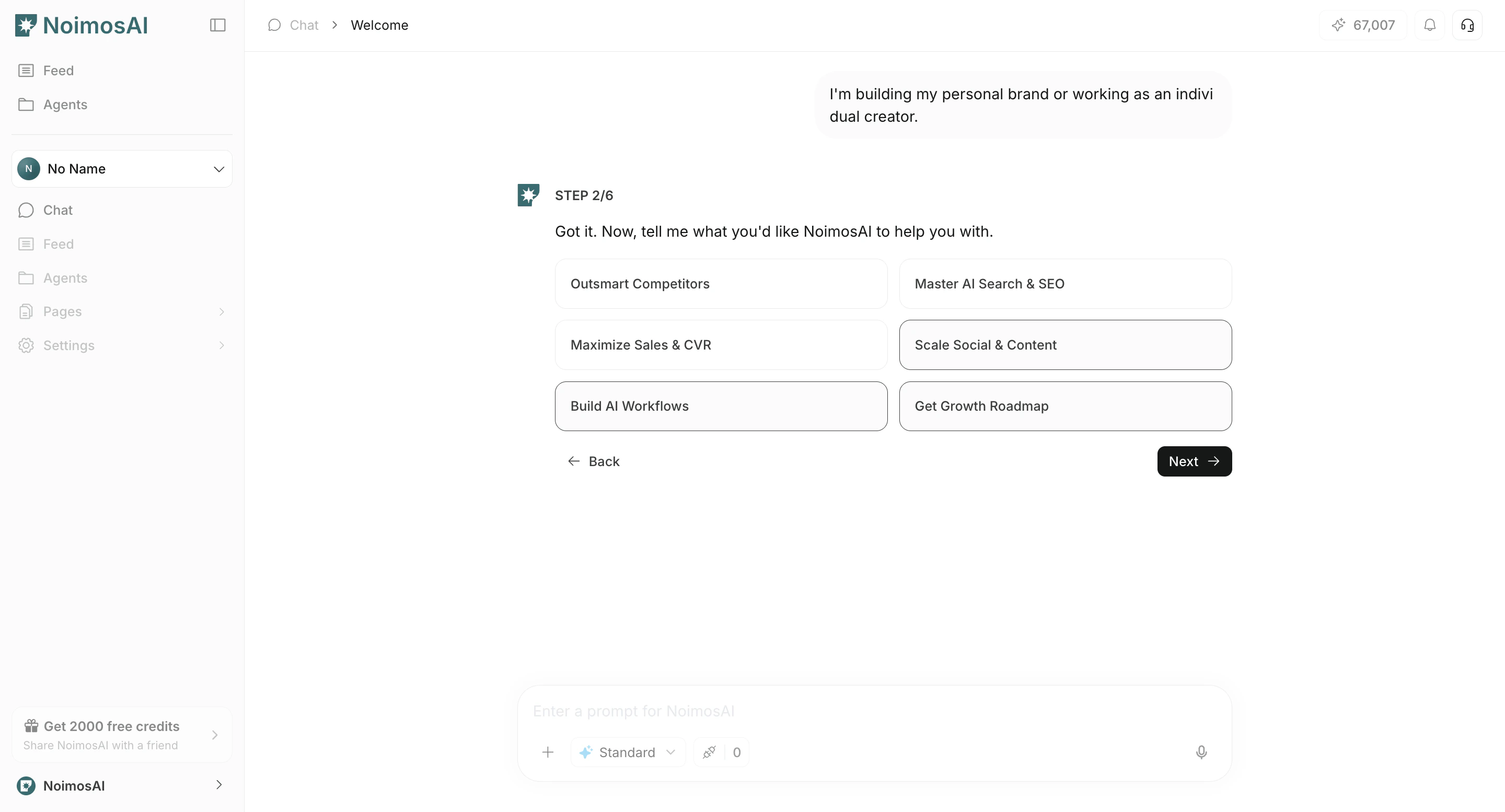
2. Select your primary objective for using NoimosAI.
<img src="https://mintcdn.com/agoslabstechnologiesfzco/n5mIcTELwfhqxdjk/public/help-center/workspace/create-workspaces-step-02-v2.png?fit=max&auto=format&n=n5mIcTELwfhqxdjk&q=85&s=268bf88b7251036e66cc56c822f8a831" alt="Select workspace objective" style={{ border: '1px solid #e5e7eb', borderRadius: '8px', marginBottom: '1rem' }} width="2880" height="1554" data-path="public/help-center/workspace/create-workspaces-step-02-v2.png" />

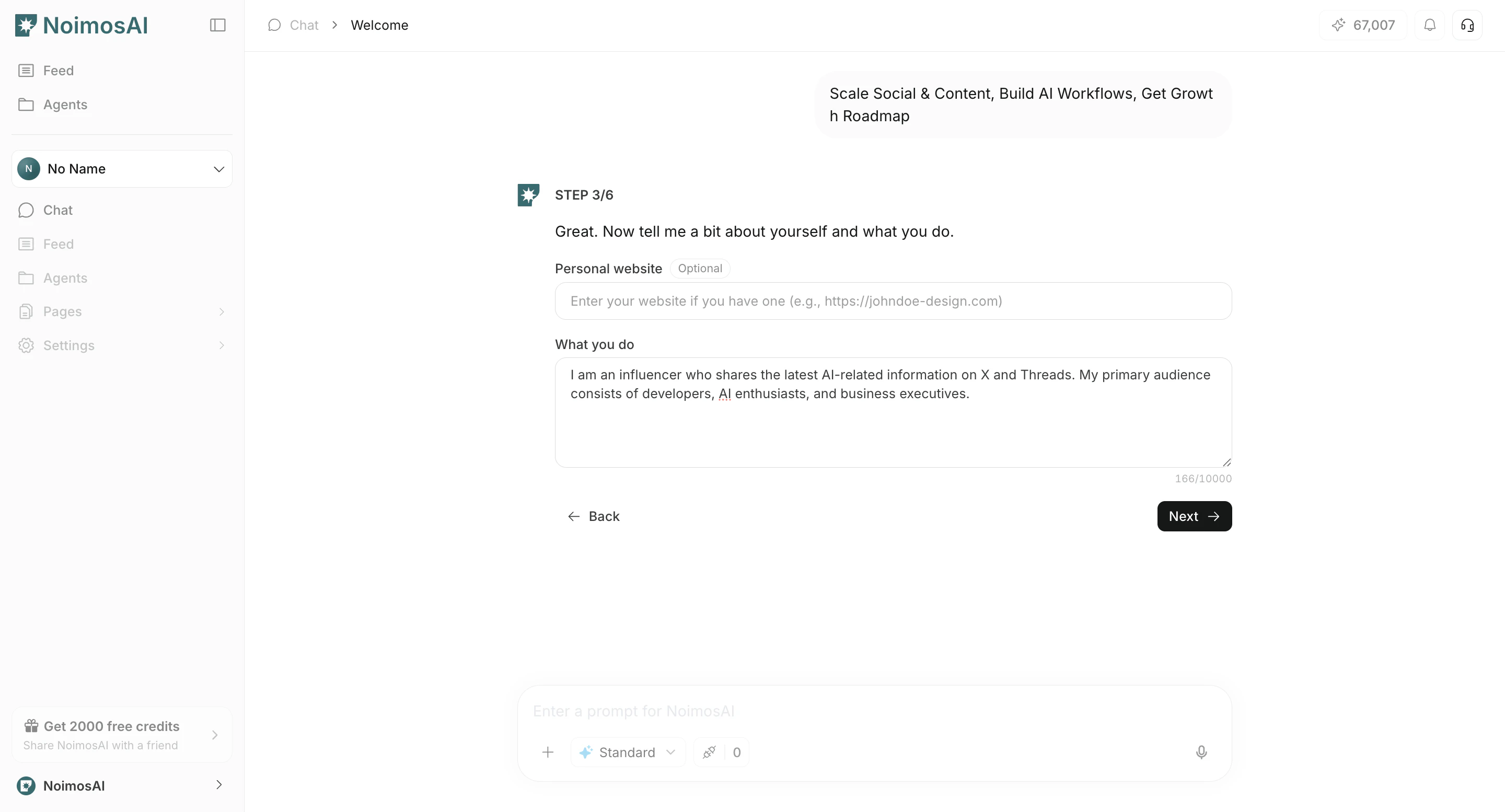
3. Enter basic information such as your website and activity details.
<img src="https://mintcdn.com/agoslabstechnologiesfzco/n5mIcTELwfhqxdjk/public/help-center/workspace/create-workspaces-step-03-v2.png?fit=max&auto=format&n=n5mIcTELwfhqxdjk&q=85&s=1846918bf4e21e54b652bfceff94dd10" alt="Enter basic information" style={{ border: '1px solid #e5e7eb', borderRadius: '8px', marginBottom: '1rem' }} width="2880" height="1554" data-path="public/help-center/workspace/create-workspaces-step-03-v2.png" />

4. Connect the apps you want to manage and operate in this workspace.
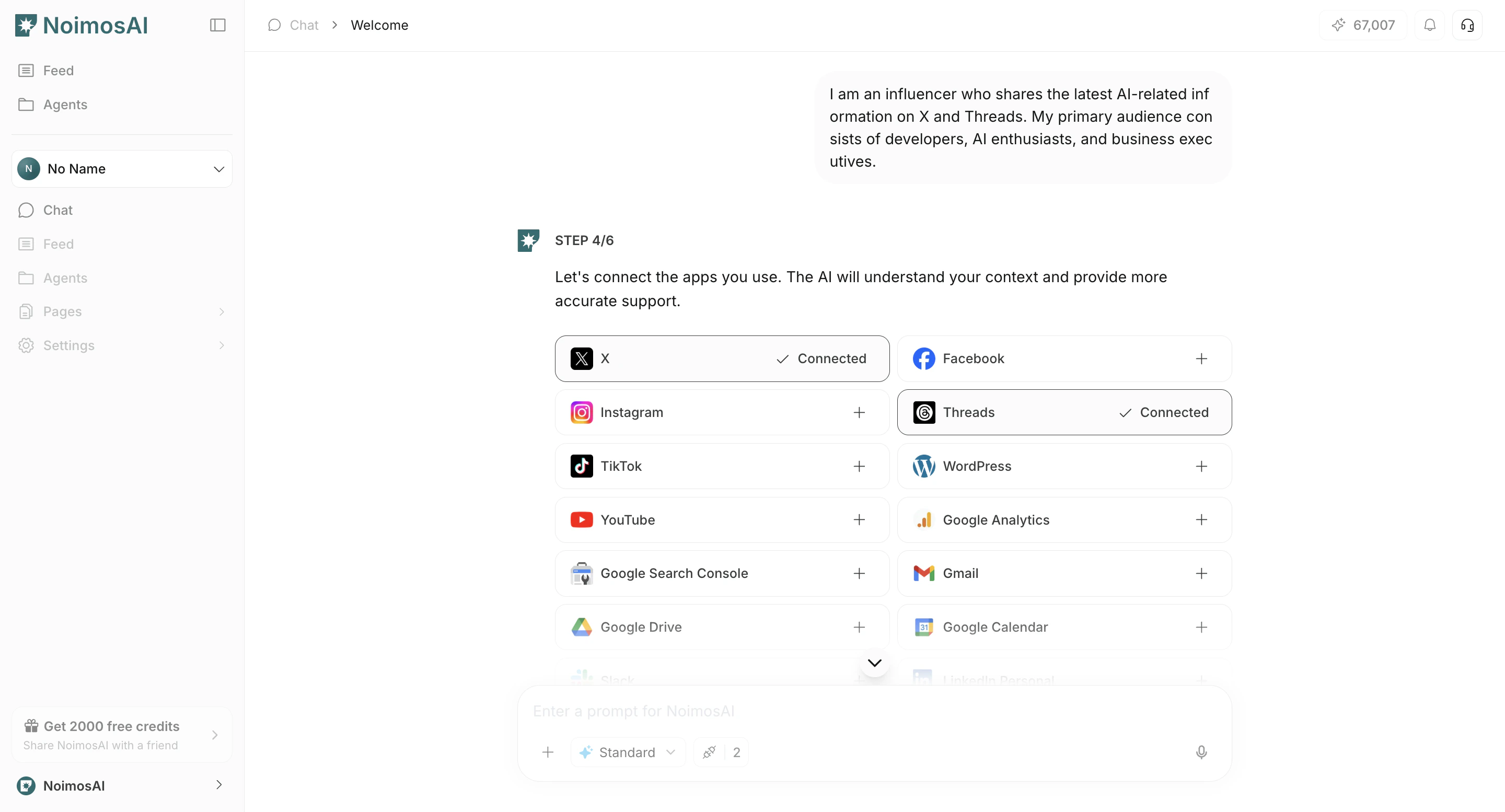
<img src="https://mintcdn.com/agoslabstechnologiesfzco/n5mIcTELwfhqxdjk/public/help-center/workspace/create-workspaces-step-04-v2.png?fit=max&auto=format&n=n5mIcTELwfhqxdjk&q=85&s=e36abb1c41415659f0dcc217a679b567" alt="Connect apps in onboarding" style={{ border: '1px solid #e5e7eb', borderRadius: '8px', marginBottom: '1rem' }} width="2880" height="1554" data-path="public/help-center/workspace/create-workspaces-step-04-v2.png" />

5. Review detected brand overview, competitors, influencers, and keyword candidates.
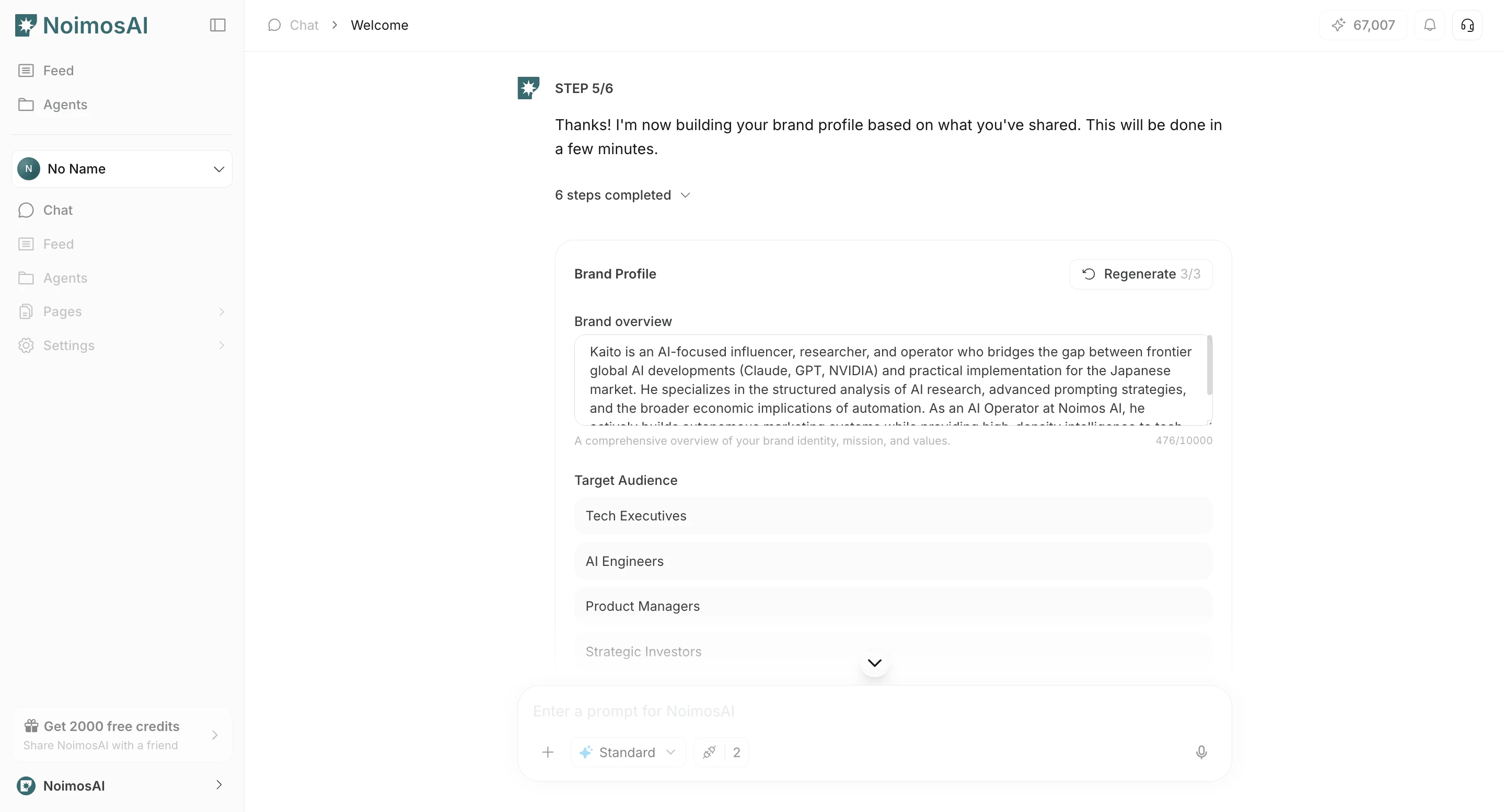
<img src="https://mintcdn.com/agoslabstechnologiesfzco/n5mIcTELwfhqxdjk/public/help-center/workspace/create-workspaces-step-05-v2.png?fit=max&auto=format&n=n5mIcTELwfhqxdjk&q=85&s=57c66b7c7e5b44a0afbd5e1712451144" alt="Review detected candidates" style={{ border: '1px solid #e5e7eb', borderRadius: '8px', marginBottom: '1rem' }} width="2880" height="1554" data-path="public/help-center/workspace/create-workspaces-step-05-v2.png" />

6. Create your first output by entering instructions in Chat or selecting a template.
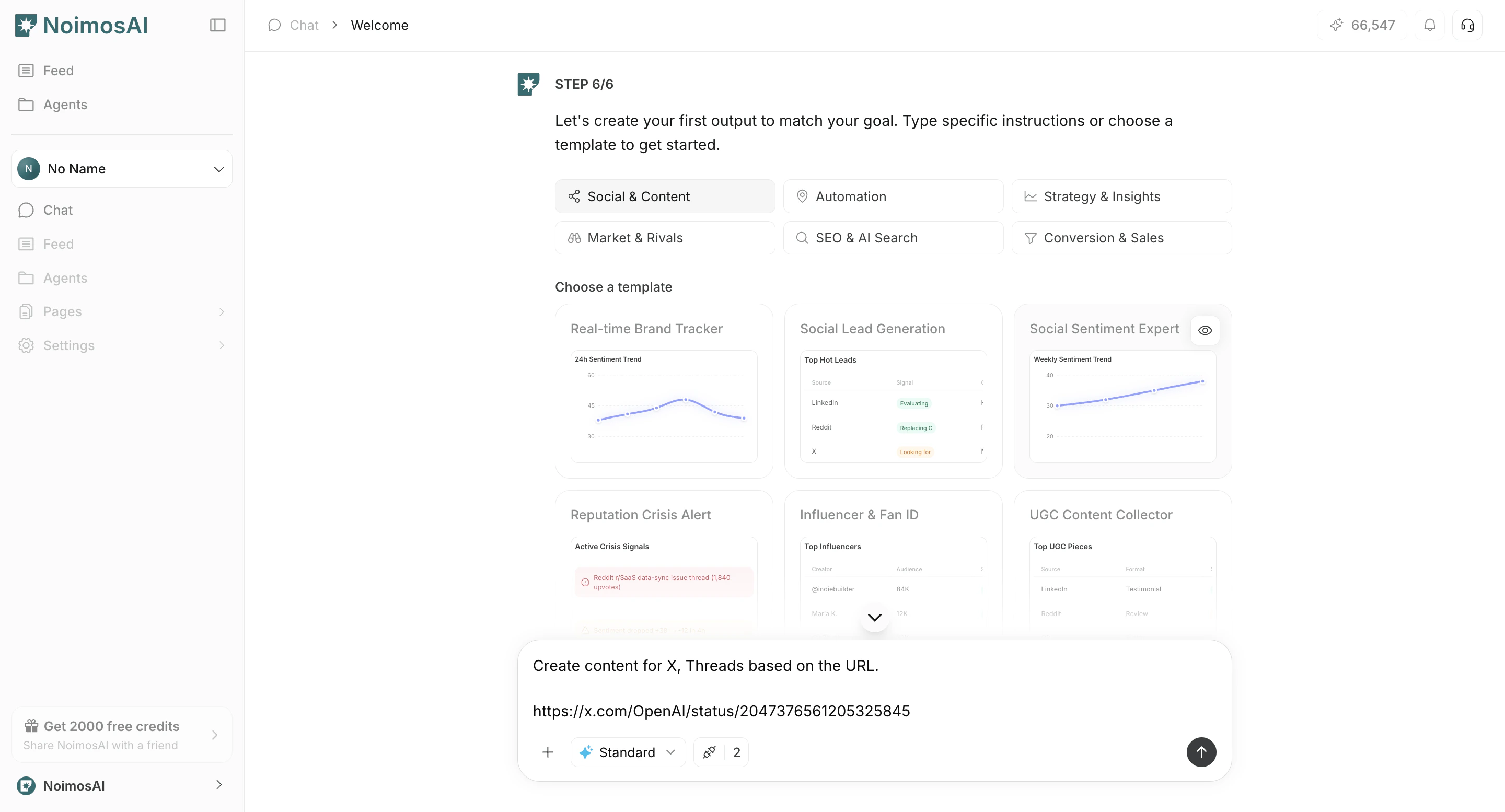
<img src="https://mintcdn.com/agoslabstechnologiesfzco/n5mIcTELwfhqxdjk/public/help-center/workspace/create-workspaces-step-06-v2.png?fit=max&auto=format&n=n5mIcTELwfhqxdjk&q=85&s=861576e302068d4f215a3329d7456979" alt="Create first output from chat or template" style={{ border: '1px solid #e5e7eb', borderRadius: '8px', marginBottom: '1rem' }} width="2880" height="1554" data-path="public/help-center/workspace/create-workspaces-step-06-v2.png" />

7. Review results displayed on the canvas.
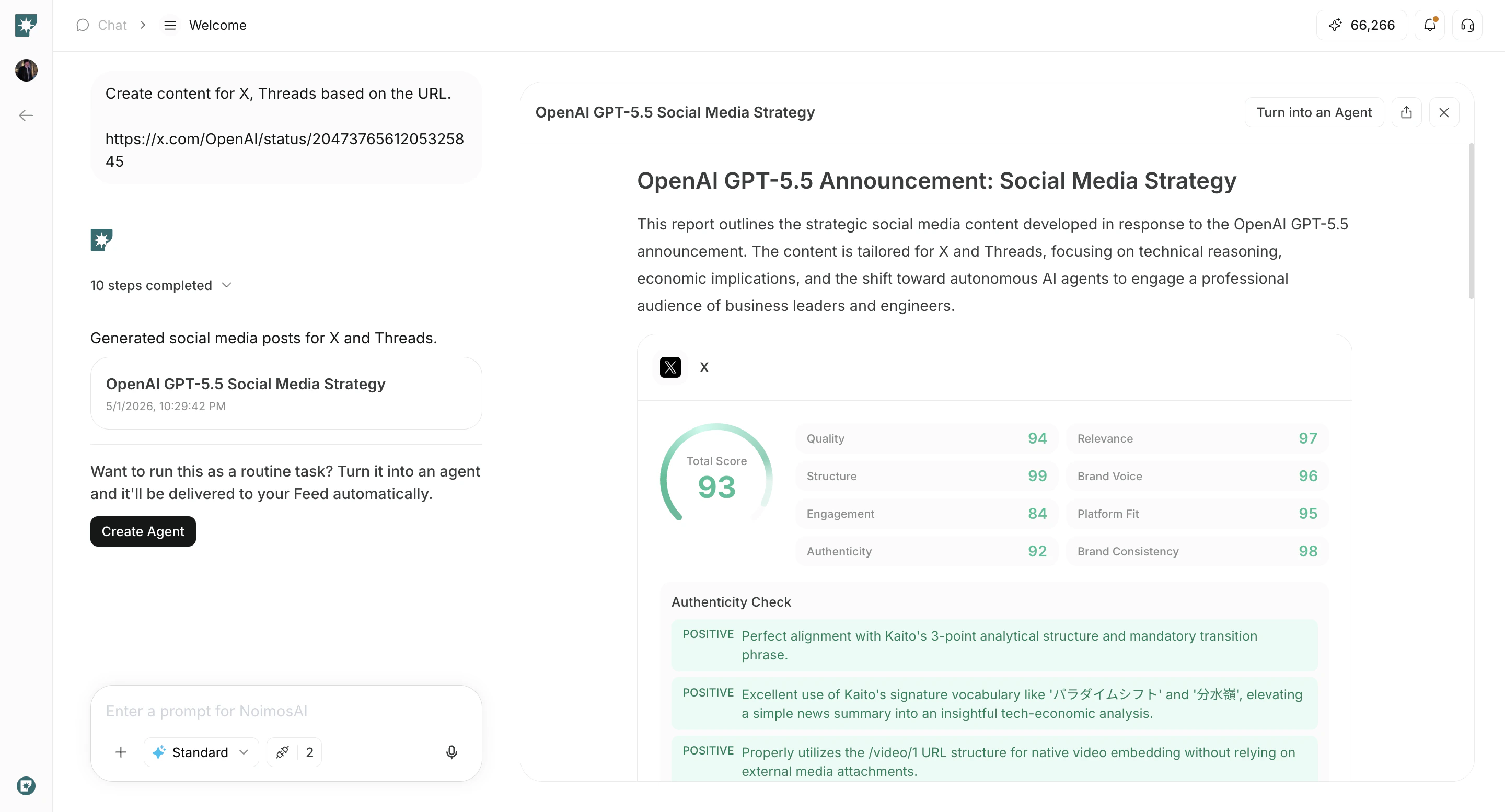
<img src="https://mintcdn.com/agoslabstechnologiesfzco/n5mIcTELwfhqxdjk/public/help-center/workspace/create-workspaces-step-07-v2.png?fit=max&auto=format&n=n5mIcTELwfhqxdjk&q=85&s=2f8777ca07da778b8fbbaa3f01f298b2" alt="Review generated results on canvas" style={{ border: '1px solid #e5e7eb', borderRadius: '8px', marginBottom: '1rem' }} width="2880" height="1554" data-path="public/help-center/workspace/create-workspaces-step-07-v2.png" />

8. If you want to run the same work repeatedly, click `Create Agent`.
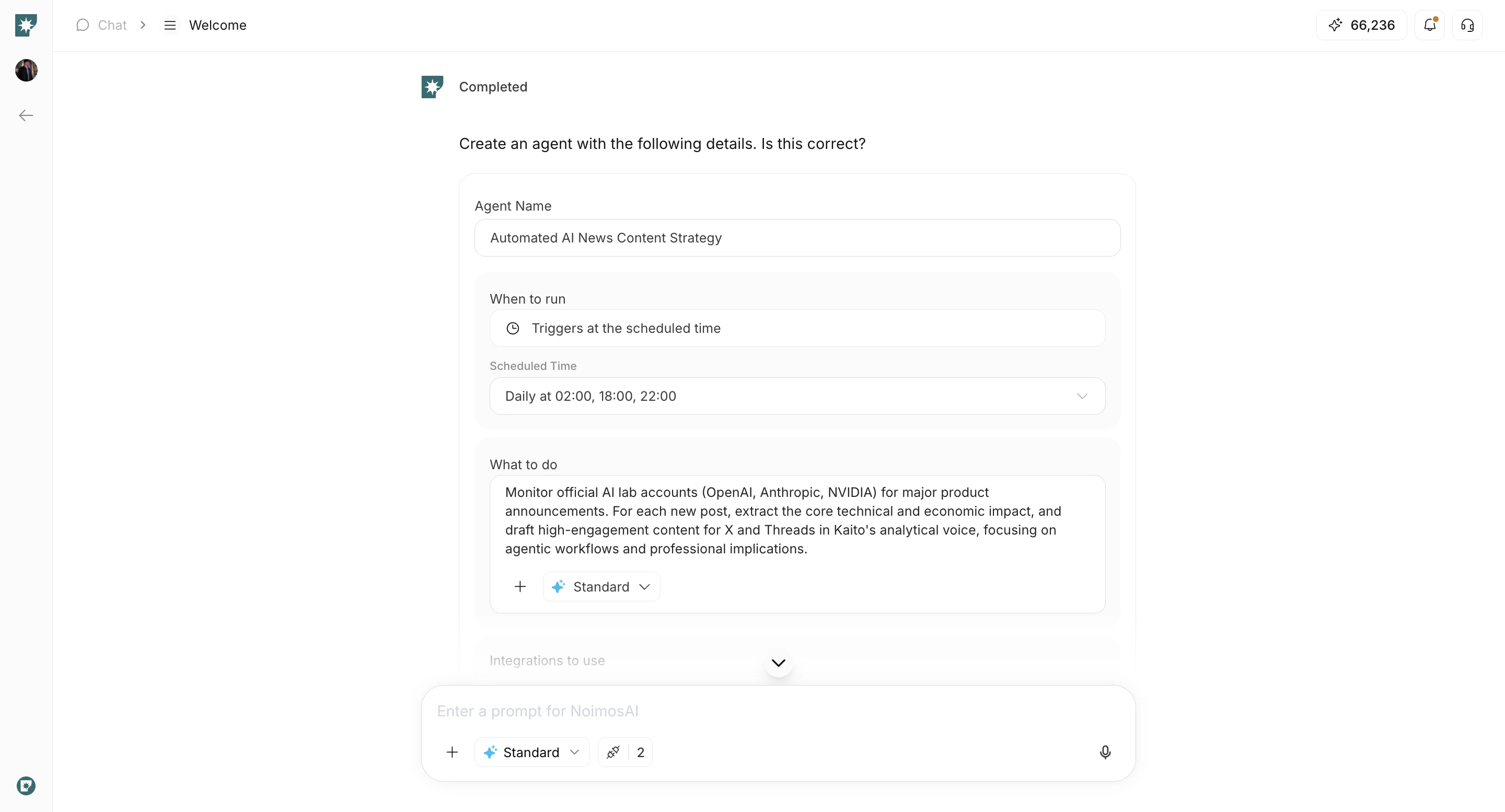
<img src="https://mintcdn.com/agoslabstechnologiesfzco/n5mIcTELwfhqxdjk/public/help-center/workspace/create-workspaces-step-08-v2.png?fit=max&auto=format&n=n5mIcTELwfhqxdjk&q=85&s=fb4c16e417706a9742562d1557738a87" alt="Create an agent from chat execution" style={{ border: '1px solid #e5e7eb', borderRadius: '8px', marginBottom: '1rem' }} width="2880" height="1554" data-path="public/help-center/workspace/create-workspaces-step-08-v2.png" />

9. Check created agents in the `Agents` tab.
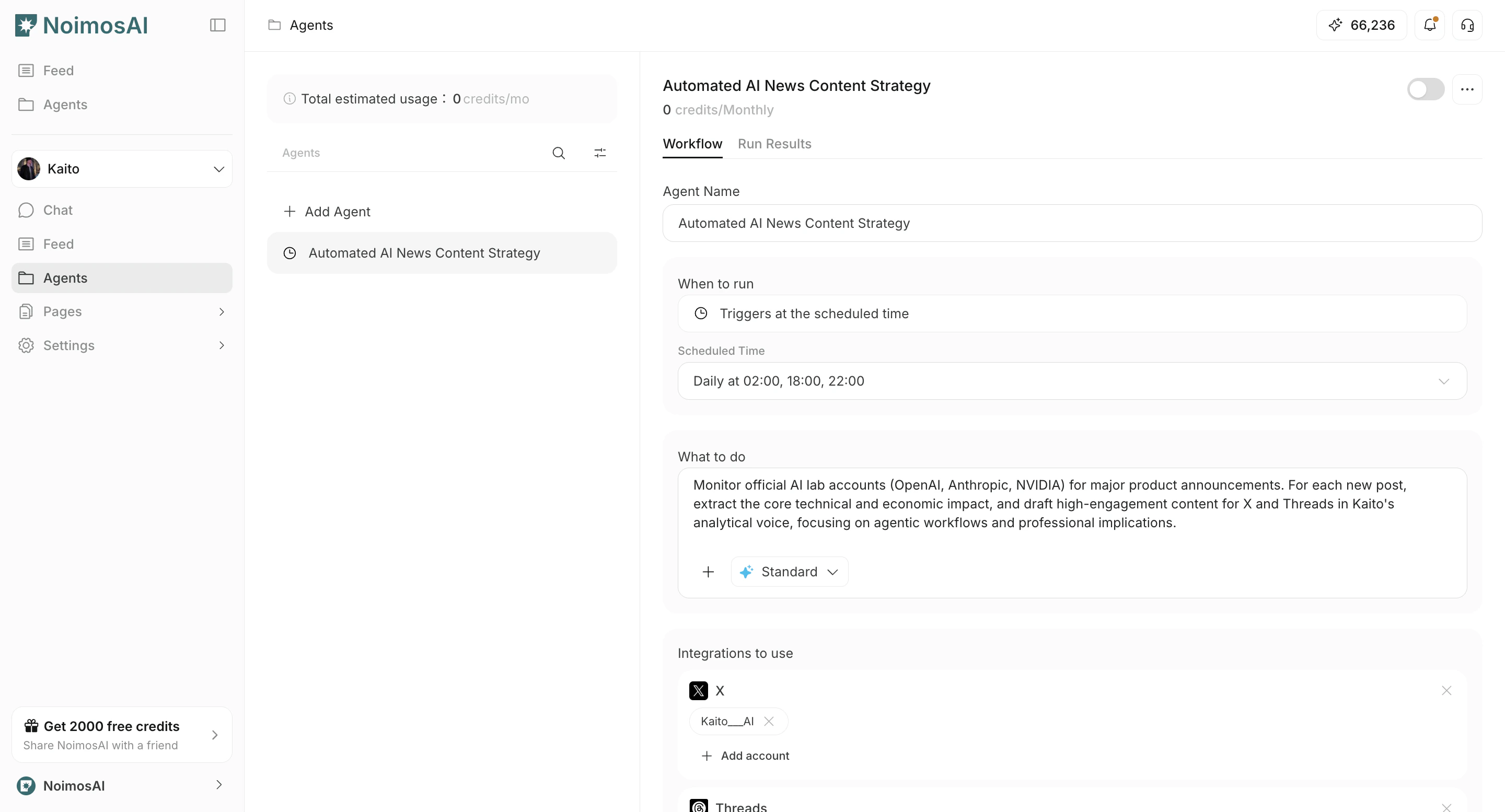
<img src="https://mintcdn.com/agoslabstechnologiesfzco/n5mIcTELwfhqxdjk/public/help-center/workspace/create-workspaces-step-09-v2.png?fit=max&auto=format&n=n5mIcTELwfhqxdjk&q=85&s=9d63e753701b429df15095516a3a0997" alt="Check created agents in Agents tab" style={{ border: '1px solid #e5e7eb', borderRadius: '8px', marginBottom: '1rem' }} width="2880" height="1554" data-path="public/help-center/workspace/create-workspaces-step-09-v2.png" />

## Notes

* Some input fields vary by workspace type.
* You can connect integrations later, but connecting during onboarding improves initial quality.
* Workspace limits follow your current plan.

## Related

* [Workspace Basics](/help-center/workspace/workspace-basics)
* [Integrate Apps](/help-center/workspace/integrate-apps)
* [Check Plan](/help-center/plans-and-billing/check-plan)
