> ## Documentation Index
> Fetch the complete documentation index at: https://docs.noimosai.com/llms.txt
> Use this file to discover all available pages before exploring further.
# थीम बदलें
> प्रकाश, अंधेरे और सिस्टम थीम मोड के बीच स्विच करें
## सिंहावलोकन
थीम सेटिंग्स आपके खाते के लिए NoimosAI की दृश्य उपस्थिति को नियंत्रित करती हैं।
## कहां खोजें
इस क्षेत्र को खोलने के लिए निम्नलिखित पथ का उपयोग करें।
* `सेटिंग्स -> खाता -> भाषा और समय`.
## कैसे अपडेट करें
इस क्रिया को पूरा करने के लिए नीचे दिए गए चरणों का पालन करें।
1. को खोलें `थीम` ड्रॉपडाउन.
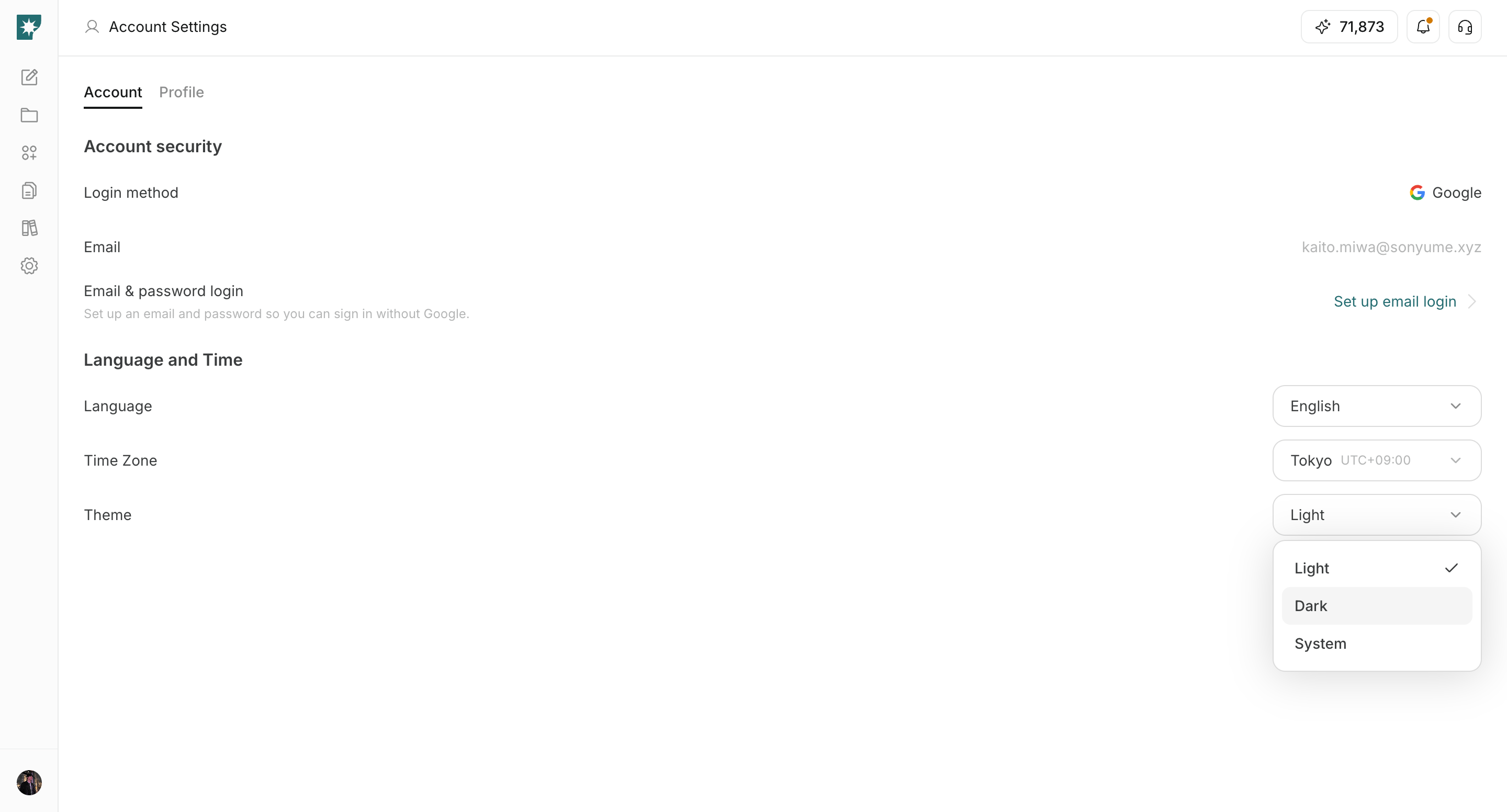
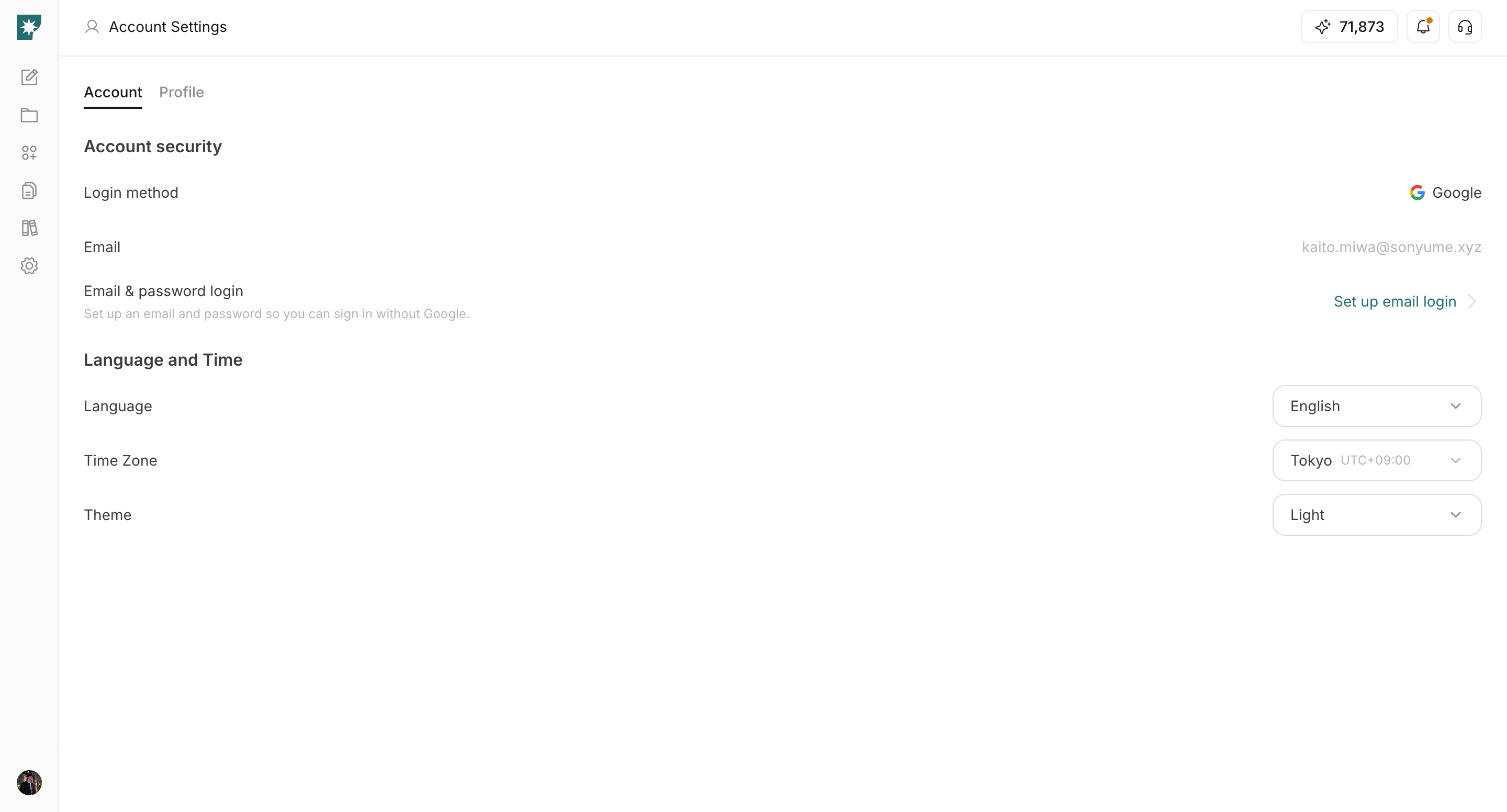 2. चयन करें `लाइट`, `डार्क`, या `सिस्टम`.
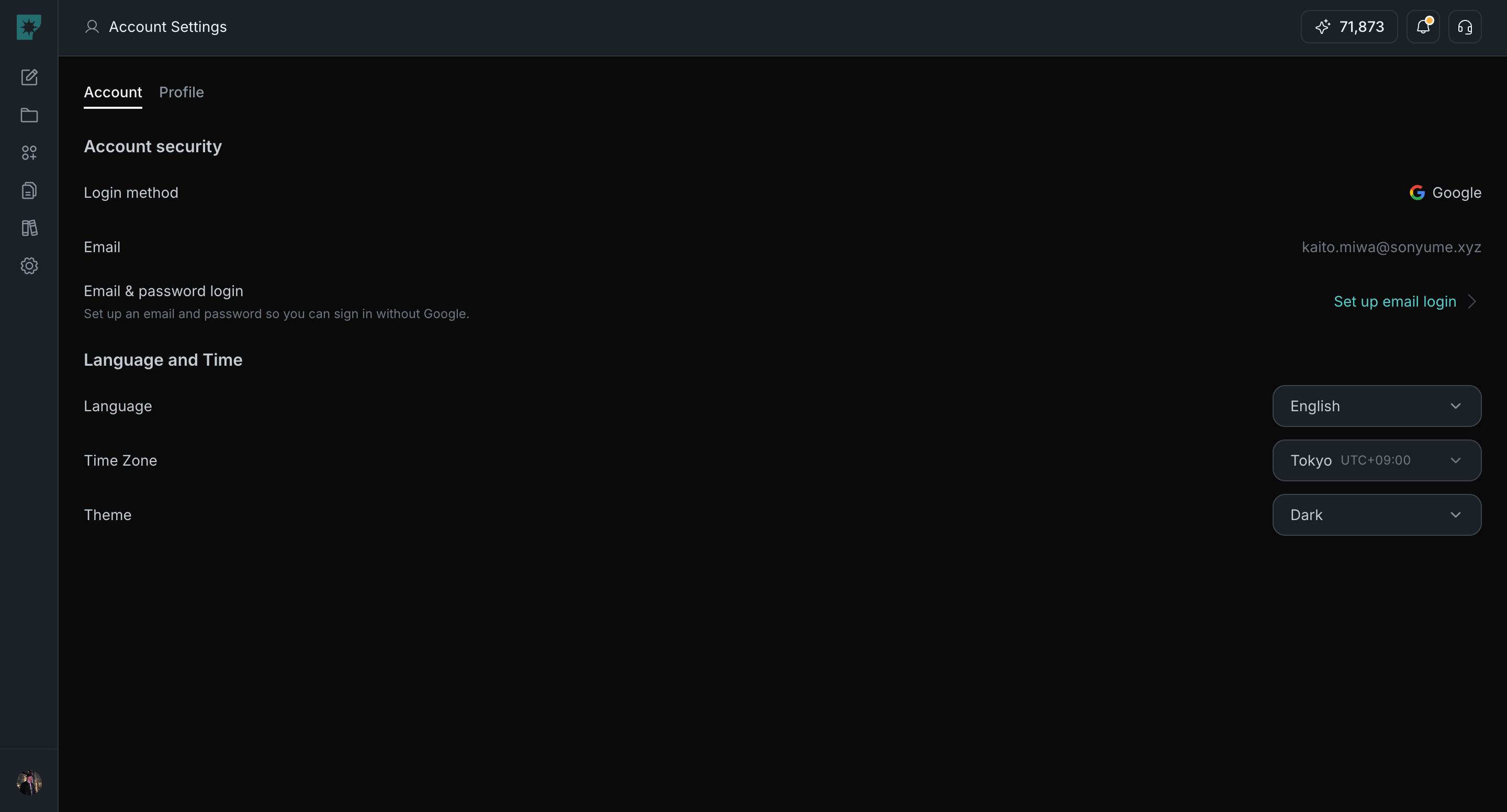
 3. इंटरफ़ेस अपडेट की तुरंत पुष्टि करें।
 ## थीम विकल्प
उपस्थिति मोड चुनने के लिए नीचे दिए गए विकल्पों का उपयोग करें।
1. `लाइट`: हमेशा लाइट मोड का उपयोग करें।
2. `डार्क`: हमेशा डार्क मोड का उपयोग करें।
3. `सिस्टम`: अपनी डिवाइस सेटिंग का पालन करें।
## संबंधित
गहन मार्गदर्शन के लिए इन संबंधित पेजों का उपयोग करें।
* [खाते की मूल बातें](/hi/help-center/account/account-basics)
* [भाषा बदलें](/hi/help-center/account/change-language)
* [समयक्षेत्र बदलें](/hi/help-center/account/change-timezone)
## थीम विकल्प
उपस्थिति मोड चुनने के लिए नीचे दिए गए विकल्पों का उपयोग करें।
1. `लाइट`: हमेशा लाइट मोड का उपयोग करें।
2. `डार्क`: हमेशा डार्क मोड का उपयोग करें।
3. `सिस्टम`: अपनी डिवाइस सेटिंग का पालन करें।
## संबंधित
गहन मार्गदर्शन के लिए इन संबंधित पेजों का उपयोग करें।
* [खाते की मूल बातें](/hi/help-center/account/account-basics)
* [भाषा बदलें](/hi/help-center/account/change-language)
* [समयक्षेत्र बदलें](/hi/help-center/account/change-timezone)