> ## Documentation Index
> Fetch the complete documentation index at: https://docs.noimosai.com/llms.txt
> Use this file to discover all available pages before exploring further.
# 言語を変更する
> アカウント設定でアプリの表示言語を変更する方法を説明します。
## 概要
言語設定では、NoimosAIの表示言語を変更できます。
## 場所
以下の場所から開きます。
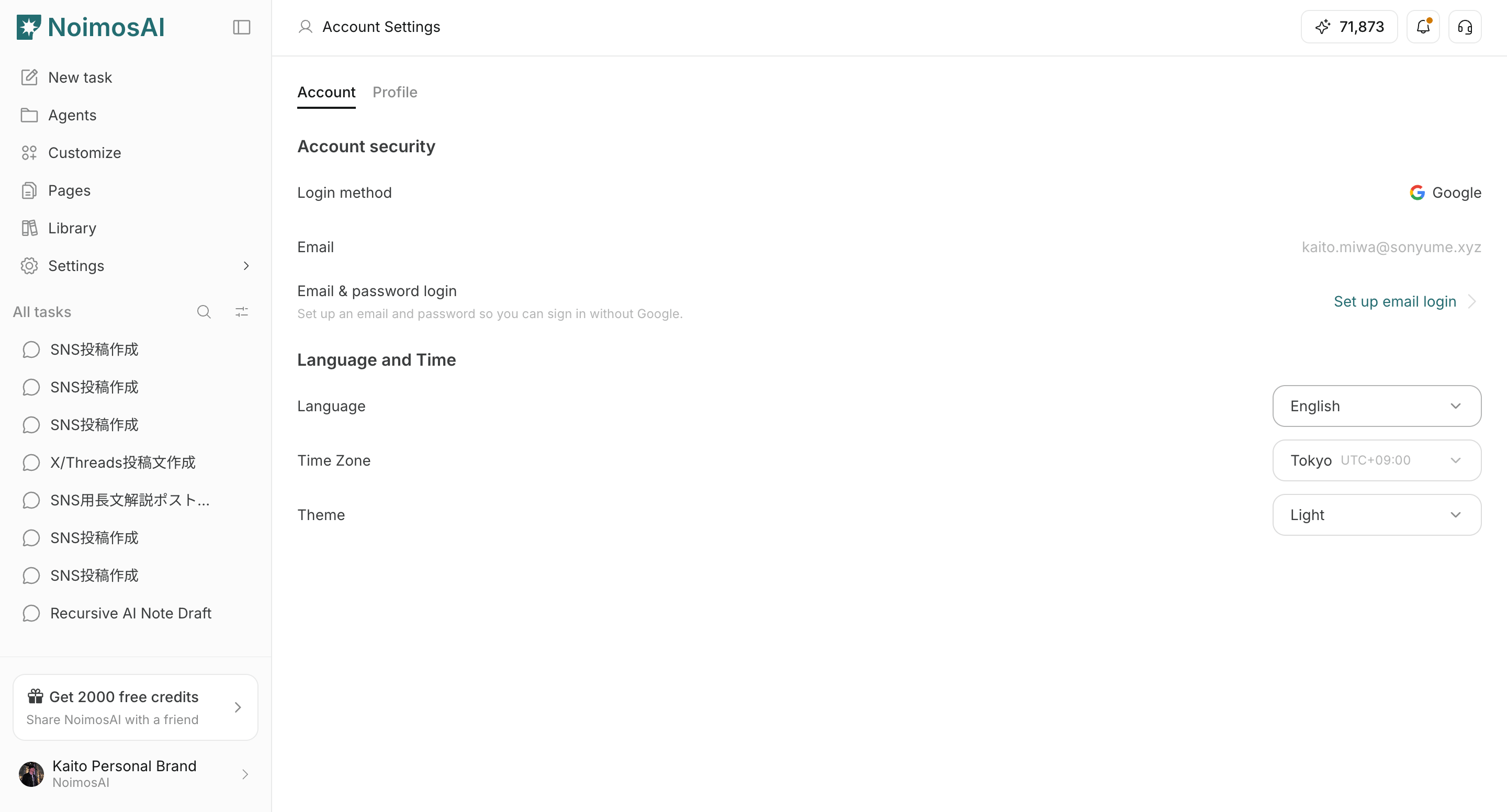
* `設定 -> アカウント -> 言語と時間`
## 変更手順
1. `言語` のドロップダウンを開く
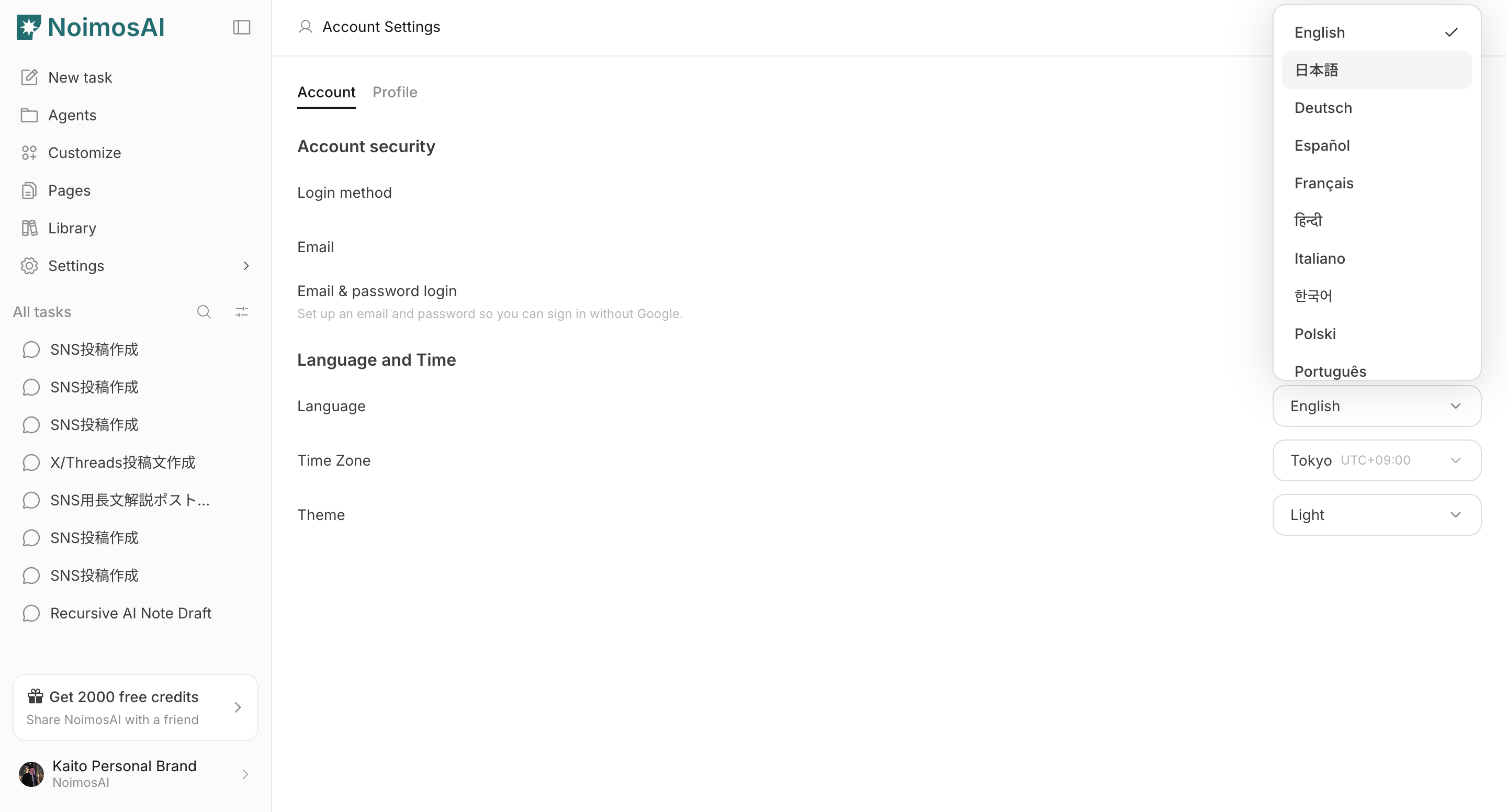
 2. 表示したい言語を選択する
 ## 注意点
* この設定はアプリ全体の表示言語に影響します
* 同じメニューからいつでも変更できます
## 関連ページ
* [アカウントの基本](/ja/help-center/account/account-basics)
* [タイムゾーンを変更する](/ja/help-center/account/change-timezone)
* [テーマを変更する](/ja/help-center/account/change-theme)
## 注意点
* この設定はアプリ全体の表示言語に影響します
* 同じメニューからいつでも変更できます
## 関連ページ
* [アカウントの基本](/ja/help-center/account/account-basics)
* [タイムゾーンを変更する](/ja/help-center/account/change-timezone)
* [テーマを変更する](/ja/help-center/account/change-theme)