> ## Documentation Index
> Fetch the complete documentation index at: https://docs.noimosai.com/llms.txt
> Use this file to discover all available pages before exploring further.

# 認証時に別のアカウントが開くのはなぜですか？

> 認証時に意図しないアカウントが開くときの対処方法を案内します。

## 要点

認証には、同じブラウザですでにサインインしているアプリのアカウントが使われます。
正しいアカウントを接続するには、先にそのアカウントでサインインしてから NoimosAI で `接続` を開始してください。

## 試すこと

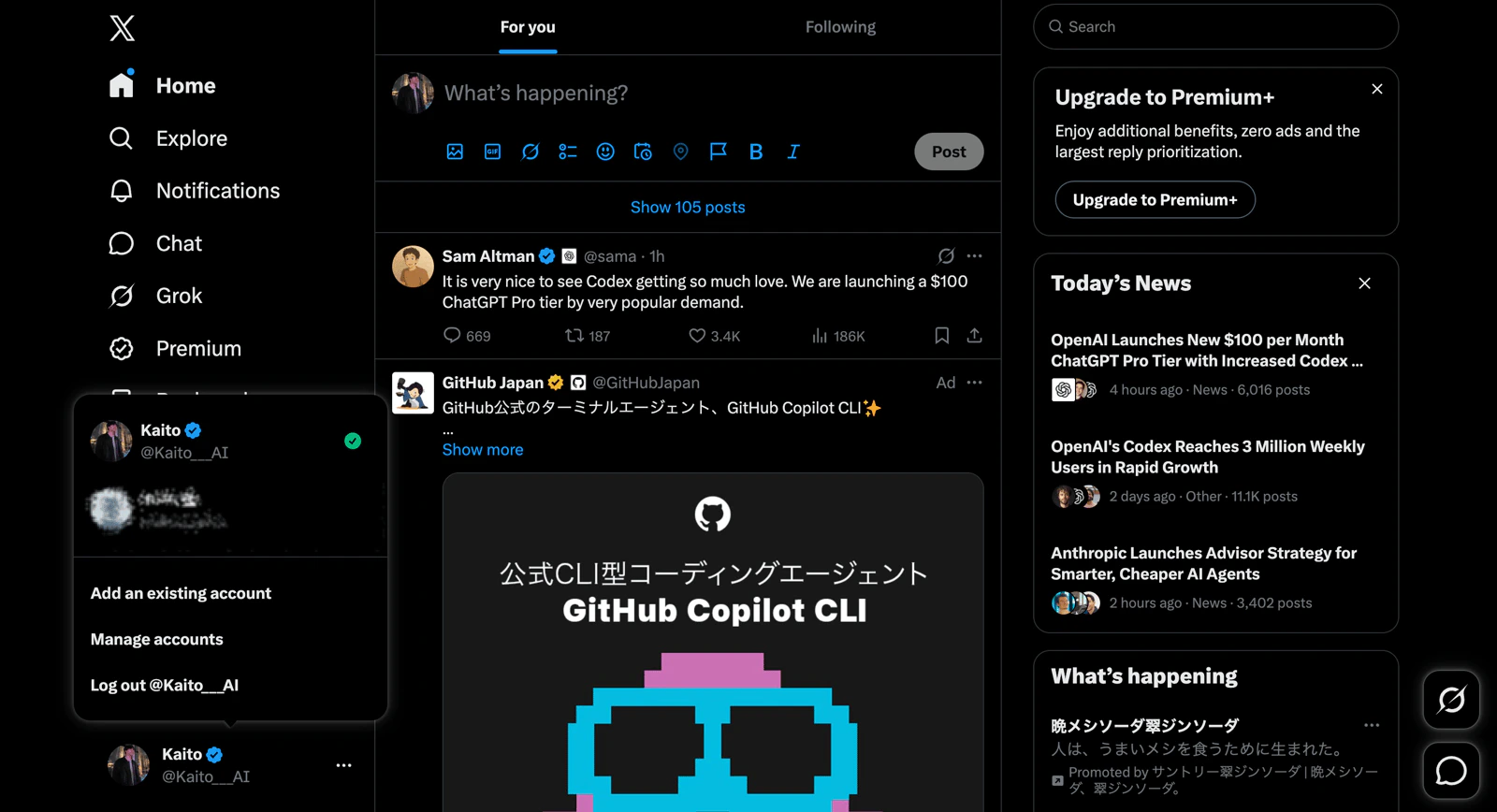
1. NoimosAI を開いているのと同じブラウザで、接続したいアプリを開きます。
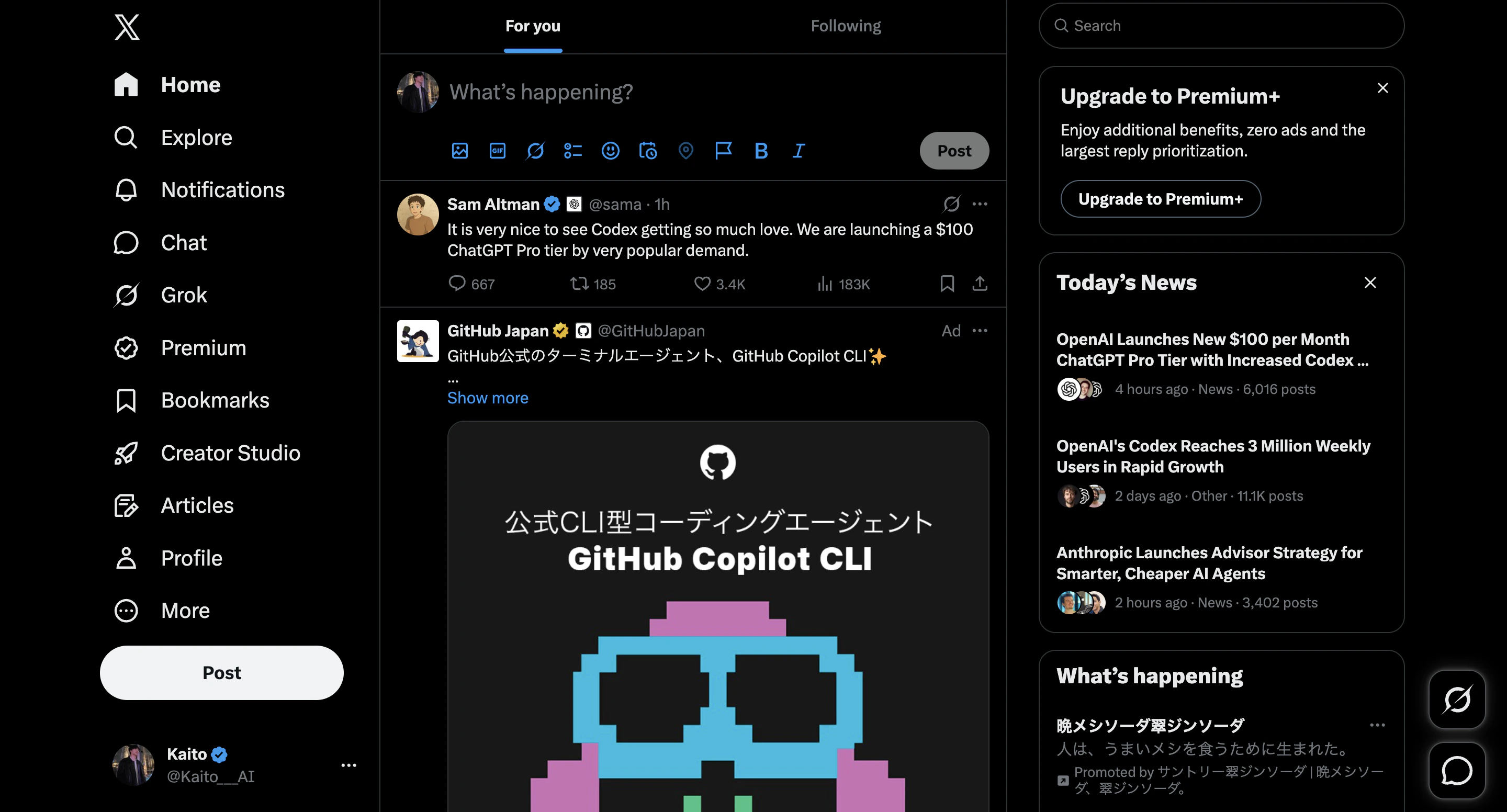
<img src="https://mintcdn.com/agoslabstechnologiesfzco/kmCY6z44H9kpgjR6/public/help-center/faq/integrations/open-app-in-same-browser.png?fit=max&auto=format&n=kmCY6z44H9kpgjR6&q=85&s=828c76ce19ea8253a09e502ac138a43e" alt="NoimosAIと同じブラウザで対象アプリを開く" style={{ border: '1px solid #e5e7eb', borderRadius: '8px', marginBottom: '1rem' }} width="2880" height="1552" data-path="public/help-center/faq/integrations/open-app-in-same-browser.png" />

2. 接続したいアプリの正しいアカウントでサインインします。

<img src="https://mintcdn.com/agoslabstechnologiesfzco/kmCY6z44H9kpgjR6/public/help-center/faq/integrations/sign-in-target-account.png?fit=max&auto=format&n=kmCY6z44H9kpgjR6&q=85&s=e1b285e21abc494f7046089523b8d6bd" alt="接続したいアカウントでサインインする" style={{ border: '1px solid #e5e7eb', borderRadius: '8px', marginBottom: '1rem' }} width="1600" height="868" data-path="public/help-center/faq/integrations/sign-in-target-account.png" />

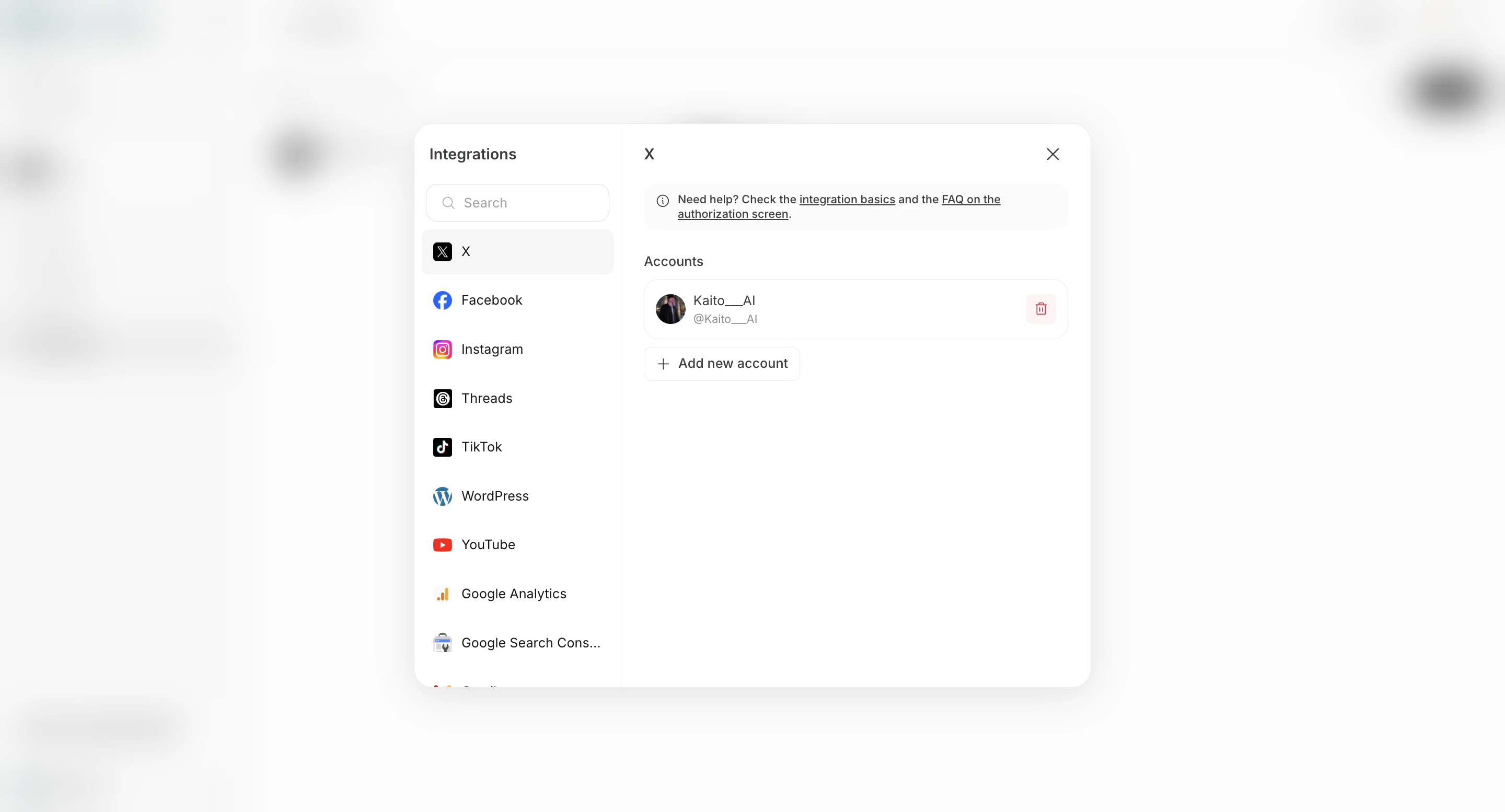
3. NoimosAI に戻り、そのアプリの `接続` をクリックします。

<img src="https://mintcdn.com/agoslabstechnologiesfzco/ZiTDKpFl9RvrDXUc/public/help-center/faq/integrations/start-app-connection-from-integrations-screen-v2.png?fit=max&auto=format&n=ZiTDKpFl9RvrDXUc&q=85&s=505f6cfa2cb23e1c8596455a1e2ed511" alt="連携画面からアプリ接続を開始する" style={{ border: '1px solid #e5e7eb', borderRadius: '8px', marginBottom: '1.5rem' }} width="2880" height="1554" data-path="public/help-center/faq/integrations/start-app-connection-from-integrations-screen-v2.png" />

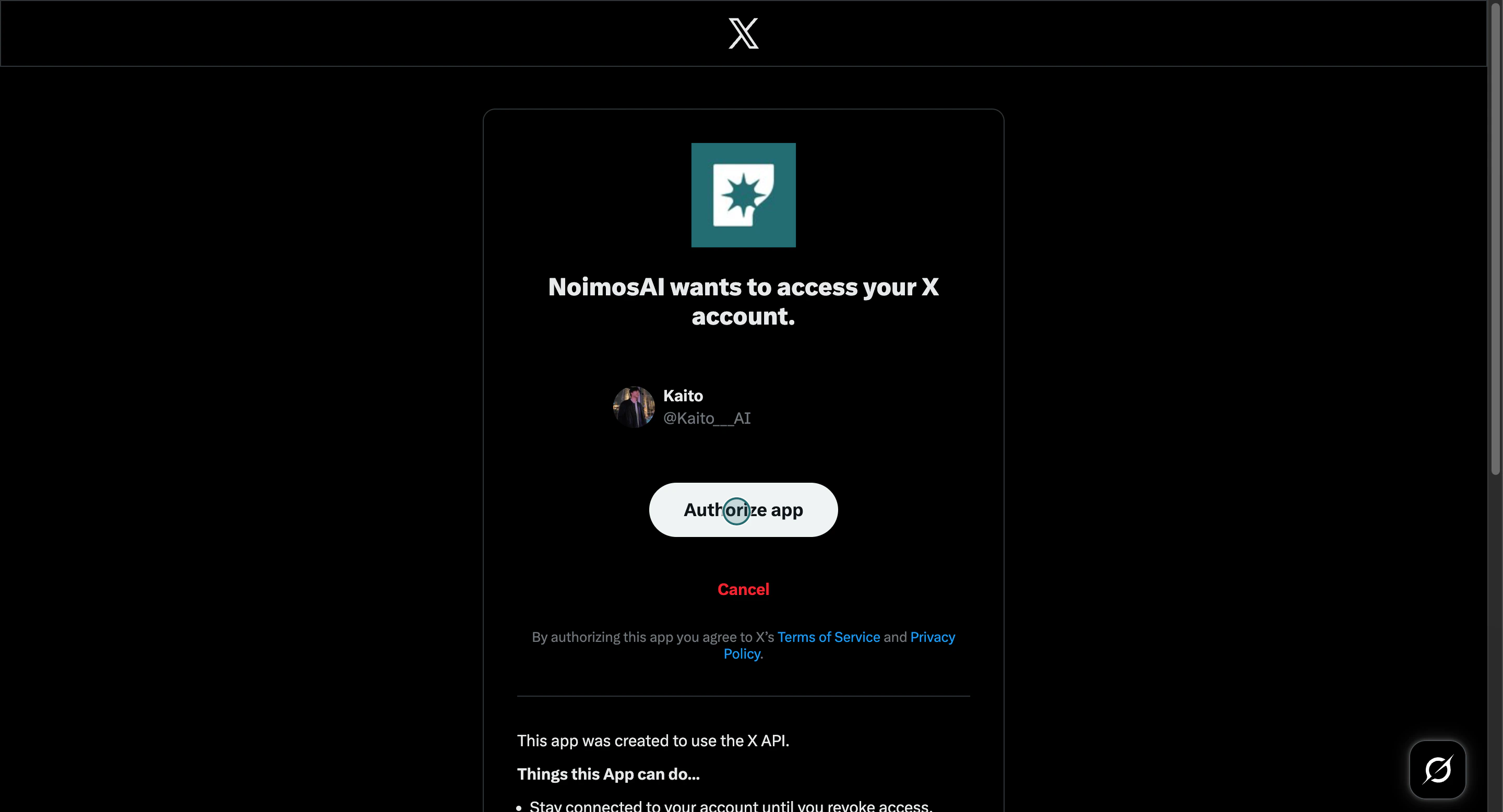
4. そのサインイン済みアカウントでリダイレクト認証を完了します。

<img src="https://mintcdn.com/agoslabstechnologiesfzco/Akti8JrQwF6FniPF/public/help-center/arcade/workspace/integrate-apps/step-09.png?fit=max&auto=format&n=Akti8JrQwF6FniPF&q=85&s=0f1438850991ed2d5d83e7b274ac27ee" alt="リダイレクト認証フローを完了する" style={{ border: '1px solid #e5e7eb', borderRadius: '8px', marginBottom: '1.5rem' }} width="2880" height="1556" data-path="public/help-center/arcade/workspace/integrate-apps/step-09.png" />

## それでも解決しない場合

サポートには次を送ってください。

* アプリ / プロバイダー名
* チーム名とワークスペース名
* 接続したかったアカウント
* 開いた認証画面のスクリーンショット

## 関連

* [アプリを連携する](/ja/help-center/workspace/integrate-apps)
* [サポートにはどう連絡できますか？](/ja/help-center/faq/support/how-can-i-contact-support)