> ## Documentation Index
> Fetch the complete documentation index at: https://docs.noimosai.com/llms.txt
> Use this file to discover all available pages before exploring further.
# プランを確認する
> 現在のプラン、請求サイクル、上限、更新状況を確認する方法を説明します。
## 概要
このページでは、拡張、メンバー追加、解約の前に、現在のチームプランと請求状況を確認します。
## 使う場面
* 自動実行数やワークスペース数を増やす前
* チームに請求・更新関連の通知が届いたとき
* アップグレード、ダウングレード、解約を検討するとき
## 場所
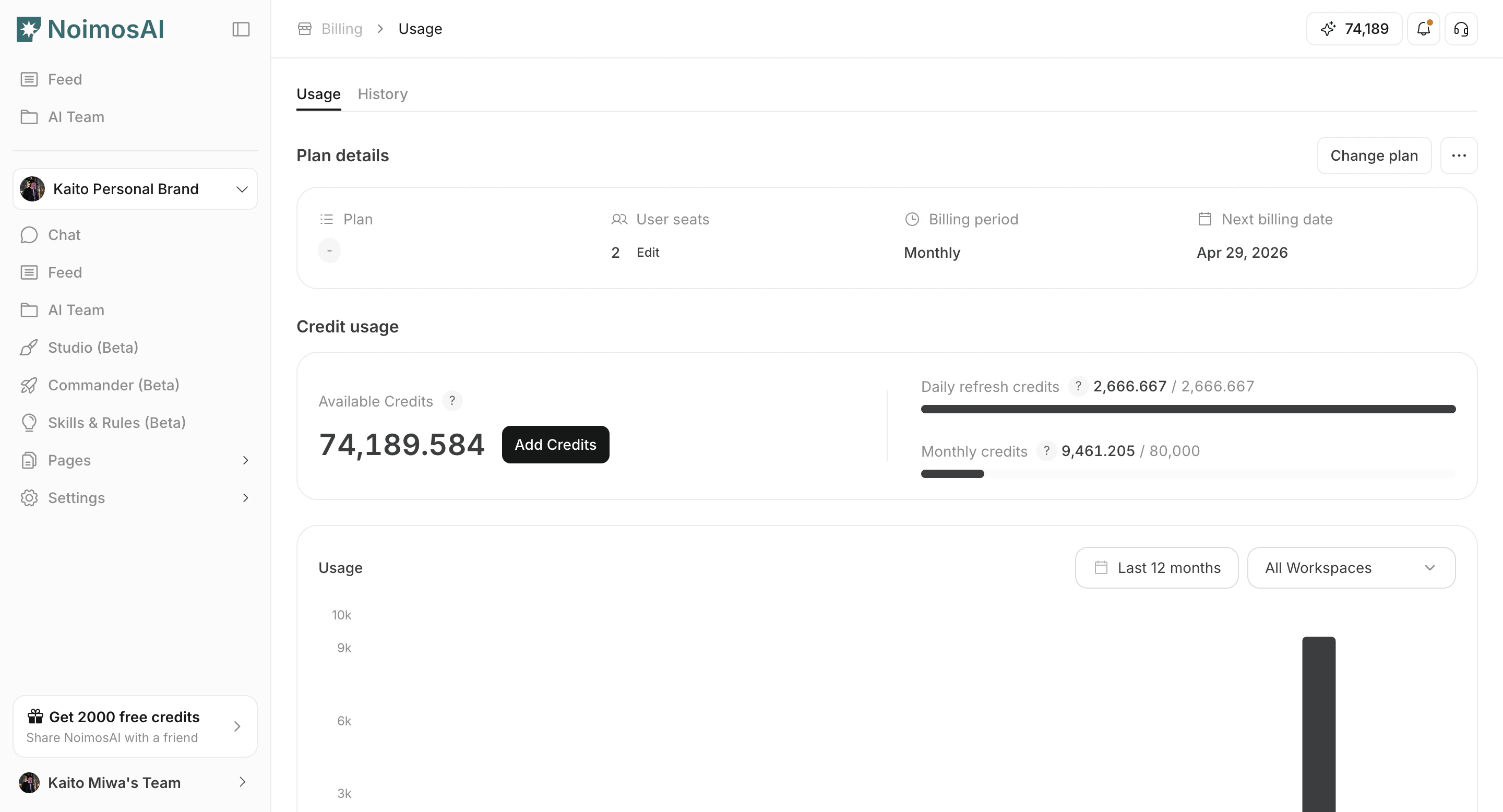
* `チーム -> お支払い -> 利用状況` の `プラン詳細` カードから開く
### プラン詳細
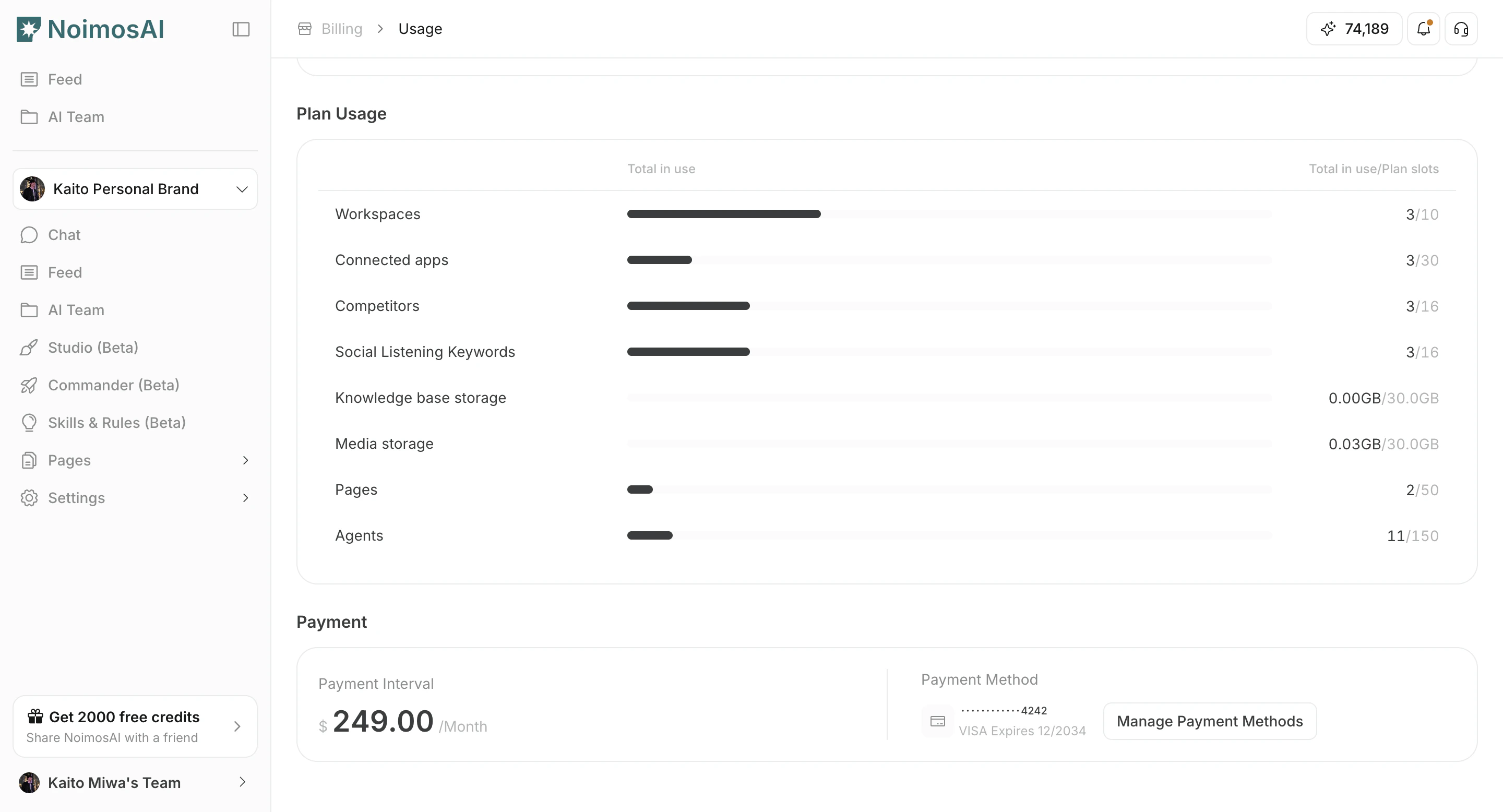
 ### 上限と現在の使用状況
 ## 確認ポイント
1. 現在のプラン名と契約状態
2. 請求期間(毎月 / 年間)と次回請求日
3. シート数とプラン上限
4. 無料トライアルの終了日またはサービス終了日
## 運用のコツ
* プラン変更前に、チーム上限とワークスペース単位の使用量を比べる
* 支払いが未完了なら、先に支払い情報を更新する
## 関連ページ
* [プランを変更する](/ja/help-center/plans-and-billing/change-plan)
* [クレジット使用量を確認して追加購入する](/ja/help-center/plans-and-billing/check-credit-usage-and-purchase-more)
## 確認ポイント
1. 現在のプラン名と契約状態
2. 請求期間(毎月 / 年間)と次回請求日
3. シート数とプラン上限
4. 無料トライアルの終了日またはサービス終了日
## 運用のコツ
* プラン変更前に、チーム上限とワークスペース単位の使用量を比べる
* 支払いが未完了なら、先に支払い情報を更新する
## 関連ページ
* [プランを変更する](/ja/help-center/plans-and-billing/change-plan)
* [クレジット使用量を確認して追加購入する](/ja/help-center/plans-and-billing/check-credit-usage-and-purchase-more)