> ## Documentation Index
> Fetch the complete documentation index at: https://docs.noimosai.com/llms.txt
> Use this file to discover all available pages before exploring further.

# ワークスペースを削除する

> 不要なワークスペースを安全に削除する手順と事前確認ポイントを説明します。

## 概要

ワークスペースを削除すると、そのワークスペース内のデータは完全に削除されます。\
この操作は取り消せません。

## 画面の場所

* `ワークスペース -> 設定 -> 基本情報 -> 一般`

## 削除手順

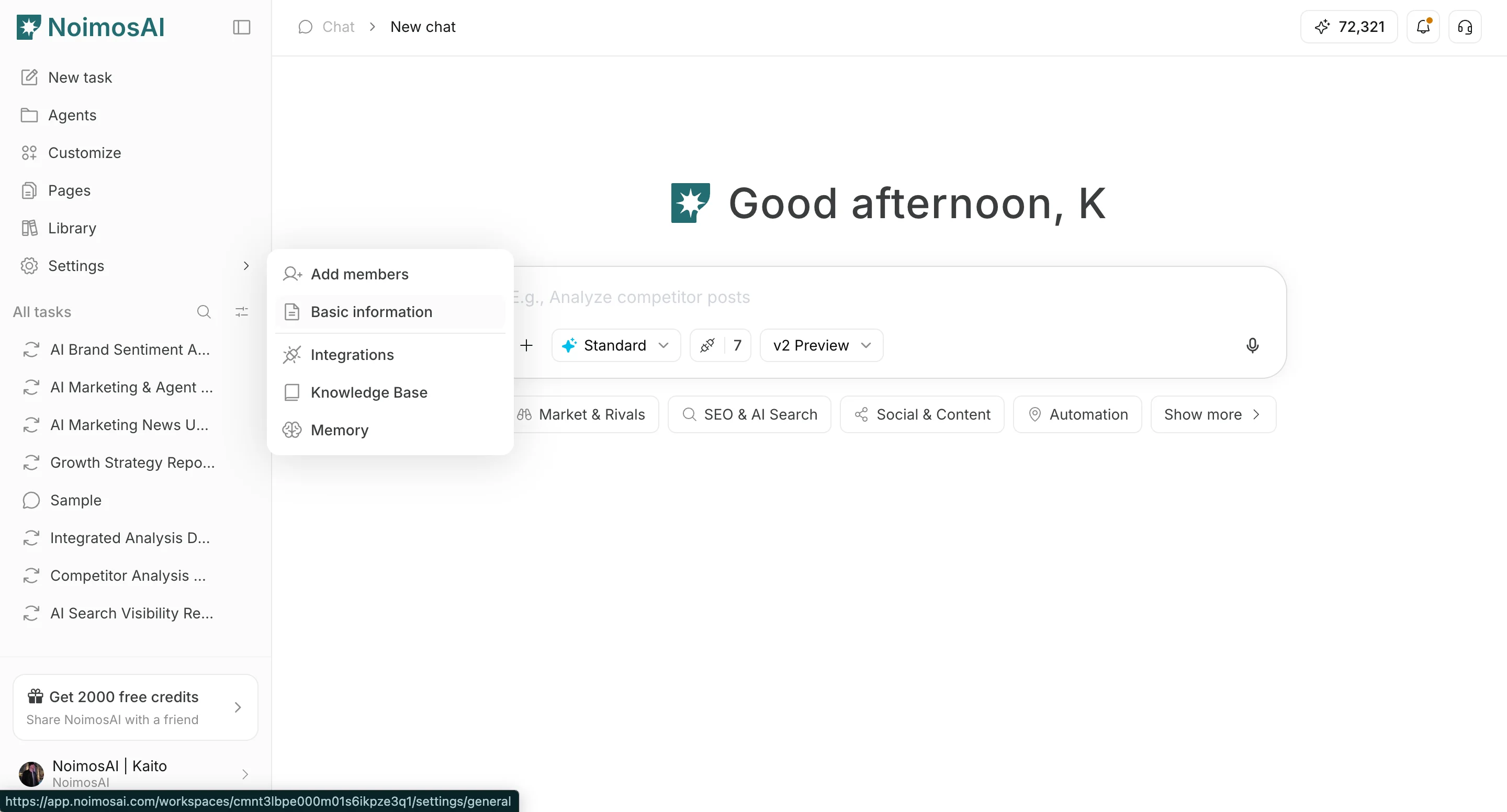
1. 削除対象のワークスペースへ切り替える
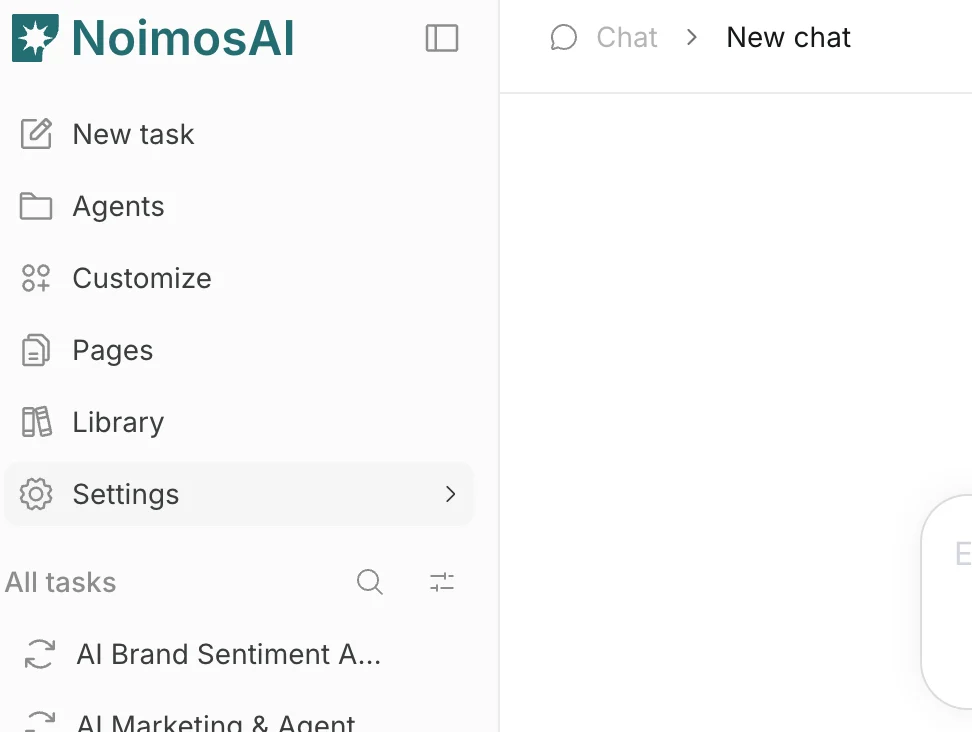
<img src="https://mintcdn.com/agoslabstechnologiesfzco/vzbMED_9K-FSqYgH/public/help-center/arcade/workspace/delete-workspace/step-02.png?fit=max&auto=format&n=vzbMED_9K-FSqYgH&q=85&s=f1bed2b4872fda6673ba068bd2ffc6b1" alt="削除対象ワークスペースの設定を開く" style={{ border: '1px solid #e5e7eb', borderRadius: '8px', marginBottom: '1rem' }} width="972" height="732" data-path="public/help-center/arcade/workspace/delete-workspace/step-02.png" />

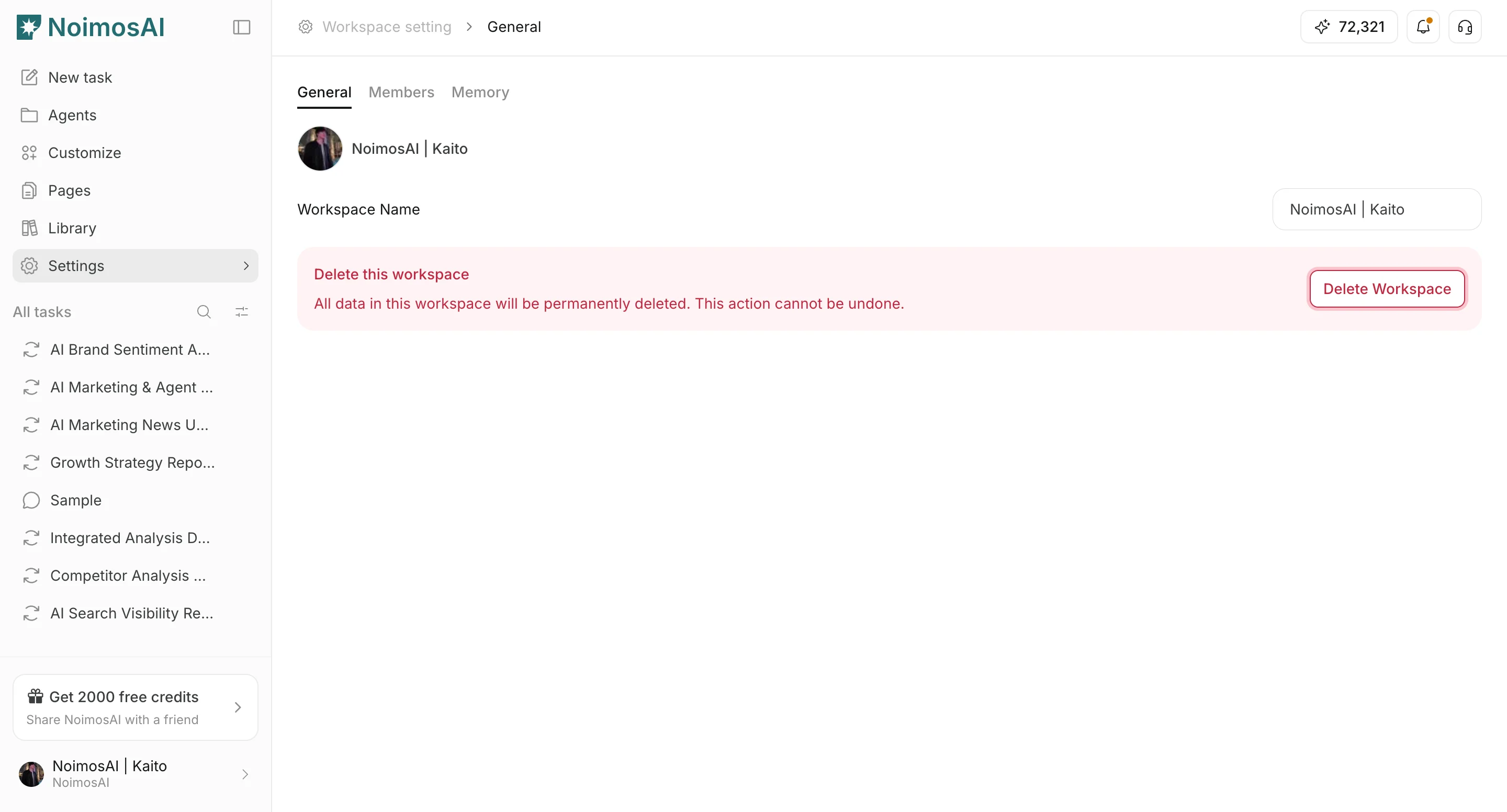
2. `設定 -> 基本情報 -> 一般` を開く

<img src="https://mintcdn.com/agoslabstechnologiesfzco/vzbMED_9K-FSqYgH/public/help-center/arcade/workspace/delete-workspace/step-03.png?fit=max&auto=format&n=vzbMED_9K-FSqYgH&q=85&s=0686cef11378188b1a4996cda23f23b9" alt="ワークスペース設定の一般タブ" style={{ border: '1px solid #e5e7eb', borderRadius: '8px', marginBottom: '1rem' }} width="2880" height="1552" data-path="public/help-center/arcade/workspace/delete-workspace/step-03.png" />

3. `ワークスペースを削除` をクリックする

<img src="https://mintcdn.com/agoslabstechnologiesfzco/vzbMED_9K-FSqYgH/public/help-center/arcade/workspace/delete-workspace/step-04.png?fit=max&auto=format&n=vzbMED_9K-FSqYgH&q=85&s=4de2af211fab9b3c6fd3a3077a974660" alt="ワークスペース削除ボタン" style={{ border: '1px solid #e5e7eb', borderRadius: '8px', marginBottom: '1rem' }} width="2880" height="1552" data-path="public/help-center/arcade/workspace/delete-workspace/step-04.png" />

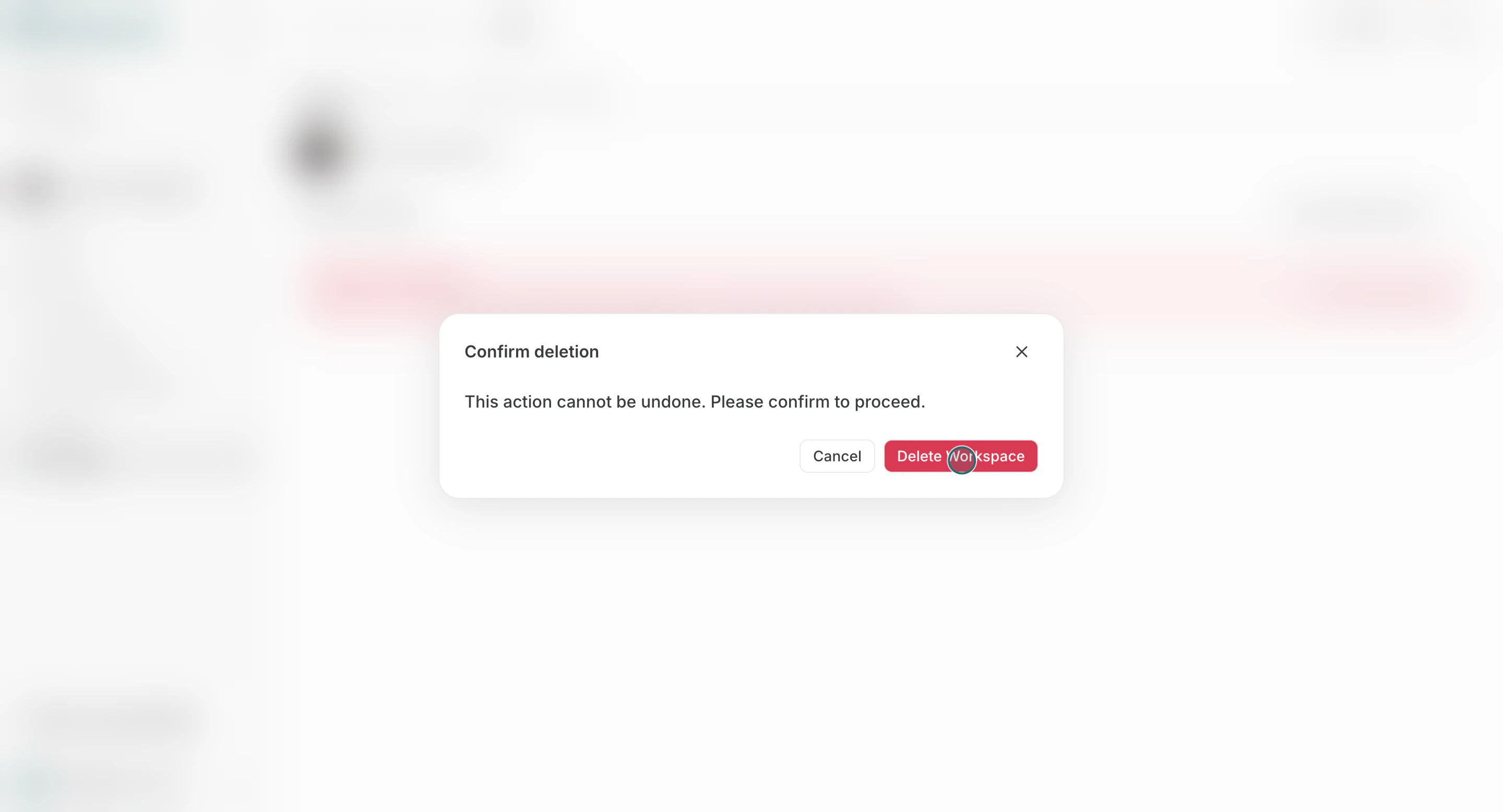
4. 確認ダイアログで削除を確定する

<img src="https://mintcdn.com/agoslabstechnologiesfzco/Akti8JrQwF6FniPF/public/help-center/arcade/workspace/delete-workspace/step-05.png?fit=max&auto=format&n=Akti8JrQwF6FniPF&q=85&s=1038cf7d8f77ed736afa97e76b932983" alt="削除確認ダイアログ" style={{ border: '1px solid #e5e7eb', borderRadius: '8px', marginBottom: '1rem' }} width="2880" height="1556" data-path="public/help-center/arcade/workspace/delete-workspace/step-05.png" />

## 削除前チェック

* 稼働中の運用が残っていないか
* まだ利用しているメンバーがいないか
* チーム内の最後のワークスペースではないか

## 注意点

* チームには最低1つのワークスペースが必要です。

## 関連ページ

* [ワークスペースの基本](/ja/help-center/workspace/workspace-basics)
* [ワークスペース名と画像を変更する](/ja/help-center/workspace/change-the-workspace-name-and-profile-image)