> ## Documentation Index
> Fetch the complete documentation index at: https://docs.noimosai.com/llms.txt
> Use this file to discover all available pages before exploring further.
# 시간대 변경
> 스케줄과 시간 표시에 사용할 시간대를 설정합니다.
## 개요
시간대 설정은 NoimosAI에서 시간과 일정이 표시되는 방식을 결정합니다.
## 위치
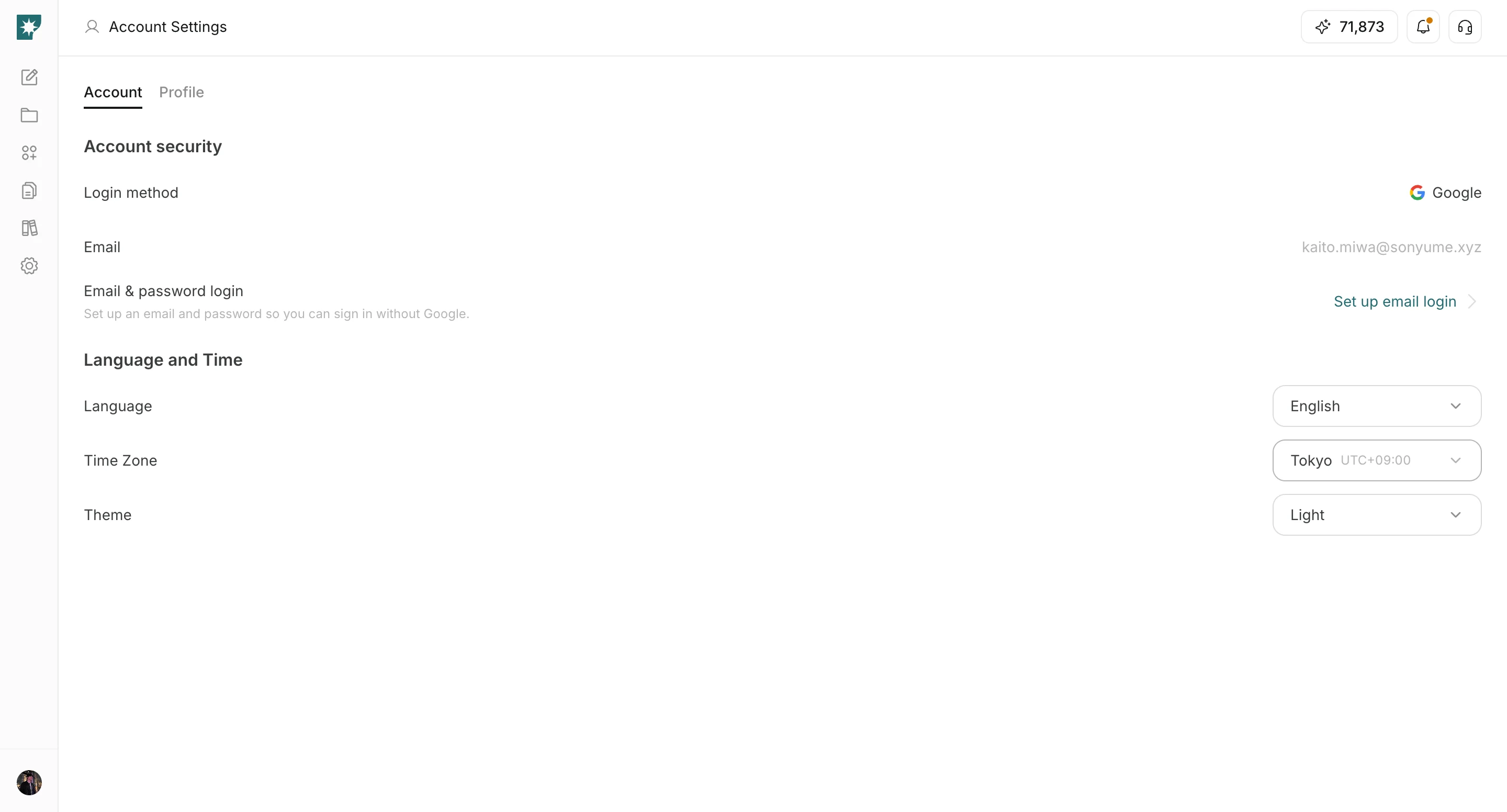
* `설정 -> 계정 -> 언어 및 시간`
## 변경 방법
1. `Time Zone` 드롭다운을 엽니다.
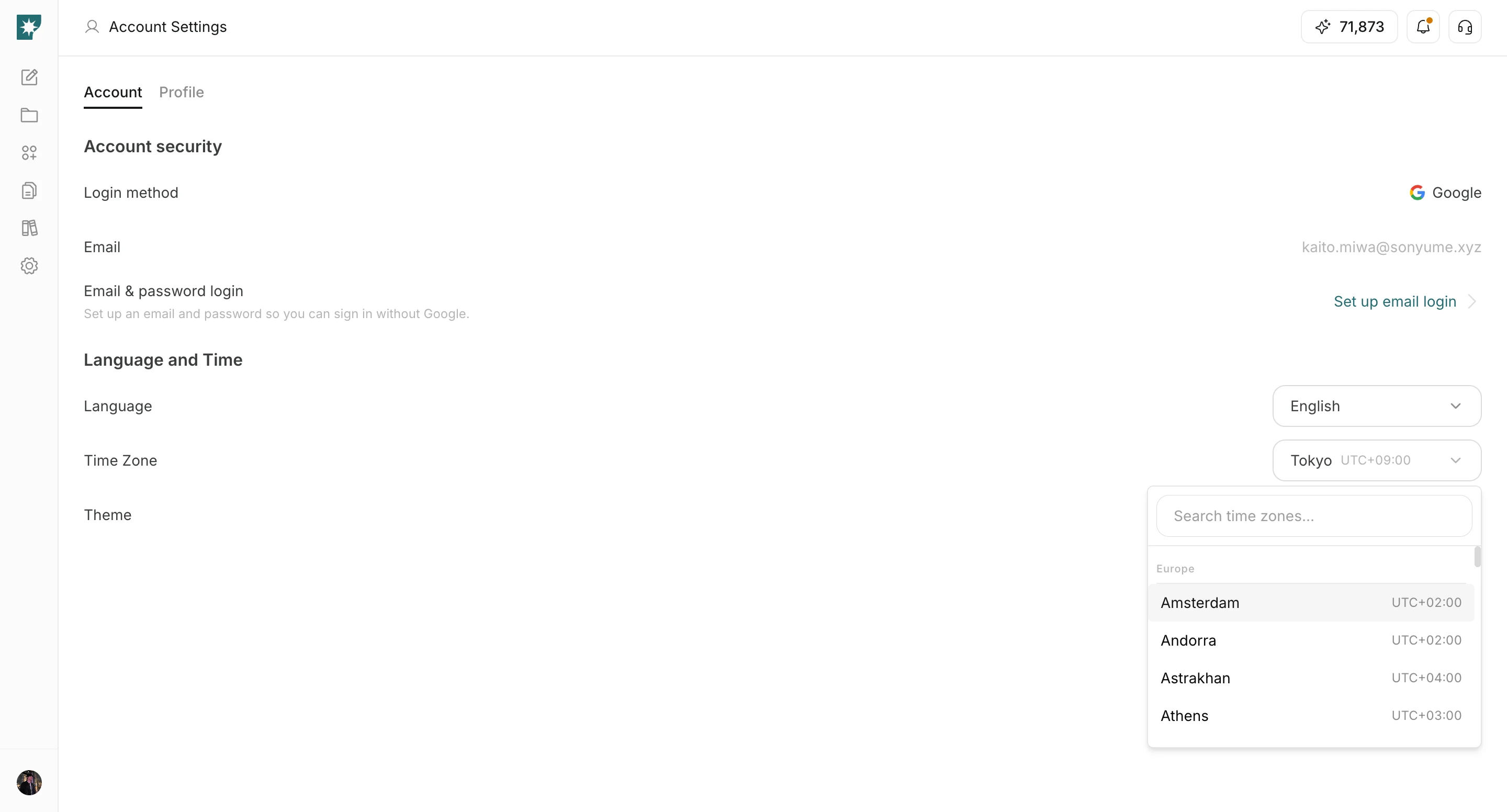
 2. 검색 후 내 지역 시간대를 선택합니다.
 ## 왜 중요한가요
* 일정 시간은 선택한 시간대를 기준으로 표시됩니다.
* 지역이 다른 팀과 함께 작업할 때 시간대가 정확해야 혼선을 줄일 수 있습니다.
## 관련 문서
* [계정 설정 소개](/ko/help-center/account/account-basics)
* [언어 변경](/ko/help-center/account/change-language)
* [테마 변경](/ko/help-center/account/change-theme)
## 왜 중요한가요
* 일정 시간은 선택한 시간대를 기준으로 표시됩니다.
* 지역이 다른 팀과 함께 작업할 때 시간대가 정확해야 혼선을 줄일 수 있습니다.
## 관련 문서
* [계정 설정 소개](/ko/help-center/account/account-basics)
* [언어 변경](/ko/help-center/account/change-language)
* [테마 변경](/ko/help-center/account/change-theme)