> ## Documentation Index
> Fetch the complete documentation index at: https://docs.noimosai.com/llms.txt
> Use this file to discover all available pages before exploring further.

# 연결하려는 계정이 아니라 다른 앱 계정으로 인증 화면이 열리는 이유는 무엇인가요?

> 원하는 계정이 아닌 다른 계정으로 인증이 열릴 때 점검할 사항을 안내합니다.

## 짧은 답변

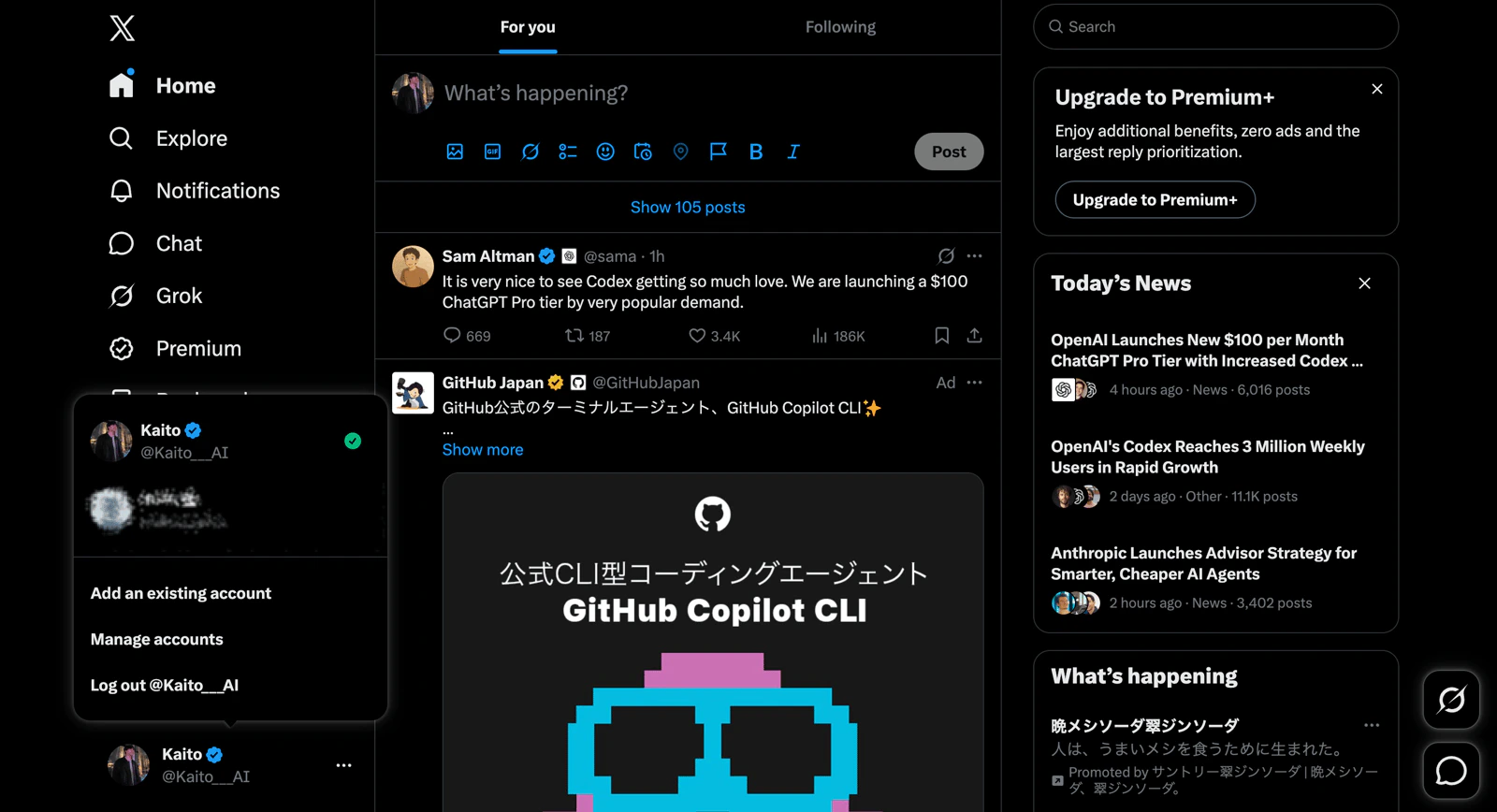
인증은 같은 브라우저에 현재 로그인되어 있는 앱 계정을 기준으로 진행됩니다.
원하는 계정을 연결하려면 먼저 그 계정으로 로그인한 뒤 NoimosAI에서 `Connect`를 다시 시작하세요.

## 확인할 사항

1. NoimosAI를 열어 둔 같은 브라우저에서 연결하려는 앱을 엽니다.
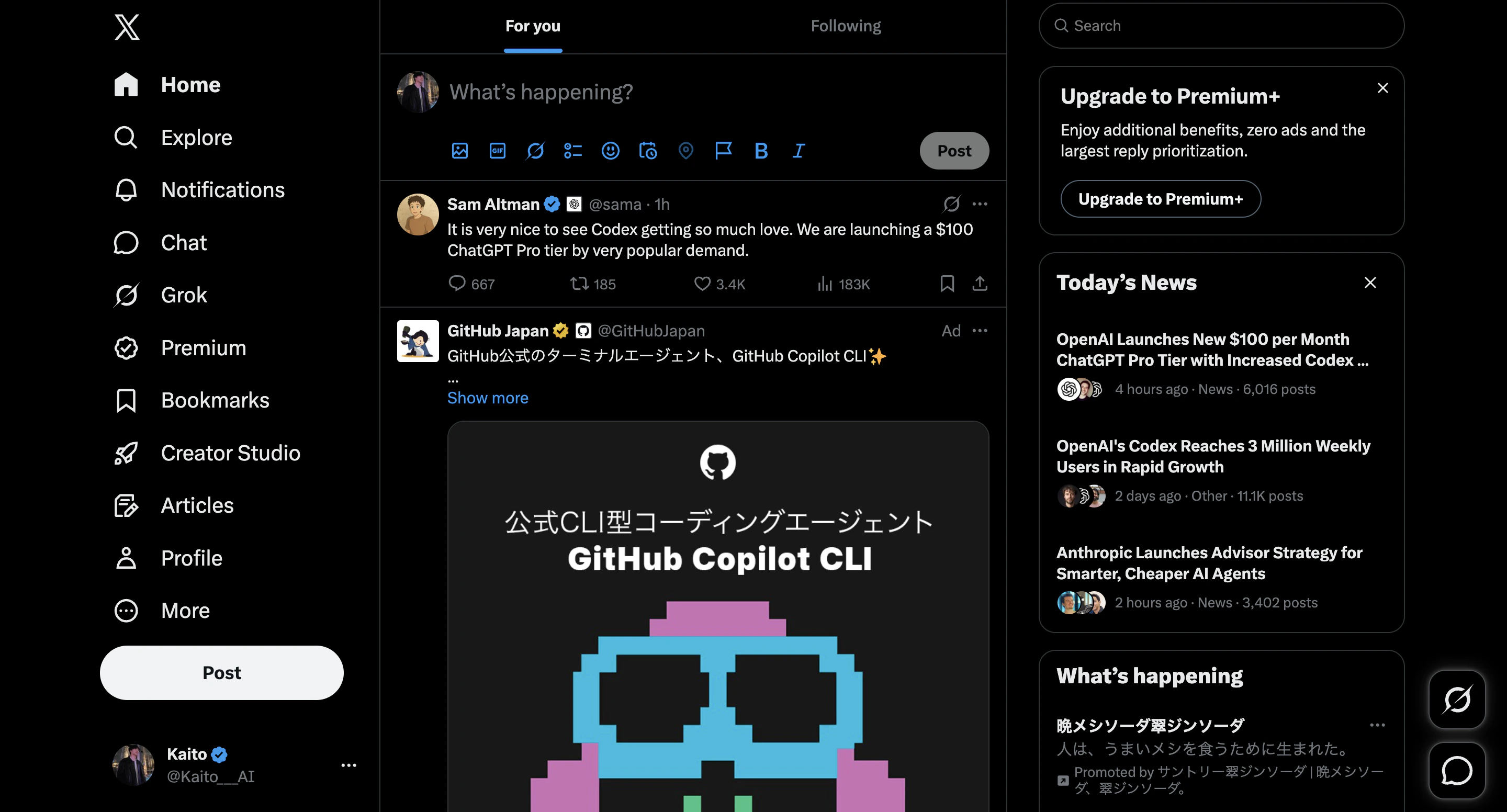
<img src="https://mintcdn.com/agoslabstechnologiesfzco/kmCY6z44H9kpgjR6/public/help-center/faq/integrations/open-app-in-same-browser.png?fit=max&auto=format&n=kmCY6z44H9kpgjR6&q=85&s=828c76ce19ea8253a09e502ac138a43e" alt="NoimosAI와 같은 브라우저에서 대상 앱 열기" style={{ border: '1px solid #e5e7eb', borderRadius: '8px', marginBottom: '1rem' }} width="2880" height="1552" data-path="public/help-center/faq/integrations/open-app-in-same-browser.png" />

2. 연결하려는 정확한 앱 계정으로 로그인합니다.

<img src="https://mintcdn.com/agoslabstechnologiesfzco/kmCY6z44H9kpgjR6/public/help-center/faq/integrations/sign-in-target-account.png?fit=max&auto=format&n=kmCY6z44H9kpgjR6&q=85&s=e1b285e21abc494f7046089523b8d6bd" alt="연결하려는 정확한 앱 계정으로 로그인" style={{ border: '1px solid #e5e7eb', borderRadius: '8px', marginBottom: '1rem' }} width="1600" height="868" data-path="public/help-center/faq/integrations/sign-in-target-account.png" />

3. NoimosAI로 돌아가 해당 앱의 `Connect`를 클릭합니다.
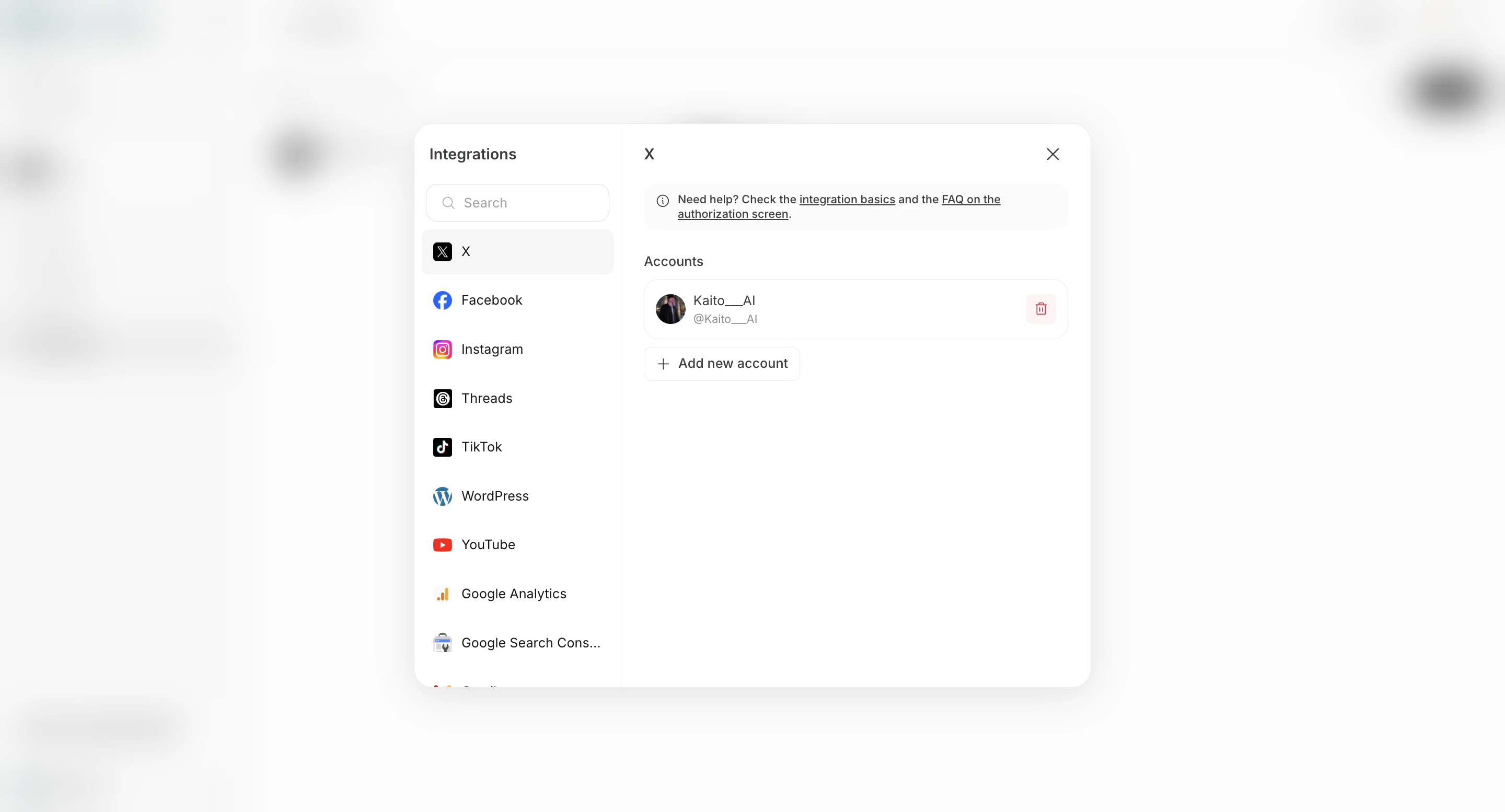
<img src="https://mintcdn.com/agoslabstechnologiesfzco/ZiTDKpFl9RvrDXUc/public/help-center/faq/integrations/start-app-connection-from-integrations-screen-v2.png?fit=max&auto=format&n=ZiTDKpFl9RvrDXUc&q=85&s=505f6cfa2cb23e1c8596455a1e2ed511" alt="연동 화면에서 앱 연결 시작" style={{ border: '1px solid #e5e7eb', borderRadius: '8px', marginBottom: '1.5rem' }} width="2880" height="1554" data-path="public/help-center/faq/integrations/start-app-connection-from-integrations-screen-v2.png" />

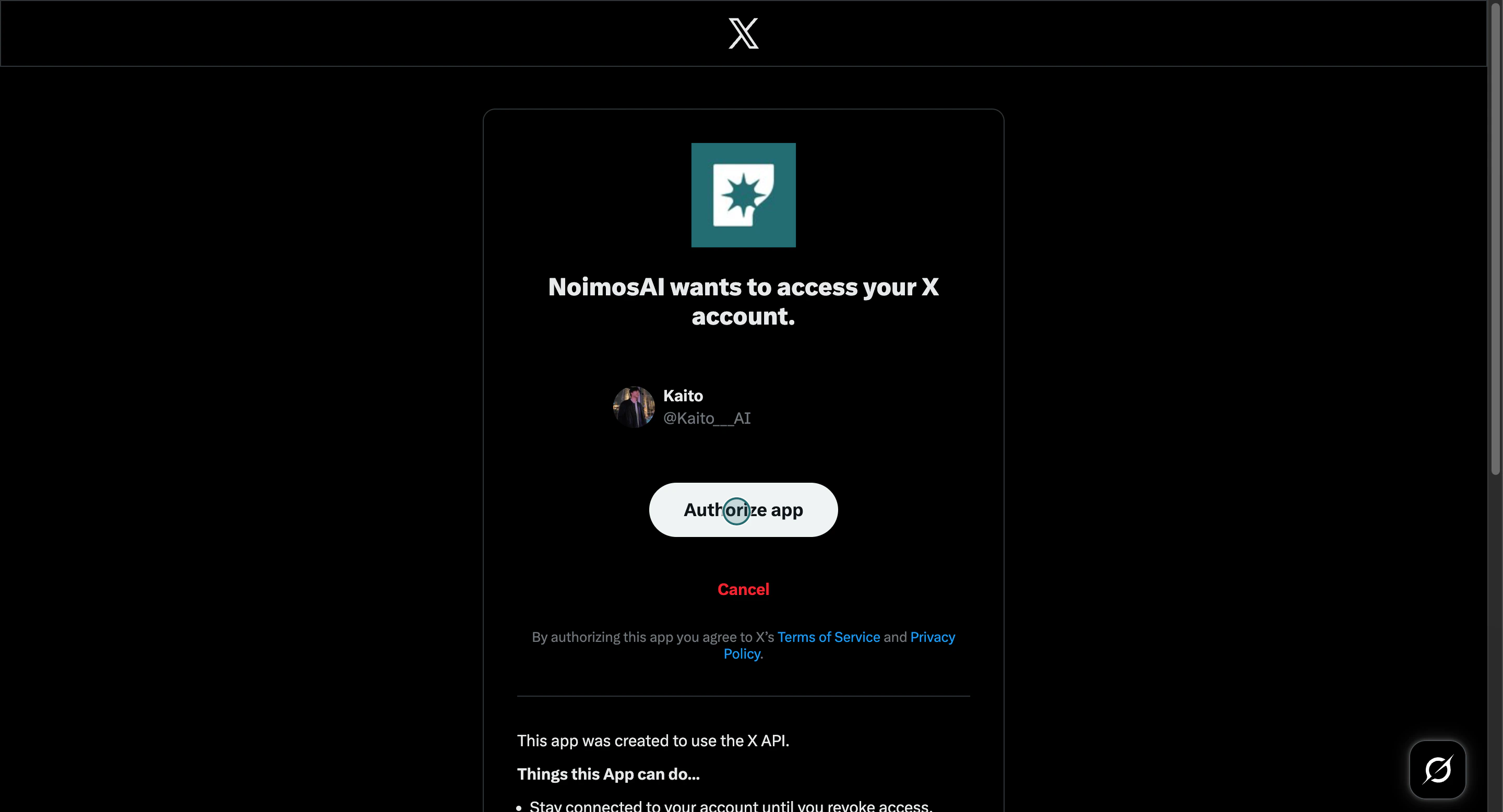
4. 방금 로그인한 계정으로 리디렉션 인증 과정을 완료합니다.

<img src="https://mintcdn.com/agoslabstechnologiesfzco/Akti8JrQwF6FniPF/public/help-center/arcade/workspace/integrate-apps/step-09.png?fit=max&auto=format&n=Akti8JrQwF6FniPF&q=85&s=0f1438850991ed2d5d83e7b274ac27ee" alt="로그인된 앱 계정으로 인증 흐름 완료" style={{ border: '1px solid #e5e7eb', borderRadius: '8px', marginBottom: '1.5rem' }} width="2880" height="1556" data-path="public/help-center/arcade/workspace/integrate-apps/step-09.png" />

## 문제가 계속될 때

지원 문의 시 다음 정보를 함께 보내세요.

* 앱 또는 제공업체 이름
* 팀 이름과 작업공간 이름
* 연결하려고 했던 계정
* 실제로 열린 인증 화면의 스크린샷

## 관련 문서

* [앱 연동하기](/ko/help-center/workspace/integrate-apps)
* [고객 지원에 문의하기](/ko/help-center/customer-support/contact-customer-support)