> ## Documentation Index
> Fetch the complete documentation index at: https://docs.noimosai.com/llms.txt
> Use this file to discover all available pages before exploring further.
# 요금제 변경
> 결제에서 팀 요금제를 업그레이드하거나 다운그레이드하는 방법을 안내합니다.
## 개요
좌석 수, 사용량 한도, 결제 주기 등 현재 운영 방식에 맞는 조건이 필요할 때 팀 요금제를 변경합니다. 요금제 변경은 `결제`에서 관리합니다.
## 변경 전에 확인할 것
* `Billing -> Usage`에서 현재 사용량을 확인해 너무 작은 요금제로 내려가지 않도록 합니다.
* 현재 좌석 수와 팀 아래의 워크스페이스 운영 필요를 검토합니다.
* 확인 모달에서 적용 시점과 일할 계산 여부를 확인합니다.
## 위치
다음 경로에서 확인할 수 있습니다.
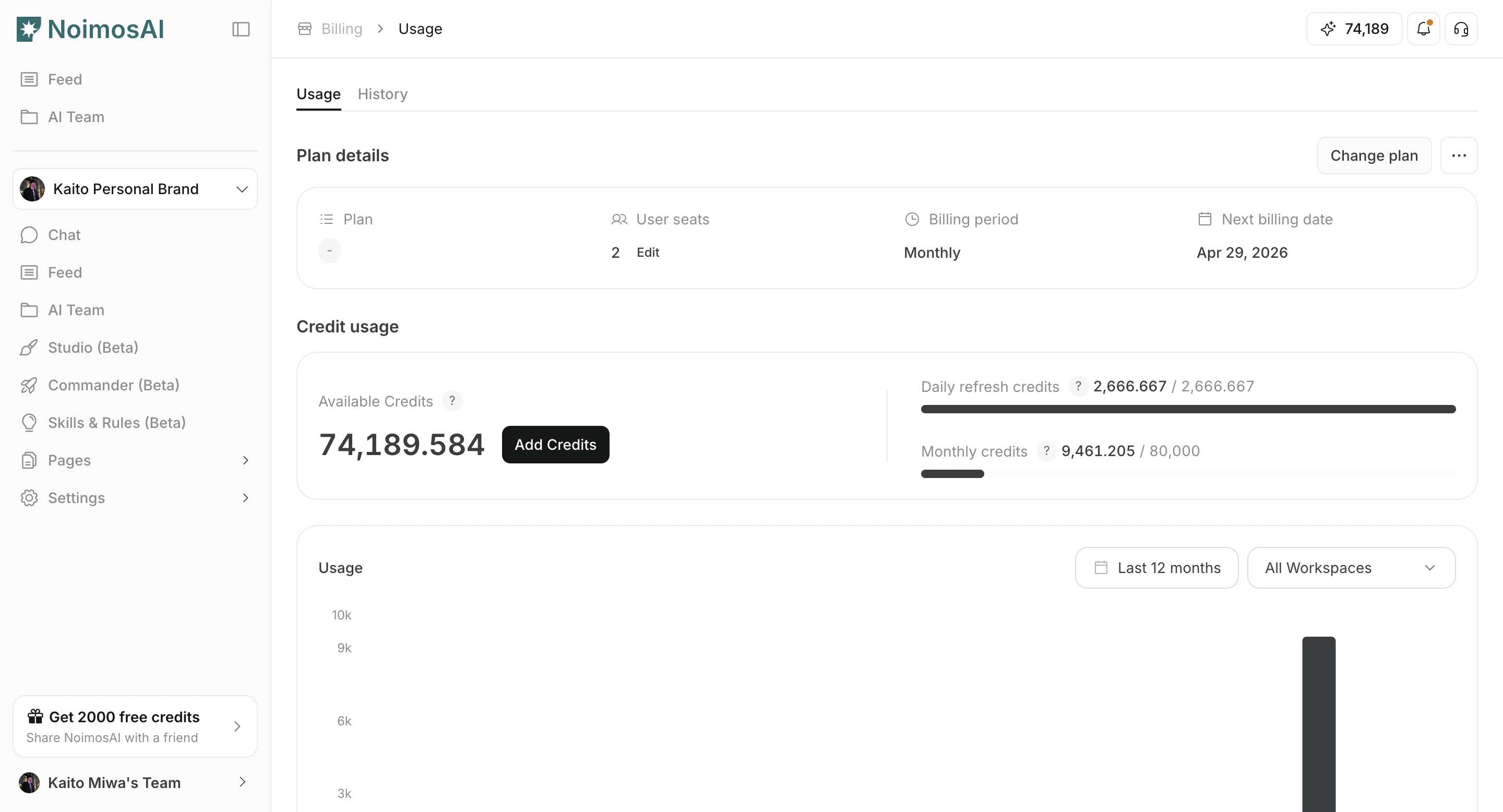
* `팀 -> Billing -> Usage`
* `플랜 상세`에서 `플랜 변경` 클릭
### 요금제 변경 모달 열기
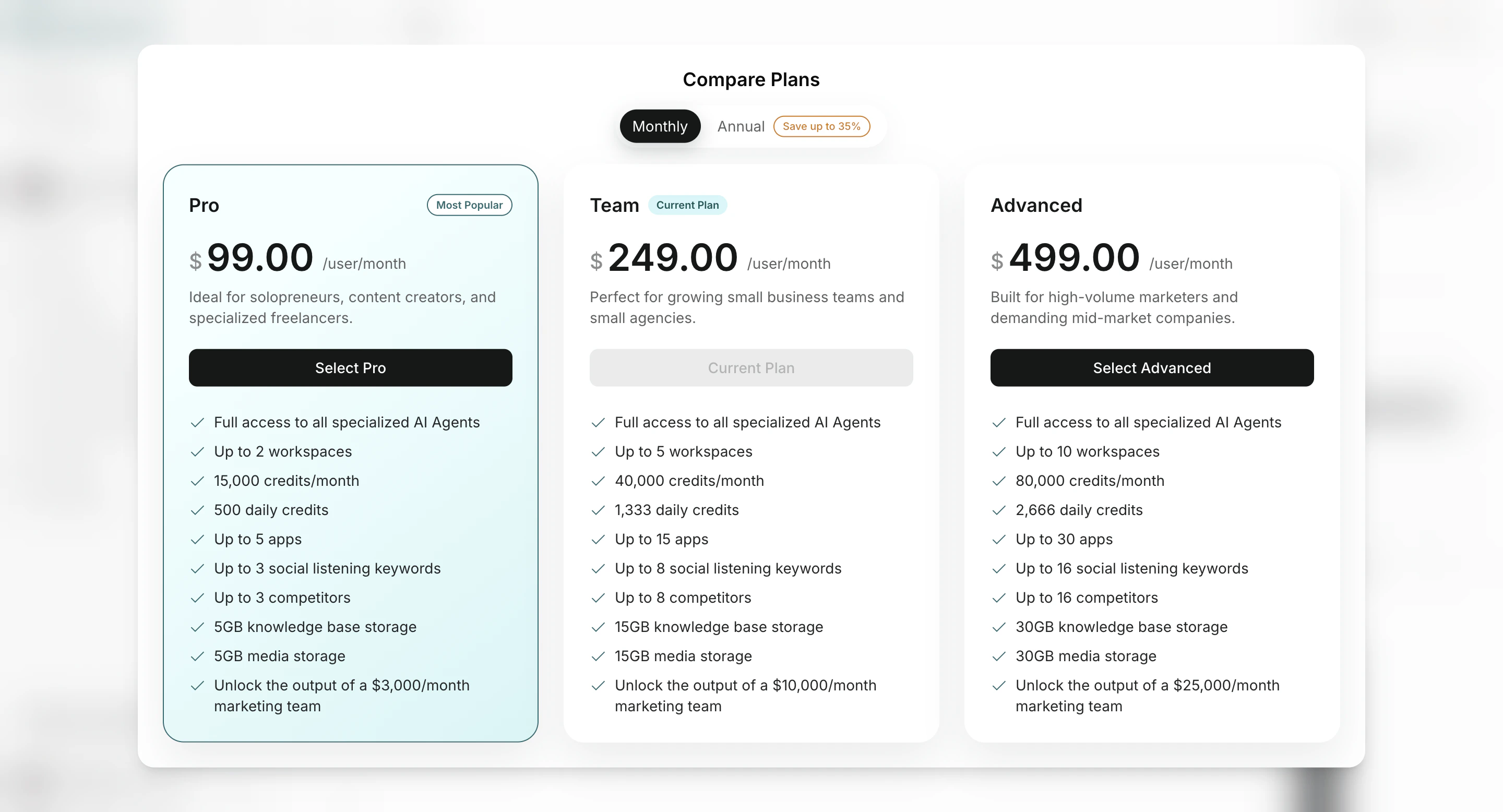
 ### 대상 요금제와 결제 주기 선택
 ## 변경 방법
1. 요금제 비교 모달을 엽니다.
2. 대상 요금제와 결제 주기를 선택합니다.
3. 확인 단계에서 가격과 결제 조건을 검토합니다.
4. 변경을 확정합니다.
5. 변경 후 한도와 현재 사용량을 다시 확인합니다.
## 참고
* 요금제 변경은 팀 범위에 적용되며 팀 아래의 모든 워크스페이스에 영향을 줍니다.
* 좌석 수와 요금제 단계는 별도로 관리됩니다.
## 관련 문서
* [현재 요금제 확인하기](/ko/help-center/plans-and-billing/check-plan)
* [구독 해지하기](/ko/help-center/plans-and-billing/cancel-subscription)
## 변경 방법
1. 요금제 비교 모달을 엽니다.
2. 대상 요금제와 결제 주기를 선택합니다.
3. 확인 단계에서 가격과 결제 조건을 검토합니다.
4. 변경을 확정합니다.
5. 변경 후 한도와 현재 사용량을 다시 확인합니다.
## 참고
* 요금제 변경은 팀 범위에 적용되며 팀 아래의 모든 워크스페이스에 영향을 줍니다.
* 좌석 수와 요금제 단계는 별도로 관리됩니다.
## 관련 문서
* [현재 요금제 확인하기](/ko/help-center/plans-and-billing/check-plan)
* [구독 해지하기](/ko/help-center/plans-and-billing/cancel-subscription)