> ## Documentation Index
> Fetch the complete documentation index at: https://docs.noimosai.com/llms.txt
> Use this file to discover all available pages before exploring further.
# 결제 내역 확인 및 다운로드
> 팀 결제 기록을 확인하고 청구서 또는 영수증을 다운로드하는 방법을 안내합니다.
## 개요
결제 내역은 팀 청구 내역을 점검하고, 결제 이벤트를 확인하고, 회계용 기록을 다운로드할 때 사용합니다.
## 언제 사용하나요
* 월말 마감이나 비용 정산 시
* 최근 결제, 환불, 요금제 변경을 확인할 때
* 회계 처리를 위해 청구서나 영수증 파일이 필요할 때
## 위치
다음 경로에서 확인할 수 있습니다.
* `팀 -> 결제 -> 내역`
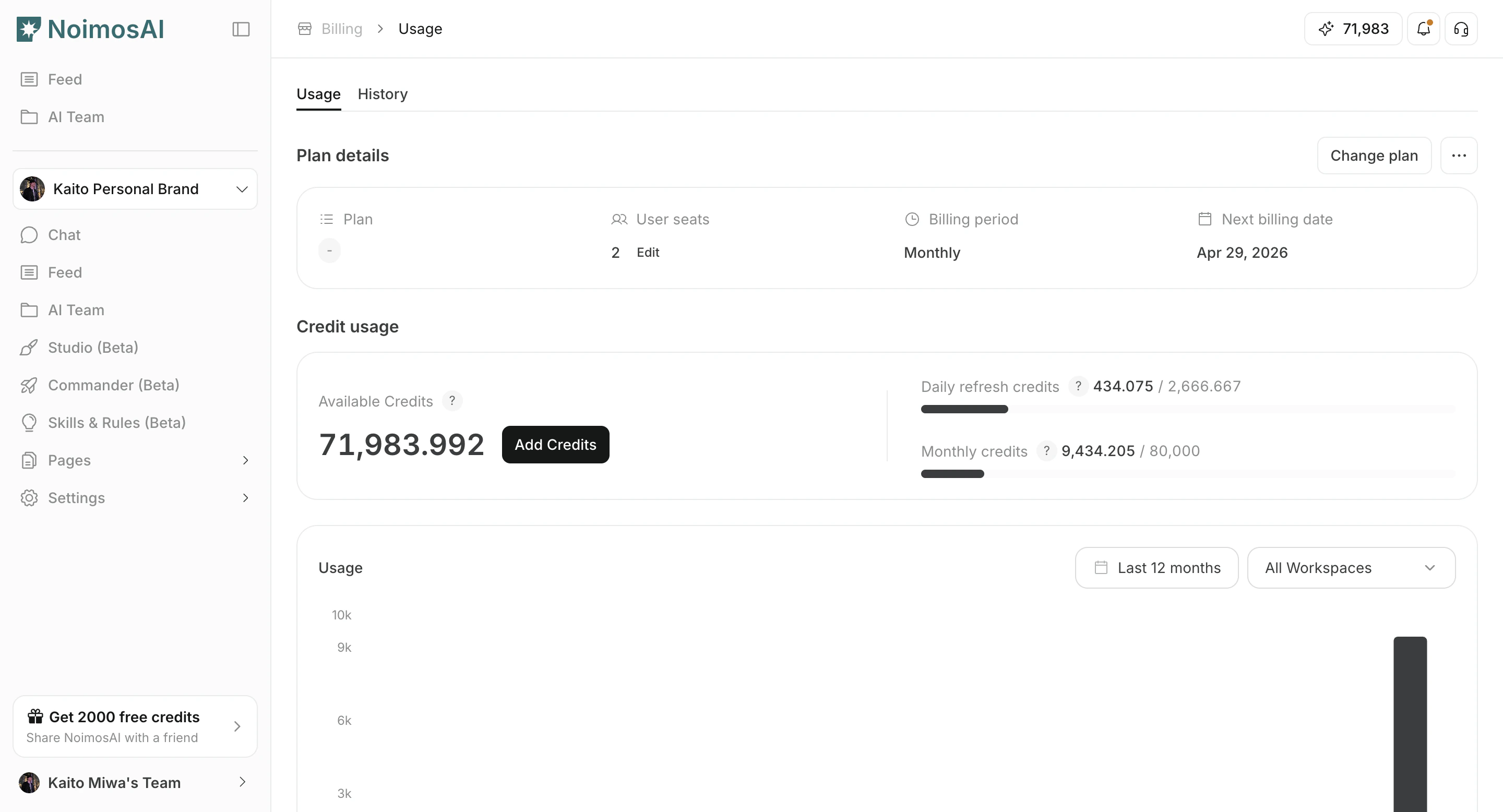
### 결제 내역 목록
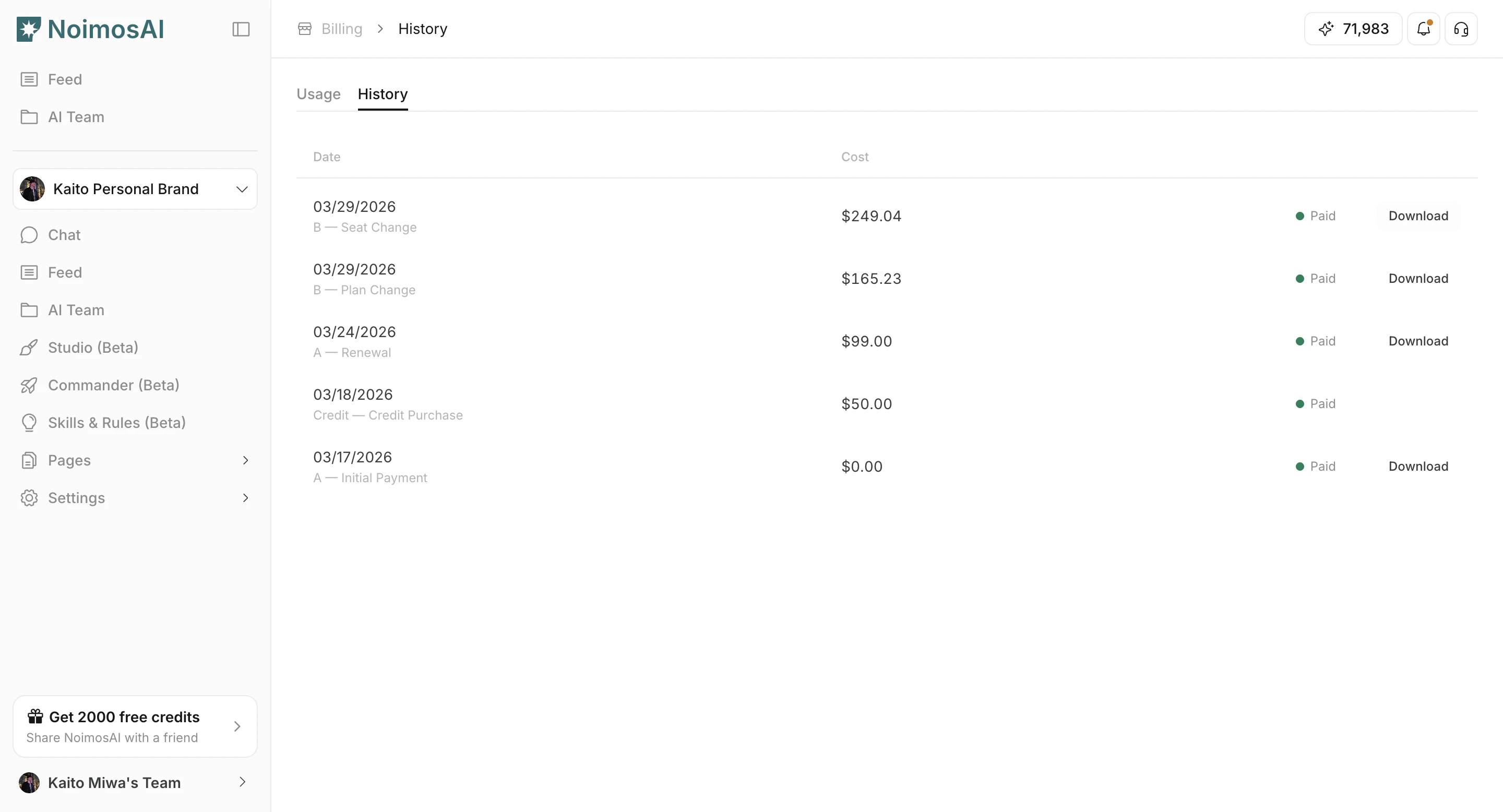
 ### 청구서 또는 영수증 다운로드
 ## 여기서 할 수 있는 일
1. 결제 날짜, 금액, 통화, 상태를 확인합니다.
2. 신규 구독, 갱신, 요금제 변경, 충전 등 결제 사유를 확인합니다.
3. 제공되는 경우 청구서나 영수증 링크를 엽니다.
4. 재무 및 감사용 기록으로 보관합니다.
## 팁
* 결제 사유 라벨을 활용하면 정기 결제와 일회성 구매를 쉽게 구분할 수 있습니다.
* 회계 프로세스상 오프라인 저장이 필요하다면 주기적으로 기록을 내려받아 두세요.
## 관련 문서
* [현재 요금제 확인하기](/ko/help-center/plans-and-billing/check-plan)
* [크레딧 사용량 확인 및 추가 구매](/ko/help-center/plans-and-billing/check-credit-usage-and-purchase-more)
## 여기서 할 수 있는 일
1. 결제 날짜, 금액, 통화, 상태를 확인합니다.
2. 신규 구독, 갱신, 요금제 변경, 충전 등 결제 사유를 확인합니다.
3. 제공되는 경우 청구서나 영수증 링크를 엽니다.
4. 재무 및 감사용 기록으로 보관합니다.
## 팁
* 결제 사유 라벨을 활용하면 정기 결제와 일회성 구매를 쉽게 구분할 수 있습니다.
* 회계 프로세스상 오프라인 저장이 필요하다면 주기적으로 기록을 내려받아 두세요.
## 관련 문서
* [현재 요금제 확인하기](/ko/help-center/plans-and-billing/check-plan)
* [크레딧 사용량 확인 및 추가 구매](/ko/help-center/plans-and-billing/check-credit-usage-and-purchase-more)