> ## Documentation Index
> Fetch the complete documentation index at: https://docs.noimosai.com/llms.txt
> Use this file to discover all available pages before exploring further.
# 현재 요금제 확인하기
> 현재 요금제, 결제 주기, 한도, 갱신 상태를 확인하는 방법을 안내합니다.
## 개요
사용량을 늘리거나, 멤버를 추가하거나, 구독을 변경하기 전에 팀의 현재 요금제와 결제 상태를 확인할 때 이 페이지를 사용합니다.
## 언제 사용하나요
* 자율 실행 수를 늘리거나 워크스페이스를 더 만들기 전
* 팀이 결제 또는 갱신 관련 알림을 받았을 때
* 업그레이드, 다운그레이드, 해지 여부를 결정하기 전
## 위치
다음 경로에서 확인할 수 있습니다.
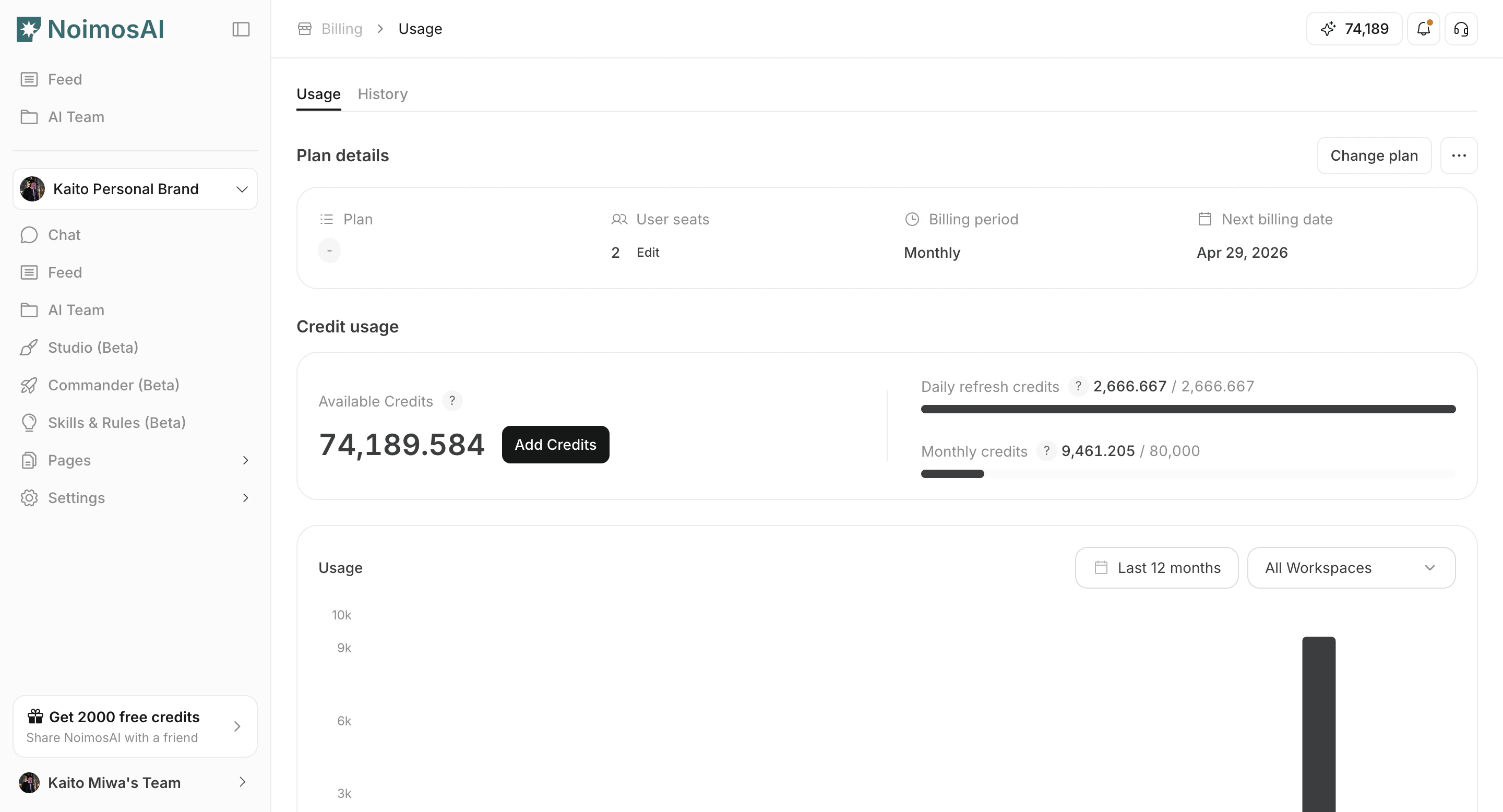
* `팀 -> 결제 -> 사용량`의 `플랜 상세` 카드
### 결제의 요금제 상세
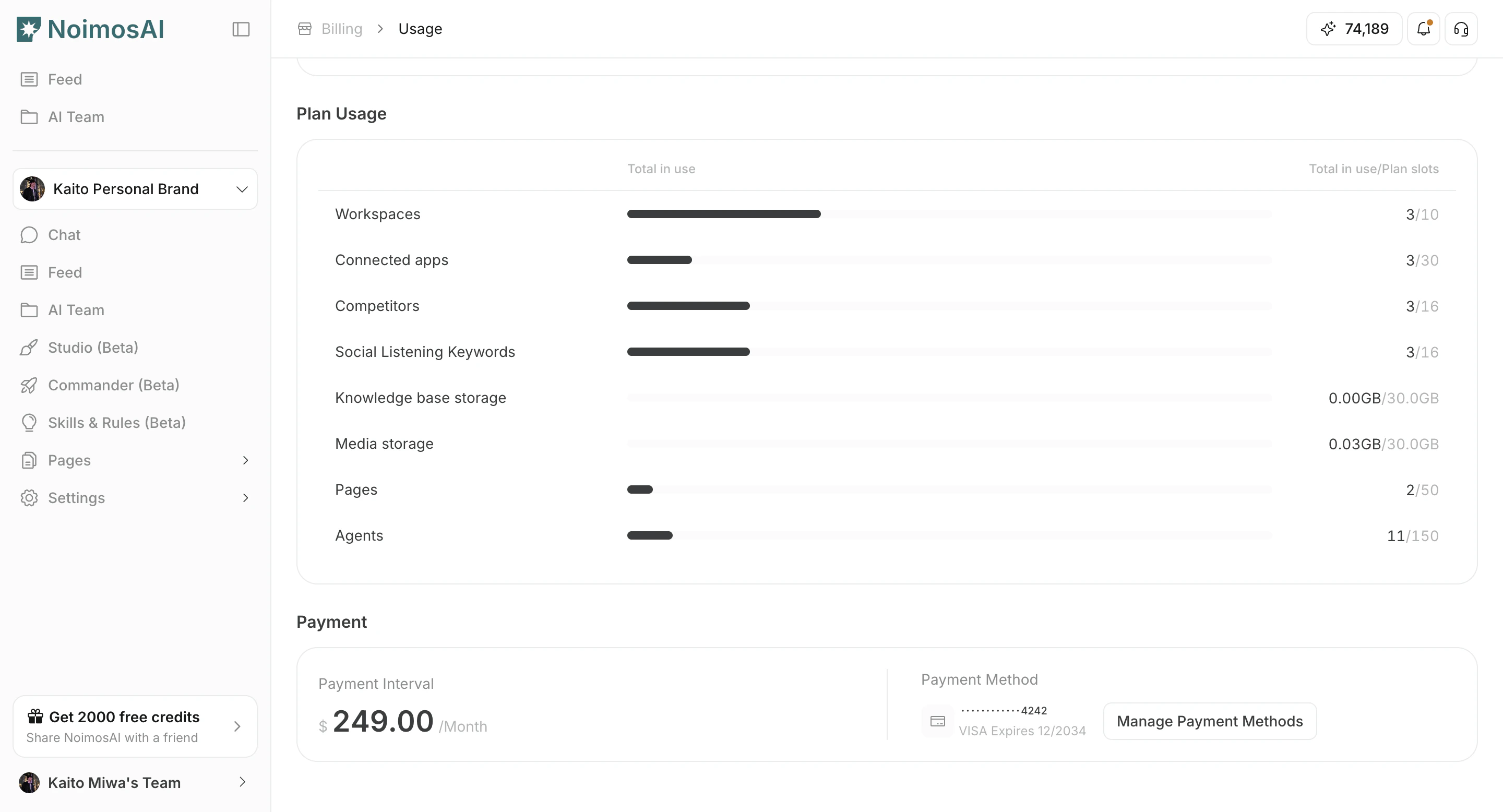
 ### 요금제 한도와 현재 사용량
 ## 무엇을 확인하나요
1. 현재 요금제 이름(예: `Pro`, `팀`, `Advanced`)과 구독 상태
2. 결제 주기(월간 또는 연간)와 다음 결제일
3. 좌석 수와 요금제 한도
4. 해당되는 경우 체험 종료일 또는 서비스 종료일
## 팁
* 요금제를 바꾸기 전에 팀 한도와 워크스페이스 수준 사용량을 함께 비교하세요.
* 결제 상태가 연체라면 서비스 중단을 피하기 위해 먼저 결제 정보를 업데이트하세요.
## 관련 문서
* [요금제 변경](/ko/help-center/plans-and-billing/change-plan)
* [크레딧 사용량 확인 및 추가 구매](/ko/help-center/plans-and-billing/check-credit-usage-and-purchase-more)
## 무엇을 확인하나요
1. 현재 요금제 이름(예: `Pro`, `팀`, `Advanced`)과 구독 상태
2. 결제 주기(월간 또는 연간)와 다음 결제일
3. 좌석 수와 요금제 한도
4. 해당되는 경우 체험 종료일 또는 서비스 종료일
## 팁
* 요금제를 바꾸기 전에 팀 한도와 워크스페이스 수준 사용량을 함께 비교하세요.
* 결제 상태가 연체라면 서비스 중단을 피하기 위해 먼저 결제 정보를 업데이트하세요.
## 관련 문서
* [요금제 변경](/ko/help-center/plans-and-billing/change-plan)
* [크레딧 사용량 확인 및 추가 구매](/ko/help-center/plans-and-billing/check-credit-usage-and-purchase-more)