> ## Documentation Index
> Fetch the complete documentation index at: https://docs.noimosai.com/llms.txt
> Use this file to discover all available pages before exploring further.
# Zmień motyw
> Przełączaj między trybami jasnym, ciemnym i motywem systemowym
## Przegląd
Ustawienia motywu kontrolują wygląd NoimosAI na Twoim koncie.
## Gdzie znaleźć
Aby otworzyć ten obszar, użyj następującej ścieżki.
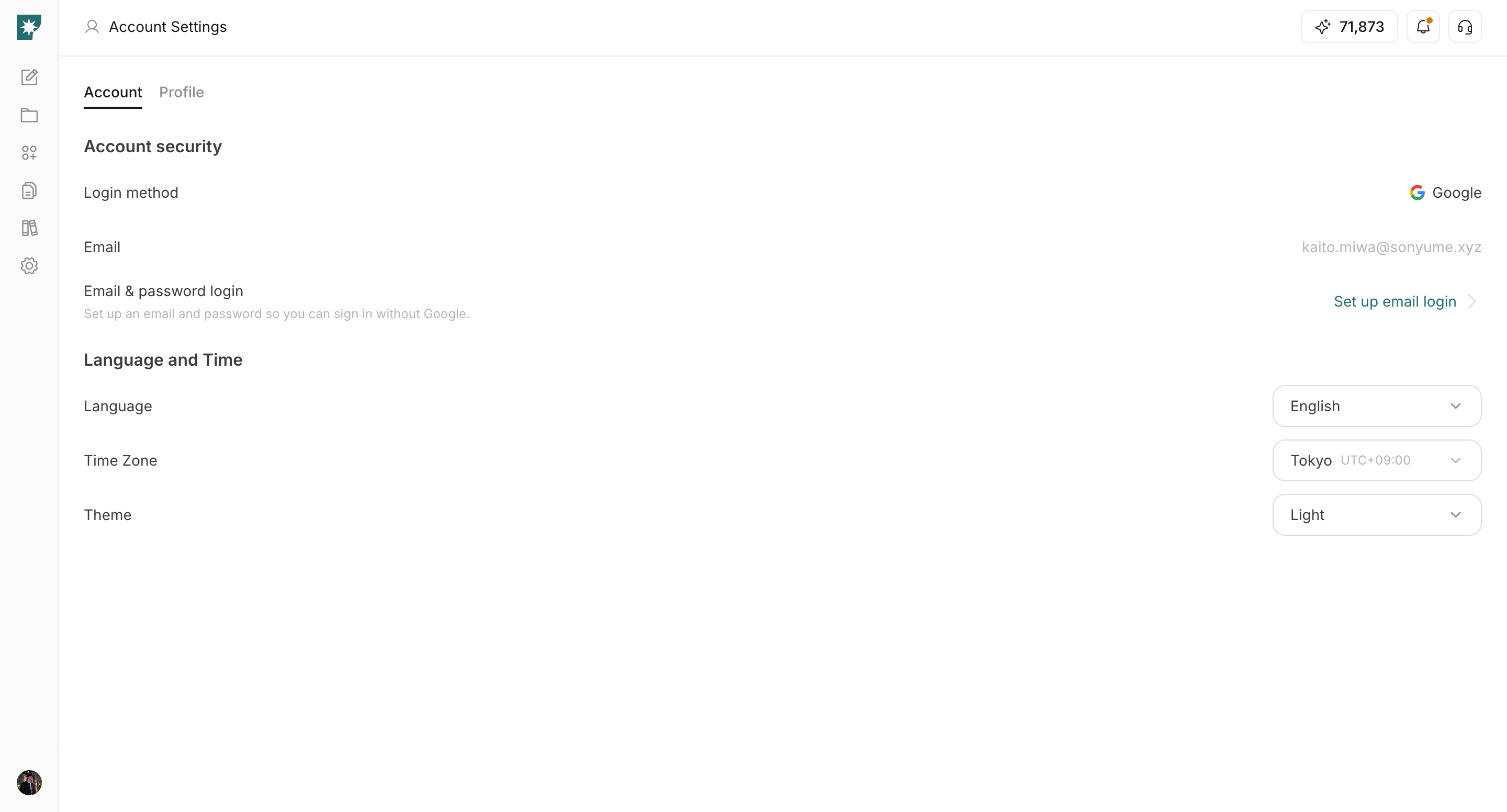
* `Ustawienia -> Konto -> Język i czas`.
## Jak zaktualizować
Aby ukończyć tę czynność, wykonaj poniższe czynności.
1. Otwórz `Theme` menu rozwijane.
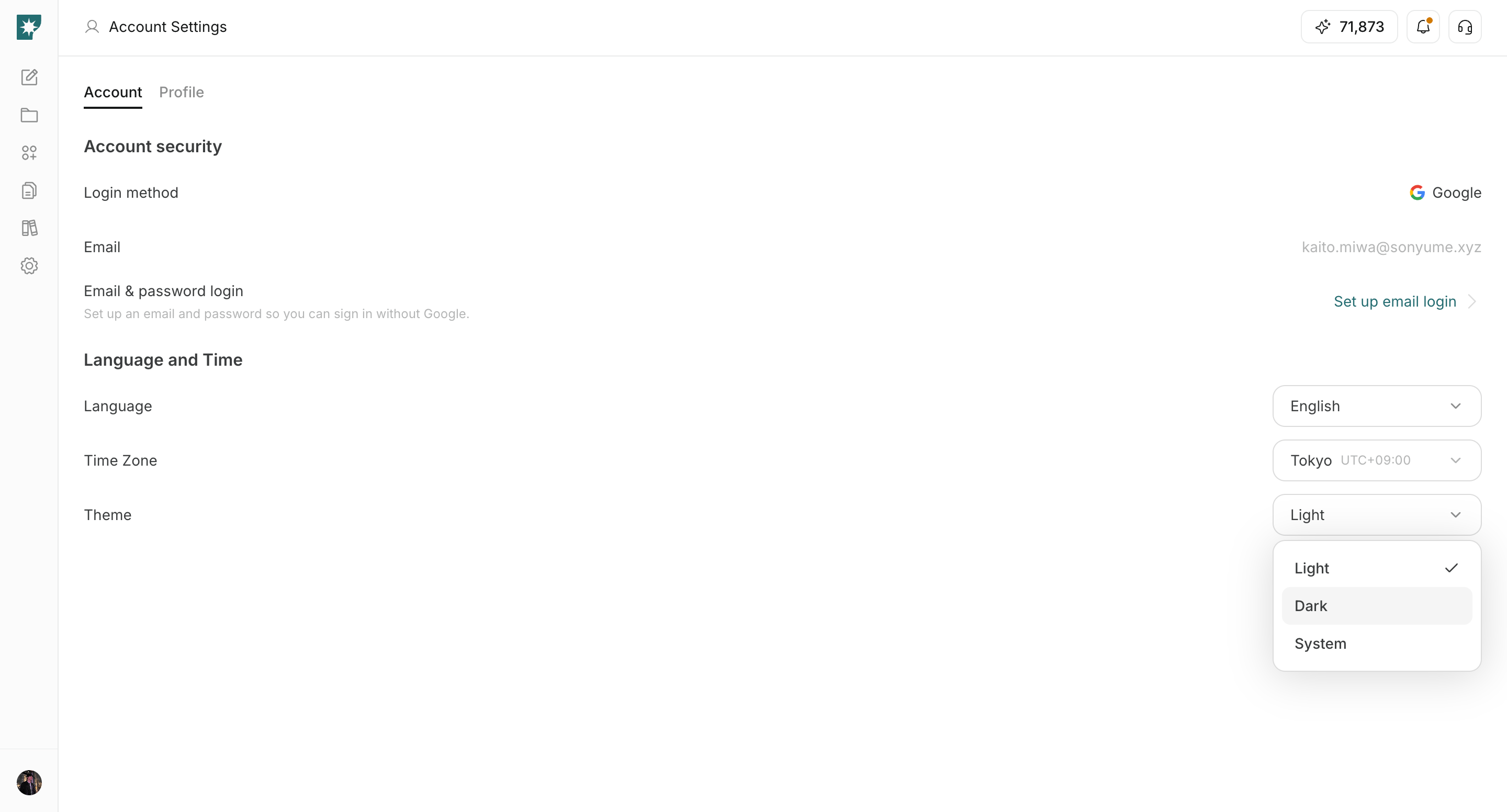
 2. Wybierz `Jasny`, `Ciemny` lub `Systemowy`.
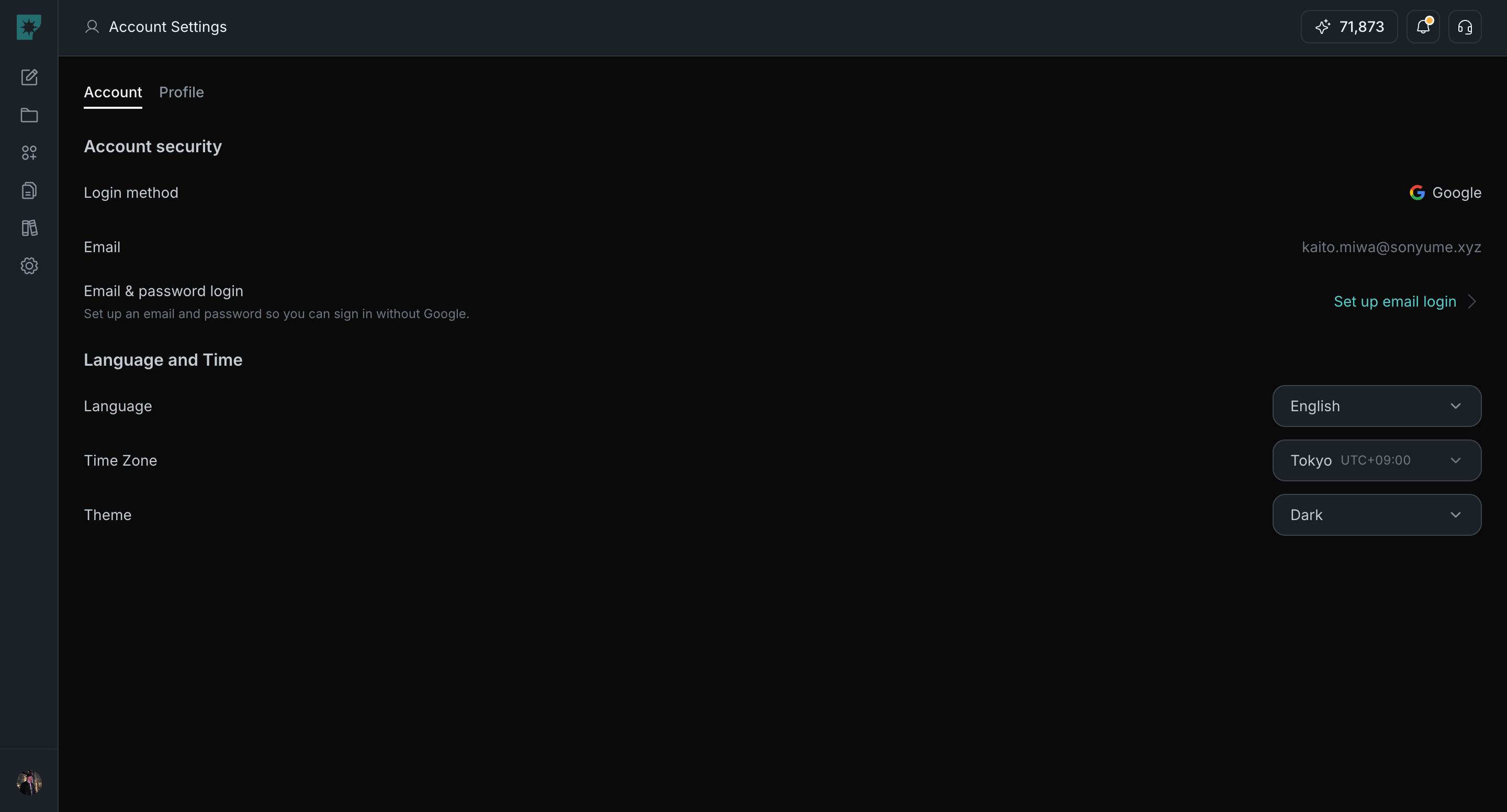
 3. Natychmiast potwierdź aktualizację interfejsu.
 ## Opcje motywu
Skorzystaj z poniższych opcji, aby wybrać tryb wyglądu.
1. `Jasny`: zawsze używaj trybu jasnego.
2. `Ciemny`: zawsze używaj trybu ciemnego.
3. `Systemowy`: postępuj zgodnie z ustawieniami urządzenia.
## Powiązane
Skorzystaj z tych powiązanych stron, aby uzyskać głębsze wskazówki.
* [Podstawy konta](/pl/help-center/account/account-basics)
* [Zmień język](/pl/help-center/account/change-language)
* [Zmień strefę czasową](/pl/help-center/account/change-timezone)
## Opcje motywu
Skorzystaj z poniższych opcji, aby wybrać tryb wyglądu.
1. `Jasny`: zawsze używaj trybu jasnego.
2. `Ciemny`: zawsze używaj trybu ciemnego.
3. `Systemowy`: postępuj zgodnie z ustawieniami urządzenia.
## Powiązane
Skorzystaj z tych powiązanych stron, aby uzyskać głębsze wskazówki.
* [Podstawy konta](/pl/help-center/account/account-basics)
* [Zmień język](/pl/help-center/account/change-language)
* [Zmień strefę czasową](/pl/help-center/account/change-timezone)