> ## Documentation Index
> Fetch the complete documentation index at: https://docs.noimosai.com/llms.txt
> Use this file to discover all available pages before exploring further.
# Dostosowywanie ustawień czatu
> Wyjaśnia, jak dostosować zachowanie AI, tryb odpowiedzi, integracje, tryby tworzenia i załączniki Knowledge Base.
## Przegląd
Dostosowanie `Chat settings` pozwala kontrolować szybkość, jakość, personalizację, tryby tworzenia i kontekst referencyjny.
## Lokalizacja
1. Open `Chat`
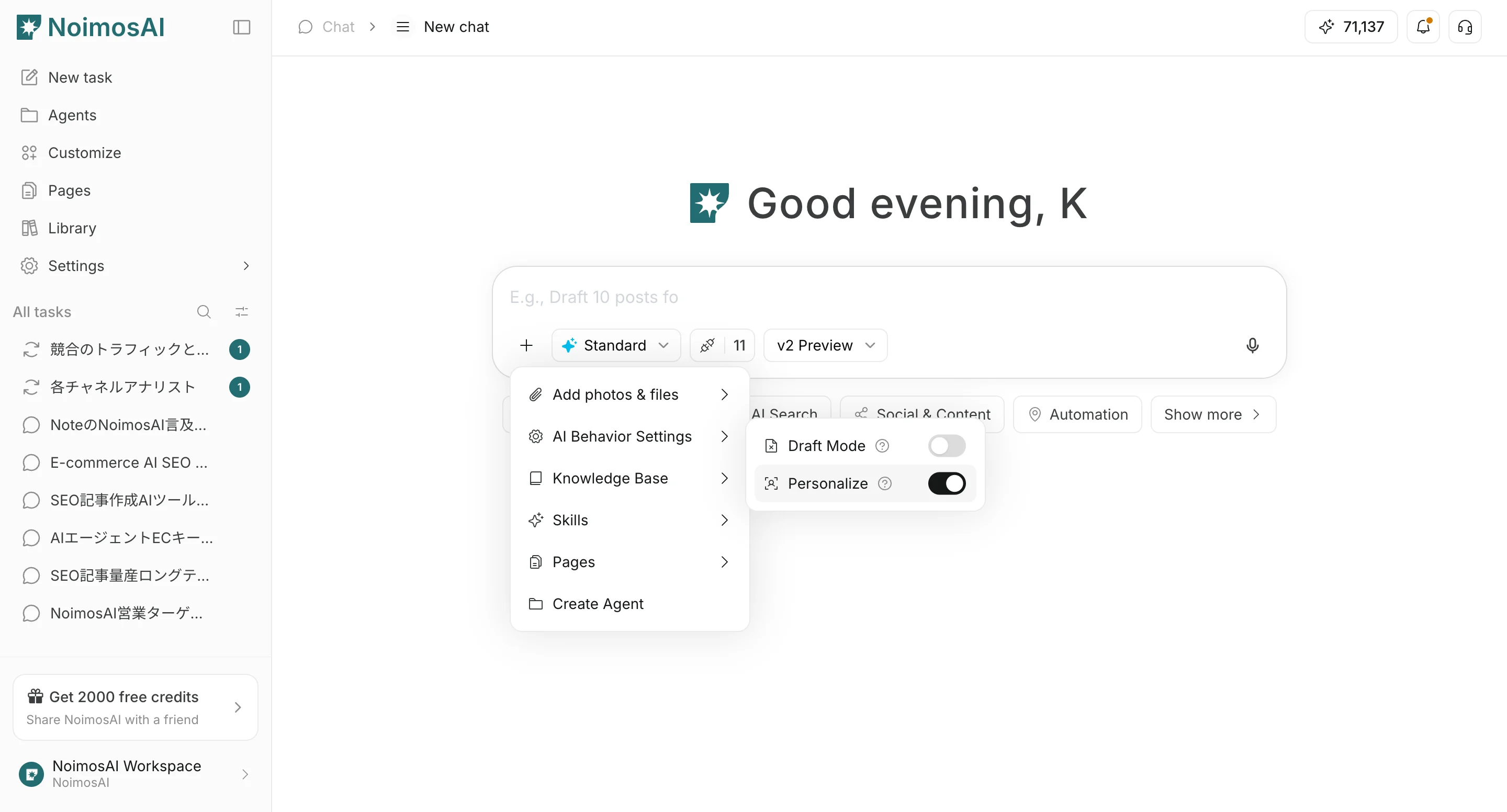
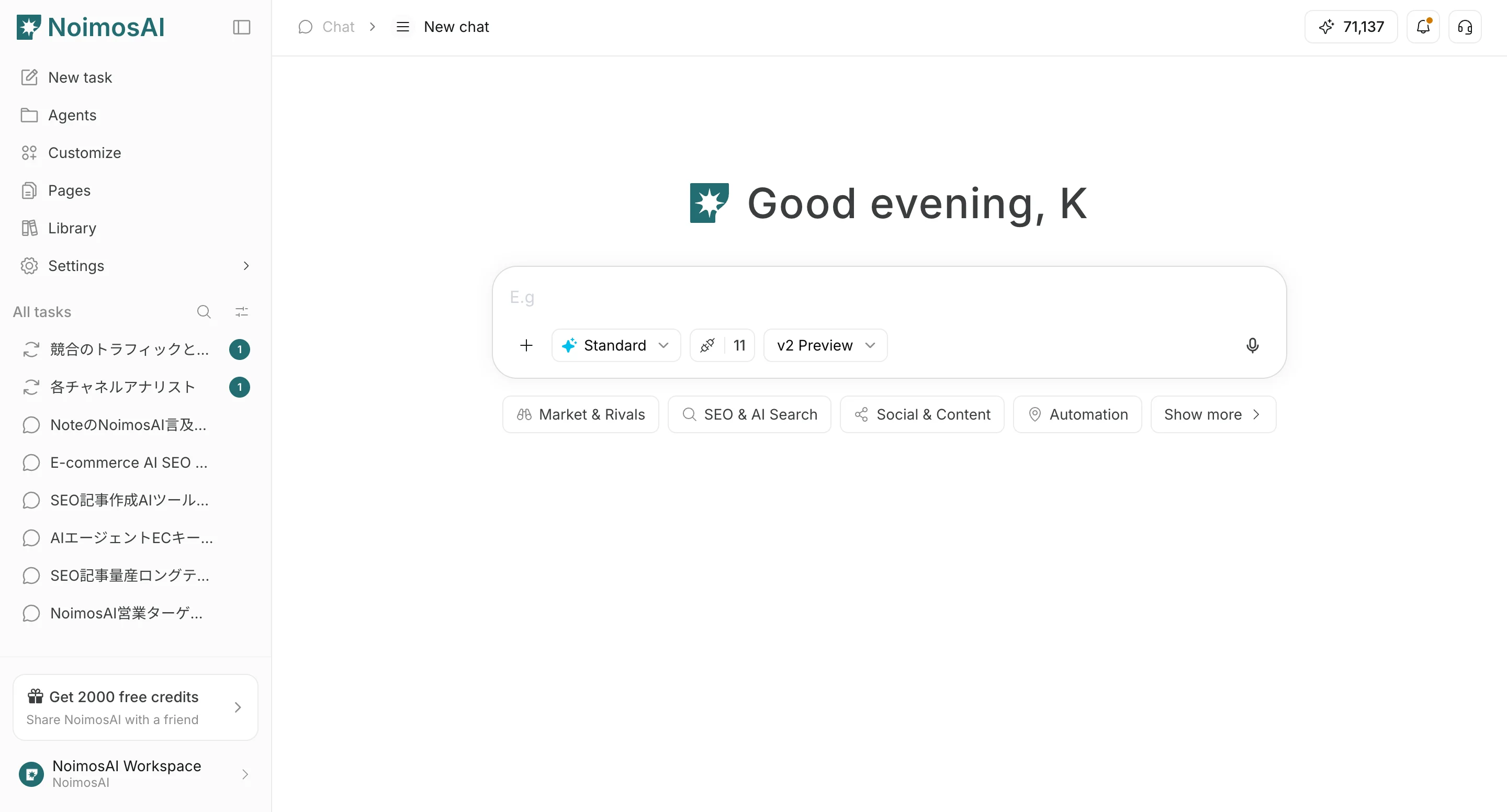 2. From `+` below the input field, open file actions and `AI behavior settings`
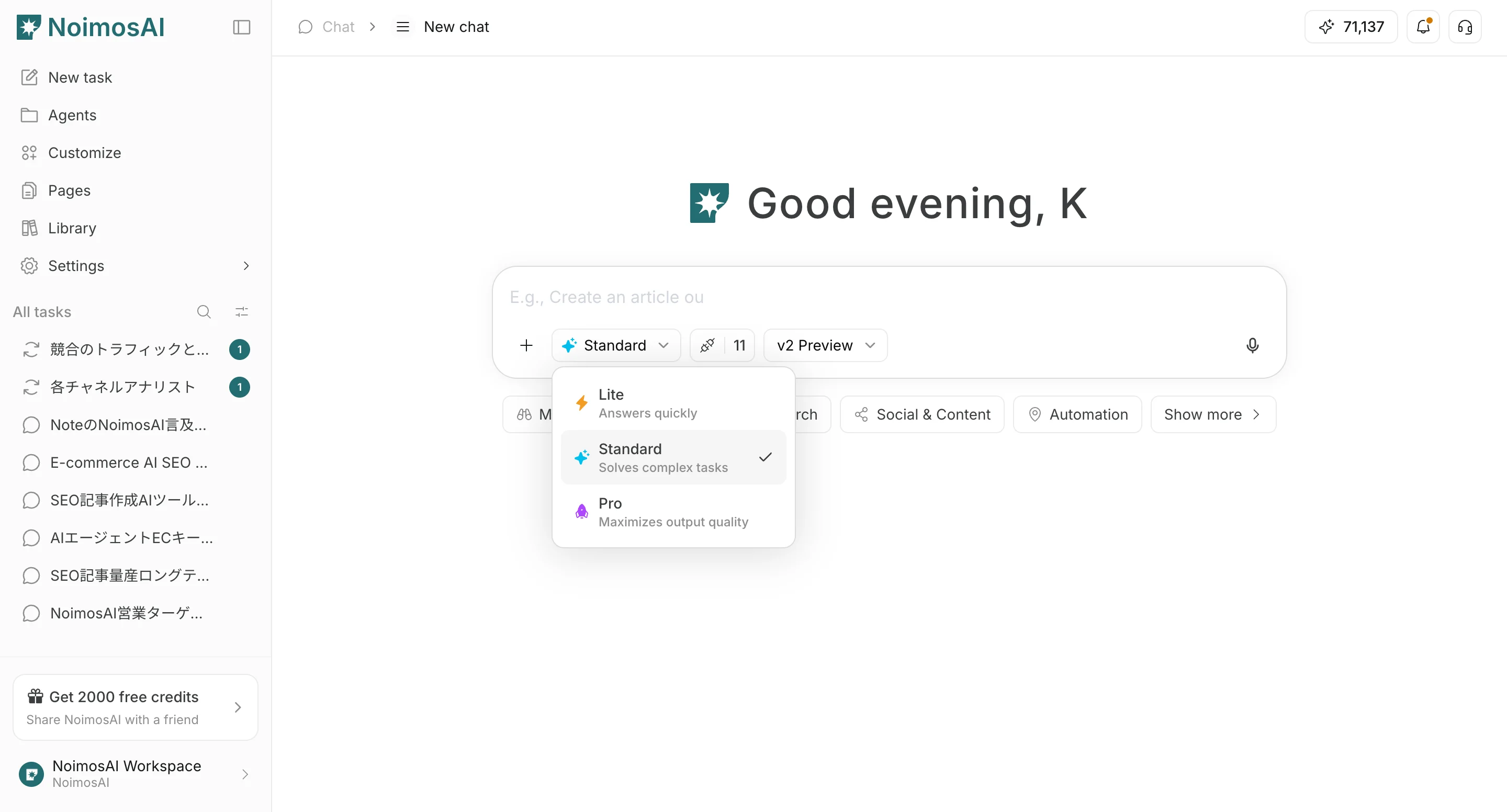
 3. Set the response mode (`Light` / `Standard` / `Pro`)
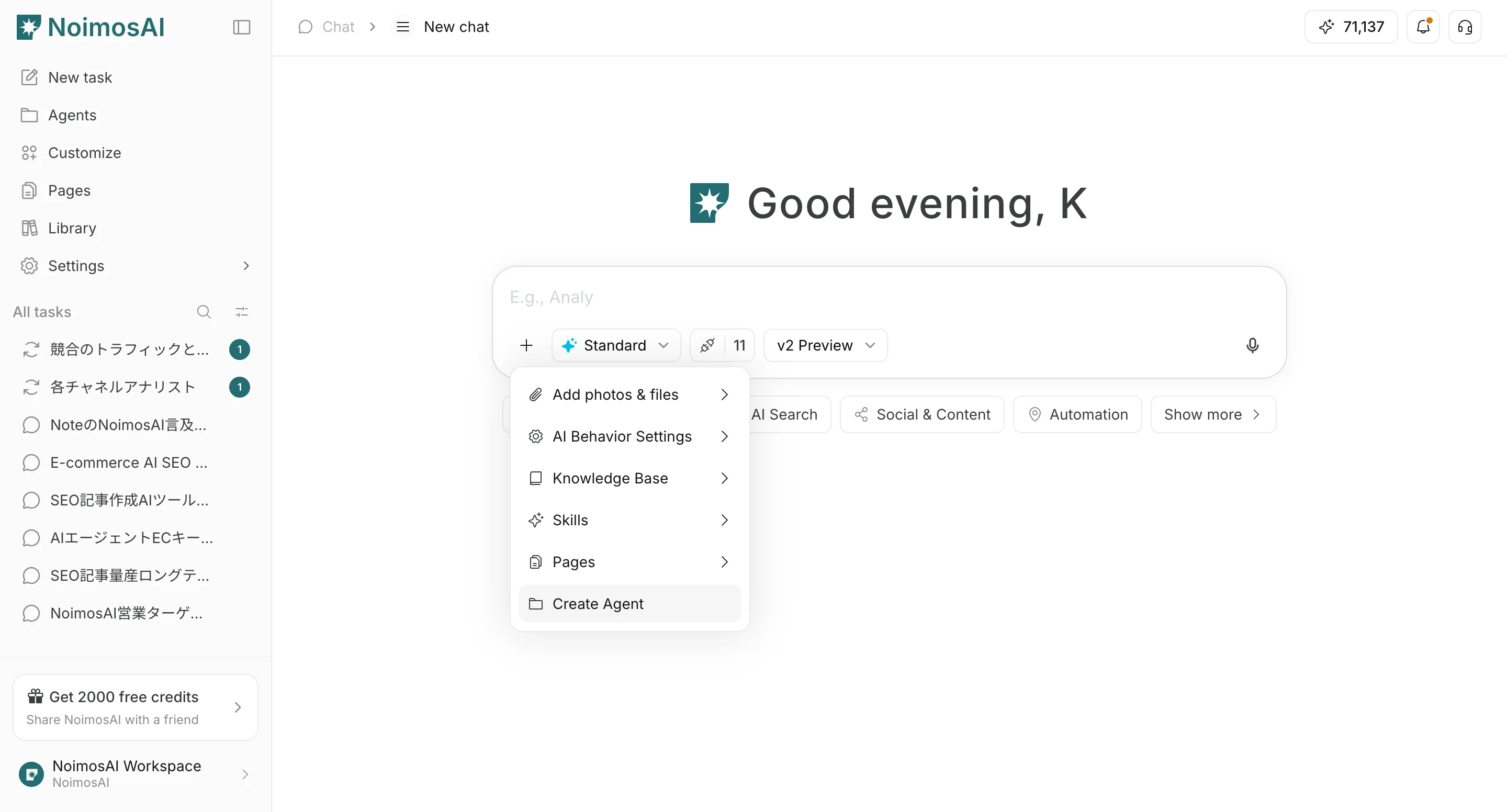
 4. W razie potrzeby ustaw `Agent creation` / `Page creation`, załączniki `Knowledge Base` i integracje
 ## Settings
* `Skip draft step`: pomija etap szkicu i przechodzi do finalnego generowania
* `Do not personalize`: nie używa zapisanego kontekstu personalizacji
* `Response mode`: `Light` jest szybki, `Standard` równoważy szybkość i jakość, `Pro` stawia na jakość
* `Agent creation`: tworzy agenta do ciągłej pracy na podstawie treści czatu
* `Page creation`: tworzy szkic strony na podstawie treści czatu
* `Knowledge Base`: dołącza informacje jako jawny kontekst referencyjny dla AI
* `Integrations`: kontroluje integracje dostępne w czacie
## Recommended defaults
* Start with `Standard`
* Use `Light` for rough drafts
* Use `Pro` when final quality matters most
* Enable `Do not personalize` only when neutral output is required
## Powiązane strony
* [Podstawy czatu](/pl/help-center/chat/ai-chat-basics)
* [Upload files](/pl/help-center/chat/upload-files)
* [Check output results](/pl/help-center/chat/check-output-results)
## Settings
* `Skip draft step`: pomija etap szkicu i przechodzi do finalnego generowania
* `Do not personalize`: nie używa zapisanego kontekstu personalizacji
* `Response mode`: `Light` jest szybki, `Standard` równoważy szybkość i jakość, `Pro` stawia na jakość
* `Agent creation`: tworzy agenta do ciągłej pracy na podstawie treści czatu
* `Page creation`: tworzy szkic strony na podstawie treści czatu
* `Knowledge Base`: dołącza informacje jako jawny kontekst referencyjny dla AI
* `Integrations`: kontroluje integracje dostępne w czacie
## Recommended defaults
* Start with `Standard`
* Use `Light` for rough drafts
* Use `Pro` when final quality matters most
* Enable `Do not personalize` only when neutral output is required
## Powiązane strony
* [Podstawy czatu](/pl/help-center/chat/ai-chat-basics)
* [Upload files](/pl/help-center/chat/upload-files)
* [Check output results](/pl/help-center/chat/check-output-results)