> ## Documentation Index
> Fetch the complete documentation index at: https://docs.noimosai.com/llms.txt
> Use this file to discover all available pages before exploring further.
# Research Competitors
> Research competitors’ products, services, and positioning, then use the findings to improve your own offering and marketing.
Ongoing competitor research helps you improve your website, content, positioning, and offering with current evidence. In NoimosAI, register the competitors that matter, monitor changes in public information, and turn the most relevant finding into a specific improvement.
There are two primary goals in competitor research:
1. Decide which competitors to compare
2. Monitor competitor changes and turn findings into improvements
First, review [Understand the basics of competitor research](#basics) to learn how to choose targets and determine responses. Then see [Research competitors with NoimosAI](#practice) for instructions on registering competitors and setting up periodic monitoring.
## Understand the basics of competitor research
Competitor research is not about copying other companies’ tactics. It’s about understanding which products, services, or approaches target accounts compare, and why they choose a particular vendor—so you can determine which value proposition and marketing tactic to improve next.
### 1. Decide which competitors to compare
Competitors are not limited to companies offering the same type of product or service. Options that solve the same business problems with different products, services, or approaches are also competitors for target accounts.
| Type | Meaning | Example |
| ------------------- | ------------------------------------------------------------------- | ---------------------------------------------------------------------------------------- |
| Direct competitor | Offers the same type of product/service to the same target accounts | Business systems for the same use, specialist services in the same domain |
| Indirect competitor | Solves the same problem with different products or delivery methods | Software vs. outsourced services, product implementation vs. consulting |
| Alternative | Addresses the problem without a new contract | In-house development, spreadsheets, continuing with existing products, postponing action |
Select 3–5 companies the target account is likely to actually compare, and compare them using the same criteria. Don’t include too many competitors, or you won’t be able to track changes effectively—prioritize companies that are frequently mentioned in inquiries or sales conversations and those that have a large impact on your business.
| Comparison item | What to check |
| -------------------------- | ------------------------------------------------------------------------ |
| Target account | Industry, company size, department, role, use case |
| Problem and provided value | Which business problem they address and what outcomes they deliver |
| Product/service | Features, coverage, delivery method, plans |
| Implementation conditions | Price, contract term, implementation period, required setup |
| Decision materials | Case studies, customer results, metrics, security, integrations, support |
| Customer touchpoints | Website, search, AI search, social media, ads, events |
### 2. Monitor competitor changes and turn findings into improvements
Once you’ve selected competitors, regularly monitor changes to their products/services, pricing, case studies, website, search results, social posts, and more. Instead of re-listing all information each time, look for what changed since the last check and opportunities your team hasn’t yet addressed.
Research findings only become useful when you decide the next action to take. The table below pairs changes discovered during competitor research with the actions to verify internally and then execute.
| Change found in competitor research | What to check and do next |
| --------------------------------------------------------------------------------------------- | ------------------------------------------------------------------------------------------------------------------------------------------------------------ |
| A competitor’s article ranks highly in search, and we don’t have an article on the same topic | Confirm whether the topic is relevant to our target accounts, then create SEO articles tailored to the industry and use case |
| A competitor’s content is getting strong engagement | Identify whether theme, format, or case studies drove engagement, then produce articles or social posts using our insights and case studies |
| New features, pricing, or contract terms are published | Check whether target accounts’ comparison criteria or implementation requirements have changed, then update product pages, comparison explanations, and FAQs |
| New industry case studies are published | Confirm whether the competitor is expanding into new target markets, then strengthen our industry pages and case studies |
When recording information, note the publication or verification date and the source URL. Separate verified facts from assumptions, and treat estimated data—such as competitor site traffic—as directional trends rather than exact visitor counts.
## Research competitors with NoimosAI
Register the competitors you want to compare in NoimosAI, then create an agent that turns relevant competitor changes into specific improvements to your content and website.
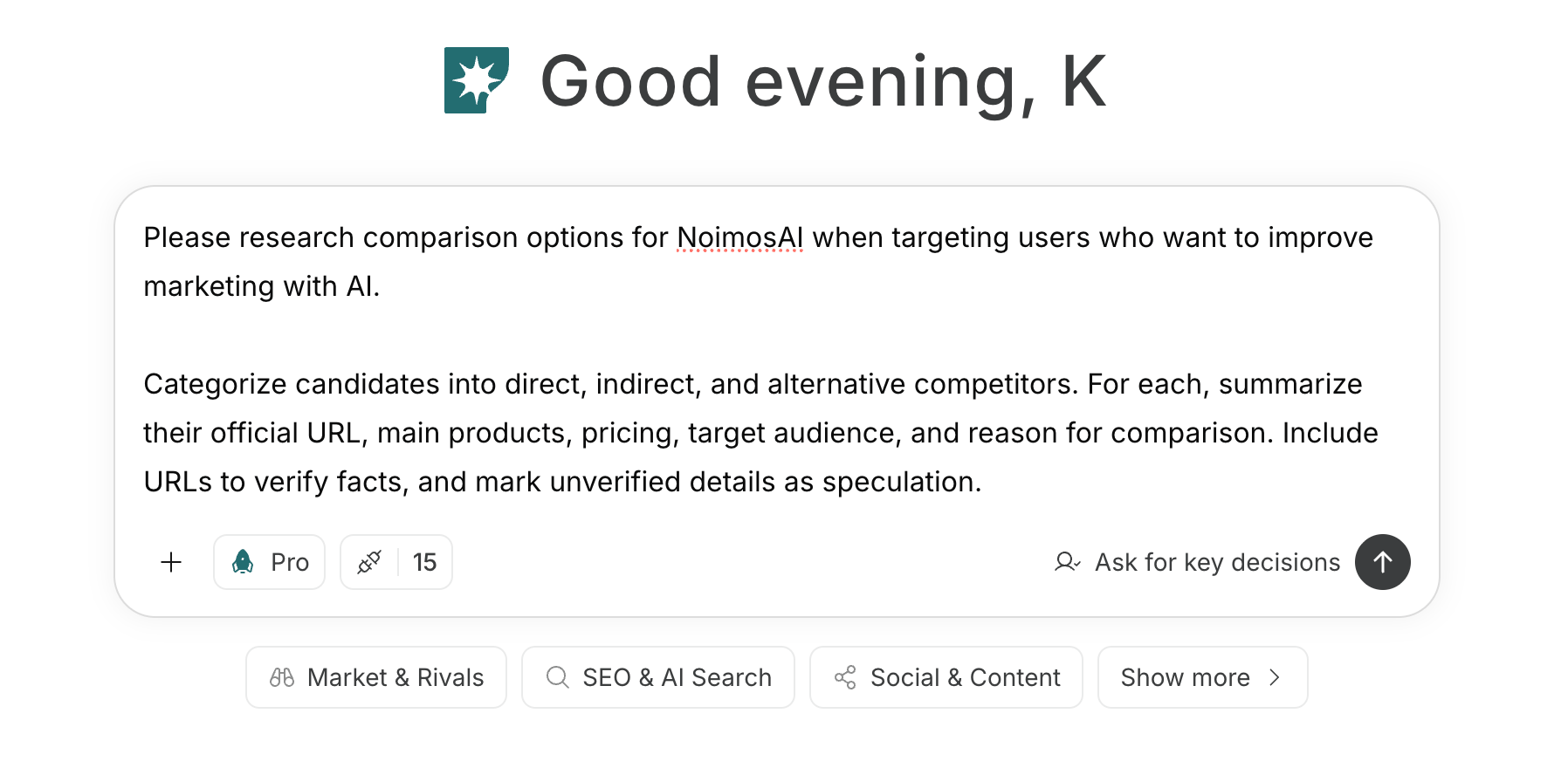
For instructions on entering a prompt in chat, see [Enter your own prompt](/help-center/chat/enter-your-own-prompt).
 If you create an agent by supplying objectives and conditions in the prompt, see [Create an agent from chat](/help-center/ai-team/create-a-trigger-from-chat). If you want to fill each field manually on the settings screen, see [Create an agent from scratch](/help-center/ai-team/create-an-agent-from-scratch).
 ### 1. Decide which competitors to compare
If you have not chosen competitors yet, enter your product or service, target accounts, business problem, and service region in chat to identify candidates.
#### Prompt for chat
```text theme={null}
Investigate the alternatives that target accounts compare when choosing [our product/service] to solve [business problem].
Divide candidates into direct competitors, indirect competitors, and alternatives including in-house solutions. For each candidate, list the official URL, main products/services, pricing, target accounts, and the reasons they would be considered a comparison. Provide URLs that verify facts, and separate any unverified information as assumptions.
```
From the candidates, choose 3–5 companies based on the likelihood that target accounts will compare them and the potential impact on your business. Exclude companies the target account is unlikely to compare, such as those in different industries or regions.
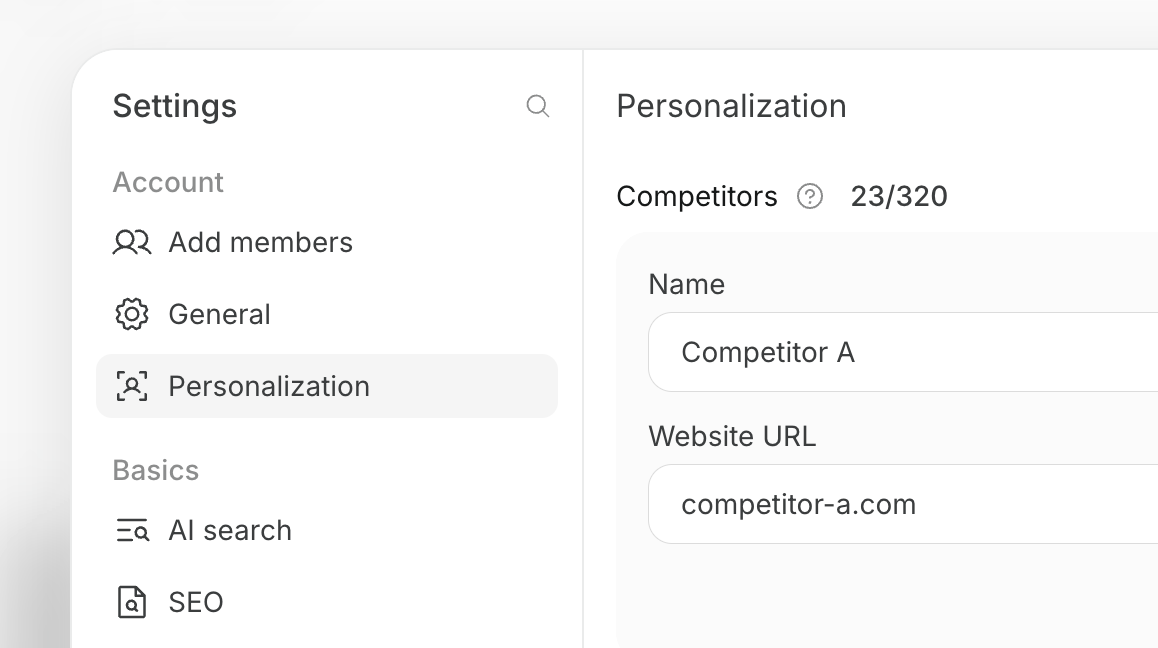
Register chosen competitors in the target workspace by opening Settings → Personalization and adding them under Competitors.
### 1. Decide which competitors to compare
If you have not chosen competitors yet, enter your product or service, target accounts, business problem, and service region in chat to identify candidates.
#### Prompt for chat
```text theme={null}
Investigate the alternatives that target accounts compare when choosing [our product/service] to solve [business problem].
Divide candidates into direct competitors, indirect competitors, and alternatives including in-house solutions. For each candidate, list the official URL, main products/services, pricing, target accounts, and the reasons they would be considered a comparison. Provide URLs that verify facts, and separate any unverified information as assumptions.
```
From the candidates, choose 3–5 companies based on the likelihood that target accounts will compare them and the potential impact on your business. Exclude companies the target account is unlikely to compare, such as those in different industries or regions.
Register chosen competitors in the target workspace by opening Settings → Personalization and adding them under Competitors.
 ### 2. Monitor competitor changes and turn findings into improvements
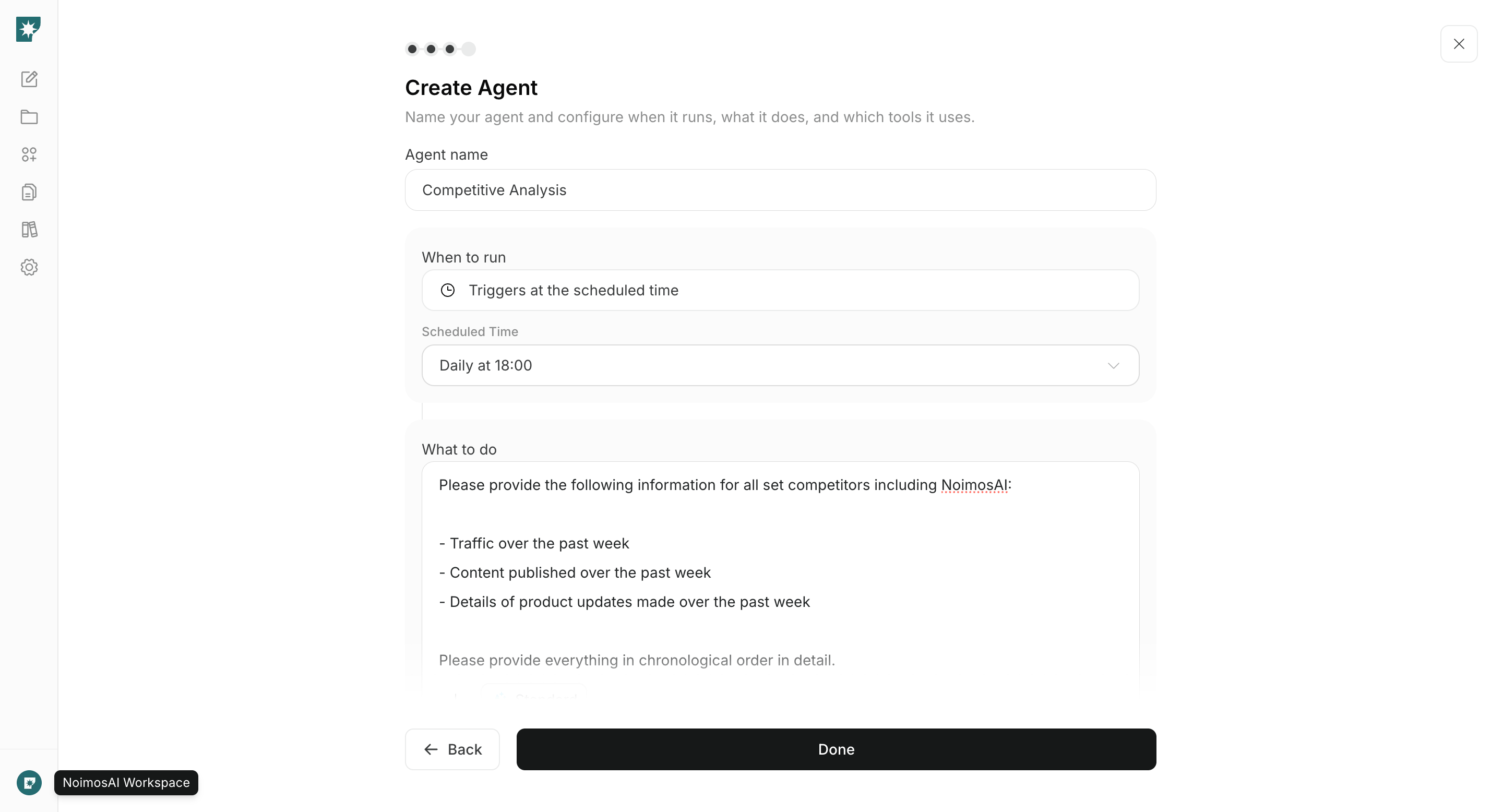
Create an agent to monitor changes in registered competitors and convert the most important opportunities into specific improvements—articles, posts, web pages, etc. For markets with frequent product updates, run checks daily; typically weekly; in slow-moving markets, monthly is acceptable.
#### Agent setup
**Trigger:** Schedule / Weekly
**Instructions:**
```text theme={null}
For the competitors and our company registered in this workspace’s personalization, investigate changes since the last check to published websites, products/services, pricing, case studies, articles, videos, social posts, events, and major announcements.
Based on that investigation, identify the following opportunities:
- Keywords where competitors are ranking highly in search that we are missing, which are relevant to our target accounts
- Competitor content with strong engagement that is also relevant to our target accounts
- Changes to features, pricing, contract terms, or case studies that affect comparisons or purchase decisions
```
**Integrations:** None
In the results, first check the source URLs and dates. Then review the generated drafts for accurate features, pricing, contract terms, case studies, and messaging before applying them to an article, post, or web page. At the next scheduled review, check the metric the change was meant to affect—such as search ranking, inquiries, or resource downloads—and continue iterating.
## Related pages
* [Grow awareness](/playbooks/b2b/grow-awareness)
* [Generate leads](/playbooks/b2b/generate-leads)
* [Build or improve your website](/playbooks/b2b/build-website)
* [Increase organic search traffic with SEO](/playbooks/b2b/seo)
* [Expand awareness and trust with social media](/playbooks/b2b/sns)
### 2. Monitor competitor changes and turn findings into improvements
Create an agent to monitor changes in registered competitors and convert the most important opportunities into specific improvements—articles, posts, web pages, etc. For markets with frequent product updates, run checks daily; typically weekly; in slow-moving markets, monthly is acceptable.
#### Agent setup
**Trigger:** Schedule / Weekly
**Instructions:**
```text theme={null}
For the competitors and our company registered in this workspace’s personalization, investigate changes since the last check to published websites, products/services, pricing, case studies, articles, videos, social posts, events, and major announcements.
Based on that investigation, identify the following opportunities:
- Keywords where competitors are ranking highly in search that we are missing, which are relevant to our target accounts
- Competitor content with strong engagement that is also relevant to our target accounts
- Changes to features, pricing, contract terms, or case studies that affect comparisons or purchase decisions
```
**Integrations:** None
In the results, first check the source URLs and dates. Then review the generated drafts for accurate features, pricing, contract terms, case studies, and messaging before applying them to an article, post, or web page. At the next scheduled review, check the metric the change was meant to affect—such as search ranking, inquiries, or resource downloads—and continue iterating.
## Related pages
* [Grow awareness](/playbooks/b2b/grow-awareness)
* [Generate leads](/playbooks/b2b/generate-leads)
* [Build or improve your website](/playbooks/b2b/build-website)
* [Increase organic search traffic with SEO](/playbooks/b2b/seo)
* [Expand awareness and trust with social media](/playbooks/b2b/sns)