
Google Analytics: Collects sources, viewed pages, CTAs, forms, and inquiries to decide which pages to improve.

Google Search Console: Retrieves queries, impressions, clicks, positions, and index status to improve discoverability and search traffic.
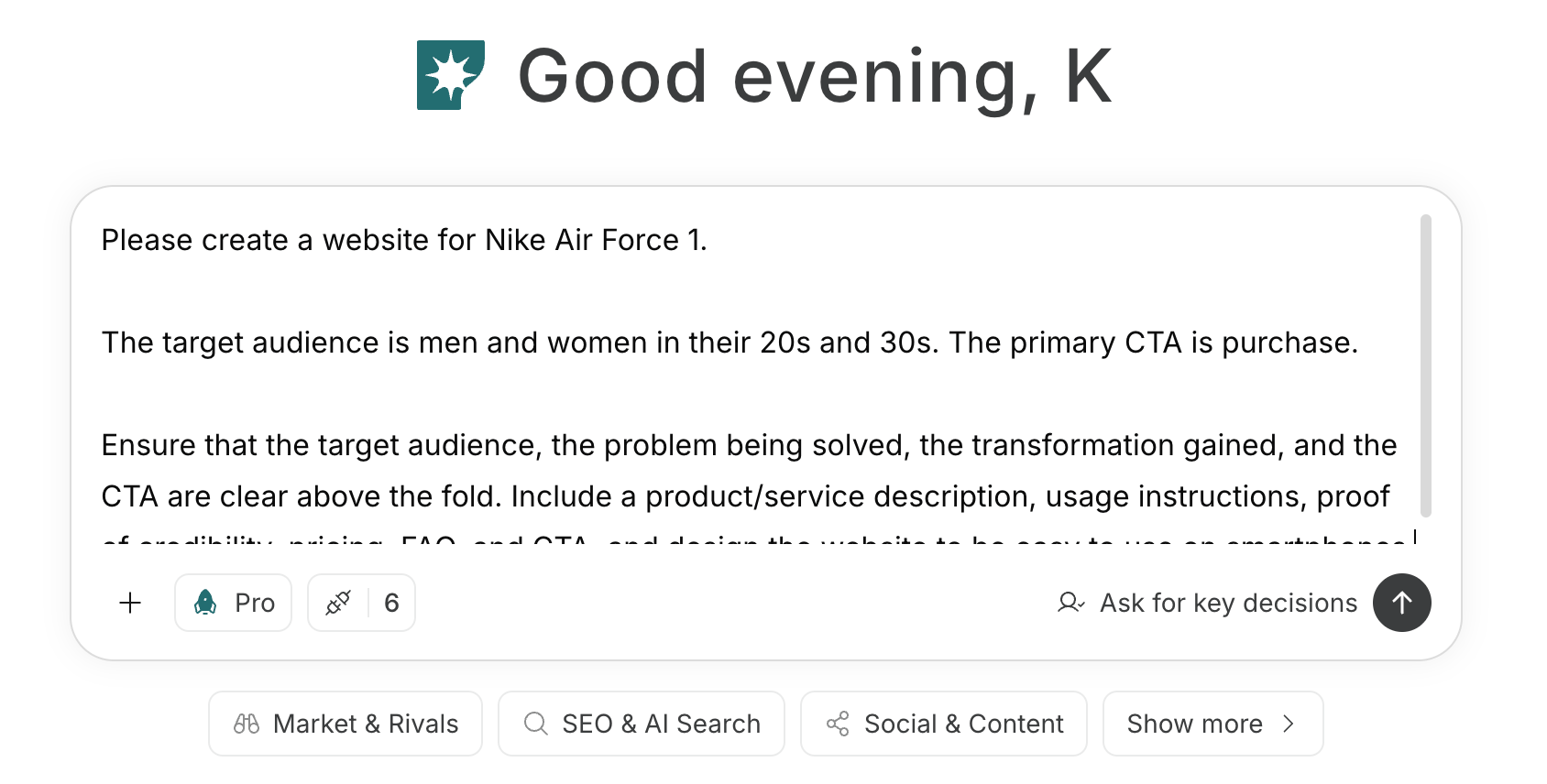 To create an agent by telling it the goal and conditions in a prompt, see [Create an agent from chat](/help-center/ai-team/create-a-trigger-from-chat). To fill in each item manually in the settings screen, see [Create an agent from scratch](/help-center/ai-team/create-an-agent-from-scratch).
 ### 1. Create and improve a website that leads to inquiries and consultations
For a new site, enter target customers, problems, deliverables, scope, case studies, and primary CTAs into the chat. Have NoimosAI draft page structure, copy, and design, and use the preview to confirm that the materials needed before consulting and the path to inquiry are clear.
#### Prompt for chat
```text theme={null}
Create a website for [service name].
Target customers are [industry, size, region, role], and they will use this service to solve [problem]. Provide [support details and deliverables] that lead to [expected results]. The scope includes [included items], and [excluded items] are out of scope. Primary CTAs are [consultation, inquiry, estimate, appointment booking].
Include the above-the-fold section, service details, target customers, case studies, team, process, pricing guidance, FAQ, and contact information. Use only the verified case studies and qualifications provided, and make the site easy to use on desktop and mobile.
```
Before publishing, confirm that the page communicates your expertise and scope, supports claims with verifiable case studies, and gives visitors a clear path to consultation. Verify case-study details, qualifications, pricing, and outcomes. For the editing workflow, see [Create a new website](/help-center/website/create-and-edit-website).
In the preview, check whether target customers can tell the service is for them, whether they understand the final deliverables, and whether out-of-scope conditions are not misunderstood. CTAs should indicate what happens after clicking, not just generic text like “Contact us,” and should include options like consultation, estimate, and appointment booking.
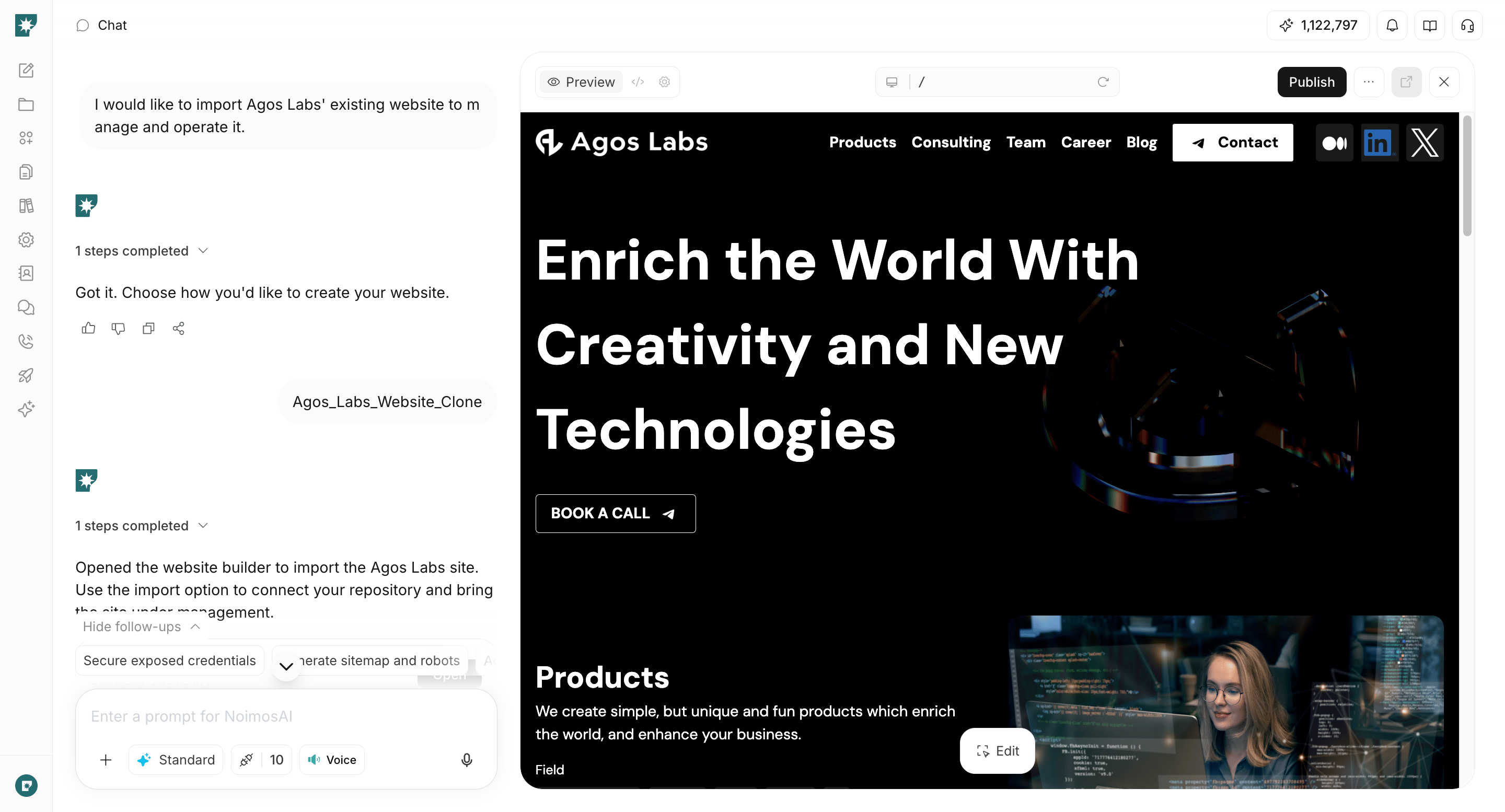
For existing sites, improve using the public URL.
#### Prompt for chat
```text theme={null}
Analyze [website URL].
Check the service, scope, deliverables, case studies, team, process, pricing, FAQ, and inquiry flow so that [target customers] can determine whether they can consult about [problem]. Identify missing information and unclear areas, and create a prioritized page structure and finished copy for improvements.
```
To edit directly on NoimosAI, follow the steps in [Create from an existing website](/help-center/website/import-existing-website).
### 1. Create and improve a website that leads to inquiries and consultations
For a new site, enter target customers, problems, deliverables, scope, case studies, and primary CTAs into the chat. Have NoimosAI draft page structure, copy, and design, and use the preview to confirm that the materials needed before consulting and the path to inquiry are clear.
#### Prompt for chat
```text theme={null}
Create a website for [service name].
Target customers are [industry, size, region, role], and they will use this service to solve [problem]. Provide [support details and deliverables] that lead to [expected results]. The scope includes [included items], and [excluded items] are out of scope. Primary CTAs are [consultation, inquiry, estimate, appointment booking].
Include the above-the-fold section, service details, target customers, case studies, team, process, pricing guidance, FAQ, and contact information. Use only the verified case studies and qualifications provided, and make the site easy to use on desktop and mobile.
```
Before publishing, confirm that the page communicates your expertise and scope, supports claims with verifiable case studies, and gives visitors a clear path to consultation. Verify case-study details, qualifications, pricing, and outcomes. For the editing workflow, see [Create a new website](/help-center/website/create-and-edit-website).
In the preview, check whether target customers can tell the service is for them, whether they understand the final deliverables, and whether out-of-scope conditions are not misunderstood. CTAs should indicate what happens after clicking, not just generic text like “Contact us,” and should include options like consultation, estimate, and appointment booking.
For existing sites, improve using the public URL.
#### Prompt for chat
```text theme={null}
Analyze [website URL].
Check the service, scope, deliverables, case studies, team, process, pricing, FAQ, and inquiry flow so that [target customers] can determine whether they can consult about [problem]. Identify missing information and unclear areas, and create a prioritized page structure and finished copy for improvements.
```
To edit directly on NoimosAI, follow the steps in [Create from an existing website](/help-center/website/import-existing-website).
 Before publishing, confirm target customers and corresponding problems, evidence for case studies, pricing estimates or how prices are determined, and the post-consultation flow. Make anonymized case studies non-identifiable.
Test forms by submitting from both mobile and desktop to verify required fields, errors, submission completion, and expected response time. Do not require unnecessary confidential or personal information before consultation; collect detailed materials securely after consultation.
### 2. Make your website easy for search engines and AI to understand
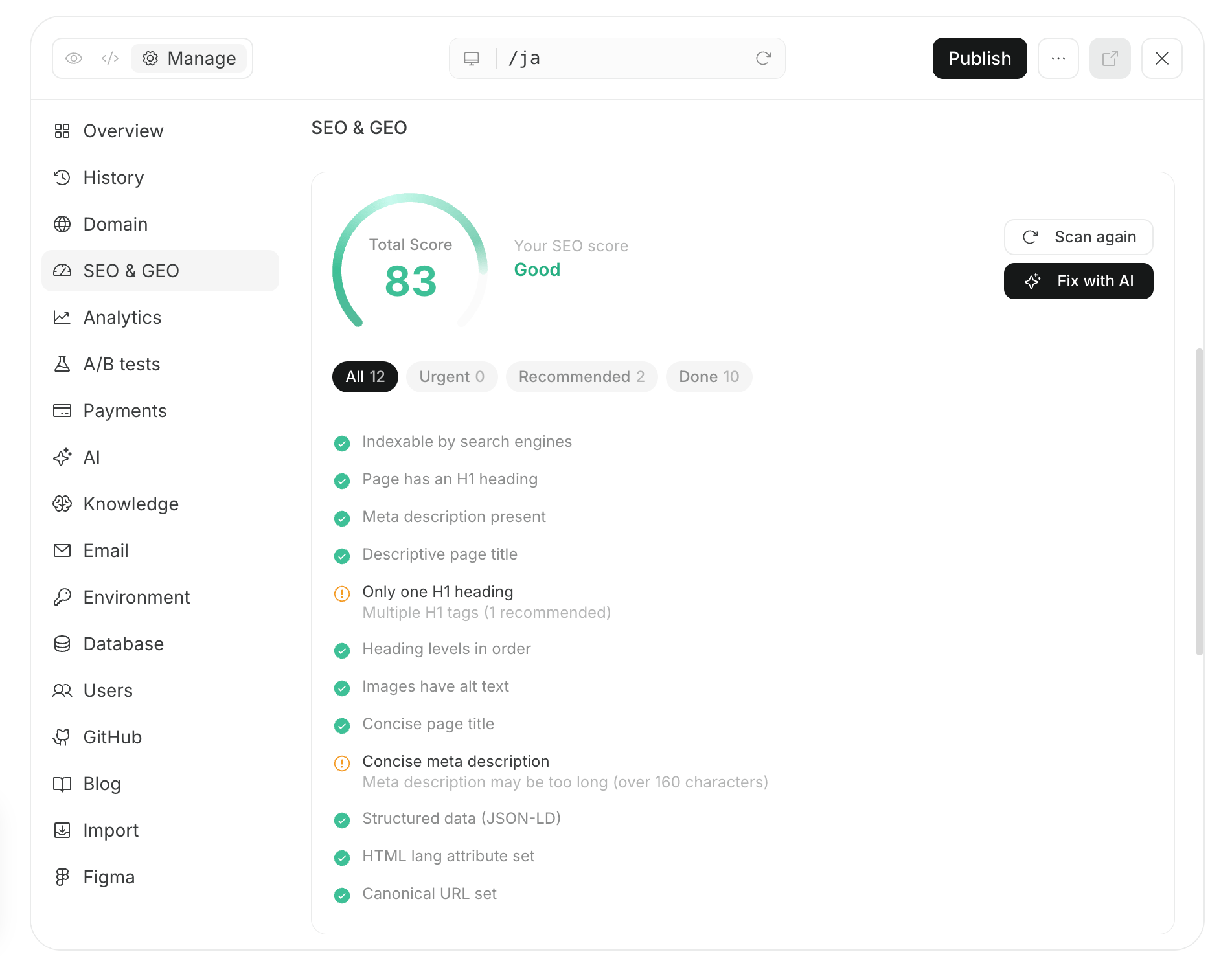
Enter the published URL in chat and check for issues that prevent important pages from being crawled and understood. Verify that services, target customers, scope, case studies, and pricing can be read by search engines and AI, and fix the most impactful issues first.
#### Prompt for chat
```text theme={null}
Audit [website URL] to determine whether search engines and AI can retrieve and understand the company, team, services, target customers, scope, and case studies.
Check HTTPS, HTTP status, broken links, redirects, robots.txt, sitemap.xml, noindex, canonical settings, internal links, HTML, page titles, headings, body text, structured data, mobile display, and major speed issues. Summarize impact, priority, and how to fix them.
```
Fix issues that prevent retrieval and those that convey incorrect information first. For sites managed in NoimosAI, make fixes in the same chat, preview, and then publish. Request indexing of new URLs in Google Search Console and check indexing later.
Before publishing, confirm target customers and corresponding problems, evidence for case studies, pricing estimates or how prices are determined, and the post-consultation flow. Make anonymized case studies non-identifiable.
Test forms by submitting from both mobile and desktop to verify required fields, errors, submission completion, and expected response time. Do not require unnecessary confidential or personal information before consultation; collect detailed materials securely after consultation.
### 2. Make your website easy for search engines and AI to understand
Enter the published URL in chat and check for issues that prevent important pages from being crawled and understood. Verify that services, target customers, scope, case studies, and pricing can be read by search engines and AI, and fix the most impactful issues first.
#### Prompt for chat
```text theme={null}
Audit [website URL] to determine whether search engines and AI can retrieve and understand the company, team, services, target customers, scope, and case studies.
Check HTTPS, HTTP status, broken links, redirects, robots.txt, sitemap.xml, noindex, canonical settings, internal links, HTML, page titles, headings, body text, structured data, mobile display, and major speed issues. Summarize impact, priority, and how to fix them.
```
Fix issues that prevent retrieval and those that convey incorrect information first. For sites managed in NoimosAI, make fixes in the same chat, preview, and then publish. Request indexing of new URLs in Google Search Console and check indexing later.
 ### 3. Improve based on customer behavior
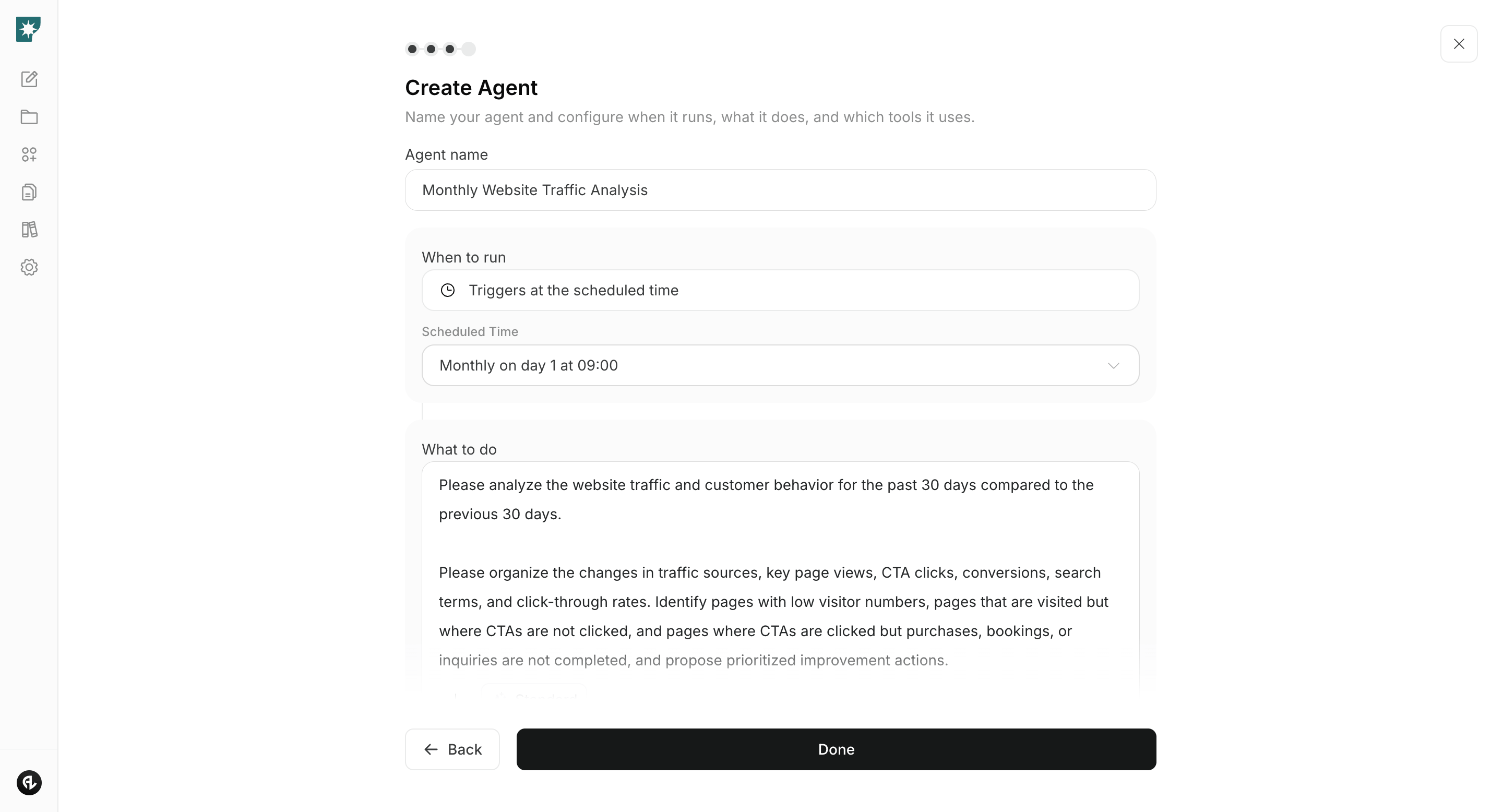
Connect Google Analytics and Google Search Console, and compare the last 30 days to the previous 30 days. Identify important pages with low traffic, pages that are viewed but don’t lead to consultations, and funnels where users drop out of forms, then receive prioritized improvement suggestions.
#### Agent setup
**Trigger:** Schedule / Monthly
**Instructions:**
```text theme={null}
Compare traffic and behavior leading to inquiries over the past 30 days with the previous 30 days.
Organize sources, search queries, views of service/case study/pricing pages, CTAs, form starts, and inquiry completions. Identify important pages with low visits, pages that are viewed but not clicked on CTAs, and pages where forms don’t complete, and create improvement proposals for the pages with the largest impact.
```
**Integrations:** Google Analytics, Google Search Console
### 3. Improve based on customer behavior
Connect Google Analytics and Google Search Console, and compare the last 30 days to the previous 30 days. Identify important pages with low traffic, pages that are viewed but don’t lead to consultations, and funnels where users drop out of forms, then receive prioritized improvement suggestions.
#### Agent setup
**Trigger:** Schedule / Monthly
**Instructions:**
```text theme={null}
Compare traffic and behavior leading to inquiries over the past 30 days with the previous 30 days.
Organize sources, search queries, views of service/case study/pricing pages, CTAs, form starts, and inquiry completions. Identify important pages with low visits, pages that are viewed but not clicked on CTAs, and pages where forms don’t complete, and create improvement proposals for the pages with the largest impact.
```
**Integrations:** Google Analytics, Google Search Console
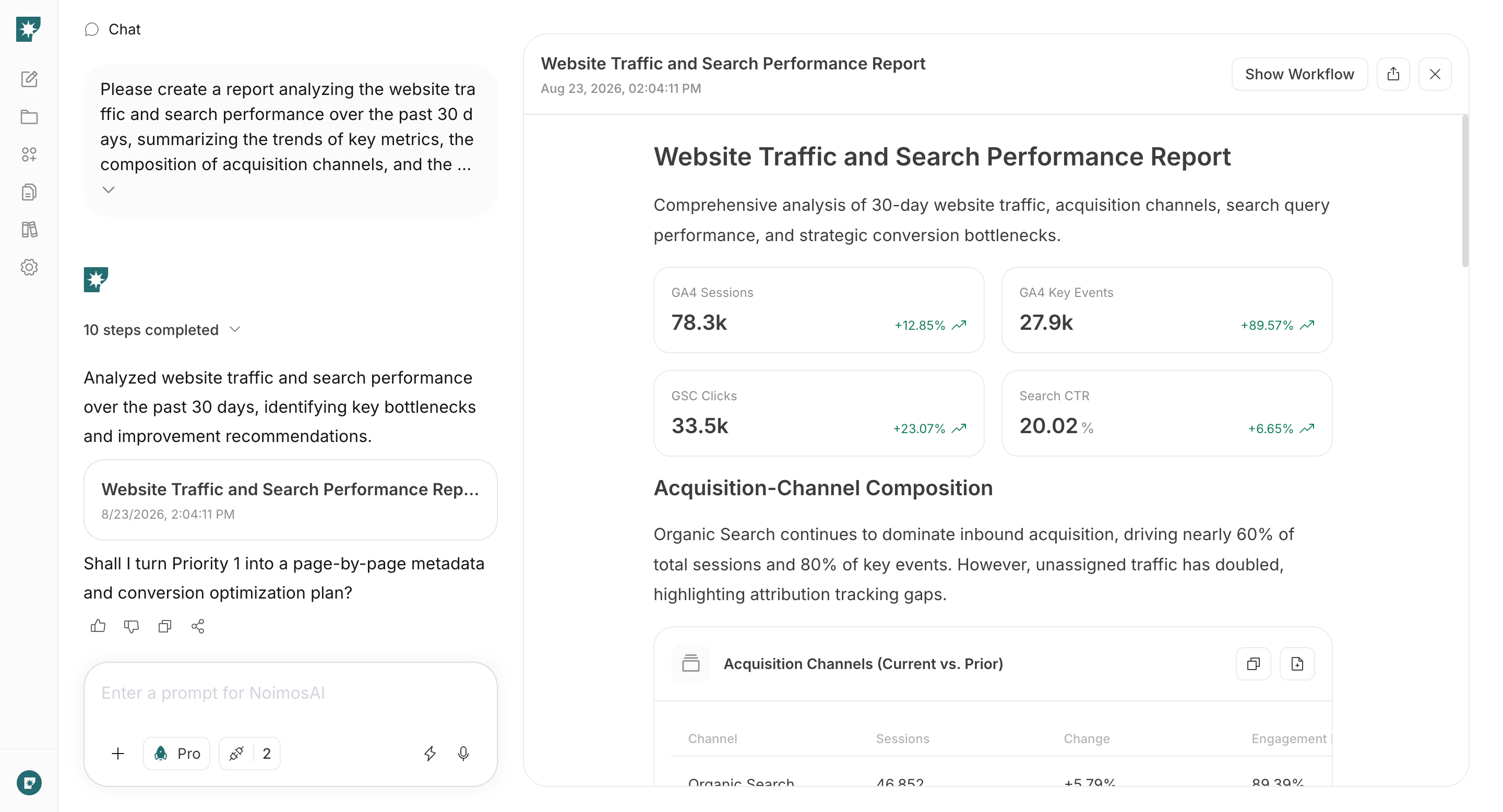 Review the improvement proposals and apply changes to a single page. Record what changed and the dates, then check changes in traffic, CTAs, forms, and inquiries the next month.
Measure not only inquiry volume but also the proportion of inquiries you can handle. If visits and inquiries increase but many are out of scope, review traffic sources, target customers, scope, and pricing explanations. Keep other conditions consistent and determine what impacted outcomes.
## Related pages
* [Increase search traffic with SEO](/playbooks/client-services/seo)
* [Get found in AI search with GEO](/playbooks/client-services/geo)
* [Improve inquiry CVR](/playbooks/client-services/improve-inquiry-conversion)
Review the improvement proposals and apply changes to a single page. Record what changed and the dates, then check changes in traffic, CTAs, forms, and inquiries the next month.
Measure not only inquiry volume but also the proportion of inquiries you can handle. If visits and inquiries increase but many are out of scope, review traffic sources, target customers, scope, and pricing explanations. Keep other conditions consistent and determine what impacted outcomes.
## Related pages
* [Increase search traffic with SEO](/playbooks/client-services/seo)
* [Get found in AI search with GEO](/playbooks/client-services/geo)
* [Improve inquiry CVR](/playbooks/client-services/improve-inquiry-conversion)