
Google Analytics should be connected to check entry pages, subsequent content views, and movement to sign-up/participation pages.
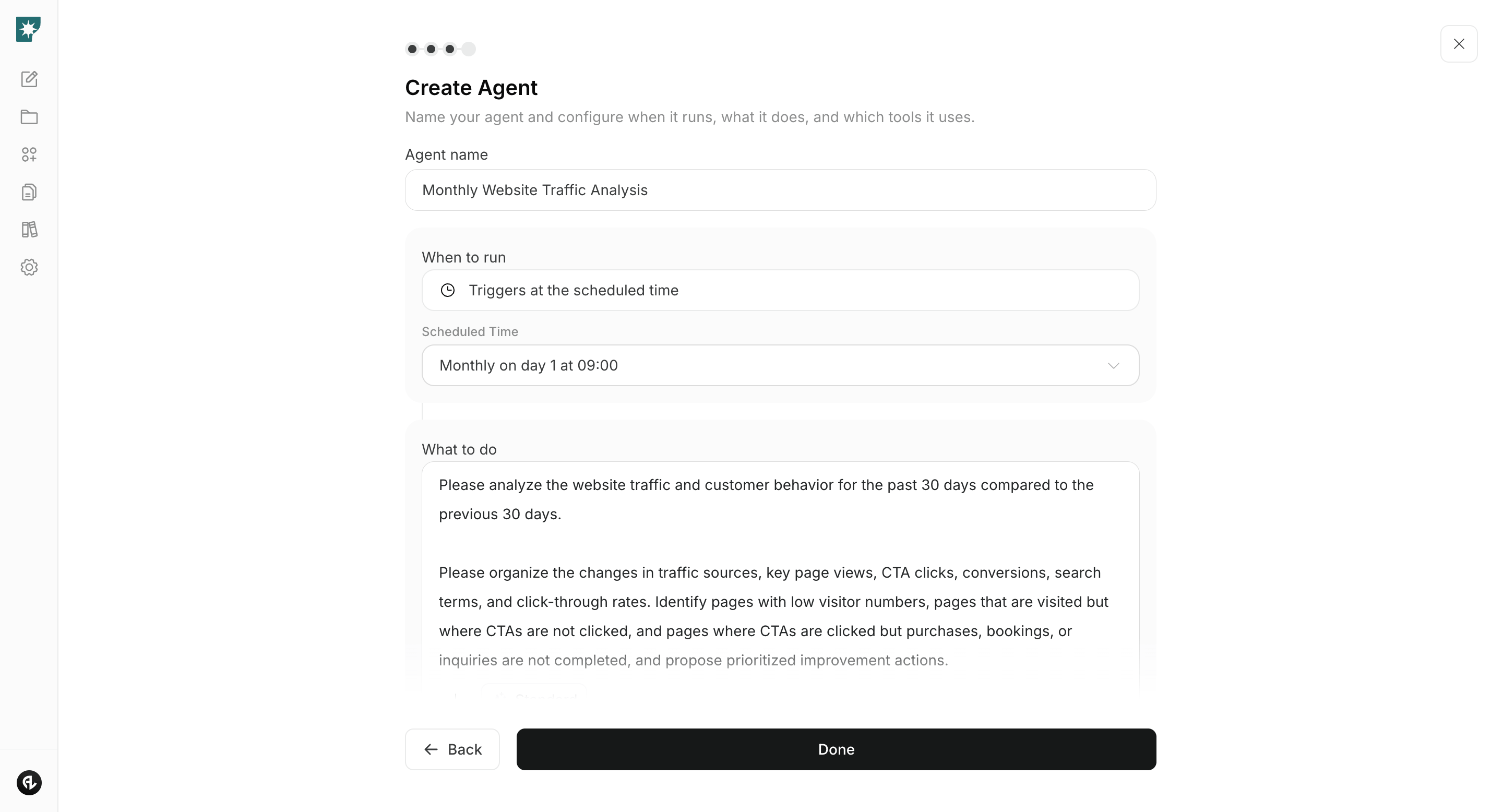
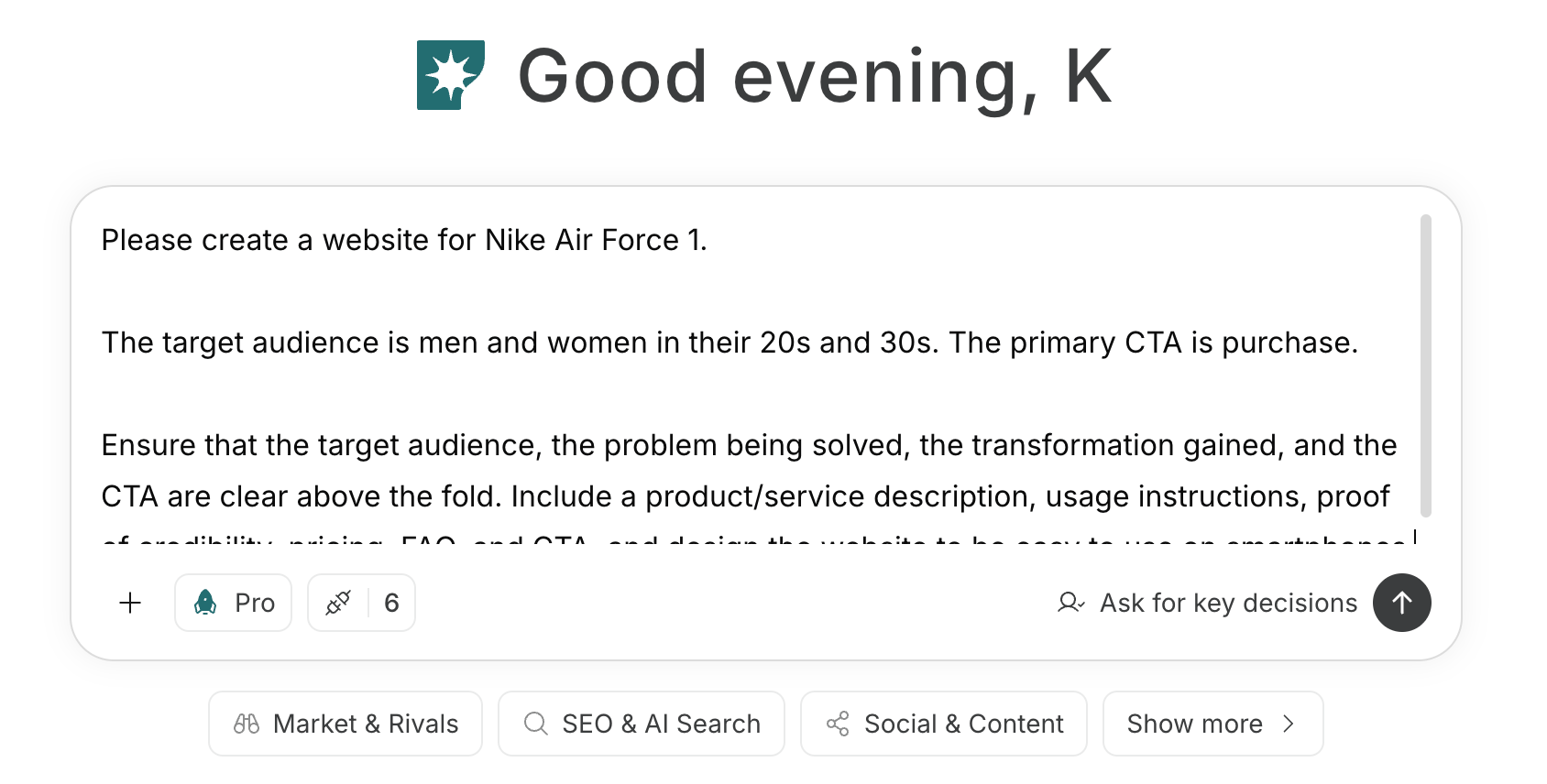 To create an agent by telling the prompt and conditions to the agent, see [Create an agent from chat](/help-center/ai-team/create-a-trigger-from-chat). To manually enter each item in the settings screen, check [Create an agent from scratch](/help-center/ai-team/create-an-agent-from-scratch).
 ### 1. Define the role of each distribution channel and your hub
First, enter the target audience, topics, and current distribution channels in chat. Ask NoimosAI to define each channel’s role in discovery, consumption, subscription, and interaction; identify what information a website should add; and map the routes between related content and follow, subscribe, or join actions.
#### Prompt for chat
```text theme={null}
I am publishing to [target readers] about [topic] via [articles, videos, audio, newsletter, social media, community].
For each distribution channel, define its role in discovery, consumption, saving, subscription, and interaction. Recommend what information the website should add, how related content should connect, and where people should be invited to follow, subscribe, or join. Do not assume that every experience must move to the website.
```
Narrow proposed roles based on where your current audience is, what each channel can demonstrate in results, and whether you can update it regularly. For example, if YouTube is the main channel, don’t duplicate videos on the website; instead include summaries, sources, related materials, and author information. If the newsletter is the main channel, prepare published articles and past issues that can be previewed before subscribing.
### 2. Create a structure so content can be found and understood
Provide URLs for existing channels and content and create the necessary pages and structure.
NoimosAI will review existing content and define the role and navigation for the homepage, topic or category pages, content pages, publisher or author pages, and subscription or participation pages. Do not duplicate content that already works well on another channel; create only the missing pages people need to explore the work and keep receiving updates.
#### Prompt for chat
```text theme={null}
Review the following URLs for existing websites, social media, YouTube, note, etc.: [URLs]. Design a website/media hub where [target readers] can find, understand, and continue to receive [topic] content.
For the homepage, topic or category pages, content pages, publisher or author pages, and subscription or participation pages, define each page’s role, required information, and links to the next page. Avoid duplicating existing content and state what the website should add.
```
If you operate your website with NoimosAI, create the required pages in the same chat, preview them, and publish. If you use an external website or CMS, produce the structure and publication copy to be implemented there.
### 1. Define the role of each distribution channel and your hub
First, enter the target audience, topics, and current distribution channels in chat. Ask NoimosAI to define each channel’s role in discovery, consumption, subscription, and interaction; identify what information a website should add; and map the routes between related content and follow, subscribe, or join actions.
#### Prompt for chat
```text theme={null}
I am publishing to [target readers] about [topic] via [articles, videos, audio, newsletter, social media, community].
For each distribution channel, define its role in discovery, consumption, saving, subscription, and interaction. Recommend what information the website should add, how related content should connect, and where people should be invited to follow, subscribe, or join. Do not assume that every experience must move to the website.
```
Narrow proposed roles based on where your current audience is, what each channel can demonstrate in results, and whether you can update it regularly. For example, if YouTube is the main channel, don’t duplicate videos on the website; instead include summaries, sources, related materials, and author information. If the newsletter is the main channel, prepare published articles and past issues that can be previewed before subscribing.
### 2. Create a structure so content can be found and understood
Provide URLs for existing channels and content and create the necessary pages and structure.
NoimosAI will review existing content and define the role and navigation for the homepage, topic or category pages, content pages, publisher or author pages, and subscription or participation pages. Do not duplicate content that already works well on another channel; create only the missing pages people need to explore the work and keep receiving updates.
#### Prompt for chat
```text theme={null}
Review the following URLs for existing websites, social media, YouTube, note, etc.: [URLs]. Design a website/media hub where [target readers] can find, understand, and continue to receive [topic] content.
For the homepage, topic or category pages, content pages, publisher or author pages, and subscription or participation pages, define each page’s role, required information, and links to the next page. Avoid duplicating existing content and state what the website should add.
```
If you operate your website with NoimosAI, create the required pages in the same chat, preview them, and publish. If you use an external website or CMS, produce the structure and publication copy to be implemented there.
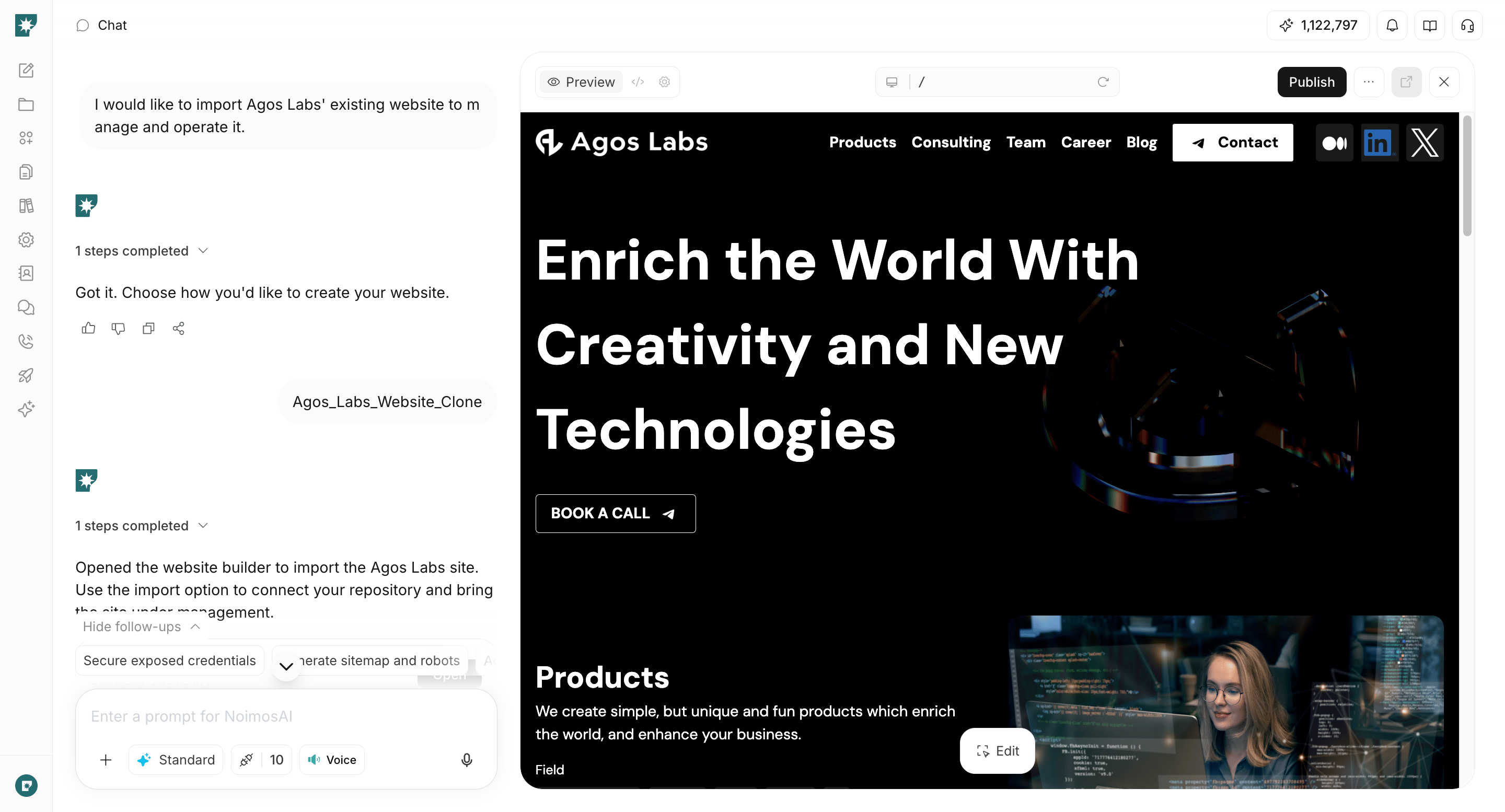 Before publishing, check the following on both mobile and desktop:
* First-time visitors can identify the target readers and topics
* Articles, videos, and audio can be found by topic and format
* Each piece of content shows author, publish date, update date, and sources
* Users can move to related content and previous/next items in a series
* What readers get and how often they’ll get it is clear for follow, subscription, and participation
* You have the rights to publish images, video, audio, and quotes
* Private community information is not included on public pages
Add any missing pages in the same chat. When migrating existing content, verify that URLs, titles, publish dates, and internal links won’t break; set appropriate redirects for URLs that must change.
### 3. Improve based on content journeys and subscriptions
After publishing, review monthly how visitors move from entry pages to the next content and to sign-up/participation. Create an agent that identifies themes with sustained growth, pages where movement stops, and past content that needs updating or consolidation.
Before publishing, check the following on both mobile and desktop:
* First-time visitors can identify the target readers and topics
* Articles, videos, and audio can be found by topic and format
* Each piece of content shows author, publish date, update date, and sources
* Users can move to related content and previous/next items in a series
* What readers get and how often they’ll get it is clear for follow, subscription, and participation
* You have the rights to publish images, video, audio, and quotes
* Private community information is not included on public pages
Add any missing pages in the same chat. When migrating existing content, verify that URLs, titles, publish dates, and internal links won’t break; set appropriate redirects for URLs that must change.
### 3. Improve based on content journeys and subscriptions
After publishing, review monthly how visitors move from entry pages to the next content and to sign-up/participation. Create an agent that identifies themes with sustained growth, pages where movement stops, and past content that needs updating or consolidation.
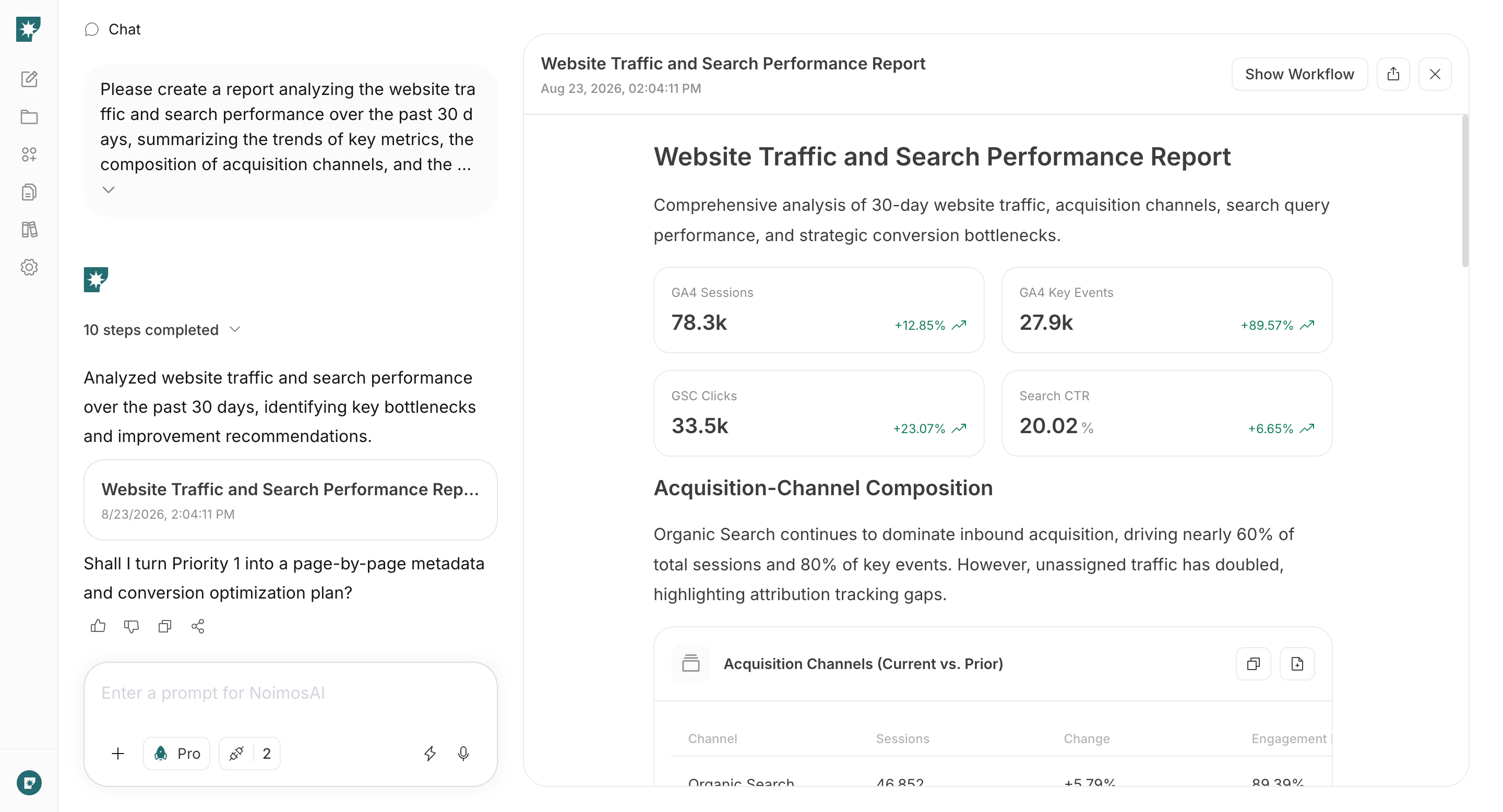 Do not include personal data from sign-up forms or private community content in prompts; analyze using aggregated counts, percentages, pages, and traffic sources.
Monthly analysis should separate high-traffic pages from pages that lead readers to the next content, pages that generated follows/subscriptions/joins, and older pages that remain consistently read. For entry pages with many visits but low onward movement, add related articles. For pages with duplicated content, update or consolidate them.
Once you choose pages to improve, input the URLs and analysis results into the same chat. Modify only the parts identified as problematic by the analysis among target reader, page role, related content, and sign-up/join guidance. After publishing changes, check the same metrics the next month to see if movement to the next content and sign-ups improved.
## Related pages
* [Increase readers from search with SEO](/playbooks/publishing-community/seo)
* [Be found by AI search with GEO](/playbooks/publishing-community/geo)
* [Manage social media](/playbooks/publishing-community/sns)
Do not include personal data from sign-up forms or private community content in prompts; analyze using aggregated counts, percentages, pages, and traffic sources.
Monthly analysis should separate high-traffic pages from pages that lead readers to the next content, pages that generated follows/subscriptions/joins, and older pages that remain consistently read. For entry pages with many visits but low onward movement, add related articles. For pages with duplicated content, update or consolidate them.
Once you choose pages to improve, input the URLs and analysis results into the same chat. Modify only the parts identified as problematic by the analysis among target reader, page role, related content, and sign-up/join guidance. After publishing changes, check the same metrics the next month to see if movement to the next content and sign-ups improved.
## Related pages
* [Increase readers from search with SEO](/playbooks/publishing-community/seo)
* [Be found by AI search with GEO](/playbooks/publishing-community/geo)
* [Manage social media](/playbooks/publishing-community/sns)