
Google Search Console: Check index status of public pages.

Google Analytics: Check how users coming from AI services progress through sign-up, activation, and paid conversion.

WordPress: Reference existing pages and create, publish, and update new articles and FAQs.
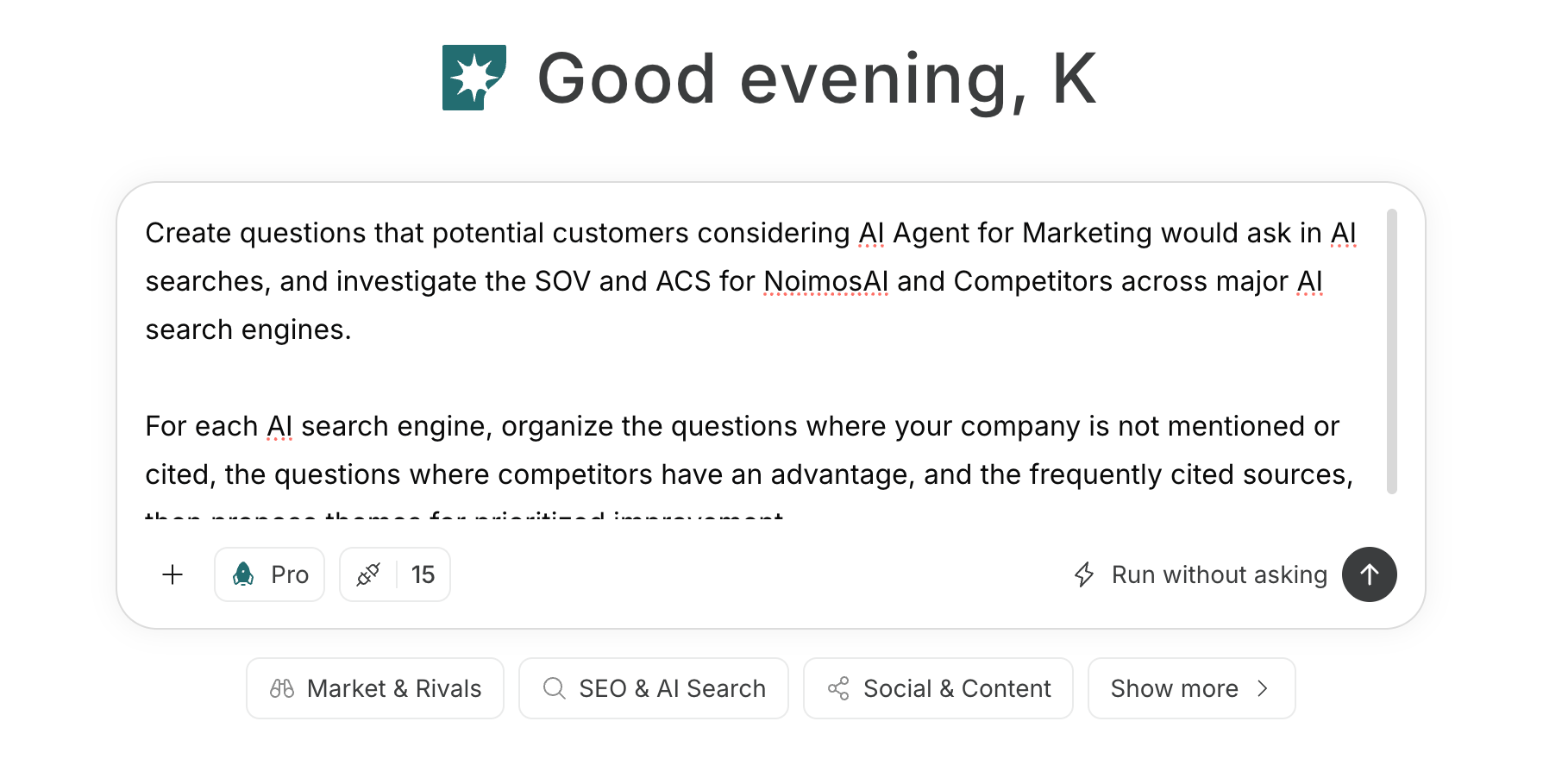 To create an agent by describing its goal and conditions in a prompt, see [Create an agent from chat](/help-center/ai-team/create-a-trigger-from-chat). To fill in each setting manually, see [Create an agent from scratch](/help-center/ai-team/create-an-agent-from-scratch).
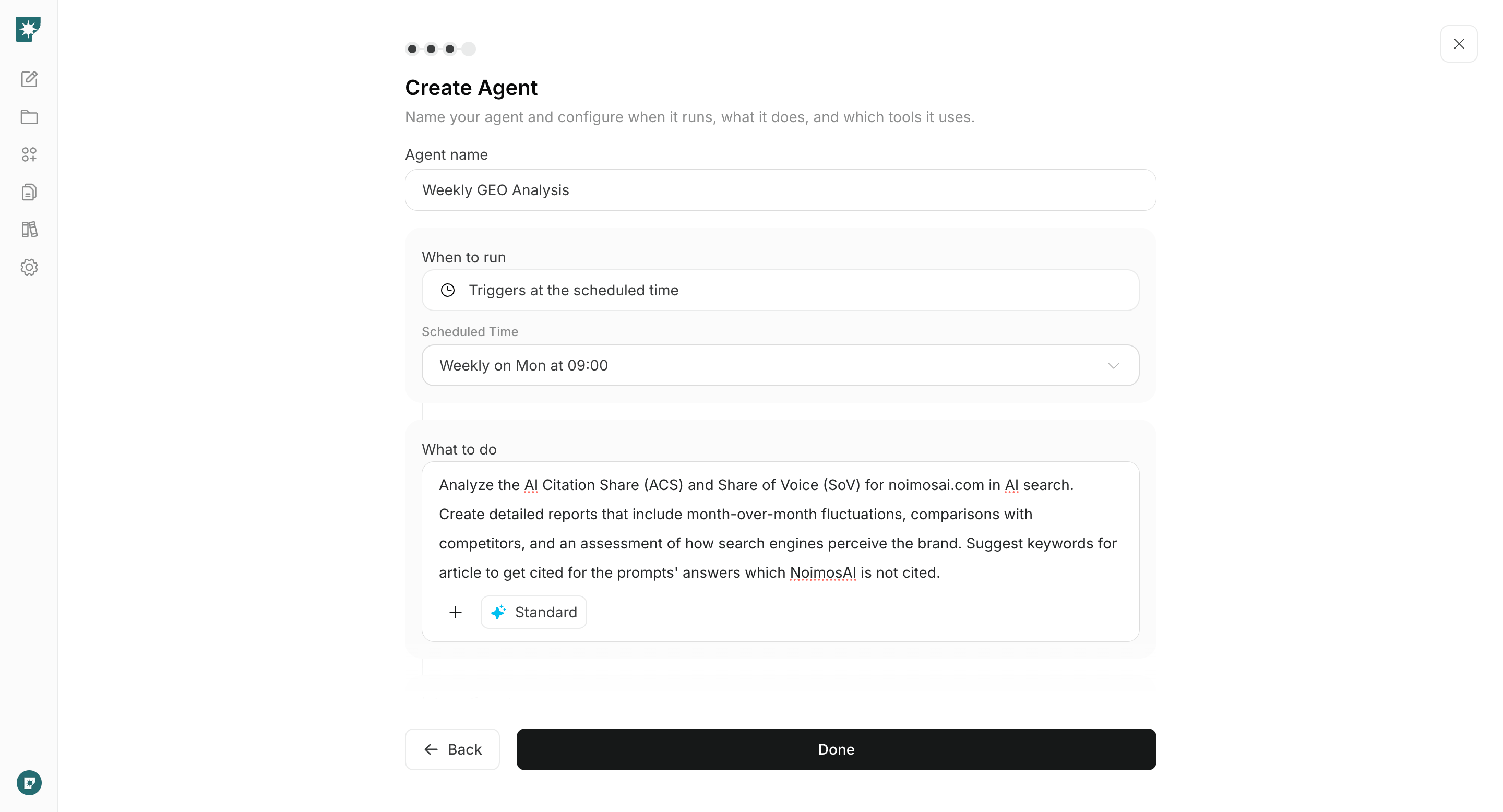 ### 1. Audit visibility in AI search
Enter target user and objective into chat, create pre-selection and in-use questions, and investigate how your product and competitors appear. Compare mentions, explanations, and citations to identify questions where your product is missing or product information is misrepresented.
#### Prompt for chat
```text theme={null}
Create the questions [target users] would ask when choosing [product category], and questions they would ask about signing up, setup, integrations, and troubleshooting for [product name].
Investigate SOV, ACS, answer content, and cited sources for [your product] and [competitor products] across major AI search services. Organize questions where your product does not appear, questions where competitors are favored, features/pricing/operations that are misdescribed, and frequently cited pages, and propose priority questions to improve.
```
### 1. Audit visibility in AI search
Enter target user and objective into chat, create pre-selection and in-use questions, and investigate how your product and competitors appear. Compare mentions, explanations, and citations to identify questions where your product is missing or product information is misrepresented.
#### Prompt for chat
```text theme={null}
Create the questions [target users] would ask when choosing [product category], and questions they would ask about signing up, setup, integrations, and troubleshooting for [product name].
Investigate SOV, ACS, answer content, and cited sources for [your product] and [competitor products] across major AI search services. Organize questions where your product does not appear, questions where competitors are favored, features/pricing/operations that are misdescribed, and frequently cited pages, and propose priority questions to improve.
```
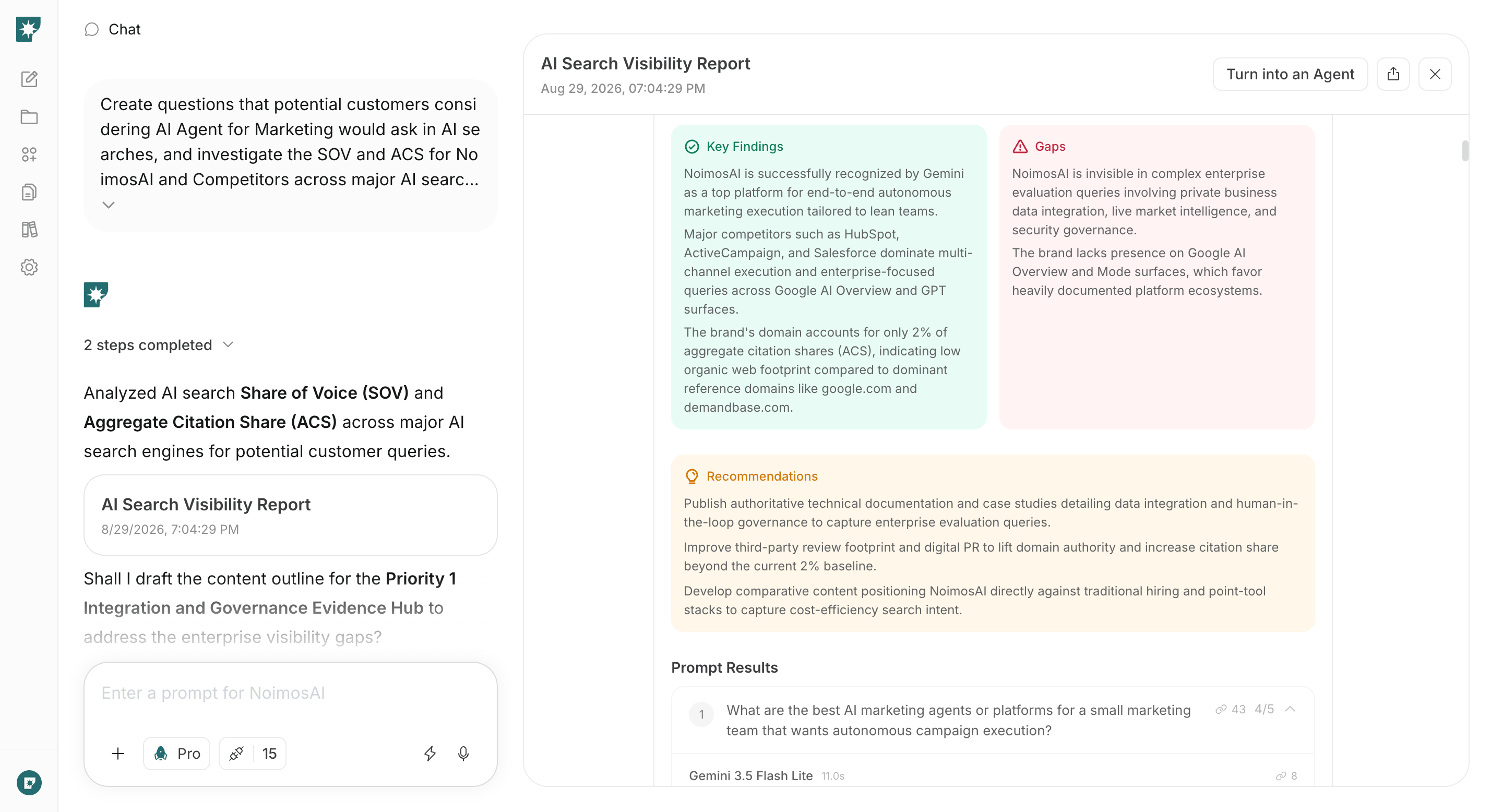 Don’t focus only on low numeric scores; verify business impact and answer accuracy. Choose questions to improve and compare the cited sources with your pages in the next step.
Do not prioritize questions for uses or environments your product does not support. Prioritize fixing questions where pricing, supported environments, key features, or usage are incorrectly described even if mention counts are low.
### 2. Make product information easy for AI systems to access and cite
Enter public URLs into chat to audit fetching, discovery, understanding, accuracy, and evidence on each page. Confirm whether AI can retrieve and understand product, features, pricing, supported environments, and usage instructions; then fix high-impact gaps and technical issues first.
#### Prompt for chat
```text theme={null}
Perform a GEO audit of [public website URL]. Identify issues that prevent AI from fetching, understanding, or citing product name, target users, features, pricing, supported environments, and usage instructions. Summarize impact, priority, and specific fixes.
```
Don’t focus only on low numeric scores; verify business impact and answer accuracy. Choose questions to improve and compare the cited sources with your pages in the next step.
Do not prioritize questions for uses or environments your product does not support. Prioritize fixing questions where pricing, supported environments, key features, or usage are incorrectly described even if mention counts are low.
### 2. Make product information easy for AI systems to access and cite
Enter public URLs into chat to audit fetching, discovery, understanding, accuracy, and evidence on each page. Confirm whether AI can retrieve and understand product, features, pricing, supported environments, and usage instructions; then fix high-impact gaps and technical issues first.
#### Prompt for chat
```text theme={null}
Perform a GEO audit of [public website URL]. Identify issues that prevent AI from fetching, understanding, or citing product name, target users, features, pricing, supported environments, and usage instructions. Summarize impact, priority, and specific fixes.
```
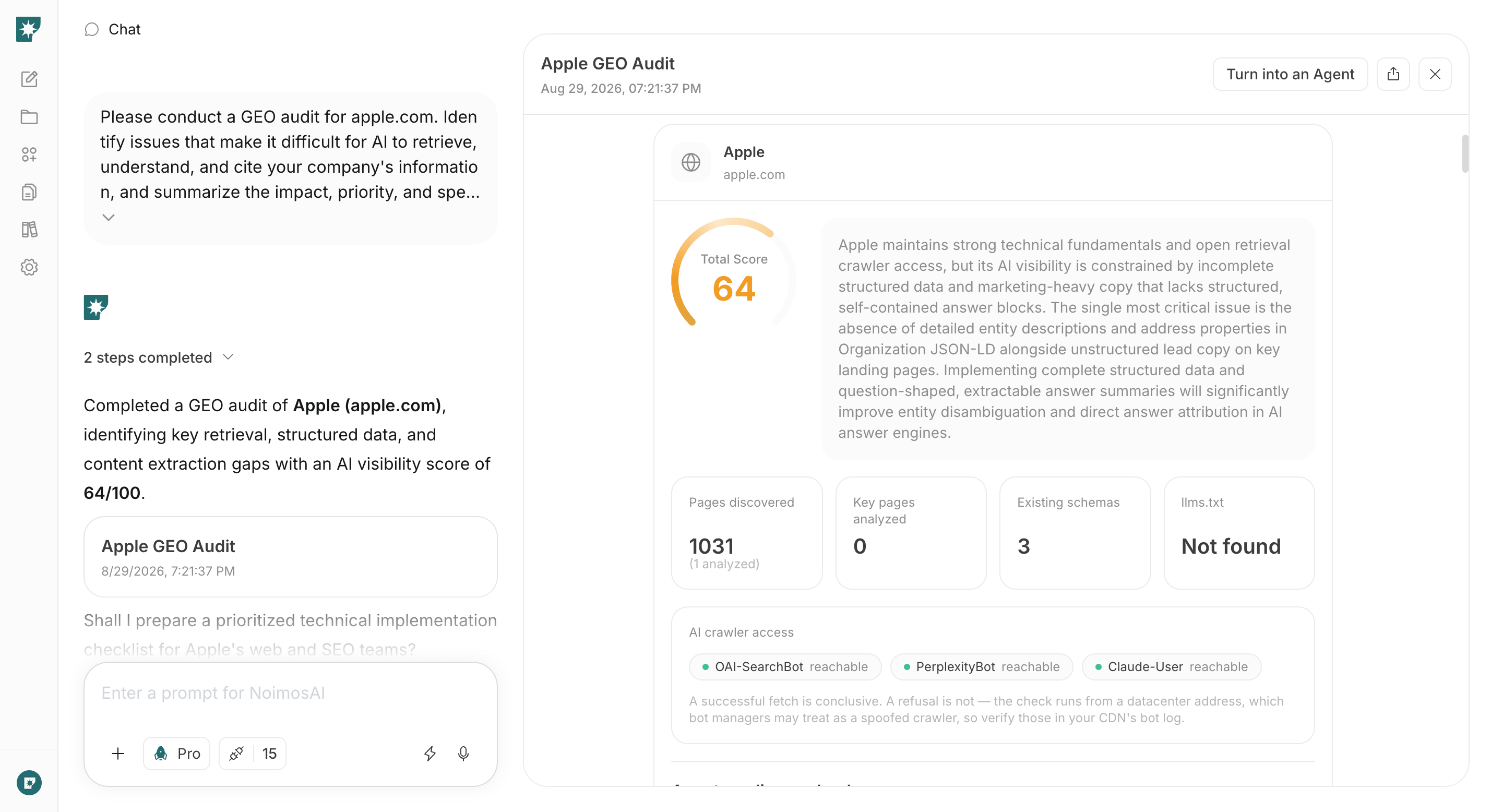 Fix important pages that can’t be fetched and pages where features, pricing, or usage are unclear or outdated. For sites managed with NoimosAI, make fixes in the same chat, preview, and then publish. For new or updated pages, check index status in Google Search Console.
Audit results commonly find important info hidden behind login, specification mismatches between product pages and help, and lingering old URLs. After fixes, connect product, pricing, features, help, and update info with internal links.
### 3. Create content for product evaluation and use
Enter the questions and cited sources chosen from your initial audit into chat and have it create public pages suited to those questions. Produce final drafts that include the information and evidence target users need to choose, set up, or troubleshoot the product.
#### Prompt for chat
```text theme={null}
Create a [comparison page / use case / article / FAQ / help doc] that answers [question to improve in AI search].
Investigate current AI answers and cited sources and place the conclusion at the top. Match the current features, pricing, supported environments, and usage instructions from [official URL], and produce a publish-ready final draft that includes necessary comparisons, evidence, specific examples, and procedures.
```
Fix important pages that can’t be fetched and pages where features, pricing, or usage are unclear or outdated. For sites managed with NoimosAI, make fixes in the same chat, preview, and then publish. For new or updated pages, check index status in Google Search Console.
Audit results commonly find important info hidden behind login, specification mismatches between product pages and help, and lingering old URLs. After fixes, connect product, pricing, features, help, and update info with internal links.
### 3. Create content for product evaluation and use
Enter the questions and cited sources chosen from your initial audit into chat and have it create public pages suited to those questions. Produce final drafts that include the information and evidence target users need to choose, set up, or troubleshoot the product.
#### Prompt for chat
```text theme={null}
Create a [comparison page / use case / article / FAQ / help doc] that answers [question to improve in AI search].
Investigate current AI answers and cited sources and place the conclusion at the top. Match the current features, pricing, supported environments, and usage instructions from [official URL], and produce a publish-ready final draft that includes necessary comparisons, evidence, specific examples, and procedures.
```
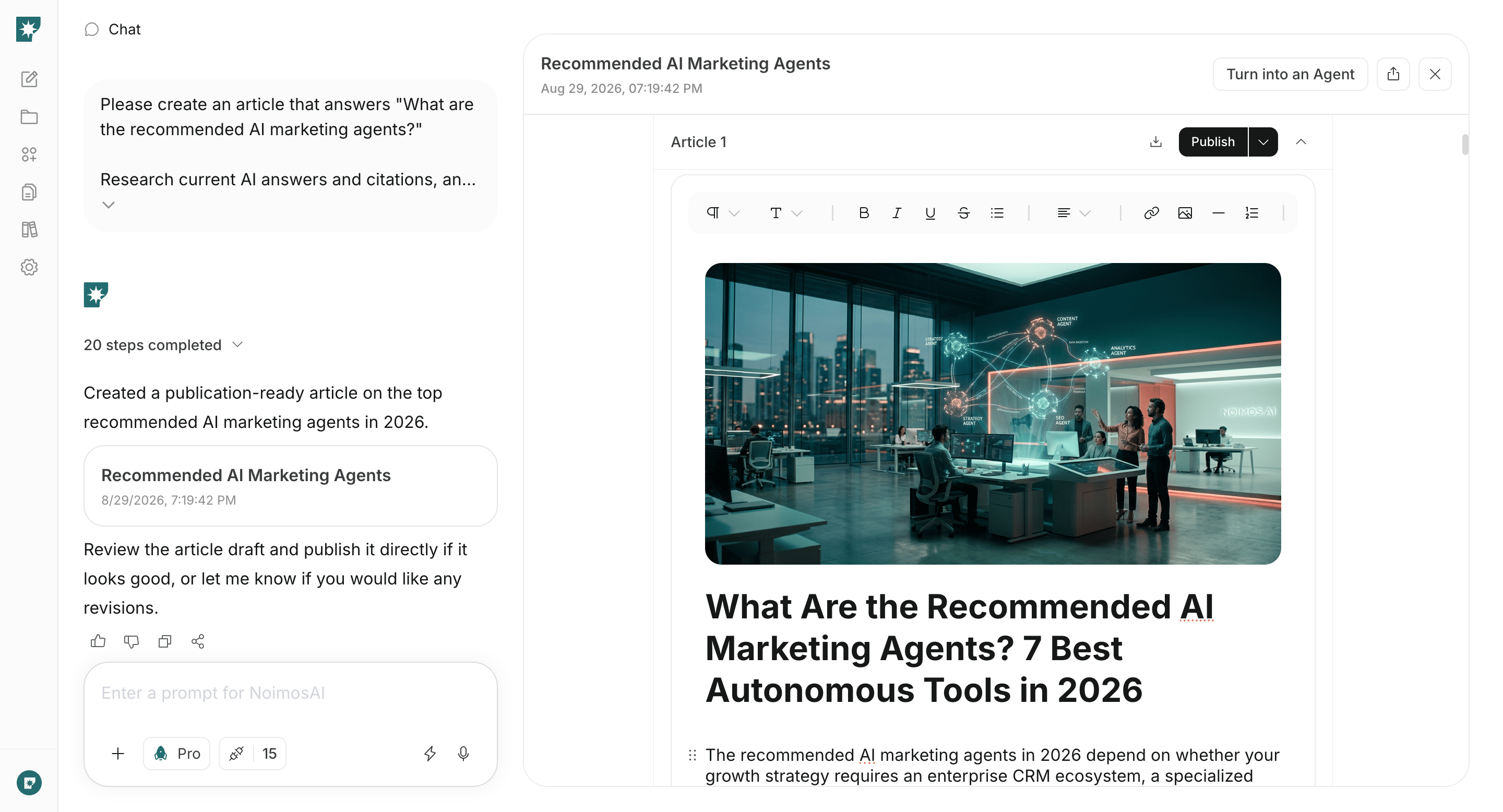 Verify facts, evidence, screenshots, and links before publishing. Add internal links from related pages and include the published URLs in sitemap.xml.
Test every help article and procedure against the current product UI. Verify the required plan, permissions, supported environments, and expected result before publishing. Then request indexing for important URLs and confirm that they have been indexed.
### 4. Monitor and improve visibility over time
Create an agent that measures SOV, ACS, answer content, and cited sources for the same questions and AI services, and compares results to the previous run. Identify degraded questions and outdated explanations, and have it propose official pages to update or new content to create.
#### Agent setup
**Trigger:** Schedule / Weekly
**Instructions:**
```text theme={null}
Measure SOV, ACS, answer content, and cited sources for [your product] and [competitor products] using the specified pre-selection and in-use questions.
Compare with the previous run to identify questions with increased or decreased mentions or citations, questions where competitors have newly gained advantage, incorrect features/pricing/operations, and newly cited pages. Choose the change with the greatest impact and propose an official page to update or new content to create, including specific change details.
```
**Integrations:** None
Edit or publish the proposed pages and verify changes on the next measurement. If Google Analytics is connected, also check sign-up, activation, and paid conversion for users coming from AI services.
If mentions don’t increase immediately after fixes, continue with the same questions and conditions. First confirm that official pages are fetched, current specs are described, and correct help or product pages are being cited.
## Related pages
* [Build and improve your website](/playbooks/software-apps/build-website)
* [Increase search traffic with SEO](/playbooks/software-apps/seo)
* [Improve CVR for sign-up, activation, and paid conversion](/playbooks/software-apps/improve-conversion)
* [Check agent execution results](/help-center/ai-team/check-agent-execution-results)
Verify facts, evidence, screenshots, and links before publishing. Add internal links from related pages and include the published URLs in sitemap.xml.
Test every help article and procedure against the current product UI. Verify the required plan, permissions, supported environments, and expected result before publishing. Then request indexing for important URLs and confirm that they have been indexed.
### 4. Monitor and improve visibility over time
Create an agent that measures SOV, ACS, answer content, and cited sources for the same questions and AI services, and compares results to the previous run. Identify degraded questions and outdated explanations, and have it propose official pages to update or new content to create.
#### Agent setup
**Trigger:** Schedule / Weekly
**Instructions:**
```text theme={null}
Measure SOV, ACS, answer content, and cited sources for [your product] and [competitor products] using the specified pre-selection and in-use questions.
Compare with the previous run to identify questions with increased or decreased mentions or citations, questions where competitors have newly gained advantage, incorrect features/pricing/operations, and newly cited pages. Choose the change with the greatest impact and propose an official page to update or new content to create, including specific change details.
```
**Integrations:** None
Edit or publish the proposed pages and verify changes on the next measurement. If Google Analytics is connected, also check sign-up, activation, and paid conversion for users coming from AI services.
If mentions don’t increase immediately after fixes, continue with the same questions and conditions. First confirm that official pages are fetched, current specs are described, and correct help or product pages are being cited.
## Related pages
* [Build and improve your website](/playbooks/software-apps/build-website)
* [Increase search traffic with SEO](/playbooks/software-apps/seo)
* [Improve CVR for sign-up, activation, and paid conversion](/playbooks/software-apps/improve-conversion)
* [Check agent execution results](/help-center/ai-team/check-agent-execution-results)