> ## Documentation Index
> Fetch the complete documentation index at: https://docs.noimosai.com/llms.txt
> Use this file to discover all available pages before exploring further.
# Research Competitors
> Investigate competitors’ features, pricing, onboarding, and messaging changes, and use the findings to improve your product and marketing.
Ongoing competitor research shows which products users compare and which criteria shape their decisions. Use those findings to improve features, pricing pages, comparison content, onboarding, and social posts. With NoimosAI, you can register competitors, monitor public changes, and turn the most important finding into a concrete action for your team.
There are two main tasks in competitor research:
1. Decide which competitors to compare
2. Monitor competitor changes and turn findings into improvements
Start with [Understand the basics of competitor research](#basics) to select relevant competitors and comparison criteria. Then follow [Research competitors with NoimosAI](#practice) to register competitors and set up recurring monitoring.
## Understand the basics of competitor research
In competitor research, don’t just compare the number of features. Examine the jobs users want to complete and the conditions that determine adoption. The goal is to decide which value to emphasize and which product experience or marketing tactic to improve next.
### 1. Decide which competitors to compare
Compare not only software in the same category but also alternatives that let users complete the same job in different ways.
| Type | Meaning | Example |
| ------------------- | ----------------------------------------------------------------- | ------------------------------------------------------------------------ |
| Direct competitor | Offers the same kind of software or app to the same users | Web services for the same use case, mobile apps in the same category |
| Indirect competitor | Supports the same job with different features or delivery methods | Dedicated tool vs. multi-function tool, self-service vs. managed service |
| Alternative | Ways to complete the job without introducing new software | Spreadsheets, manual work, combinations of existing tools, free methods |
Choose 3–5 products that users actually compare and evaluate them using the same criteria. Prioritize products that appear in reviews, search results, or in questions from sales and support.
| Comparison item | What to check |
| ---------------------------- | ------------------------------------------------------------------------ |
| Target users and use cases | Who uses it and what job they complete with it |
| Primary value proposition | Which problems and outcomes are emphasized on the website or app store |
| Features and getting started | Key features, sign-up flow, initial setup, and the path to first value |
| Pricing and contract terms | Free plans, free trials, pricing units, usage limits, cancellation terms |
| Trust signals | Case studies, reviews, security, support, refund policies |
| Acquisition channels | Search, comparison articles, social, video, ads, app stores |
### 2. Monitor competitor changes and turn findings into improvements
After choosing competitors to compare, regularly check for changes in features, pricing, websites, search results, social posts, and reviews. Identify what changed since the last check and what opportunities your team missed, then decide on concrete responses.
| Change found in competitor research | What to check in your product and actions to take |
| --------------------------------------------------------------------------------------- | ---------------------------------------------------------------------------------------------------------------------------------------------------------------------------------------------------- |
| A competitor published an important feature you don’t have | Verify via reviews and search demand whether target users actually need it, then decide whether to add it to development candidates, provide an alternative workflow, or update your comparison page |
| A competitor changed pricing or free plans | Confirm whether users’ comparison criteria change and update your pricing page, plan descriptions, FAQs, and in-app paid prompts |
| A competitor gained top search rankings and you don’t have a page serving the same role | Check whether the search topic is relevant to your target users and create a feature page, comparison page, or how-to article |
| A competitor’s posts or videos get large engagement | Analyze the topic, format, hook, and product presentation, then create original posts using your features or use cases |
| The same complaints or requests repeat in reviews | Check whether you can resolve them and incorporate fixes into product improvements, onboarding, help, or messaging |
Record the publication or check date and source URLs, and separate confirmed facts from assumptions. Treat estimated values such as traffic as indicators of trends rather than exact user counts.
## Research competitors with NoimosAI
Register competitors in NoimosAI, then create an agent that turns relevant changes into specific improvements to your product, web pages, articles, and posts.
For instructions on entering a prompt in chat, see [Enter your own prompt](/help-center/chat/enter-your-own-prompt).
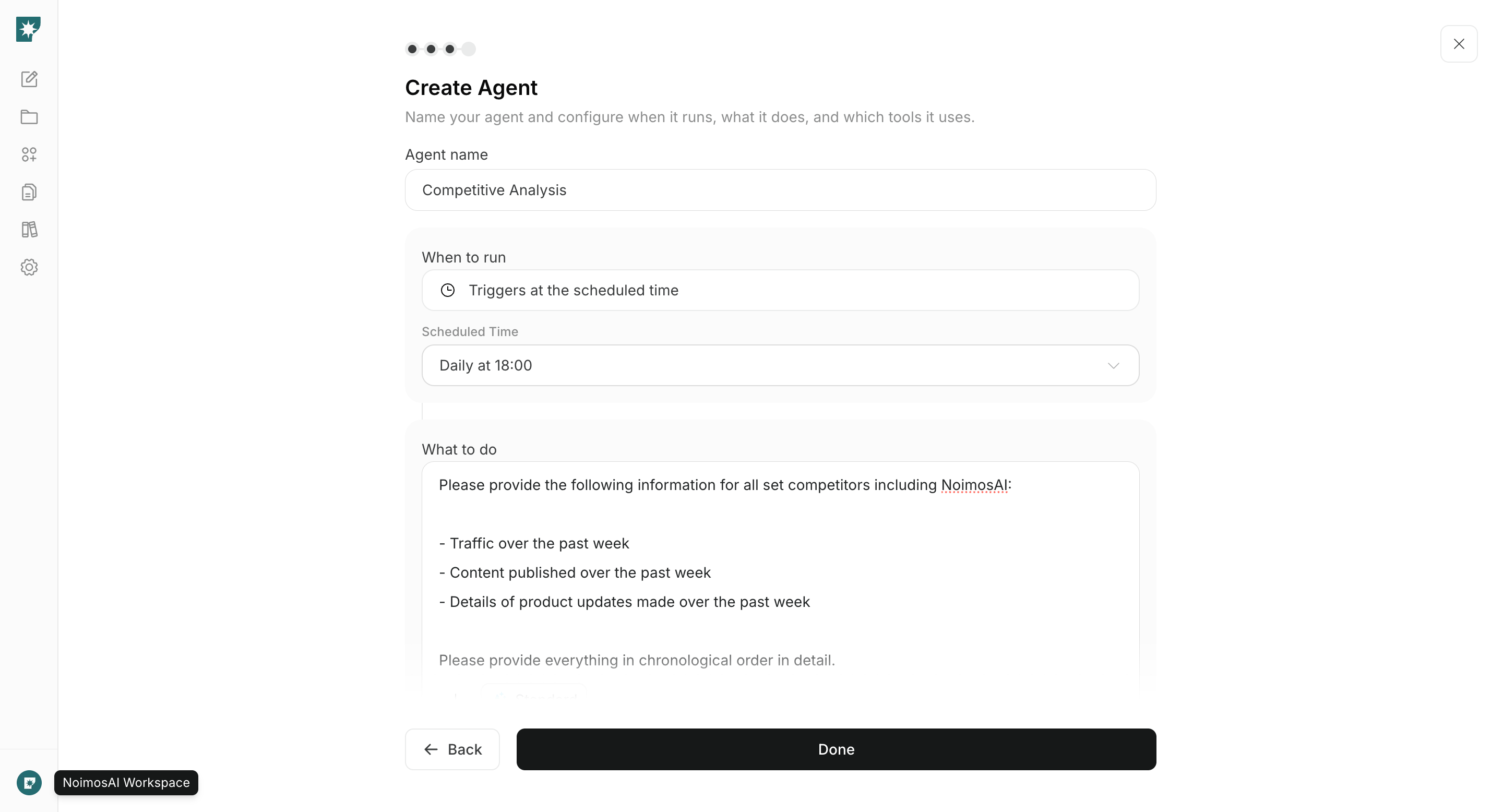
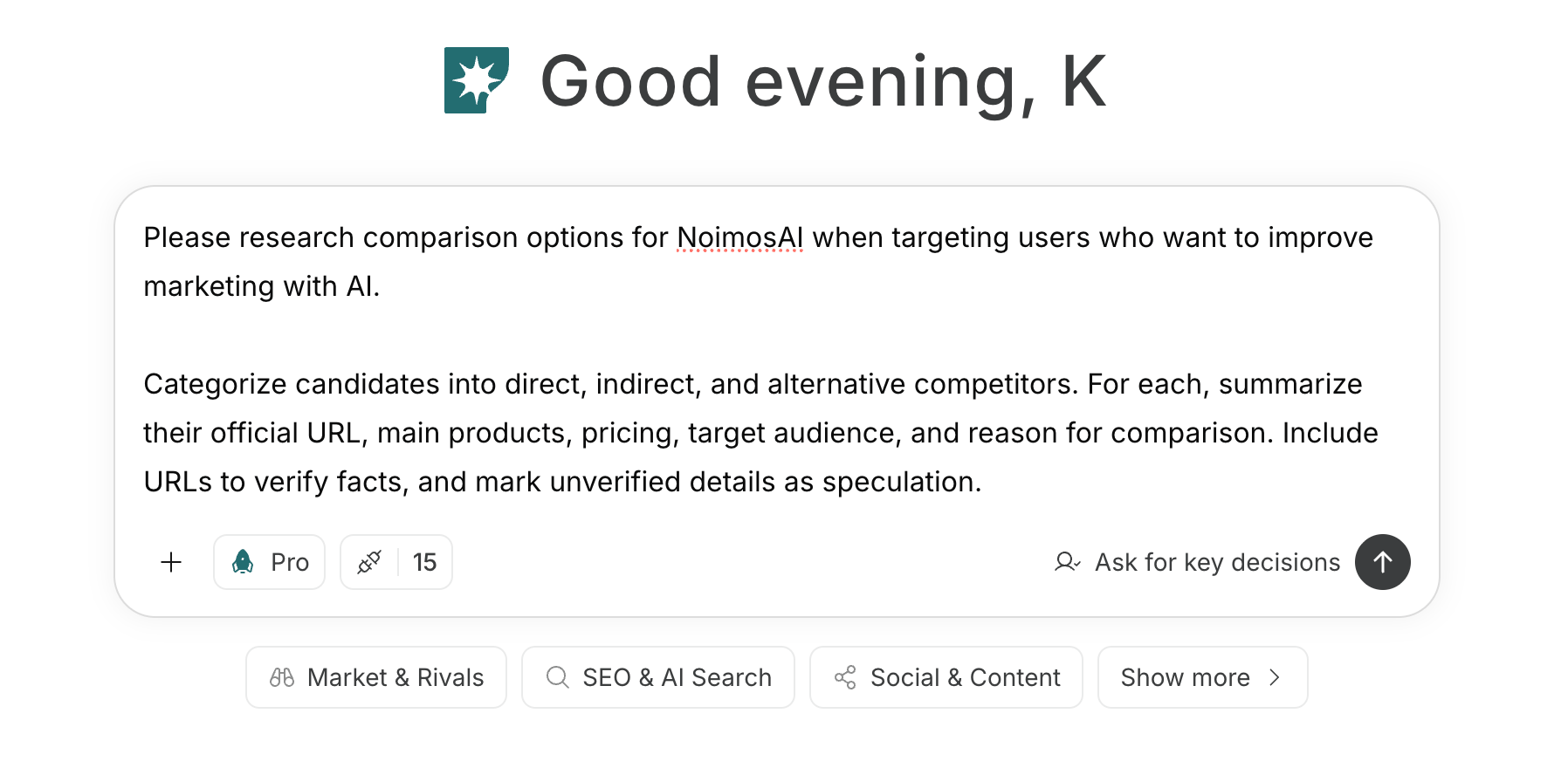 To create an agent from a prompt that describes its goal and conditions, see [Create an agent from chat](/help-center/ai-team/create-a-trigger-from-chat). To configure each field manually, see [Create an agent from scratch](/help-center/ai-team/create-an-agent-from-scratch).
 ### 1. Decide which competitors to compare
If you haven’t decided on competitors, enter your product, target users, jobs to be completed, and regions into chat to generate candidates.
#### Prompt for chat
```text theme={null}
For [our software/app], research options that [target users] would compare for completing [job to be completed].
Classify candidates as direct competitors, indirect competitors, or alternatives. For each candidate, provide the official URL, target users, main features, pricing, onboarding method, and reason users would compare it. Include source URLs for factual claims and mark unverified details as assumptions.
```
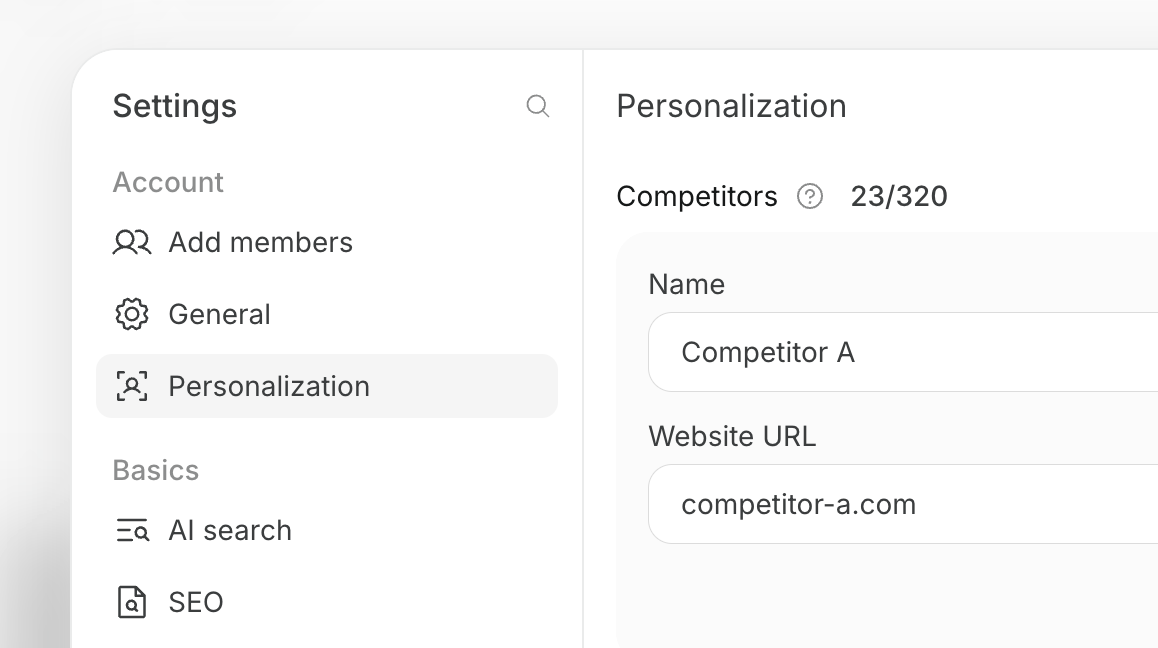
From the candidates, choose 3–5 products based on the likelihood users will compare them and the impact on your product. Register selected competitors by opening Settings → Personalization in the target workspace and adding them under Competitors.
### 1. Decide which competitors to compare
If you haven’t decided on competitors, enter your product, target users, jobs to be completed, and regions into chat to generate candidates.
#### Prompt for chat
```text theme={null}
For [our software/app], research options that [target users] would compare for completing [job to be completed].
Classify candidates as direct competitors, indirect competitors, or alternatives. For each candidate, provide the official URL, target users, main features, pricing, onboarding method, and reason users would compare it. Include source URLs for factual claims and mark unverified details as assumptions.
```
From the candidates, choose 3–5 products based on the likelihood users will compare them and the impact on your product. Register selected competitors by opening Settings → Personalization in the target workspace and adding them under Competitors.
 ### 2. Monitor competitor changes and turn findings into improvements
Create an agent that checks registered competitors’ changes and turns the most important opportunities into concrete improvements for your product, pages, articles, or posts. A good starting cadence is weekly; for markets with fewer updates, start monthly.
#### Agent setup
**Trigger:** Schedule / Weekly
**Instructions:**
```text theme={null}
For the competitors registered in this workspace’s personalization and our company, investigate changes published since the last review to features, pricing, web pages, articles, videos, social posts, and reviews.
Provide source URLs and publication dates, and separate confirmed facts from assumptions. Then identify search keywords your team is missing, high-engagement content themes, and changes in features, pricing, or reviews that affect users’ comparison criteria.
Select the single most impactful opportunity and create one action our team should take. The action should be one of: feature page, pricing page, comparison page, how-to article, social post, onboarding, or product improvement. Specify the content changes and concrete success metrics to verify.
```
**Integrations:** None
For results, check the sources, relevance to target users, and scope of impact. After implementing or publishing the created change, compare appropriate metrics—such as registration rate, activation rate, paid conversion rate, search traffic, and post engagement—in the next review.
## Related pages
* [Create and improve your website](/playbooks/software-apps/build-website)
* [Increase search traffic with SEO](/playbooks/software-apps/seo)
* [Manage social media](/playbooks/software-apps/sns)
* [Improve CVR for registration, activation, and paid conversion](/playbooks/software-apps/improve-conversion)
### 2. Monitor competitor changes and turn findings into improvements
Create an agent that checks registered competitors’ changes and turns the most important opportunities into concrete improvements for your product, pages, articles, or posts. A good starting cadence is weekly; for markets with fewer updates, start monthly.
#### Agent setup
**Trigger:** Schedule / Weekly
**Instructions:**
```text theme={null}
For the competitors registered in this workspace’s personalization and our company, investigate changes published since the last review to features, pricing, web pages, articles, videos, social posts, and reviews.
Provide source URLs and publication dates, and separate confirmed facts from assumptions. Then identify search keywords your team is missing, high-engagement content themes, and changes in features, pricing, or reviews that affect users’ comparison criteria.
Select the single most impactful opportunity and create one action our team should take. The action should be one of: feature page, pricing page, comparison page, how-to article, social post, onboarding, or product improvement. Specify the content changes and concrete success metrics to verify.
```
**Integrations:** None
For results, check the sources, relevance to target users, and scope of impact. After implementing or publishing the created change, compare appropriate metrics—such as registration rate, activation rate, paid conversion rate, search traffic, and post engagement—in the next review.
## Related pages
* [Create and improve your website](/playbooks/software-apps/build-website)
* [Increase search traffic with SEO](/playbooks/software-apps/seo)
* [Manage social media](/playbooks/software-apps/sns)
* [Improve CVR for registration, activation, and paid conversion](/playbooks/software-apps/improve-conversion)