> ## Documentation Index
> Fetch the complete documentation index at: https://docs.noimosai.com/llms.txt
> Use this file to discover all available pages before exploring further.
# Ändra arbetsytans namn och profilbild
> Uppdatera arbetsytans identitet så att medlemmarna tydligt känner igen rätt arbetsyta.
## Översikt
Använd arbetsytans identitetsinställningar för att uppdatera `Arbetsytenamn` och profilbilden.
## Var du hittar det
Öppna det här området via följande väg.
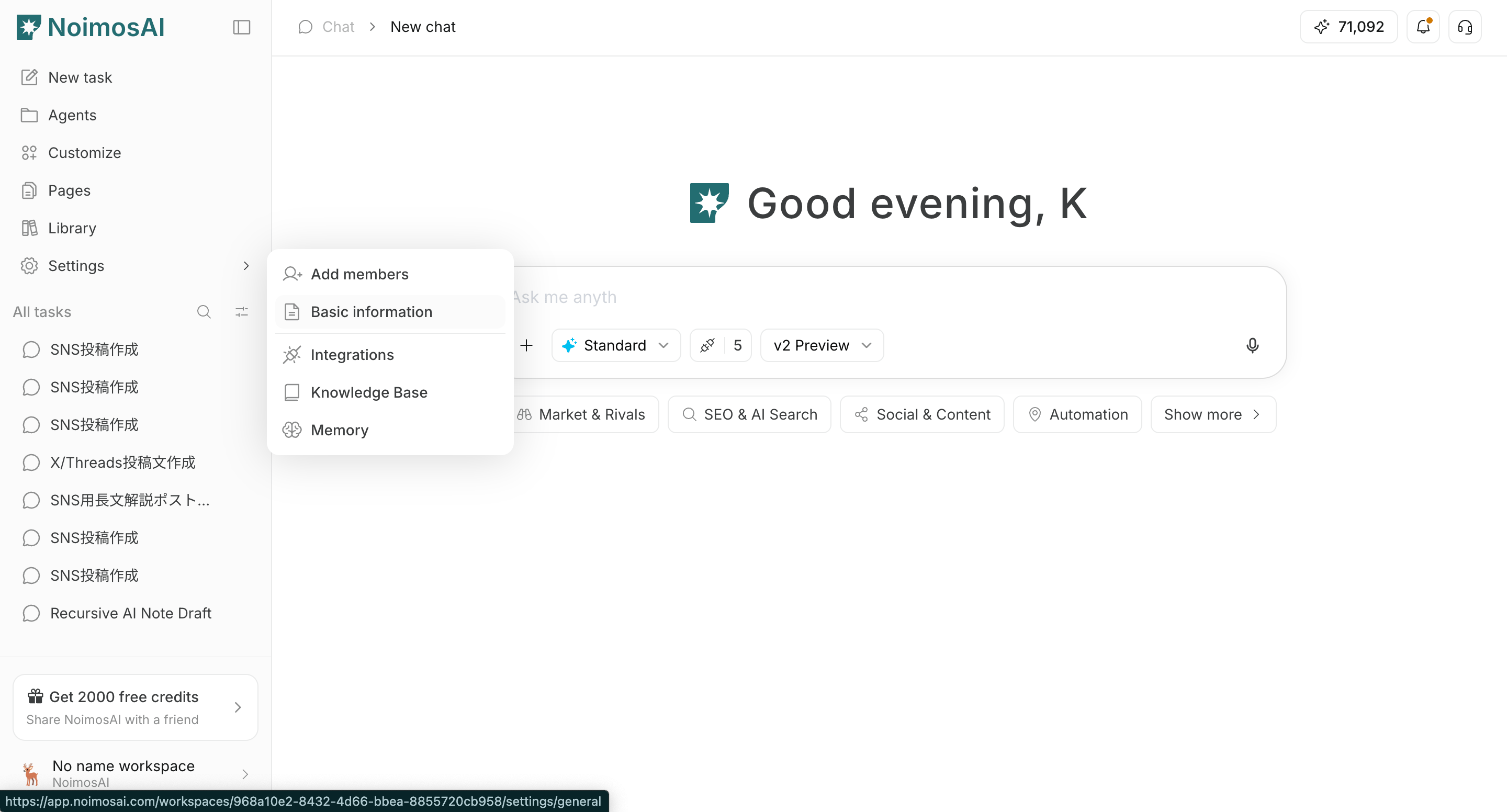
* `Arbetsyta -> Inställningar -> Grundläggande information -> Allmänt`
## Så uppdaterar du
1. Öppna `Allmänt` i arbetsytans inställningar.
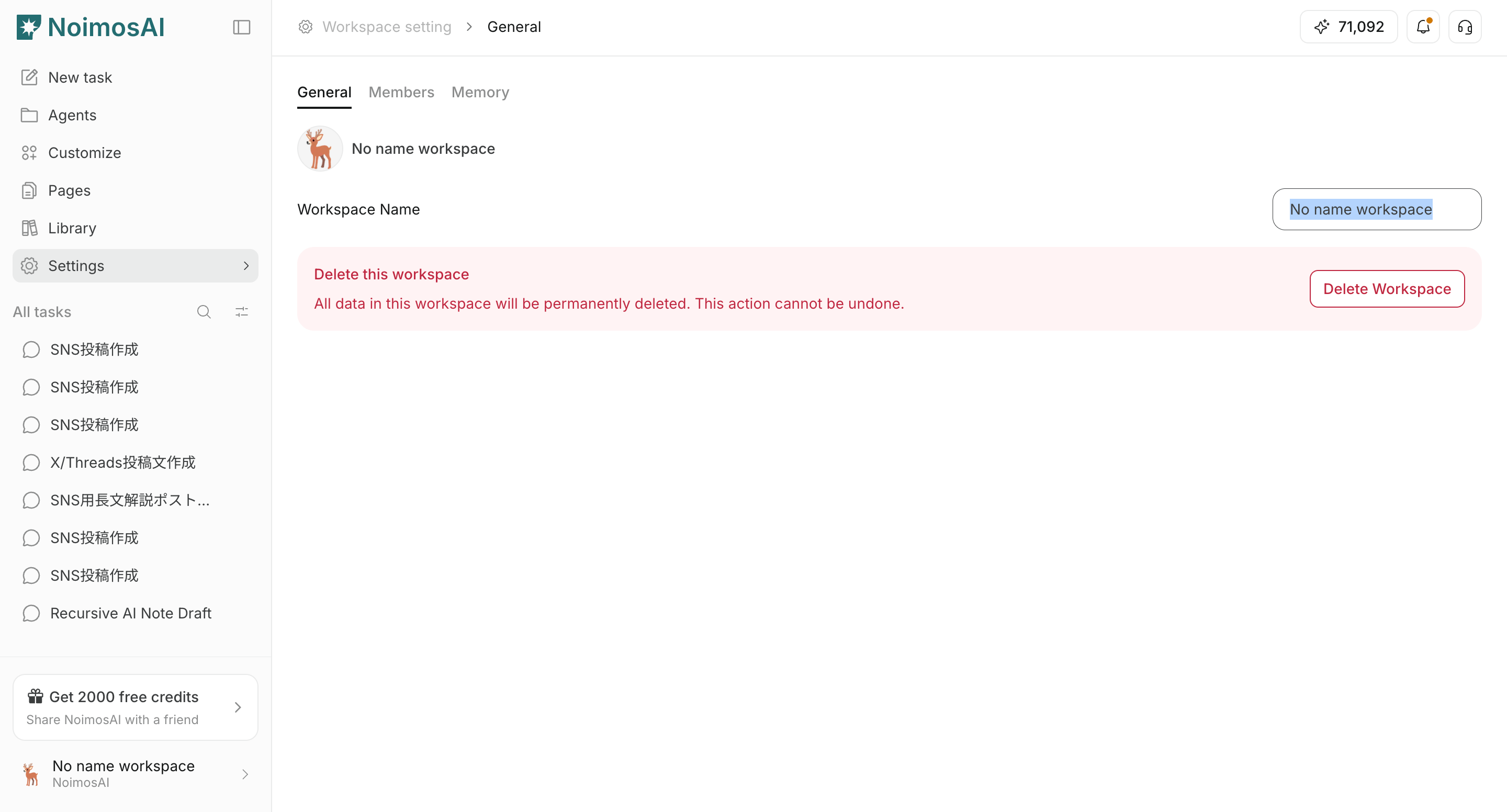
 2. Uppdatera `Arbetsytenamn` och spara.
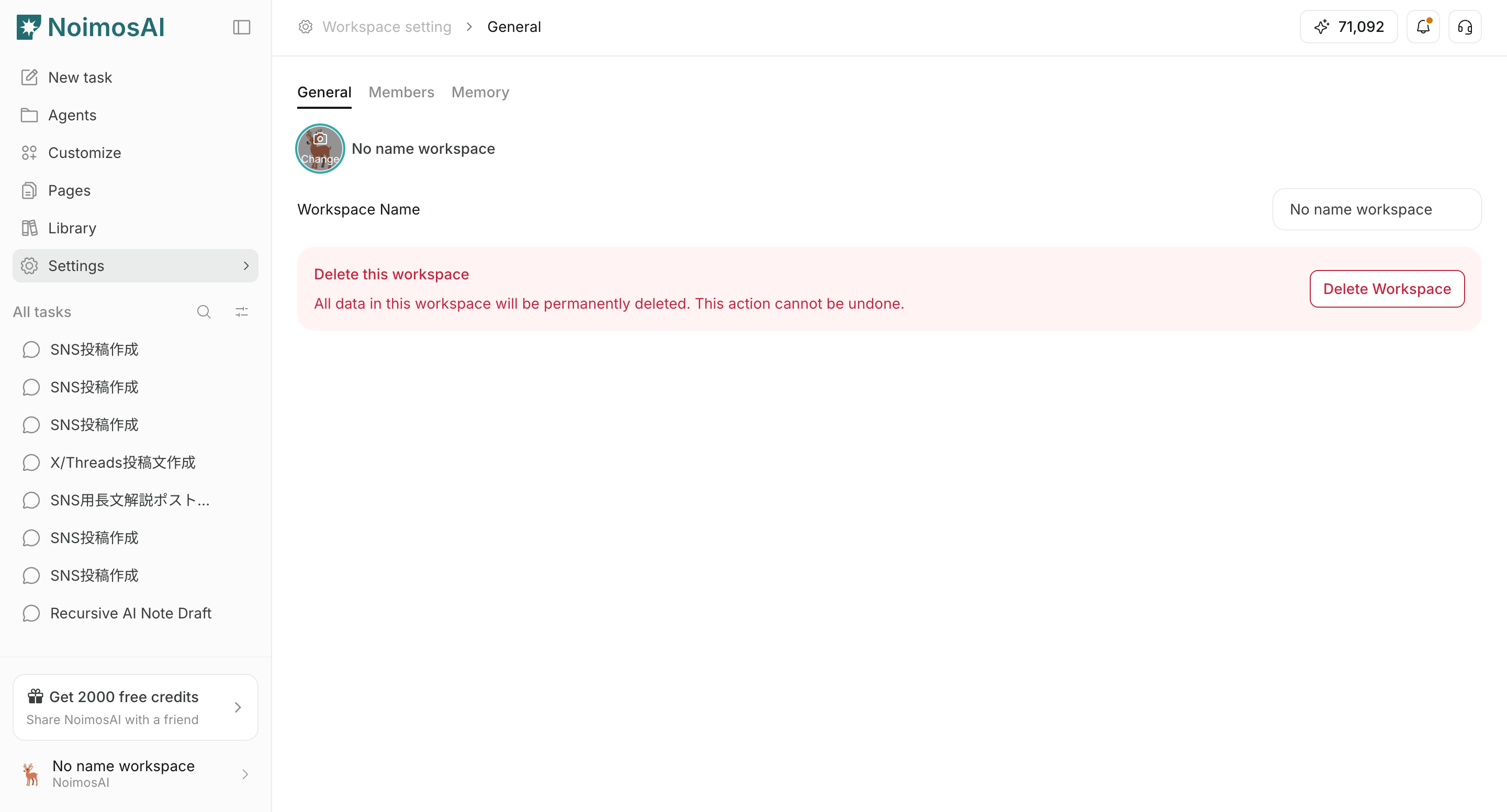
 3. Klicka på arbetsytans bild för att ladda upp eller byta ut den.
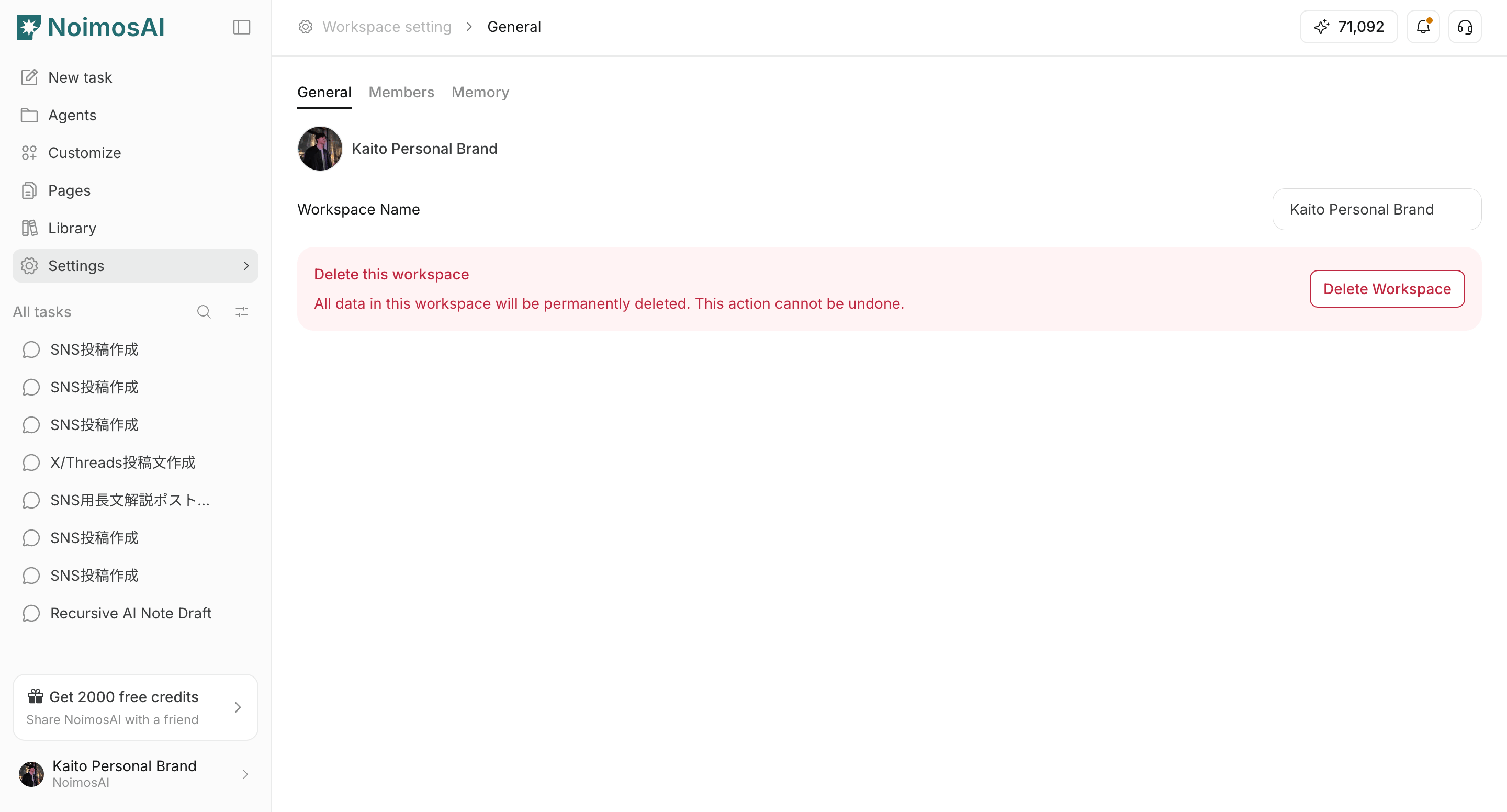
 4. Kontrollera uppdateringen i sidofältet och i arbetsyteväljaren.
 ## Viktiga anteckningar
* Använd tydligt olika bilder för olika arbetsytor så att de inte förväxlas.
* Om uppladdningen misslyckas, kontrollera filformat och filstorlek.
## Relaterat
* [Grunderna i arbetsyta](/sv/help-center/workspace/workspace-basics)
* [Skapa arbetsytor](/sv/help-center/workspace/create-workspaces)
## Viktiga anteckningar
* Använd tydligt olika bilder för olika arbetsytor så att de inte förväxlas.
* Om uppladdningen misslyckas, kontrollera filformat och filstorlek.
## Relaterat
* [Grunderna i arbetsyta](/sv/help-center/workspace/workspace-basics)
* [Skapa arbetsytor](/sv/help-center/workspace/create-workspaces)