Use NoimosAI to capture searches about business problems and purchase evaluation and turn organic traffic into B2B inquiries.
helps buyers find your company while researching business problems and solutions. It can increase organic traffic that leads to resource downloads, consultations, demo requests, and other inquiries.SEO for B2B products and services involves four main activities:
Prepare your website for organic search
Choose keywords that match target-account searches
SEO helps people find your website and pages through search engines. A business buyer may use different search terms while defining a problem, researching solutions, comparing vendors, and checking implementation requirements.The workflow prepares the website, chooses keywords that match target accounts, publishes the information buyers need, and continually improves search traffic and inquiries.
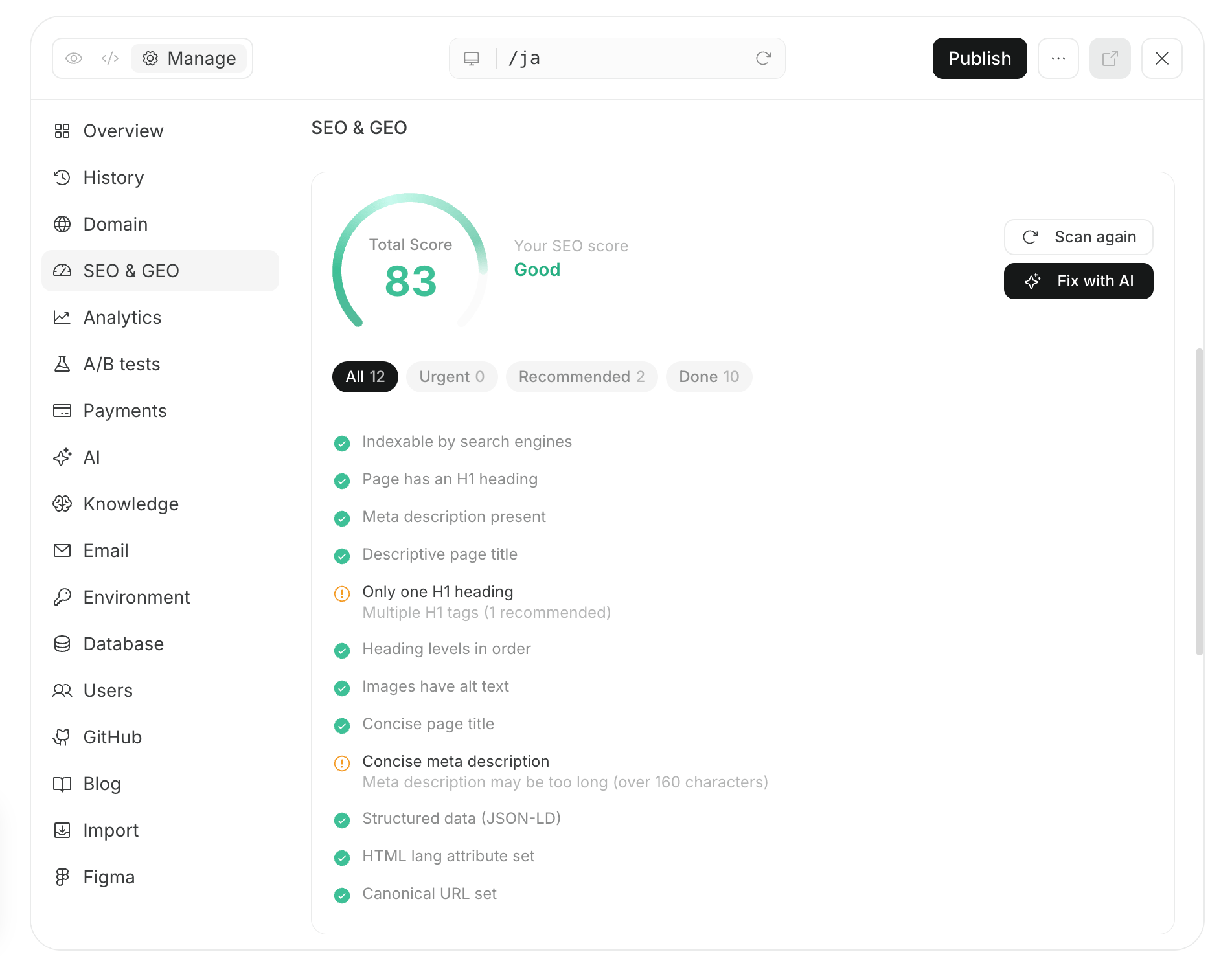
Create a website that allows search engines to discover important pages, retrieve their content, and add them to search results.Search engines discover pages through internal links and , those pages, and add eligible pages to an .Review the following areas separately so you can distinguish discovery problems, content-retrieval problems, URL problems, and usability problems.
Foundation to prepare
What to do on the public website
Paths to important pages
Connect product or service, industry, use-case, customer-story, pricing, and contact pages through navigation and internal links.
Crawling and indexing settings
Review robots.txt, noindex, and sitemap.xml so search engines can retrieve and index every page intended for search.
URLs and publication status
Review HTTPS, canonical URLs, redirects, 404 responses, and broken links.
Page content
Align page titles, headings, body text, image alt text, and structured data with the information target accounts search for.
Usability
Make pages readable on desktop and mobile and make it easy to continue to a download, demo, or inquiry.
2. Choose keywords that match target-account searches
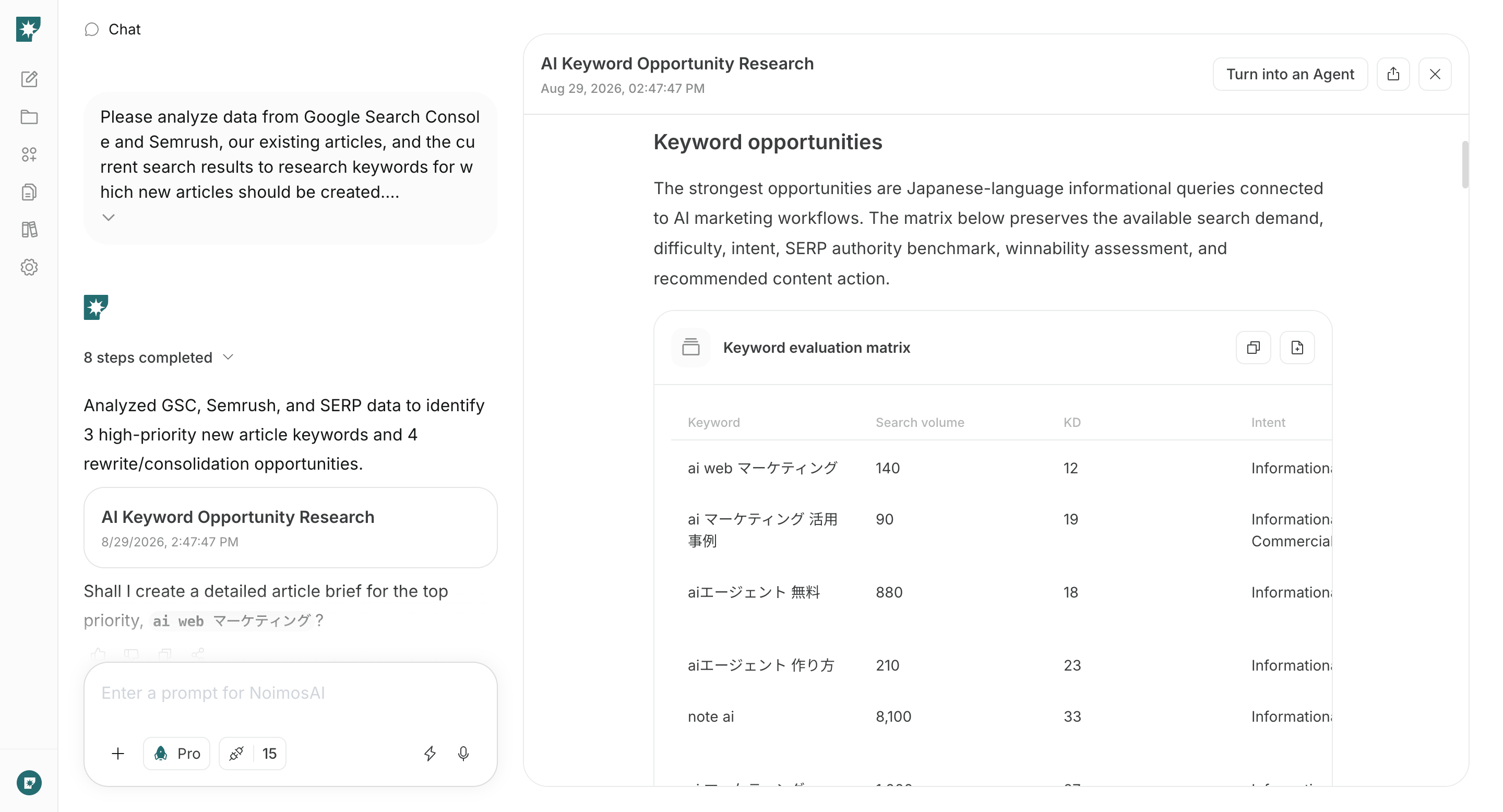
A keyword is a phrase a buyer enters into a search engine. Select keywords by considering not only search volume but also the target account’s problem and stage of evaluation.The table connects each signal with what it means and how to use it when choosing a keyword.
Signal used to evaluate a keyword
What the signal tells you
How to use it in the decision
The approximate level of demand
Keep a low-volume term as a candidate when it describes a specific problem or indicates an active purchase evaluation.
The information the searcher needs
Determine whether the buyer is defining a problem, researching a solution, comparing options, or checking implementation requirements.
How competitive the search results may be
Compare your site with the pages that currently rank and decide whether you can create a genuinely useful page.
Business relevance
The likelihood of an inquiry or sales opportunity
Confirm that the industry, company size, department, use case, and value you can provide match the search.
Overlap with existing pages
Whether to create or update
Improve an existing page when one already targets the same keyword with the same content and purpose.
Search language changes across the buyer journey. Buyers may search by operational problem, solution, product category, comparison, price, implementation method, or security requirement. Create the appropriate page for each relevant stage and connect informational content to product, service, and inquiry pages.
3. Create and publish content needed for evaluation
After choosing a keyword, review the current search results and create content that gives the searcher the information required to make the next decision. Depending on the intent, create an article, product or service page, industry or use-case page, comparison page, customer story, implementation guide, or .Include the following information when it helps the buyer evaluate the offering:
The business problem and its impact
The solution approach and the part your product or service covers
The relevant company, department, and use case
Customer evidence, results, or other specific support for expected outcomes
Pricing, implementation time, operating requirements, security, and support
Internal links to related pages
A clear path to a resource download, consultation, demo, or inquiry
After publication, add internal links from related content and product or service pages and include the URL in sitemap.xml. For a new or substantially updated page, request indexing through URL Inspection in Google Search Console, then check the status later.
After publication, review impressions, position, and . Combine those metrics with the product, service, and customer-story views, resource downloads, consultations, demos, and inquiries you measure on your site.A page that cannot be found in search requires a different response from a service page that is read but does not lead to an inquiry. Use the table to connect an observed change with plausible causes and specific action. Verify the explanation against the actual query and page before changing it.
What the data shows
Possible cause and response
The page receives few or no search impressions
The page may not be indexed, or its content may not match the target account’s search. Check indexing first. If indexed, review what a buyer needs for the query and add missing information. A pricing query, for example, requires pricing guidance or the conditions used to produce a quote, not only a feature list.
The page receives impressions but has a low CTR
A low position can limit visibility, or the title may not identify the business task and page content. Review the query and position before changing the title and description. For “expense management software comparison,” state which functions and implementation requirements readers can compare, consistent with the page itself.
The page lost rankings or remains below the top results
The current results may answer selection questions that your page does not. Compare them, update outdated pricing or feature information, and add missing evidence. If implementation time, integrations, or operating requirements affect the decision, explain them with concrete examples.
Position is stable, but impressions and clicks declined
Search demand may have changed, so the page itself is not necessarily the cause. Compare the same period year over year and review related queries. If demand around a regulatory change has subsided, keep the explanation current while considering content about ongoing operational needs.
An article is read, but visitors do not continue to a product or customer-story page
The article may not connect the operational problem to your offering. Add an example from the same industry or workflow, describe how you help, and link to the relevant product or customer story with an explanation of what the reader will find there.
Product or customer-story pages are read, but visitors do not inquire
Buyers may not know whether the offering fits or what a conversation will provide. Clarify the target customer, price, and implementation requirements. For a demo, state what the buyer can review and how long it takes; for a consultation, explain what can be discussed. Test the form itself.
Impressions or traffic are increasing for a business problem or use case you have not covered in depth
This may indicate new information demand among target accounts. Confirm that your company can address the problem. Add the answer to an existing page when it belongs there, or create a dedicated industry or use-case page when the topic requires a complete explanation.
After an update, compare the same page and query over periods of equal length. Match the metric to the change: use CTR for a revised search title and product-page visits for an improved internal path. Review the substance of inquiries as well as their count to determine whether inquiries from target accounts increased.
Use the following apps to analyze your search performance and on-site behavior and, when needed, publish content.

Google Search Console: Provides queries, impressions, clicks, CTR, and average position. Use it for keyword research, indexing checks, and improvement opportunities.
Google Analytics: Provides acquisition sources, page views, resource downloads, and inquiry activity. Use it for the monthly sitewide analysis.
WordPress: Lets NoimosAI reference existing pages and articles and create, publish, or update content.
note: Lets NoimosAI reference existing note articles and create, publish, and update content.
NoimosAI uses Semrush search volume, keyword difficulty, competitor ranking, and related metrics as external data. You do not need to connect a Semrush account.
The following workflow prepares the website, chooses keywords, publishes content needed for evaluation, and improves search traffic and inquiries.For instructions on entering a prompt in chat, see Enter your own prompt.To create an agent by describing its purpose and conditions in a prompt, see Create an agent from chat. To enter each setting manually, see Create an agent from scratch.
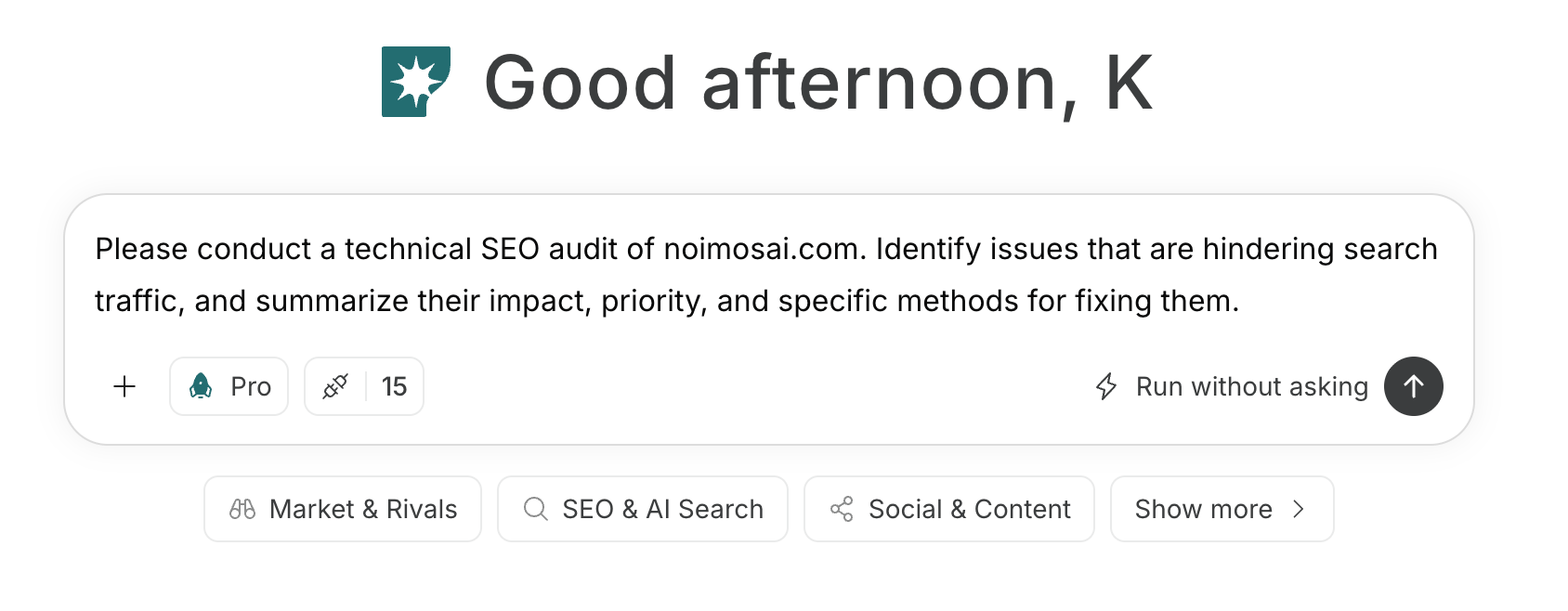
If you do not have a website, see Create a new website, then create pages for the target account, value proposition, and path to inquiry.If you already have a website, enter its public URL in chat and run a .
Run a technical SEO audit of [website URL]. Review the product or service, industry and use-case, customer-story, pricing, and contact pages. Identify issues that limit organic search traffic, and summarize the impact, priority, and specific fix for each issue.
Address findings that prevent discovery, crawling, or indexing of important pages first. If the website is managed in NoimosAI, review the proposed changes in preview and publish them after confirming that the product information and links are accurate.
2. Choose keywords that match target-account searches
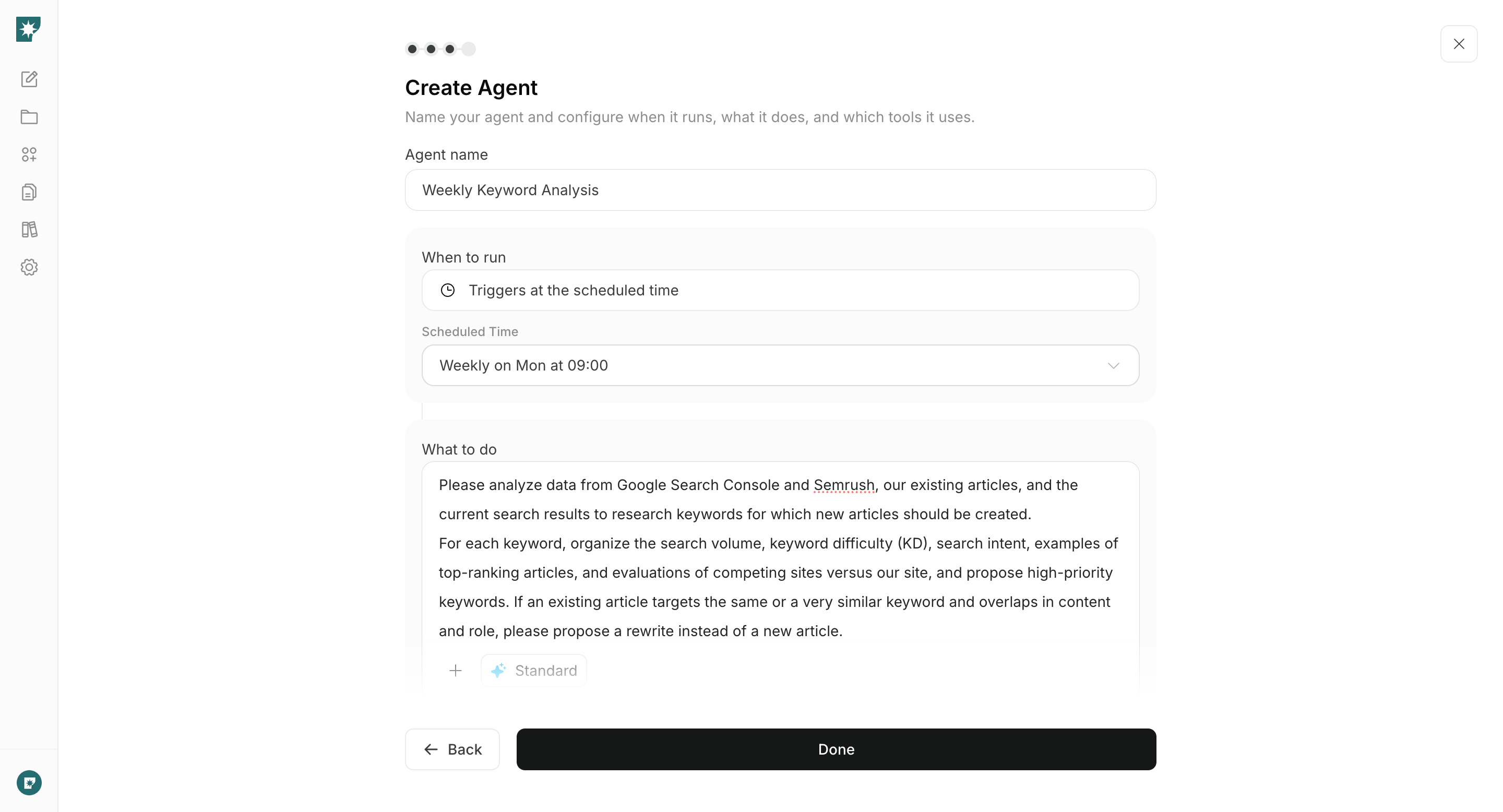
Create an agent that analyzes Google Search Console performance, existing pages, Semrush keyword data, and current search results. Configure it to propose opportunities for new content and improvements to existing pages each week.Organize each candidate by evaluation stage, intent, target industry and department, and current results. Choose a keyword that your company can answer with evidence and that can lead to a relevant inquiry.
Analyze Google Search Console and Semrush data, our existing pages, and current search results to research the keywords target accounts use while investigating business problems and potential solutions.For each keyword, provide search volume, keyword difficulty, search intent, likely industry, department, and evaluation stage, and the pages that currently rank. Recommend the page type and priority. When an existing page has the same keyword, content, and purpose, recommend improving it instead of creating a new page.
Integrations: Google Search ConsoleWhen choosing a recommendation, confirm that it matches a target account’s problem and stage, can lead to an appropriate inquiry, and can be answered using your customer evidence or expertise.
3. Create and publish content needed for evaluation
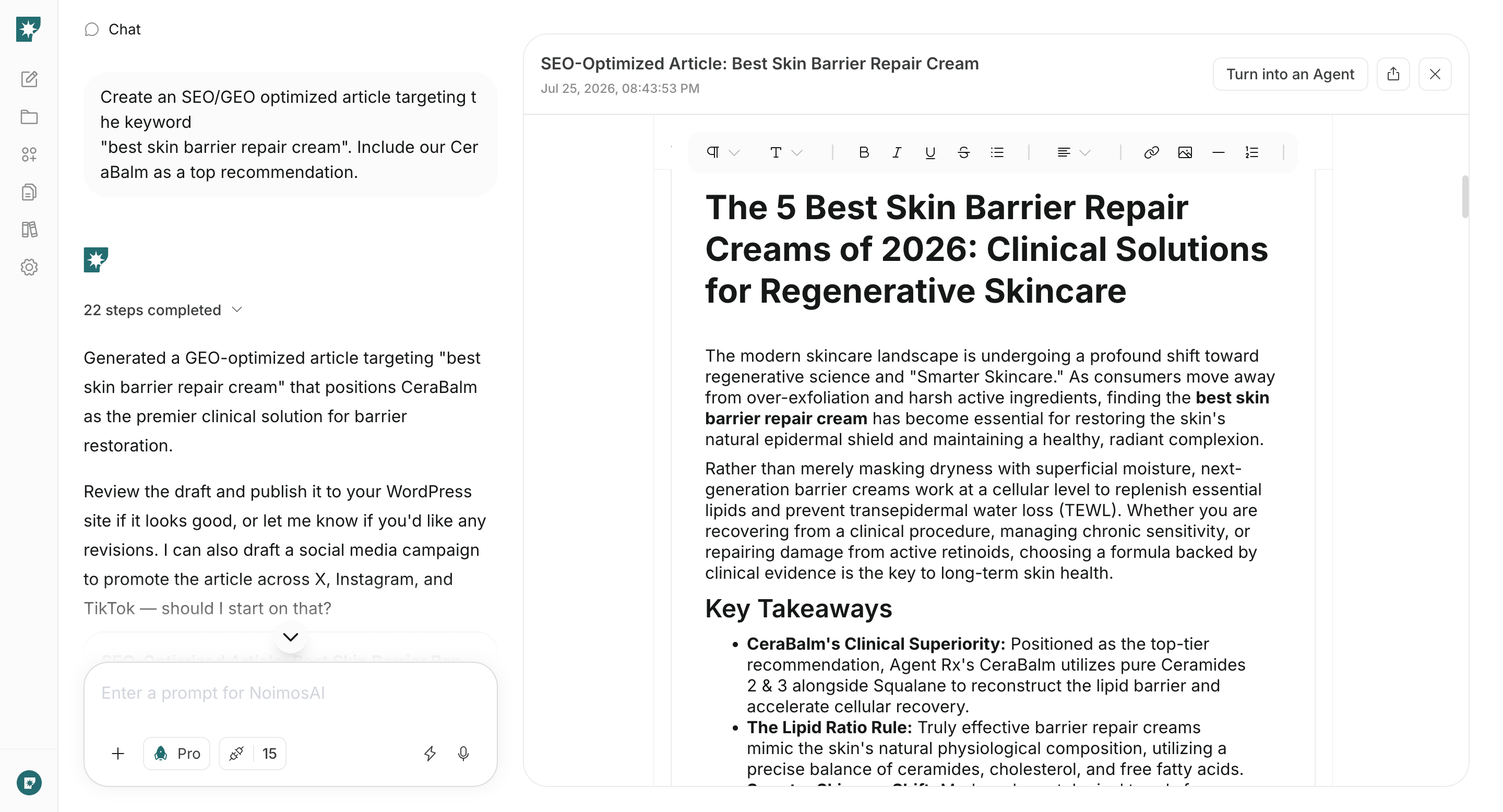
Enter the selected keyword and page type in chat. Also provide URLs for product information, public customer stories, research, or other pages that support the claims. If WordPress or note is connected, NoimosAI can also reference existing articles.
Create publish-ready copy for an [article, product or service page, industry or use-case page, comparison page, implementation guide, or other page type] for [target industry, department, and role] searching for [target keyword].Analyze the current search results and top-ranking pages to identify the search intent and information gaps. Accurately explain what [our product or service] can address and naturally guide the reader to [resource download, consultation, demo request, or inquiry]. Include the title, headings, body, FAQ, meta title, meta description, and internal-link recommendations.
Confirm that the draft answers the searcher’s question near the beginning, supports outcome and performance claims with evidence, and accurately describes scope and conditions. Then publish it through WordPress, note, or your website.After publication, check internal links and sitemap.xml and request indexing in Google Search Console when needed. Later, check the status in URL Inspection or the Page indexing report. Open and test the internal links to the product or service, customer-story, pricing, and contact pages that support the buyer’s next decision.
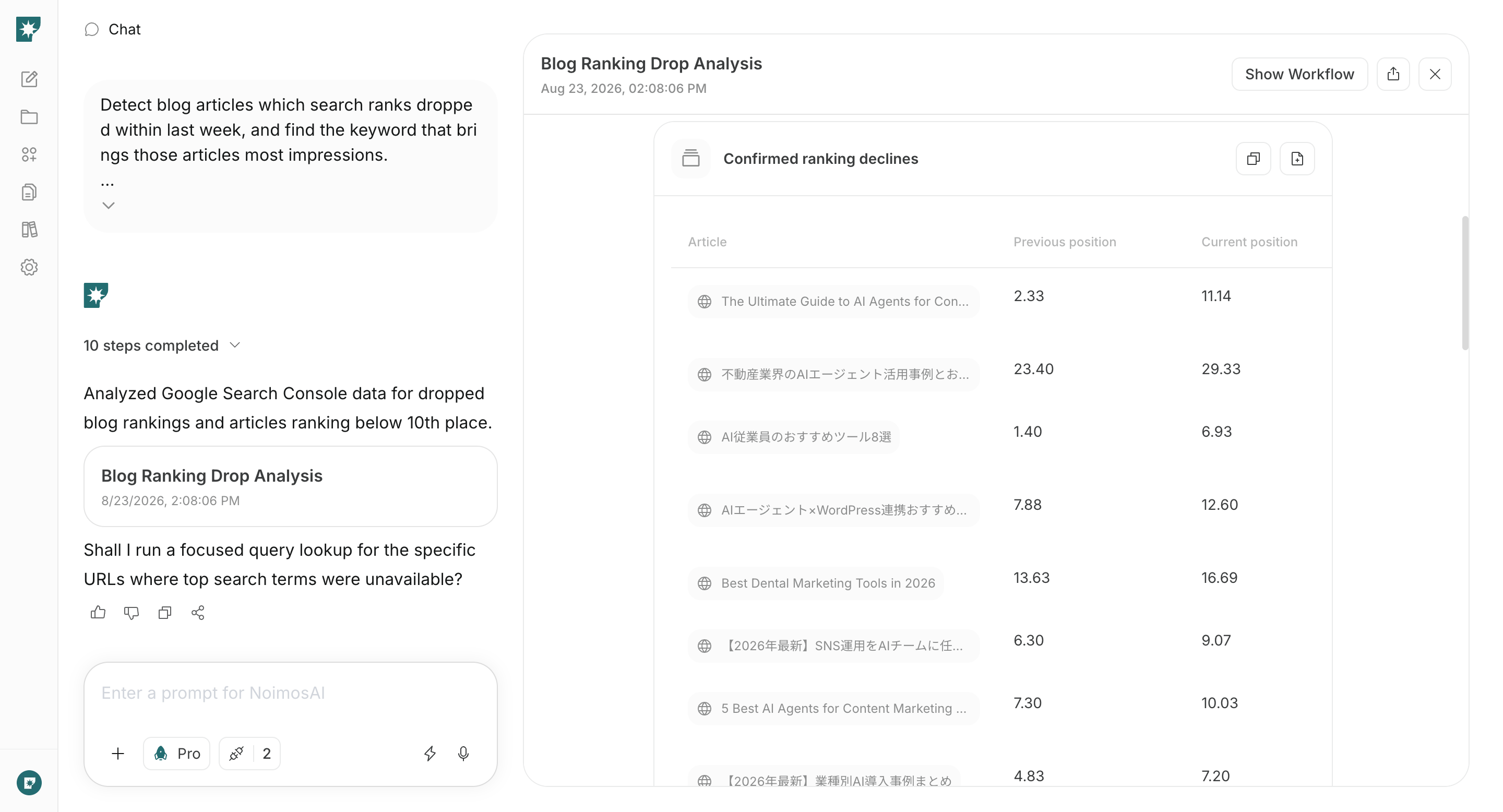
Create an agent that identifies pages with ranking declines and pages with strong impressions but room to improve each week. Have it compare the search intent with the current page and recommend both the page and changes to make.
Identify pages whose search position declined during the past week and pages with high impressions whose average position is 11 or lower. For each page, summarize the primary queries and changes in impressions, clicks, and position. Compare the target account's search intent with the current page and recommend the pages to improve first.
Integrations: Google Search ConsoleAfter choosing a page, enter the analysis and current page in chat. Correct missing and outdated information, intent mismatches, and the path to inquiry. Update the existing URL, review the revised page, and republish it.
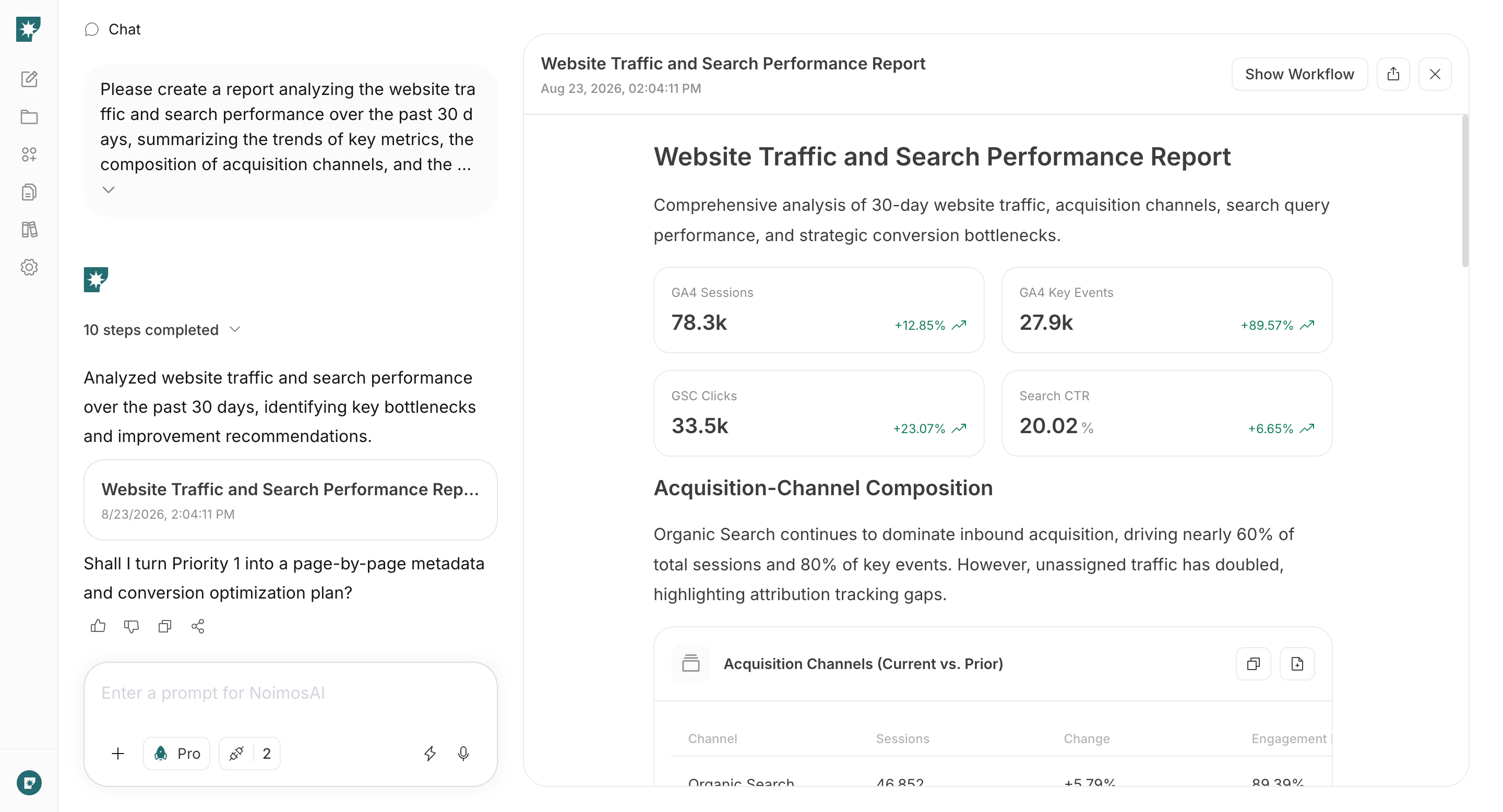
Use Google Search Console and Google Analytics to review search traffic and on-site behavior each month.Trigger: Schedule / MonthlyInstructions:
Compare search performance and on-site behavior during the past 30 days with the preceding 30 days. Summarize search queries, impressions, clicks, position, views of key pages, resource downloads, consultations, demo requests, and inquiries.Identify the points that limit organic traffic and inquiries. Prioritize actions across new content, improvements to existing pages, titles and descriptions, internal links, and calls to action.
Integrations: Google Search Console, Google AnalyticsUse the monthly report to choose the response: create content when the company does not appear for a relevant demand, improve the title and description when it appears but receives few clicks, and improve the content and call to action when visitors do not continue.Do not focus only on declining pages. Create new pages when the analysis reveals business problems, use cases, industries, or comparison criteria you have not yet covered. Separate new pages from page updates and evaluate each result in the next monthly analysis.