

- Prepare your website for organic search
- Choose target keywords
- Create and publish SEO articles
- Improve performance using search and conversion data
Understand SEO fundamentals
SEO is the practice of helping your website and pages rank in search engines such as Google and Bing so that more people can find them through search. Unlike paid advertising, useful content can continue attracting prospective customers over time after it is published. An SEO workflow prepares the website, chooses keywords, creates articles, and improves their performance after publication. The following sections explain the decisions you need to make at each stage.1. Prepare your website for organic search
Before creating content, make sure your SEO settings and site structure allow search engines to find and understand your website. Search engines generally make a published page eligible for search results through this process:- They discover the page through or a .
- They the page and read its title, text, links, and other content.
- They add the content to their and use it when selecting results for relevant searches.
2. Choose target keywords
A keyword is a phrase a customer enters into a search engine. Compare the following signals when deciding which keywords to target.
Third-party site authority metrics often consider the number and quality of . A newer or less established site will often struggle with highly competitive keywords. Prioritize keywords whose intent matches your products and for which you can create a page that has a realistic opportunity to rank.
When several pages on your site target nearly the same keyword with similar content and the same role, they can compete with one another. This is commonly called . Before creating a page, review existing content. If the proposed page overlaps, consolidate the content or the existing article instead.
3. Create and publish SEO articles
After choosing a keyword, review the pages that currently rank for it to understand what searchers need. Cover those needs, then add original experience, proprietary data, product knowledge, or concrete examples so the new article is more useful than the existing results. When creating an article, make sure it does the following:- Answers the searcher’s primary question near the beginning
- Covers the necessary information without irrelevant padding
- Adds trustworthy evidence, first-hand experience, or original data
- Uses a title and headings that match the target keyword
- Includes to related articles and a clear path to the relevant product or booking page
- Includes a that accurately describes the page and target keyword
- Includes a
- Includes an when it genuinely helps answer related customer questions
4. Improve performance using search and conversion data
After publication, check whether people can find the article and whether its visitors continue to a product view, booking, or purchase. An “impression” means that the page appeared in search results, “position” describes where it appeared, and shows what percentage of impressions resulted in a click. Combine these search metrics with the product views, bookings, and purchases you measure on your website to decide where to improve. An article that appears but receives few clicks requires a different response from an article that attracts readers but does not send them to a product page. The table connects an observed result with plausible causes and a specific response. Verify the cause against the actual query and page before making a change.
After an update, compare the same article and query over periods of equal length and account for seasonality. Match the metric to the change: evaluate a new search title with CTR and an improved product link with visits to the product page. For the rest of the purchase or booking journey, see Website creation and improvement.
Apps you can use for SEO
You can connect the following apps to move from analyzing your own data to publishing and updating articles. Connect only the apps required by the workflow you use.
Google Search Console: Provides queries, impressions, clicks, CTR, and average position. Use it for keyword research and to identify articles that may need an update.

Google Analytics: Provides traffic sources, behavior after an article view, visits to product pages, and data. Use it in the monthly analysis.

WordPress: Lets NoimosAI reference existing articles and create, publish, and rewrite articles.

note: Lets NoimosAI reference existing note articles and create, publish, and update content.
NoimosAI uses Semrush search volume, keyword difficulty, competitor ranking, and related metrics as external data. You do not need to connect a Semrush account.
Put SEO into practice with NoimosAI
The following workflow prepares the website, chooses keywords, creates and publishes SEO articles, and improves results after publication. For instructions on entering a prompt in chat, see Enter your own prompt.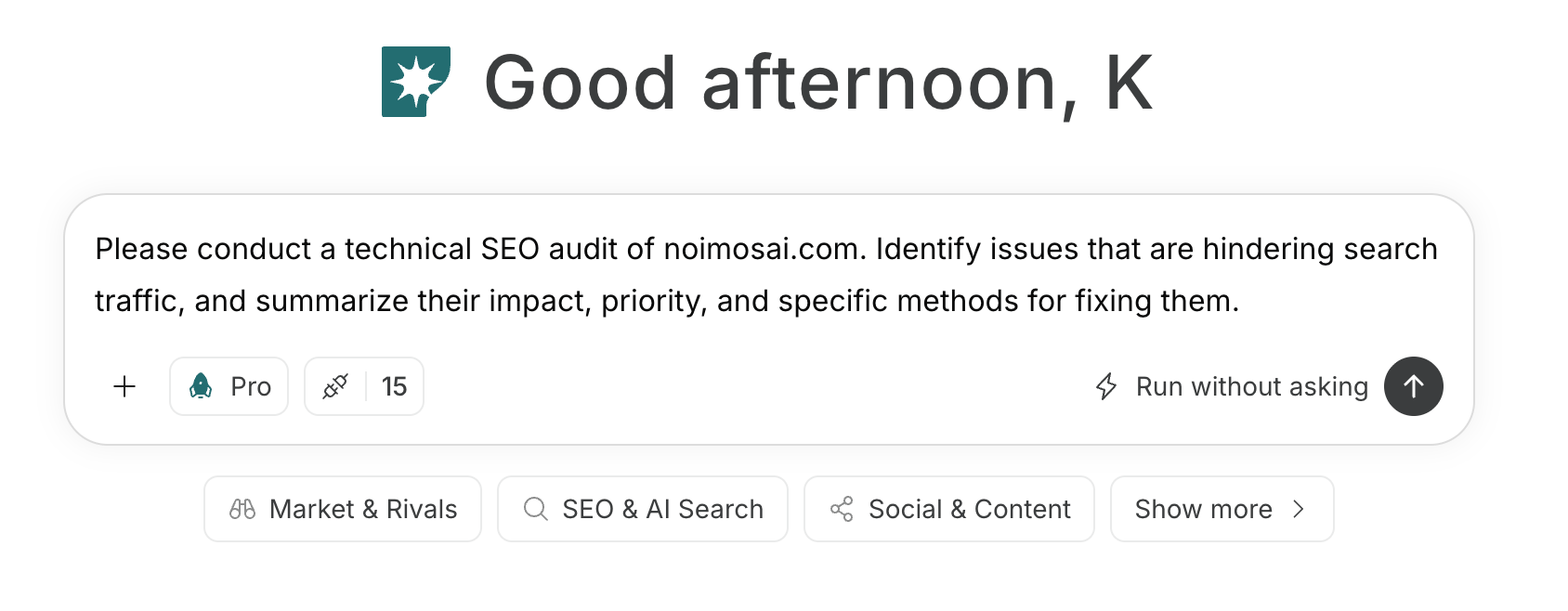
1. Prepare your website for organic search
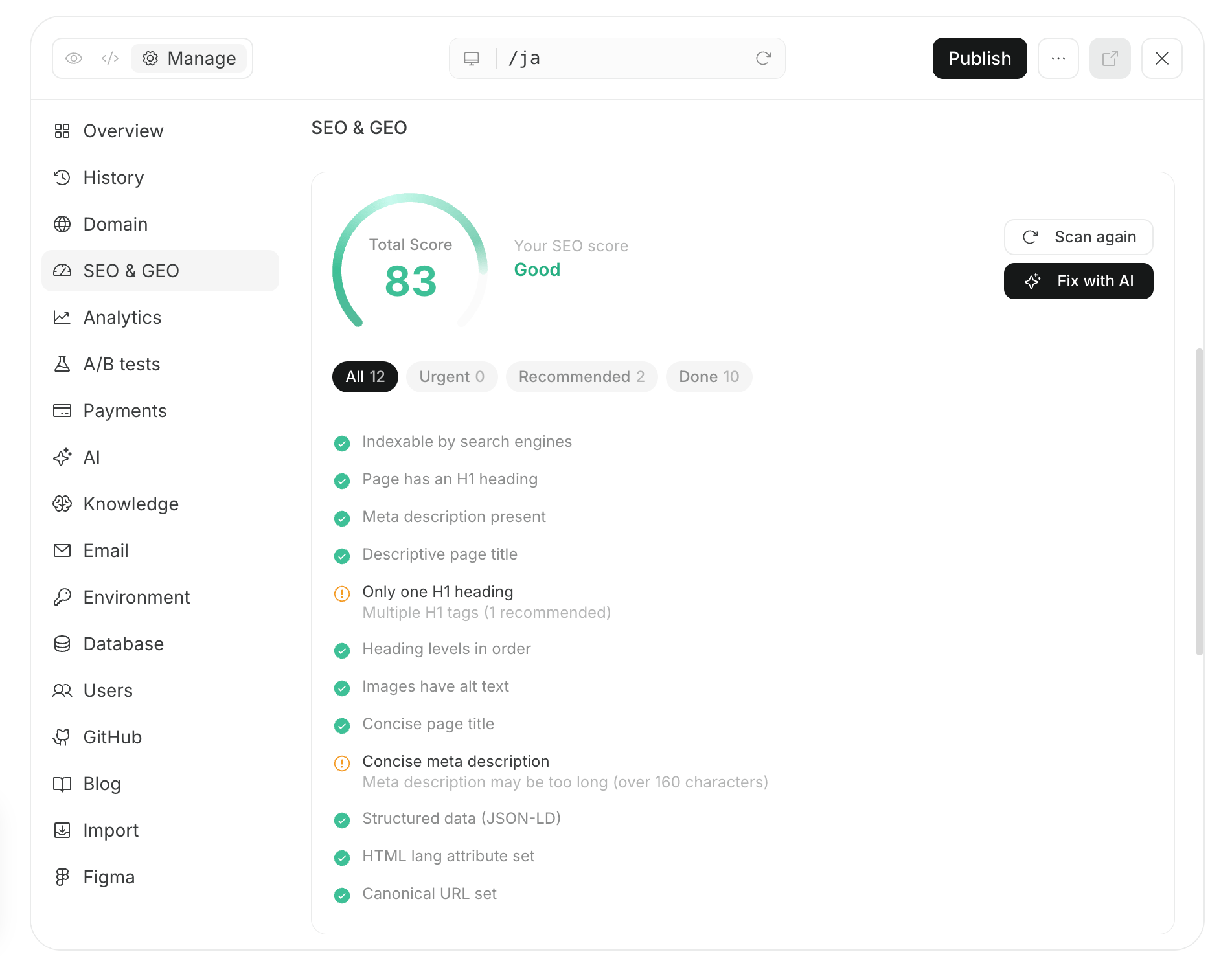
If you do not yet have a website, you can use NoimosAI to build one with SEO settings in place. It can create a site structure and configuration that help search engines discover, read, and index the pages. See Create a new website for the website workflow. If you already have a website, enter its public URL in chat and run a . NoimosAI reviews the site structure, page retrieval and indexing, URL and publication status, mobile experience, and serious performance issues, then prioritizes the problems to address.Technical SEO audit prompt
2. Choose target keywords
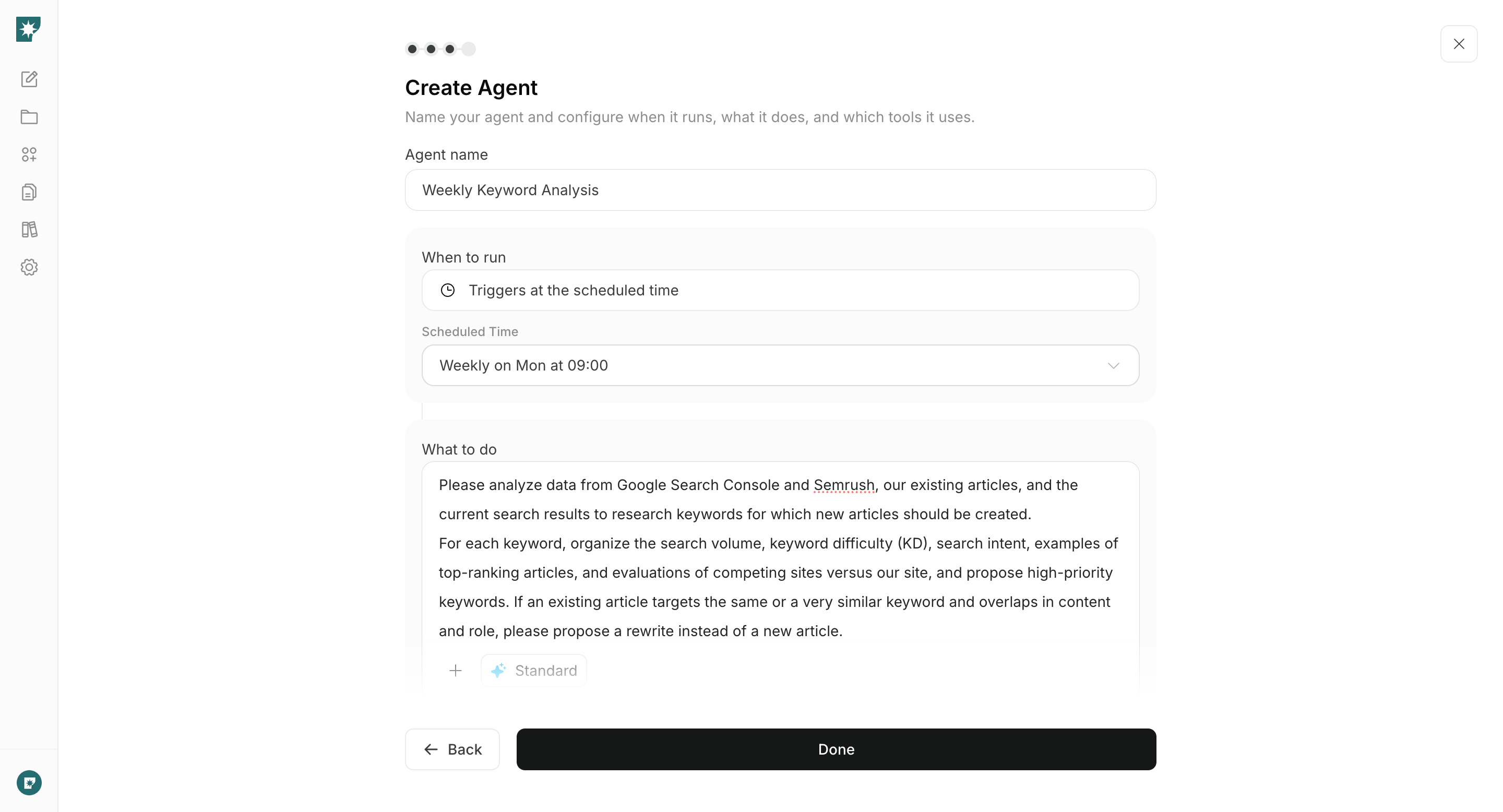
Create an agent that reviews Google Search Console performance, existing articles, Semrush keyword data, and current search results. Configure it to propose keywords for new articles and candidates for rewrites every week, then choose the next keyword to address.Agent setup
Trigger: Schedule / Weekly Instructions: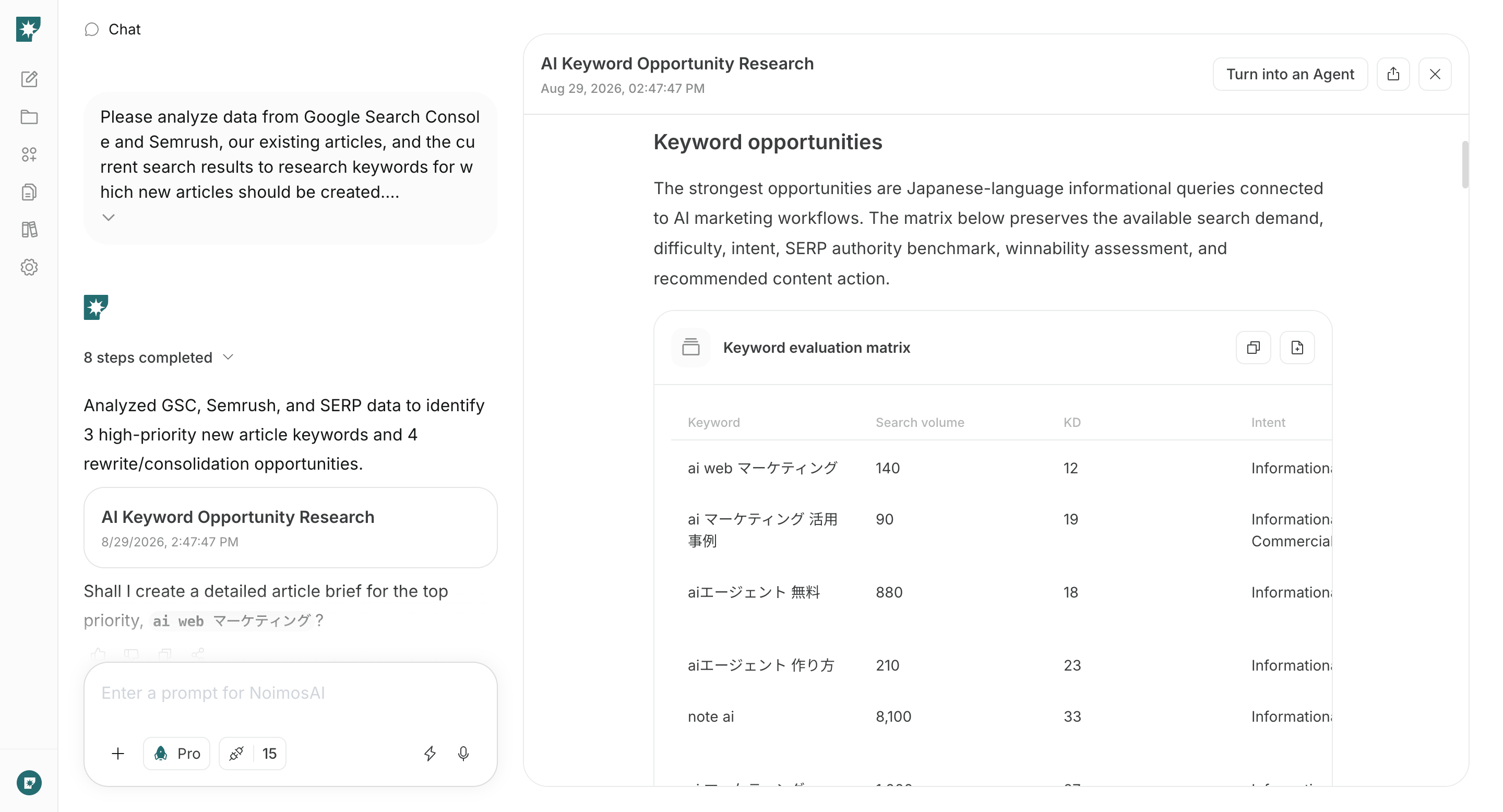
- The intent matches your products and target customers.
- Keyword difficulty and competing-site authority are not disproportionately high for the available search volume.
- You can create something more useful than the current results using your experience, products, or data.
- The content and purpose do not overlap an existing article that targets the same or a very similar keyword.
3. Create and publish an SEO article
After choosing a keyword, create and publish the article. When you provide the keyword in chat, NoimosAI analyzes the pages that currently rank and produces an article structure and draft that match the search intent. Connect WordPress or note so NoimosAI can reference existing and related articles and publish the completed article. If you have proprietary data, customer feedback, expert commentary, or other source material, attach it in chat.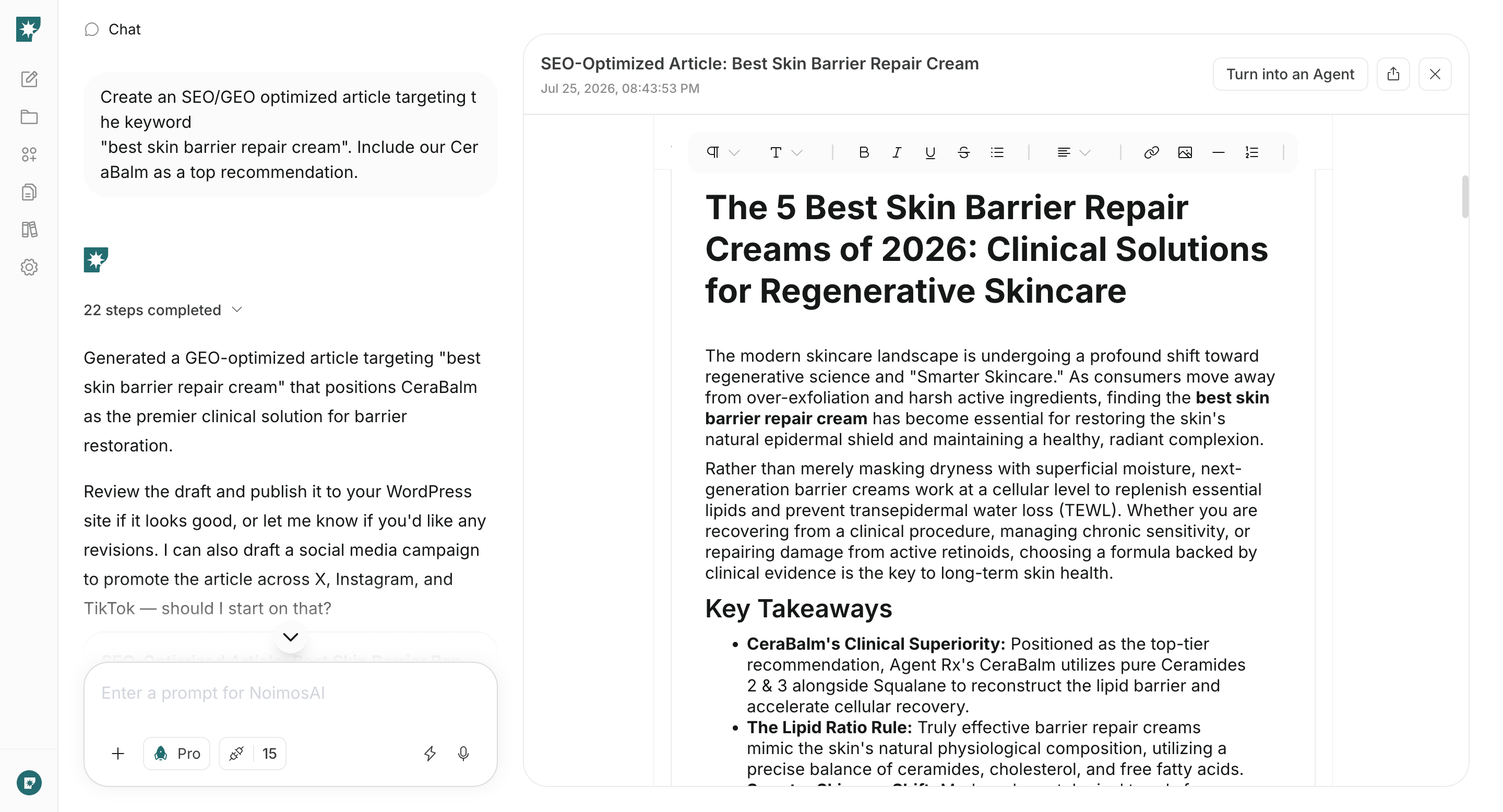
4. Improve performance using search and conversion data
Continue improving articles after publication to build sustainable acquisition. Use one agent to identify rewrite candidates and another to analyze sitewide search and conversion performance each month.Find articles to rewrite
Each week, identify articles that lost rankings and articles with high-impression keywords that remain below the first page of results.Agent setup
Trigger: Schedule / Weekly Instructions: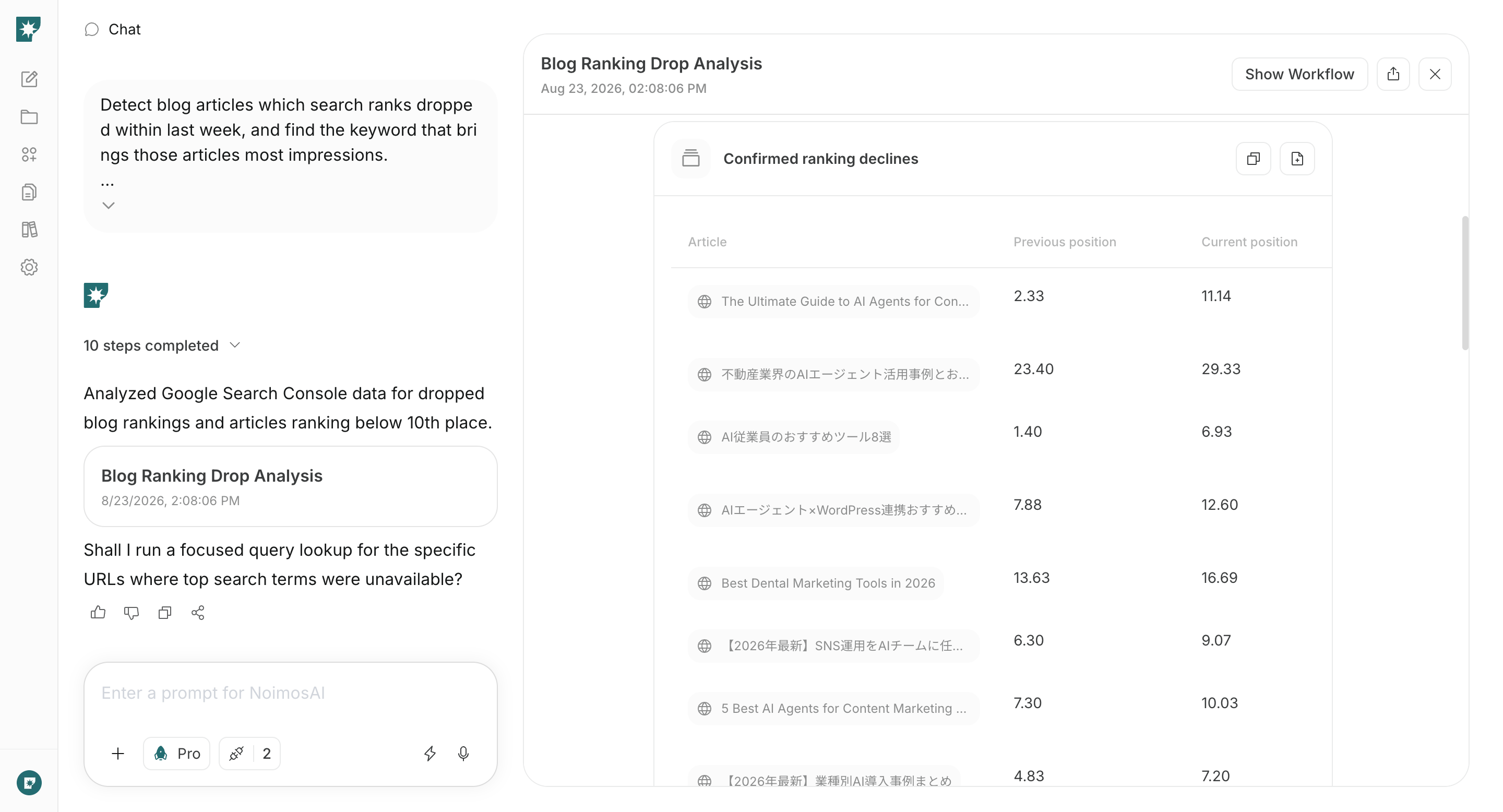
Rewrite an article in chat
After choosing an article, enter the agent’s analysis and the current article in chat. NoimosAI compares them with current search results and leading pages, identifies intent mismatches, missing information, and outdated details, and creates the updated article.Prompt for chat
Analyze the entire website
Combine Google Search Console and Google Analytics to review organic traffic, behavior after an article view, and conversions each month. In the monthly report, review impressions and CTR for each and identify in the path from search to conversion.Agent setup
Trigger: Schedule / Monthly Instructions: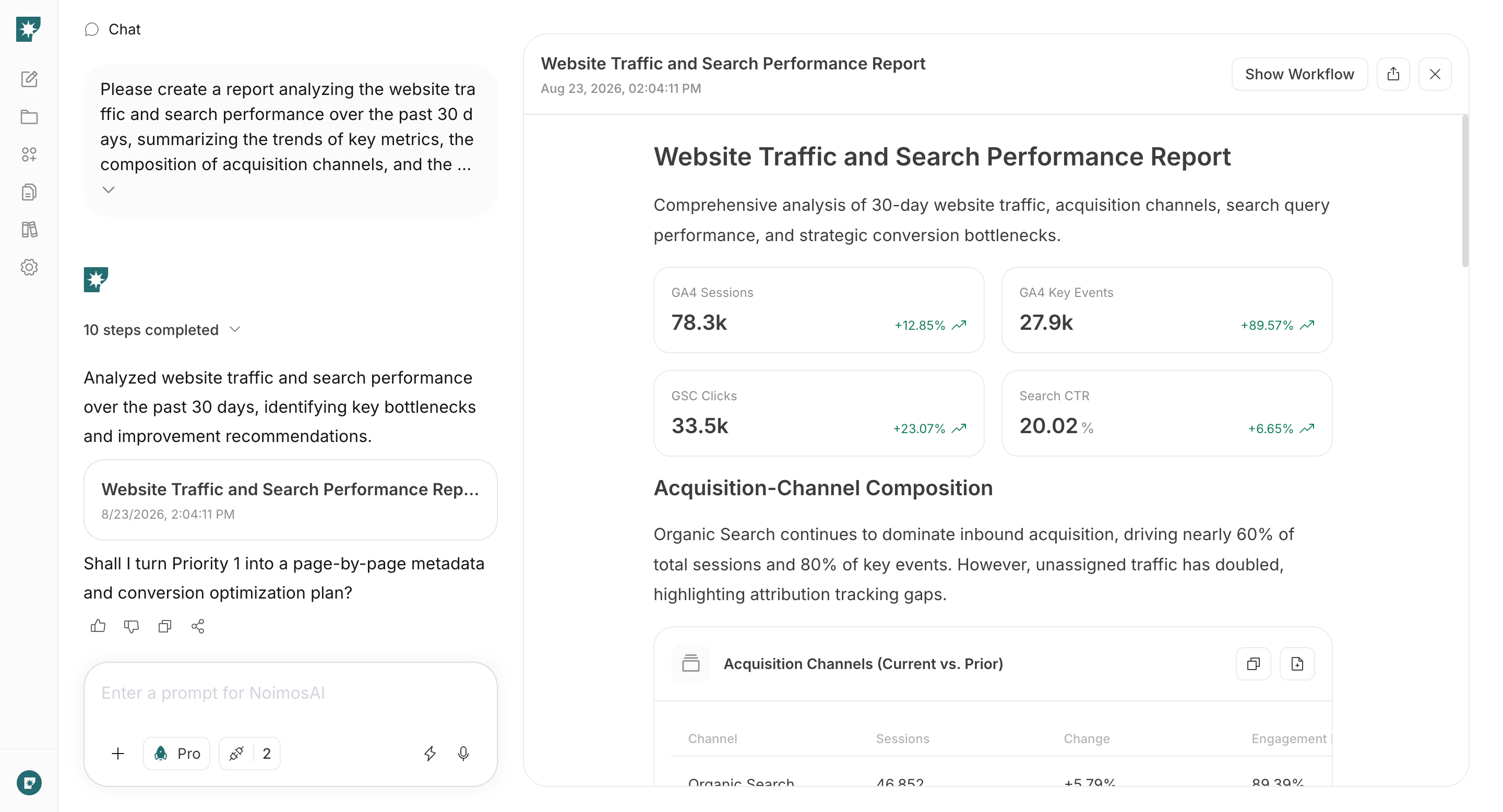
- If impressions are high but CTR is low, improve the title and meta description.
- If a page has high impressions and an average position of 11 or lower, rewrite the article.
- If article traffic is high but few readers visit a product or booking page, improve the internal links and the explanation around the next step.
- If impressions or traffic are increasing for queries that existing articles do not cover, create a new article.