- Choose social media platforms and define your content strategy
- Research trends and plan posts
- Create and publish content for each platform
- Improve based on performance
Understand social media fundamentals
Effective social media management starts with choosing platforms that fit your product and customers, researching relevant topics, and publishing content tailored to each platform. Use posts both to introduce your product to prospective customers and to share usage tips and updates with existing customers. After publishing, identify the themes and formats that perform well and use those findings in future posts. The basics you should know, from choosing platforms and planning and producing posts to improving results, are as follows.1. Choose social media platforms and define your content strategy
Based on content formats that effectively convey your product’s appeal and content you can produce consistently, choose the social media platforms to prioritize. You don’t need to start using every platform at once. NoimosAI supports the following trends among social media platforms. Compare these to how you want to present your product and the content you can sustain to help decide which platforms to prioritize.| Social media platform | How people discover content | Primary formats | Example uses for small businesses |
|---|---|---|---|
| X | Highly real-time, public conversations and topics can spread widely | Text, images, video, threads | Announcing new products or updates, sharing expertise, commenting on trending topics |
| Page-centered, good for ongoing engagement with customers and local communities | Text, images, video, links, short videos | Store info, events, product showcases, customer interaction | |
| Visual-first, makes it easy to show product appearance and use cases | Images, multi-image posts, short videos, Stories | Product photos, use cases, brand aesthetics, short video clips | |
| Threads | Text-focused, good for creating public conversations about topics and ideas | Text, images, video | Sharing expertise, background on development, daily posts, conversations with customers |
| TikTok | Content is discovered via recommendations; vertical short-form video is central | Mainly vertical short videos | Product demos, before/after transformations, short explainers, launch clips |
| YouTube | Videos are discoverable over time via search and recommendations | Long-form videos, Shorts (short-form), live streams | How-tos, reviews, comparisons, deep dives, brand storytelling |
| Focused on searching and saving images/videos to view later | Image and video Pins (savable posts) | Outfit ideas, recipes, inspiration boards, product use cases | |
| LinkedIn (Personal) | Suited to sharing work and professional expertise | Text, images, video, documents | Educational content, career updates, promoting services tied to professional expertise |
| Mastodon | Conversations form around communities with shared interests | Text, images, video | Engaging with niche communities, sharing specialized content |
| Bluesky | Text-centric platform focused on real-time public conversations | Text, images, video | Latest news, industry perspectives, community conversations |
 X
X Facebook
 Instagram
 Threads
 TikTok
 YouTube
 Pinterest
 LinkedIn (Personal)
 Mastodon
 Bluesky
- Your target customers use them to search for products or related information
- The platform supports content formats that convey your product’s appeal
- You can consistently produce assets like post copy, images, and video
- You can direct people to the next action: visiting your website, viewing a product page, or visiting your store
2. Research trends and plan posts
Plan your posts based on both the topics your customers are currently interested in and the information your company needs to communicate. Rather than just copying a popular post, analyze why it garnered such a response and choose an approach that naturally connects to your company’s products and expertise. When thinking about a post theme, use the following information:- Topics that are attracting attention on each social media
- Posts that are getting reactions from competitors or in the same industry
- Questions, requests, dissatisfaction, and misunderstandings regarding your product name or brand name
- New product releases, product updates, campaigns, events
- Posts from your company that have performed well in the past
- Existing articles, videos, use cases, and customer questions
3. Create and publish social media content
Once you have decided on a posting plan, create and publish the post text, images, and videos according to the social media you will post on. When deploying the same project to multiple social media, adjust the amount of text, how the opening is presented, image size, video ratio, title, and instructions for next actions. Social media content can be created based on the following information:- New plans created from research on trends and competitors
- Content that answers customer questions, requests, and misunderstandings
- Announcement of new product releases, product updates, and campaigns
- Reconfigured website articles, product pages, and existing videos for social media
- Content that incorporates and customer feedback
4. Improve based on performance
After publishing a post, identify which themes, formats, and creative choices produced results and use those findings in future posts. Don’t judge performance solely by follower count; check whether people saw the post, engaged with it, and took the intended next action. Evaluate post performance in the order of whether it was seen, whether the content elicited a reaction, and whether it led to confirming a product or service. The following table maps metrics for each stage to aspects you should review if numbers are low.
Metric definitions vary by social media platform, so don’t directly compare numbers across different platforms. First identify the top-performing posts within each platform and look for commonalities in theme, format, or opening. If the same trends appear across multiple posts, incorporate those elements into your next campaign.
Social media apps you can connect
NoimosAI lets you connect the social media platforms you manage so it can reference your own posts and engagement, publish content, and analyze performance. Connect only the social media platforms you use; detailed connection instructions are available in each app’s Help Center.X: Use posts, mentions, reactions, and account performance for planning, publishing, and analysis.
Facebook: Use Facebook Page posts, comments, messages, and Page performance for publishing and analysis.
Instagram: Use posts, images, videos, comments, and account performance for content creation, publishing, and analysis.
Threads: Use posts, public conversations, reactions, and account performance for planning, publishing, and analysis.
TikTok: Use videos, comments, and account performance for video planning, publishing, and analysis.
YouTube: Use videos, Shorts, comments, and channel performance for video planning, publishing preparation, and analysis.
Pinterest: Use Pins, saves, clicks, and account performance for content creation, publishing, and analysis.
LinkedIn (Personal): Use personal profile posts and performance for publishing and analyzing professional content.
Mastodon: Use posts and reactions for community-focused publishing and analysis.
Bluesky: Use posts, public conversations, and reactions for planning, publishing, and analysis.

Google Analytics: Use it to analyze website visits from social media platforms and actions such as product views, bookings, and purchases.
Facebook connections use Facebook Pages. Instagram connections require an Instagram Business account connected to a Facebook Page and the necessary permissions. Check each app’s Help Center for connection requirements and steps.
Manage social media with NoimosAI
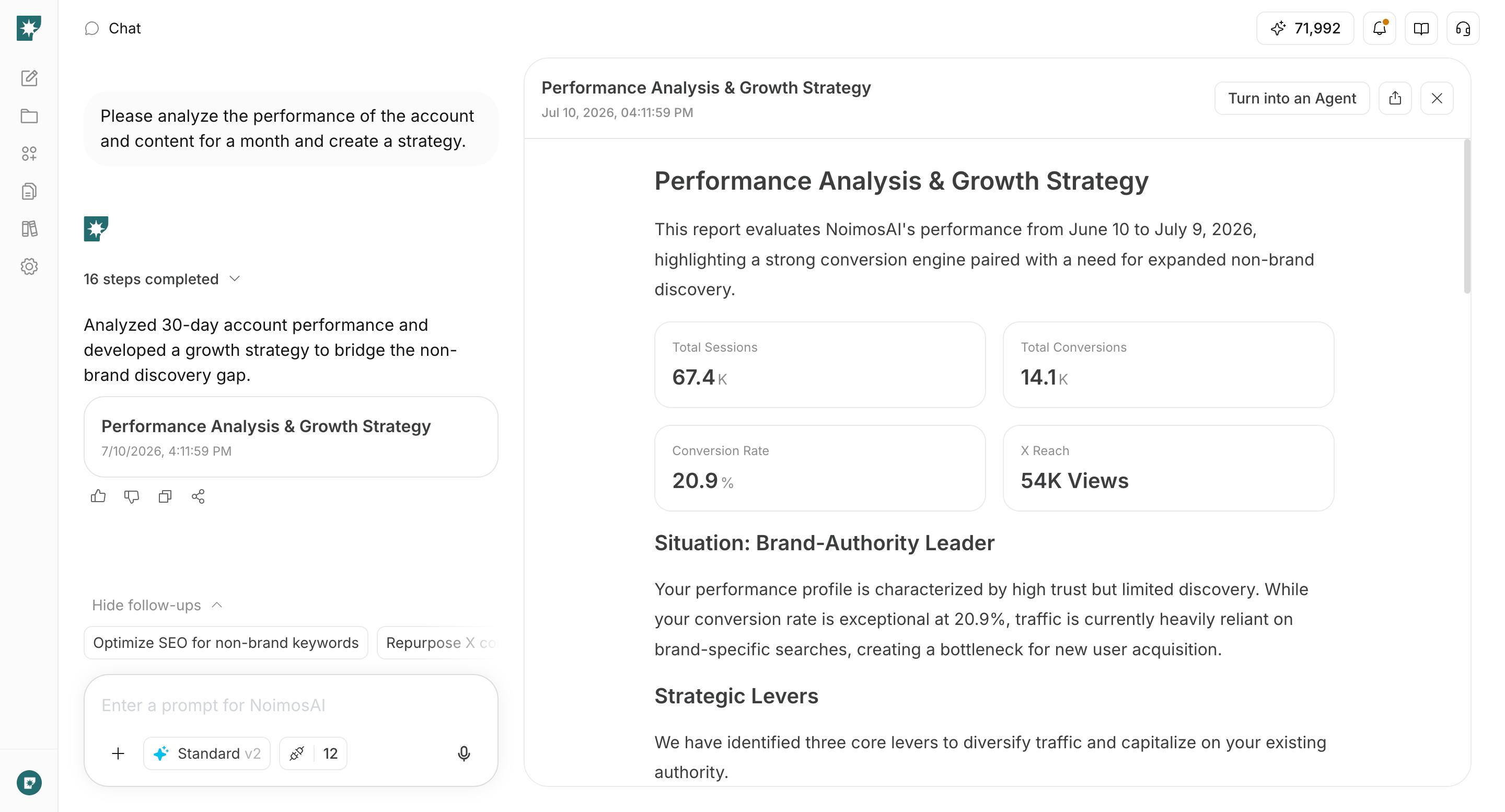
Choose the social media platforms you’ll use, research relevant trends, create and publish platform-specific copy and creative, and use the results to improve future posts. For instructions on entering a prompt in chat, see Enter your own prompt.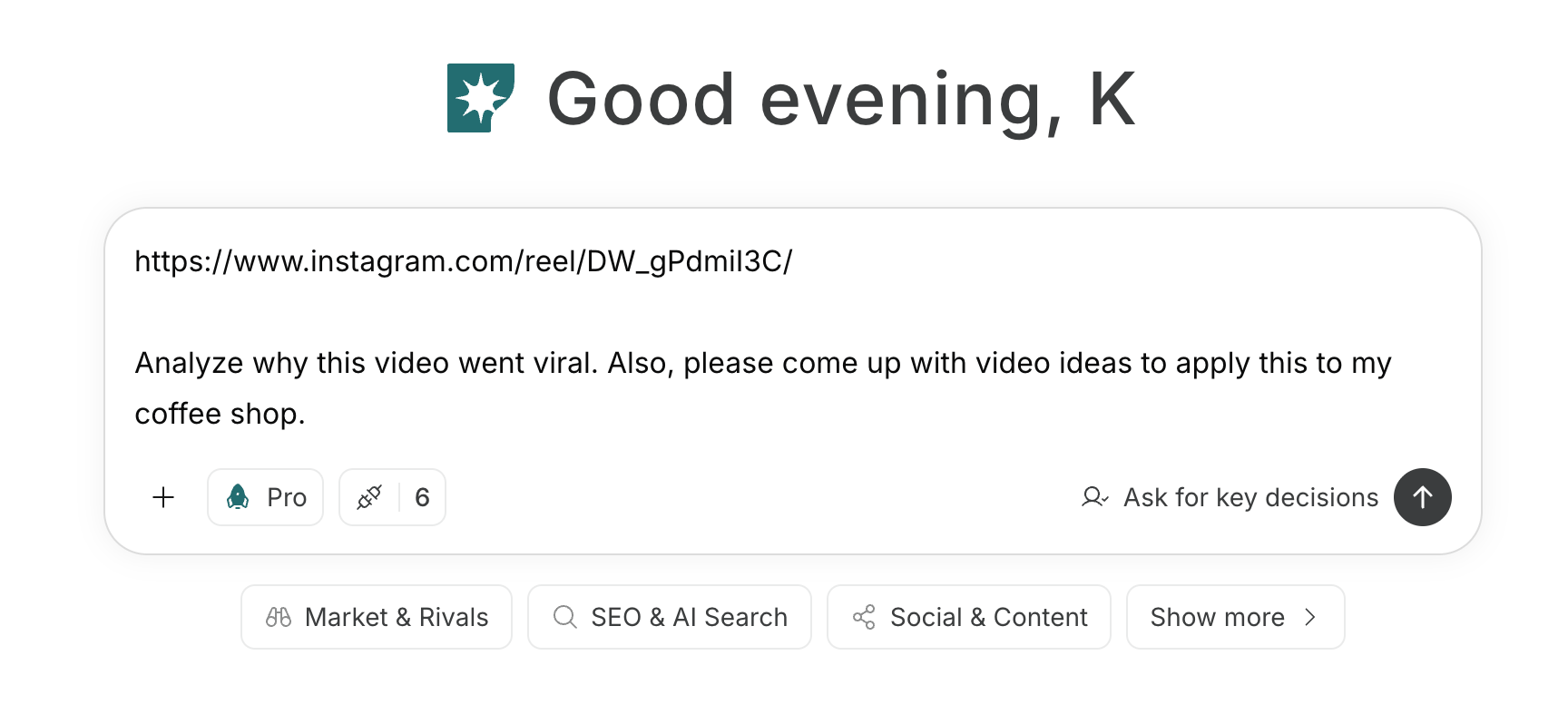
1. Choose social media platforms and define your content strategy
First, use the chat to organize which social media platforms you will prioritize and the themes you will continuously publish. When you enter the target customers, products, available assets, and the frequency you can maintain, NoimosAI will compare platform characteristics and content formats.Prompt for chat
2. Research trends and plan posts
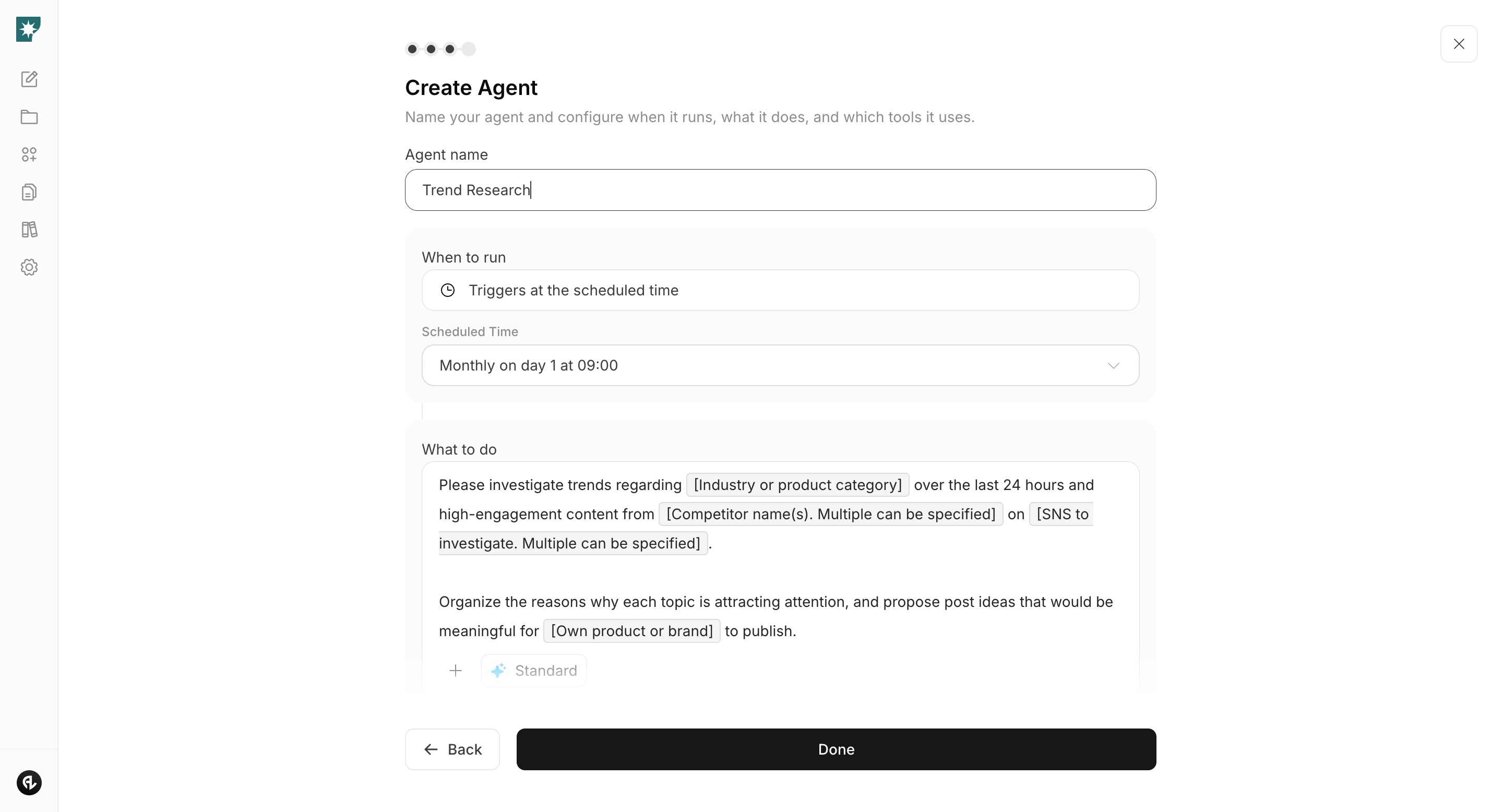
Create an agent to perform trend research so you can monitor daily changes in conversations and competitor activity. From the topics the agent finds, choose those that are meaningful for your company to communicate and turn them into post plans.Research trends
Agent setup
Trigger: Schedule / Daily Instructions: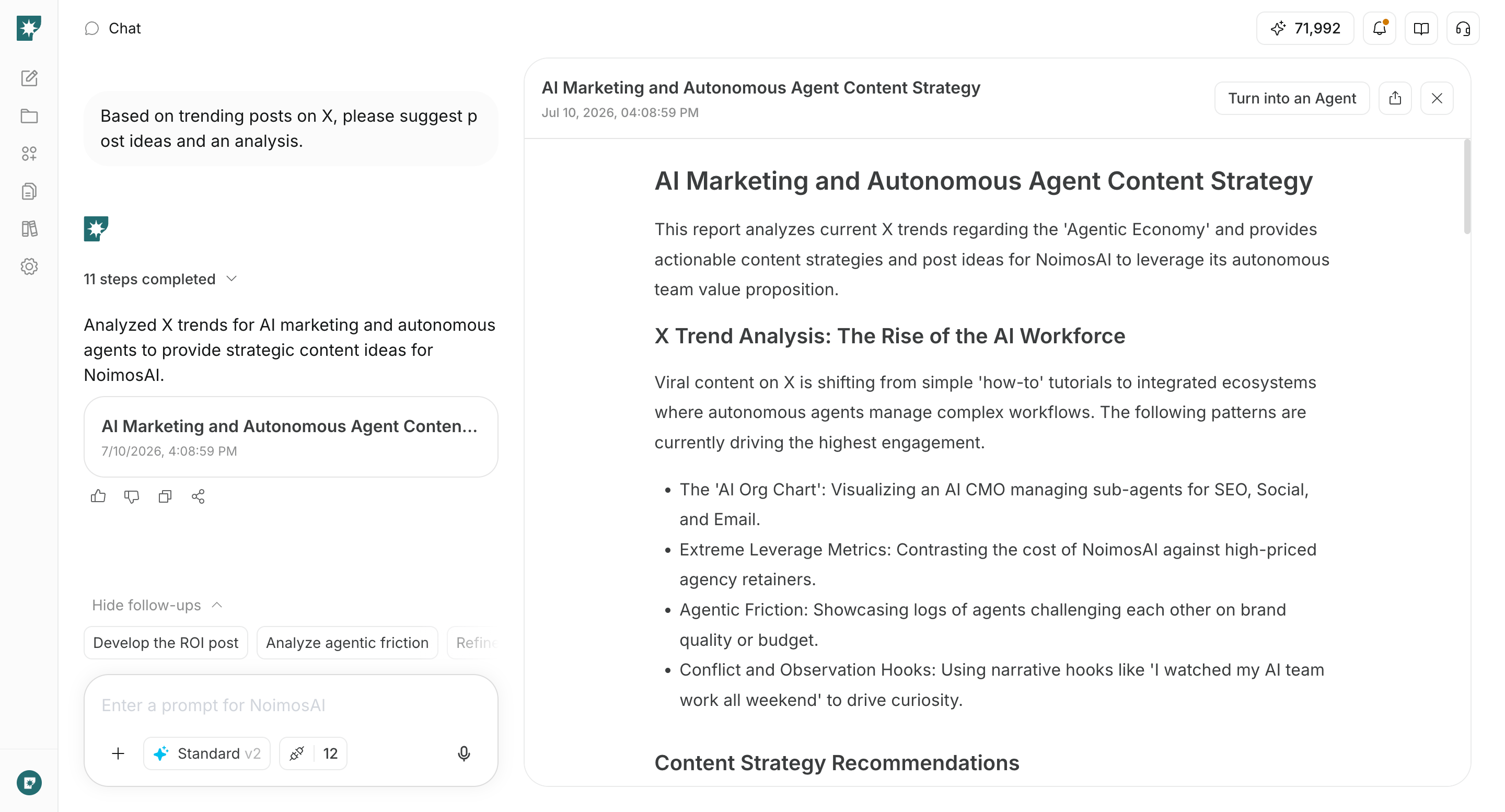
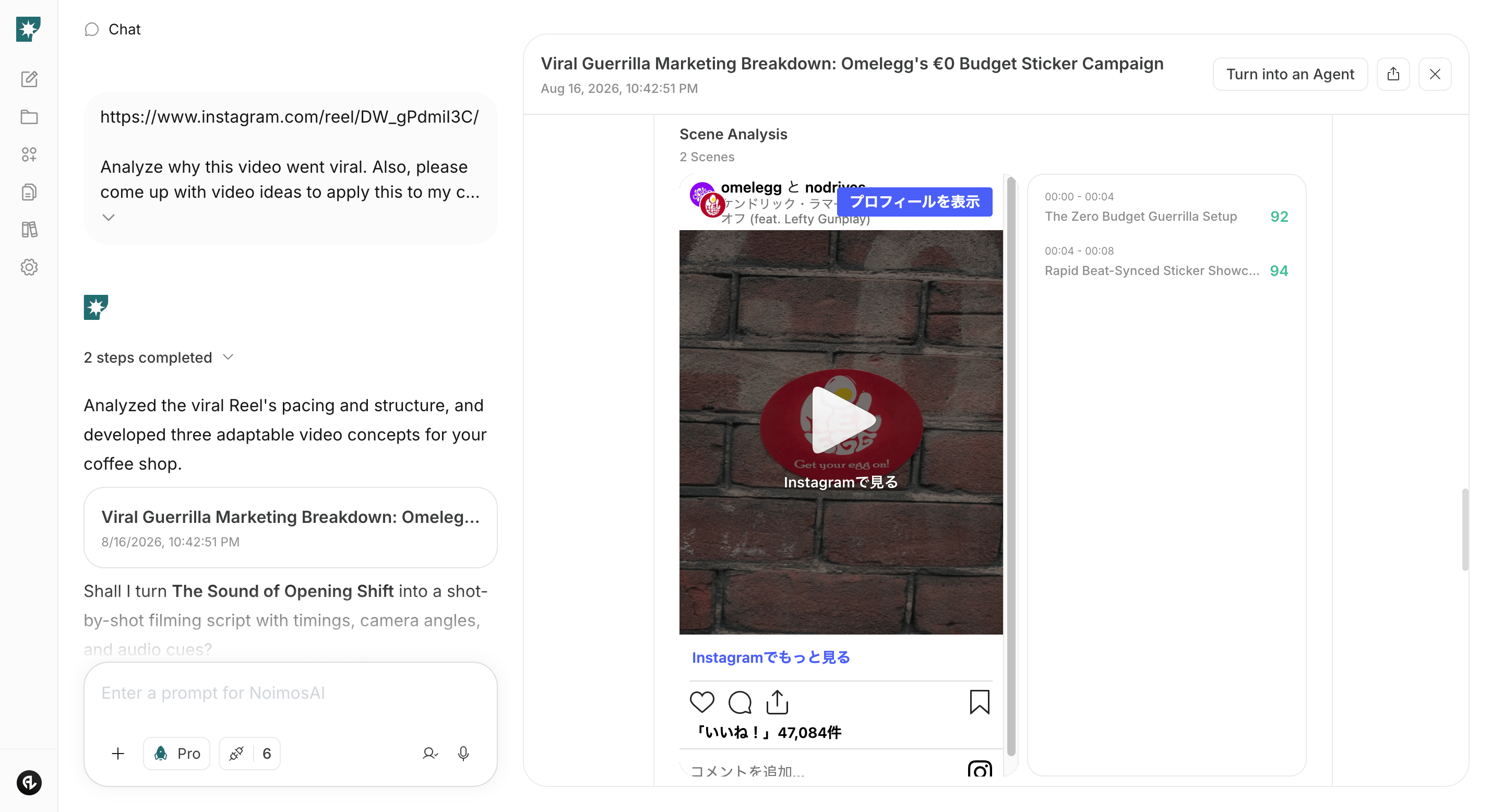
Analyze success factors of viral content
If you find posts or videos you want to reference, input the URL or file in chat. NoimosAI will analyze why they attracted engagement and create new ideas using reusable elements for your company.Prompt for chat
Investigate customer feedback as needed
If there are a certain number of mentions about your company or product, create an agent to perform social listening. If mentions are still few, skip this setting and prioritize trend research and post creation.Agent setup
Trigger: Schedule / Daily Instructions:3. Create and publish social media content
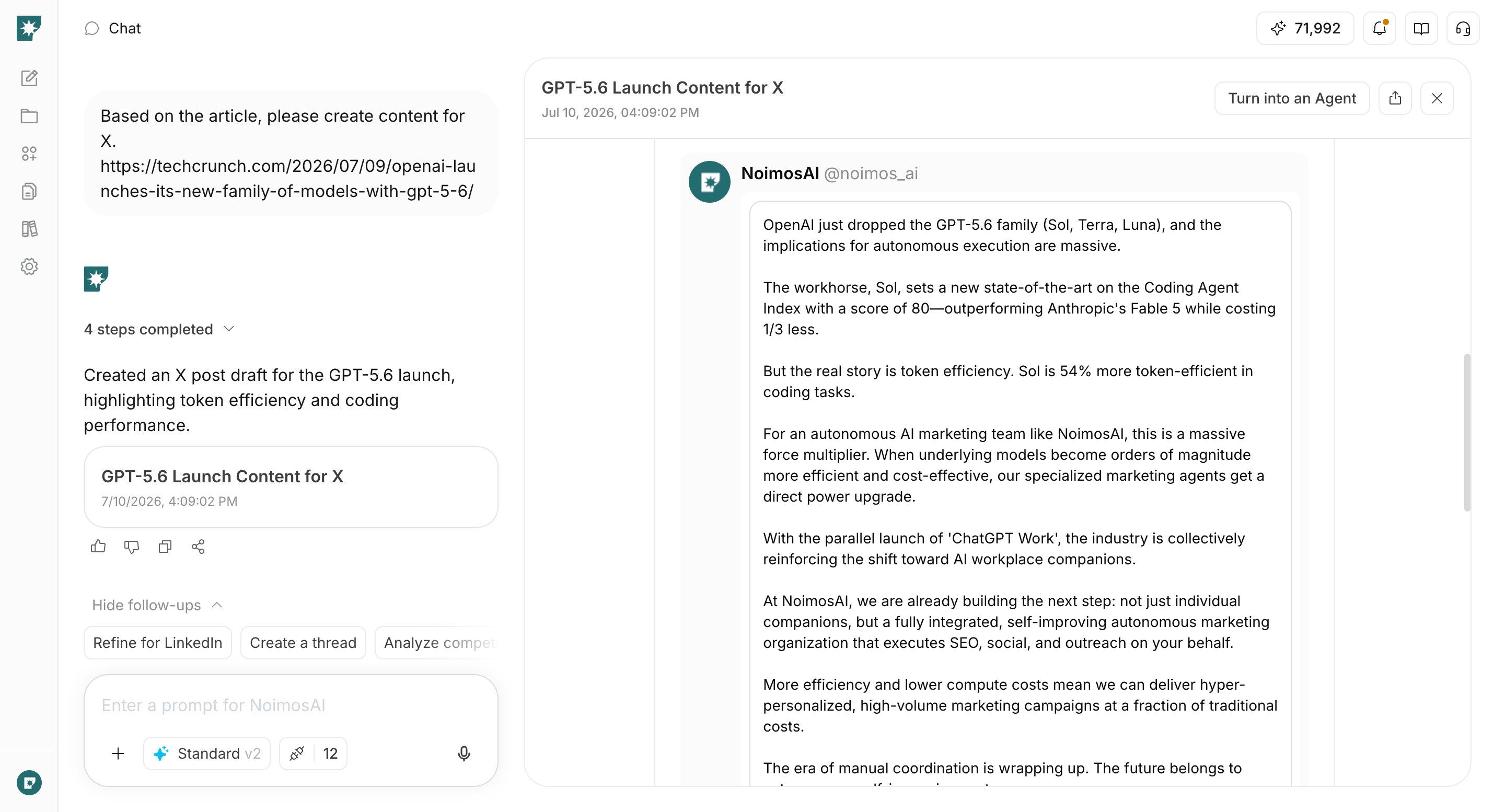
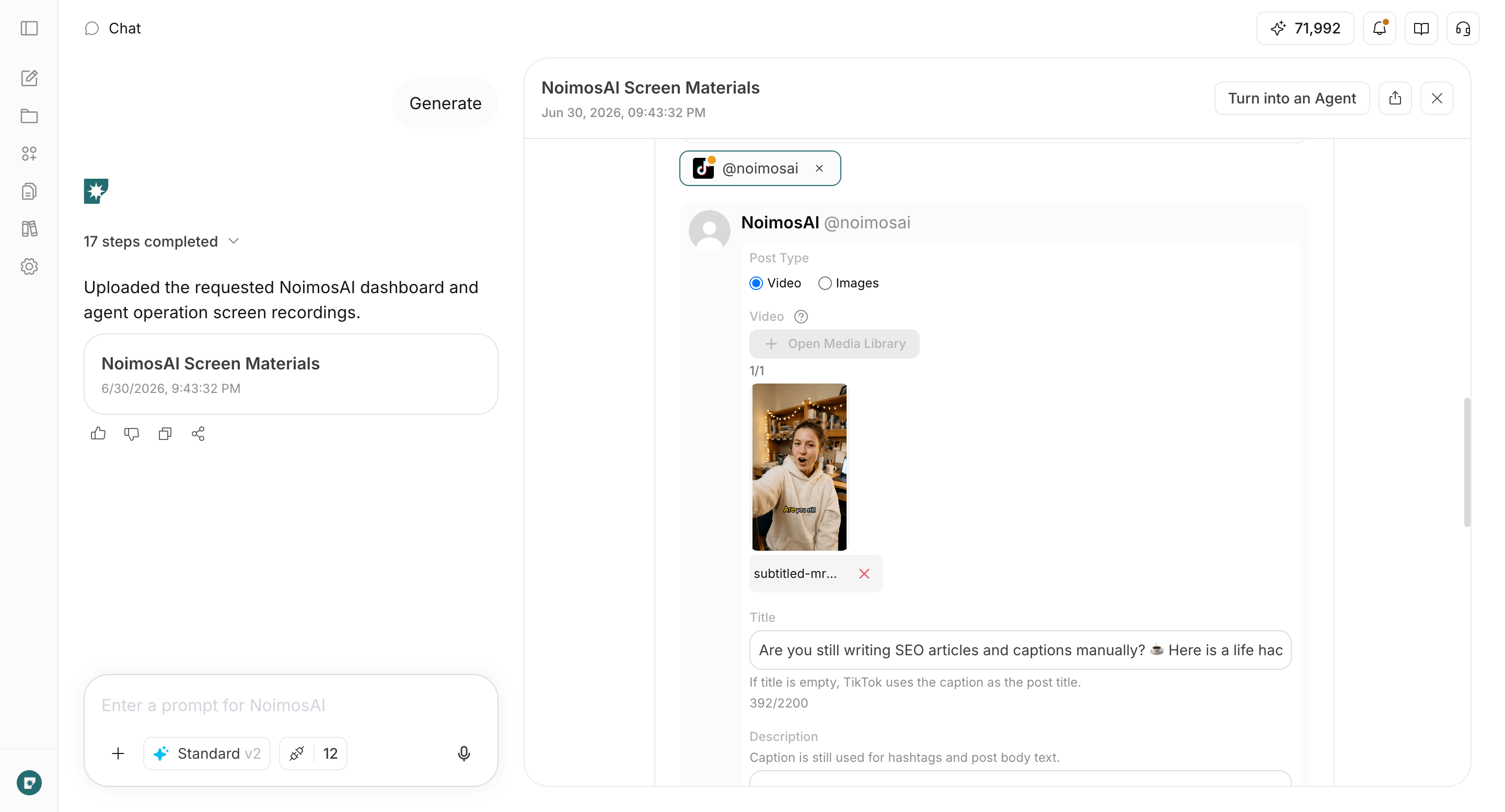
Enter the finalized concept into the chat and create the post text, images, and videos tailored to the social media platforms where you will publish. In addition to the trend research results, you can base concepts on your own company information such as new product launches, product updates, campaigns, articles, and videos. If you have product information, brand style rules, images, videos, or reference URLs, attach them to the chat. If you are posting to multiple social media platforms, create the final versions formatted for each platform at once.Prompt for chat
4. Improve based on performance
Create an agent that finds high-performing posts and posts that need improvement across each social media platform, and proposes ideas for the next posts. First review once a week and determine whether the same trends appear across multiple posts.Agent setup
Trigger: Schedule / Weekly Instructions: