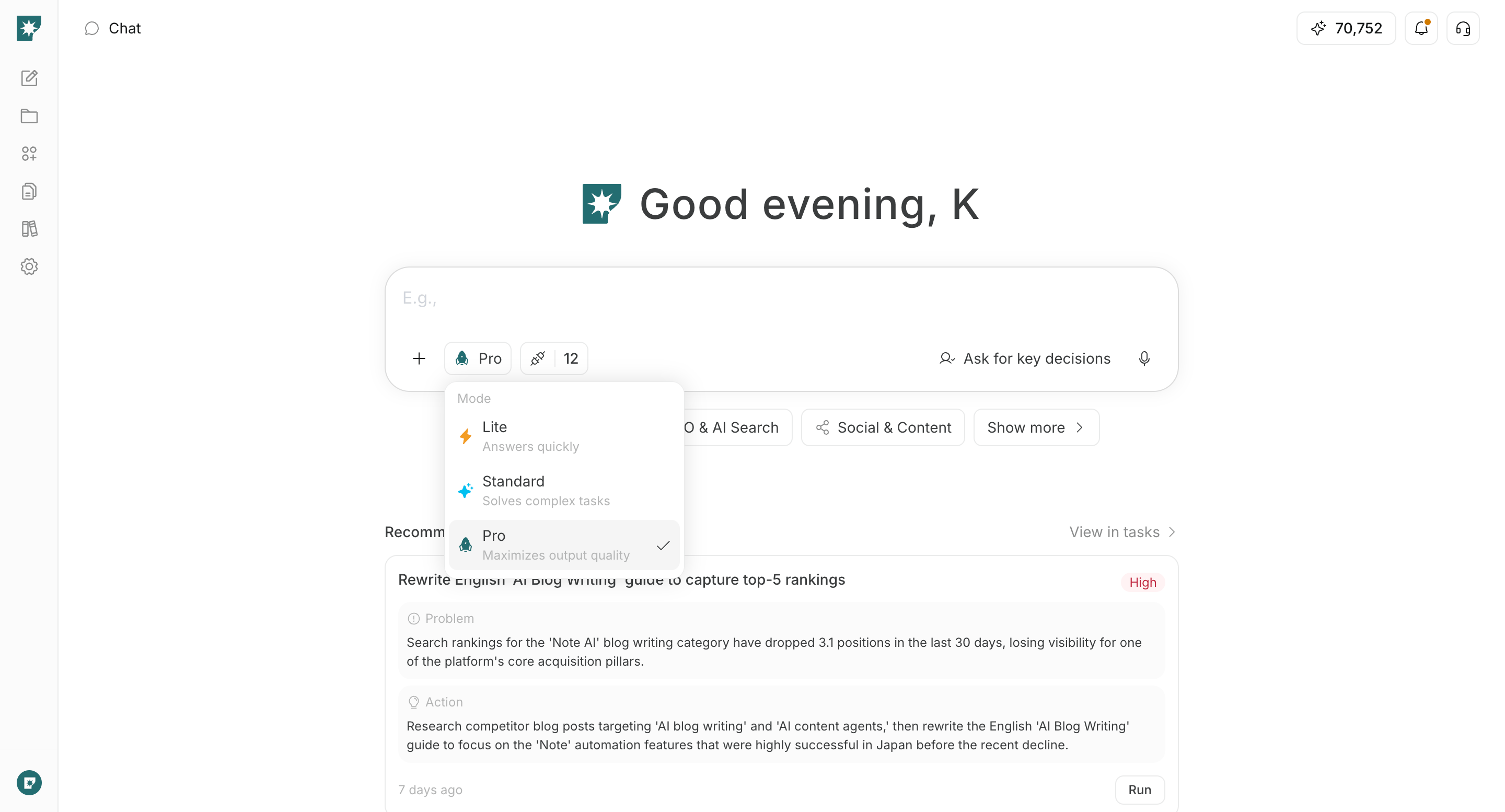
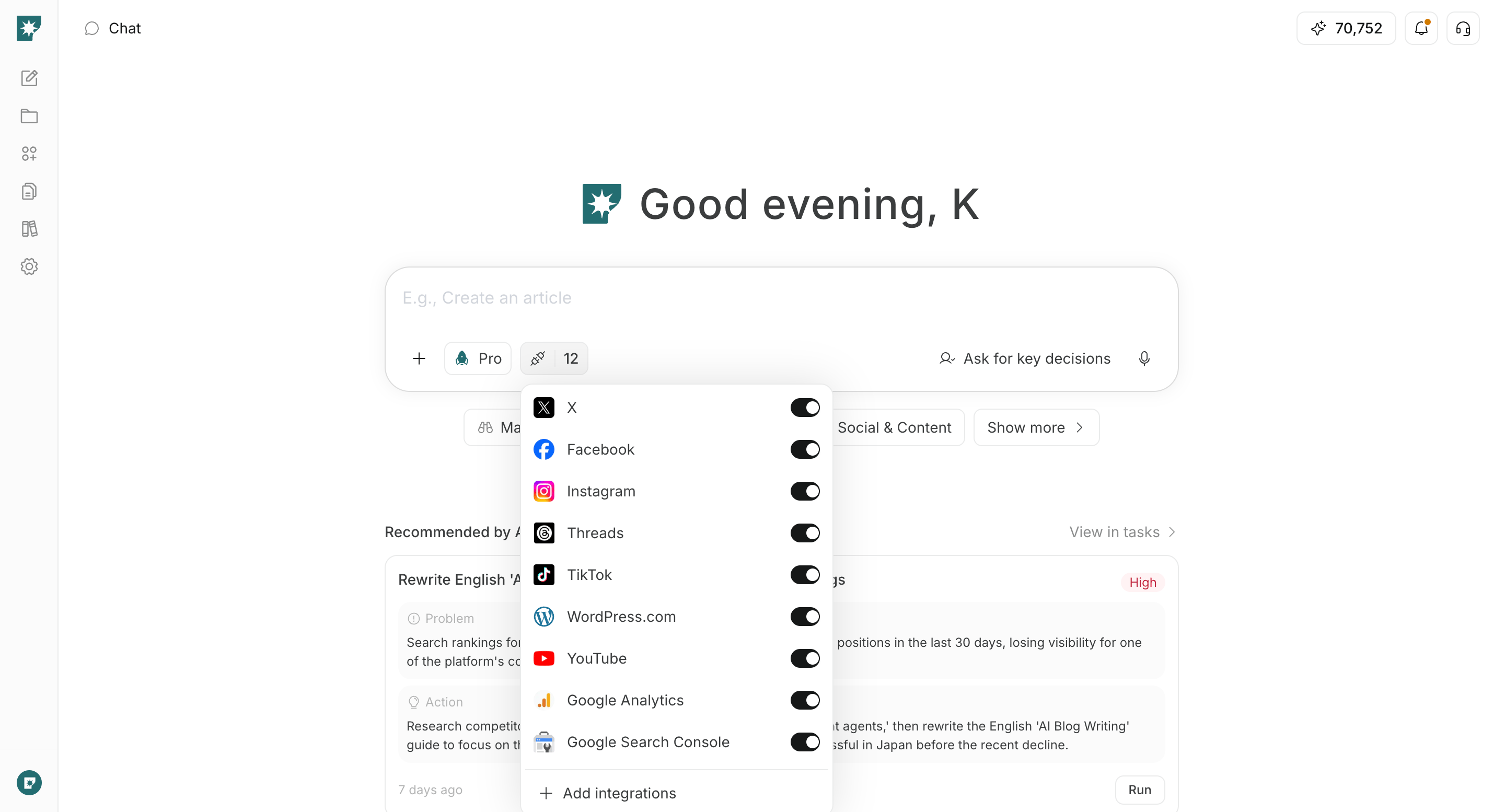
चैट इनपुट से उपलब्ध सेटिंग्स के बारे में जानें, जिनमें रिस्पॉन्स मोड, अनुमोदन मोड, AI व्यवहार सेटिंग्स, स्किल्स, संदर्भ जानकारी और इंटीग्रेशन शामिल हैं।
चैट इनपुट की सेटिंग्स से आप हर अनुरोध के लिए उत्तर की गति और गुणवत्ता, AI द्वारा पुष्टि माँगने की आवृत्ति, संदर्भित जानकारी और उपयोग की जाने वाली सुविधाएँ समायोजित कर सकते हैं।इनपुट के नीचे +, रिस्पॉन्स मोड, अनुमोदन मोड और इंटीग्रेशन से सेटिंग्स चुनें। अपने उद्देश्य के लिए केवल आवश्यक विकल्प सेट करें, फिर अनुरोध भेजें।
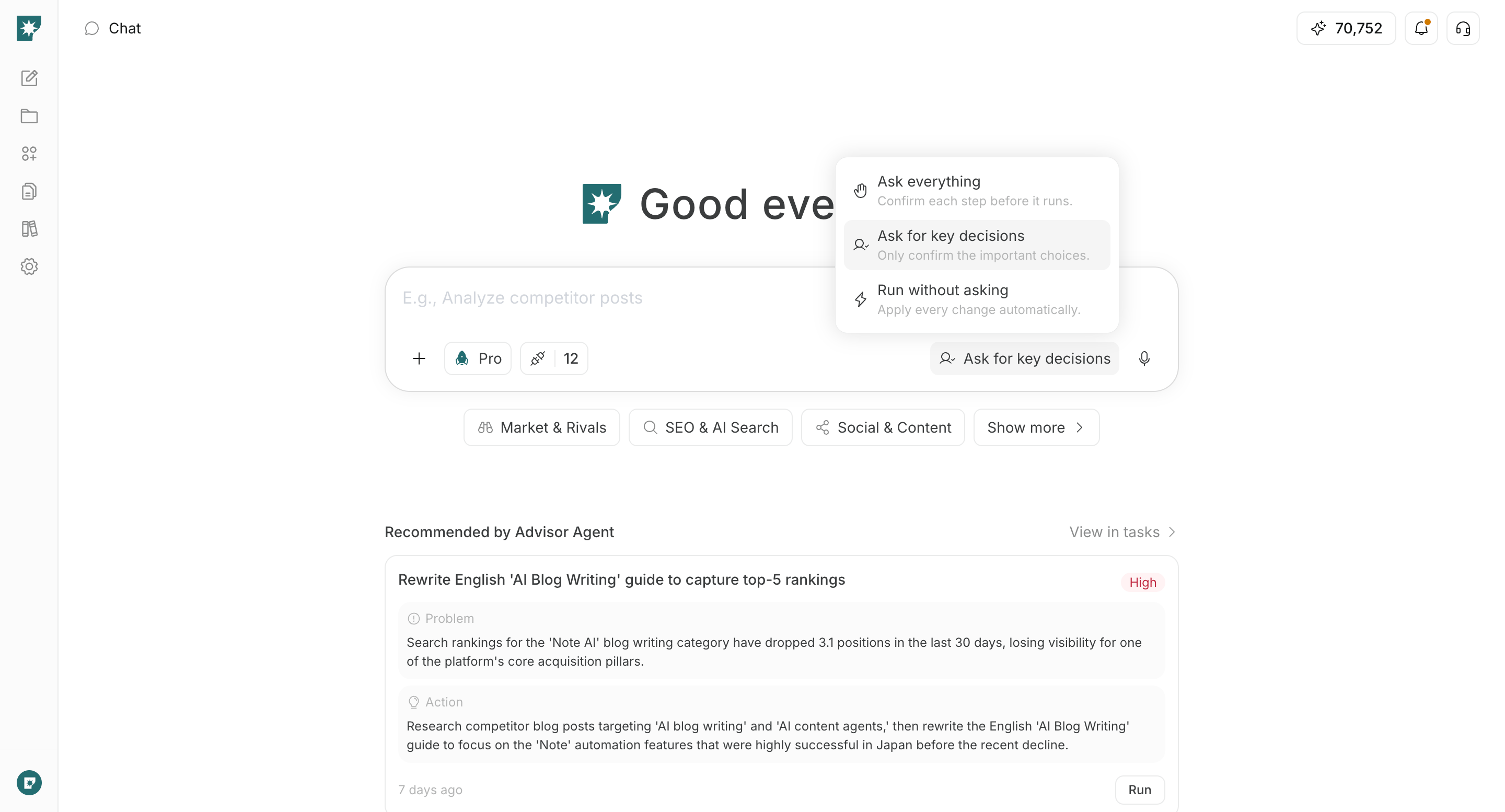
अनुमोदन मोड यह तय करता है कि परिणाम बनाते समय AI कितनी बार प्रश्न पूछे या पुष्टि माँगे।
सब कुछ पूछें (Ask everything): हर चरण चलाने से पहले पुष्टि करता है। जब आप हर चरण में विचार, प्रारूप, शैली और अन्य विवरण स्वयं तय करना चाहते हों, तब इसका उपयोग करें।
मुख्य निर्णयों पर पूछें (Ask for key decisions): AI संदर्भ से छोटे विवरण पूरा करता है और केवल प्रमुख निर्णय माँगता है, जैसे किसी विचार का चयन या जनरेशन से पहले अंतिम पुष्टि। यह डिफ़ॉल्ट सेटिंग गति और नियंत्रण में संतुलन रखती है।
बिना पूछे चलाएँ (Run without asking): वैकल्पिक प्रश्न और पुष्टियाँ छोड़ देता है, ताकि AI उचित डिफ़ॉल्ट चुनकर काम जारी रख सके। इनपुट अपर्याप्त होने पर वह आवश्यक जानकारी माँग सकता है।
इनपुट के नीचे दिख रहे मौजूदा अनुमोदन मोड को चुनें और सूची से बदलें। आपका चयन ब्राउज़र में सहेजा जाता है और आगे की चैट में भी लागू होता है।
बिना पूछे चलाएँ चुनने पर भी प्रकाशन, भेजने या शेड्यूल करने जैसे स्पष्ट अनुमोदन वाले काम अपने आप अनुमोदित नहीं होते।
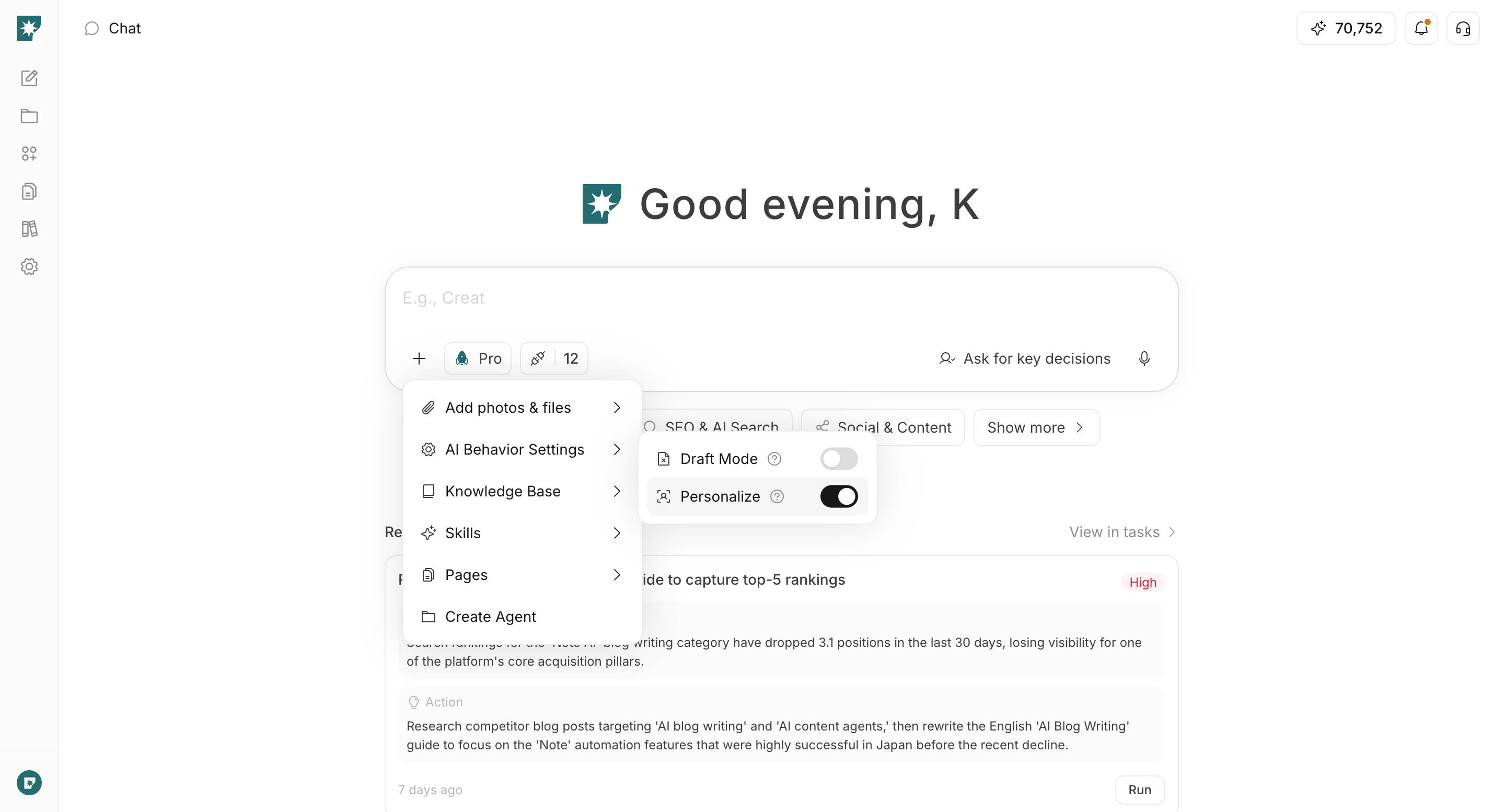
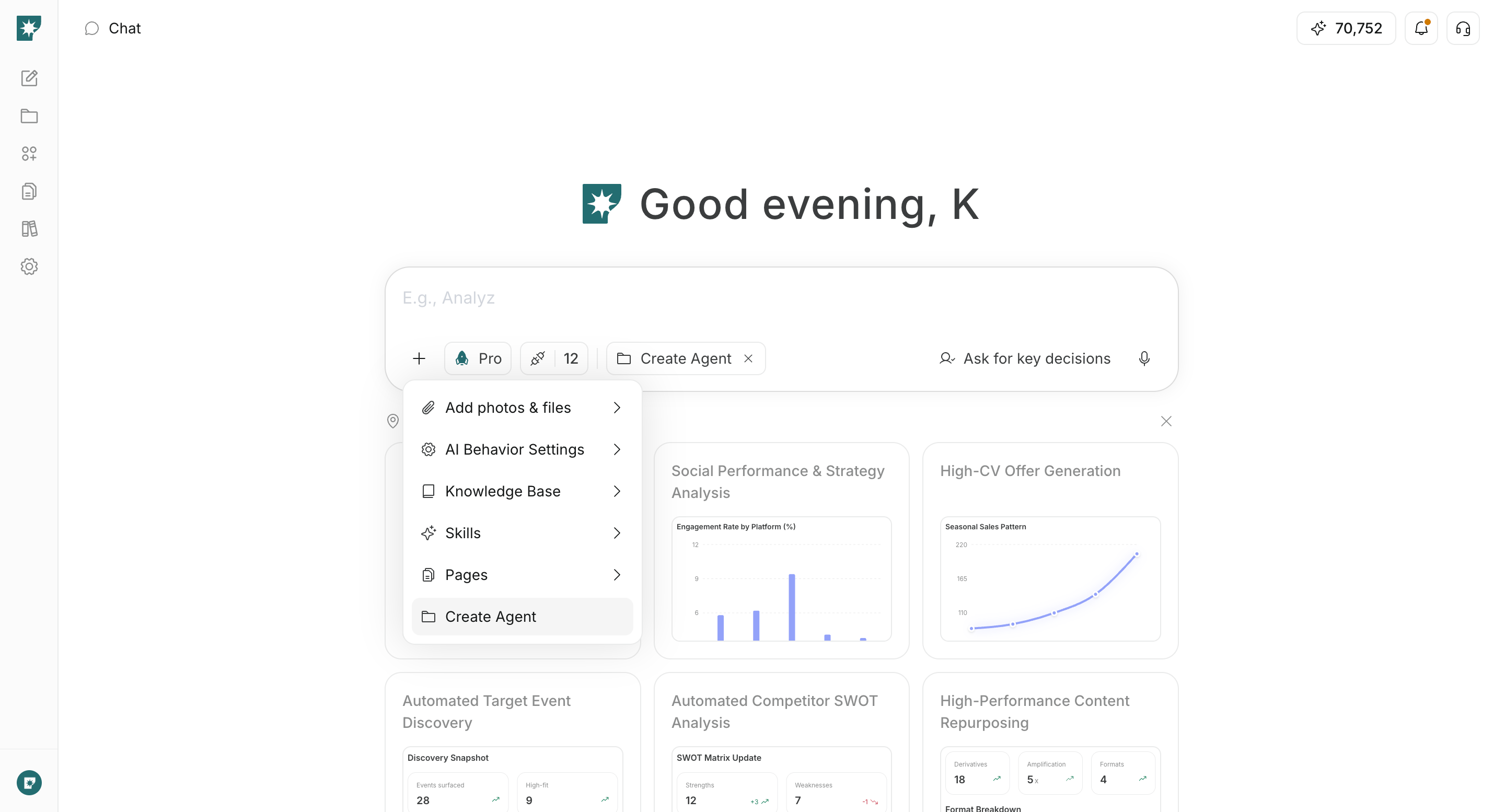
AI व्यवहार सेटिंग्स से आप जनरेशन की प्रक्रिया और सहेजे गए संदर्भ को आउटपुट में शामिल करने का विकल्प नियंत्रित कर सकते हैं। इनपुट के नीचे + से AI व्यवहार सेटिंग्स खोलें।
वैयक्तिकृत करें वर्कस्पेस में सहेजी गई पसंद और शैली जैसे संदर्भ को आउटपुट में शामिल करता है।
चालू: सहेजी गई जानकारी का संदर्भ लेकर वर्कस्पेस के अनुकूल शैली और सामग्री तैयार करता है। यह सामान्य काम के लिए उपयुक्त है और डिफ़ॉल्ट रूप से चालू रहता है।
बंद: सहेजे गए वैयक्तिकरण संदर्भ का उपयोग नहीं करता और मौजूदा निर्देशों तथा संलग्न संदर्भ जानकारी पर ध्यान देता है। तटस्थ विकल्पों की तुलना या सामान्य से अलग दिशा आज़माने के लिए उपयुक्त है।
वैयक्तिकरण बंद करने से सहेजी गई जानकारी हटती नहीं है।
ड्राफ्ट मोड जनरेशन प्रक्रिया नियंत्रित करता है, जबकि अनुमोदन मोड तय करता है कि AI बीच में कितनी बार पुष्टि माँगे। आप दोनों को साथ इस्तेमाल कर सकते हैं, जैसे ड्राफ्ट बनाते हुए केवल मुख्य निर्णयों पर पुष्टि लेना।
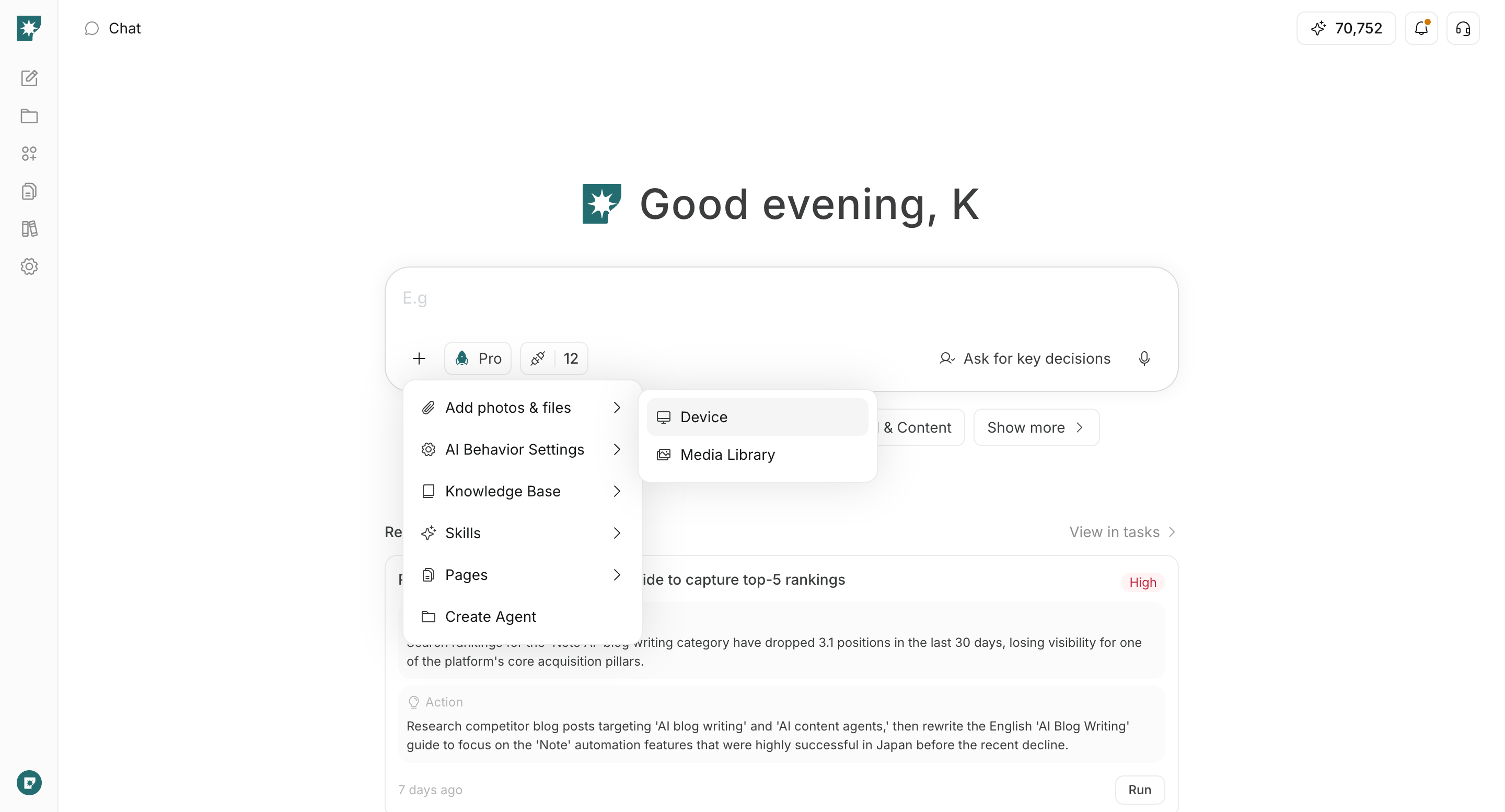
फ़ोटो और फ़ाइलें जोड़ें से आप अपने दस्तावेज़ और मीडिया सीधे मौजूदा अनुरोध में संलग्न कर सकते हैं।इनपुट के नीचे + से फ़ोटो और फ़ाइलें जोड़ें खोलें, फिर डिवाइस की फ़ाइल या मीडिया लाइब्रेरी की सामग्री चुनें। अनुरोध में यह भी बताएँ कि संलग्न सामग्री का उपयोग कैसे किया जाए।उदाहरण के लिए, इसका उपयोग PDF का सारांश बनाने, किसी छवि के आधार पर सामग्री बनाने, CSV का विश्लेषण करने या मौजूदा लेख को संशोधित करने में किया जा सकता है। समर्थित प्रारूपों और सीमाओं के लिए फ़ाइलें अपलोड करें देखें।
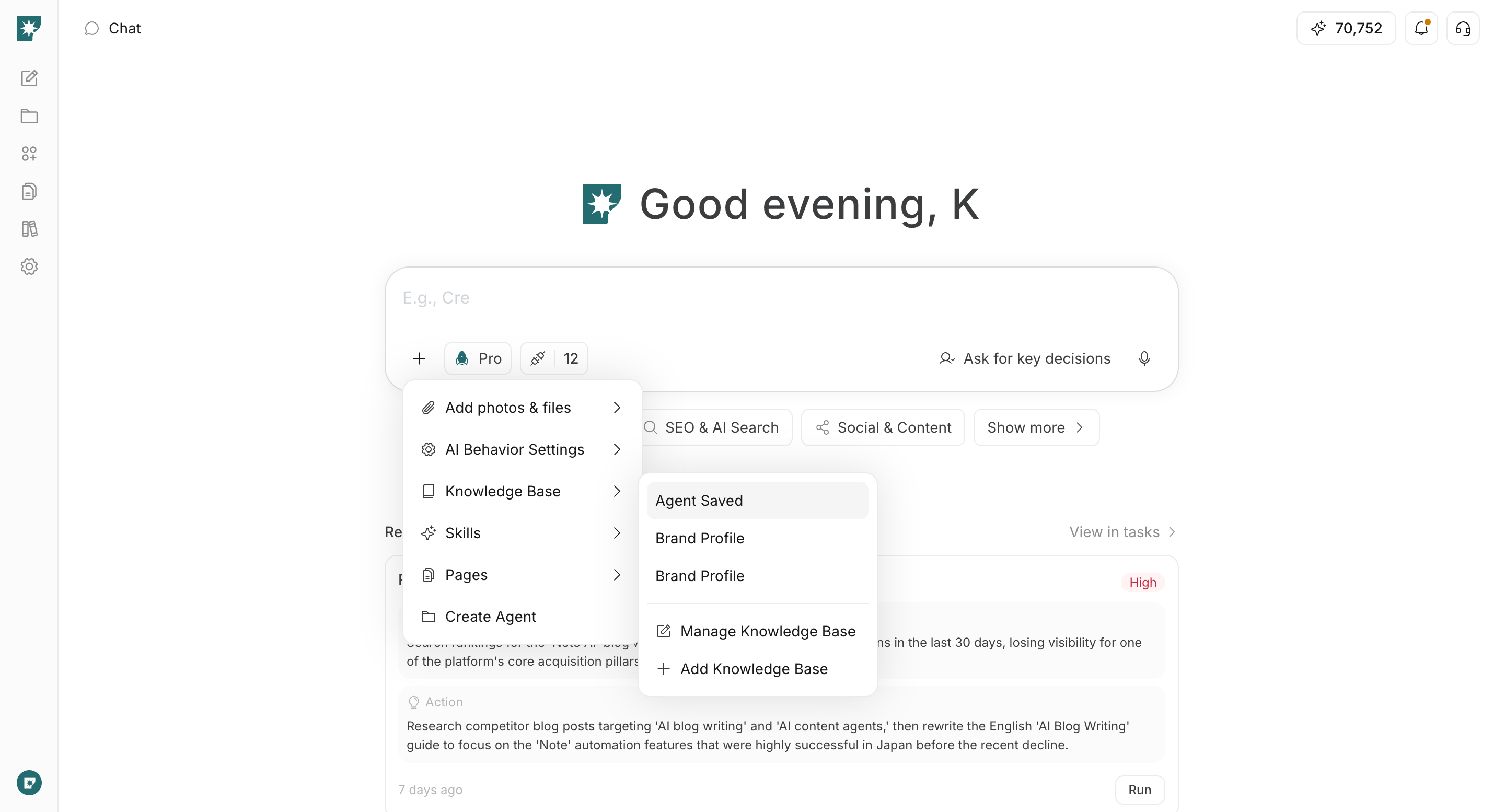
ज्ञान आधार से आप वर्कस्पेस में संचित सामग्री में से वह डेटा सेट चुन सकते हैं जिसका संदर्भ मौजूदा अनुरोध में लिया जाएगा।इनपुट के नीचे + से ज्ञान आधार खोलें और डेटा सेट चुनें। चुना गया डेटा सेट इनपुट से जुड़ता है और AI द्वारा उत्तर या परिणाम बनाते समय संदर्भ के दायरे के रूप में इस्तेमाल होता है।यह आंतरिक नियमों, उत्पाद जानकारी और शोध सामग्री जैसी कई अनुरोधों में दोबारा इस्तेमाल होने वाली जानकारी के लिए उपयुक्त है। उसी मेनू में ज्ञान आधार जोड़ें या ज्ञान आधार प्रबंधित करें से नया डेटा सेट जोड़ें या मौजूदा को संपादित करें।
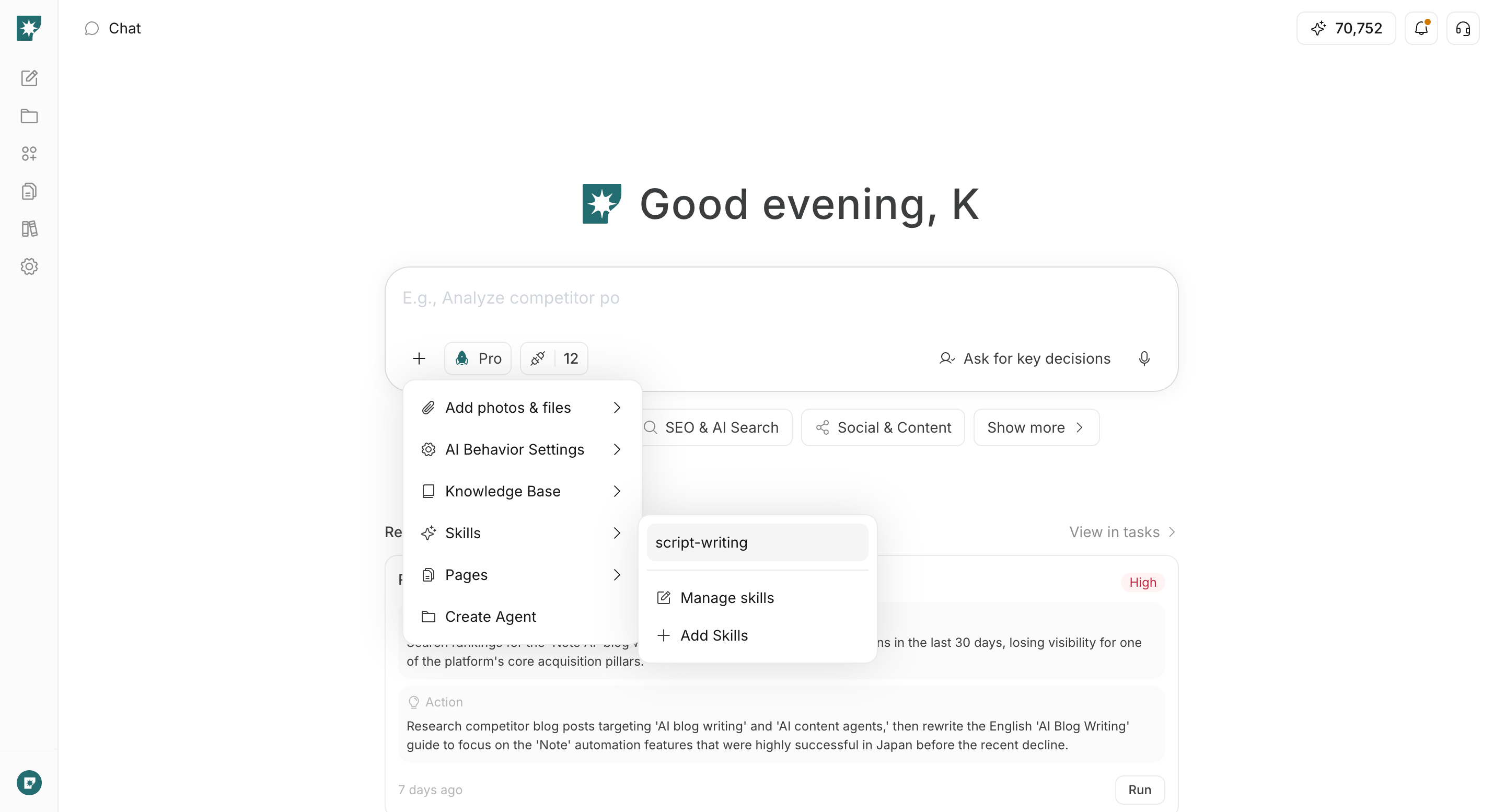
स्किल्स से आप वर्कस्पेस में सहेजी गई दोबारा इस्तेमाल योग्य प्रक्रियाएँ मौजूदा अनुरोध पर लागू कर सकते हैं।इनपुट के नीचे + से स्किल्स खोलें और उपलब्ध स्किल चुनें। चयन करने पर इनपुट की शुरुआत में /स्किल-का-नाम जुड़ जाता है; इसके बाद अपना स्पष्ट अनुरोध लिखें। आप स्किल खोजने और चुनने के लिए इनपुट में सीधे / भी लिख सकते हैं।स्किल्स उन कामों के लिए उपयोगी हैं जिनमें आप हर बार वही निर्देश दोबारा नहीं लिखना चाहते, जैसे निश्चित संरचना वाले लेख, आंतरिक समीक्षा प्रक्रियाएँ या बार-बार होने वाले विश्लेषण। मौजूदा स्किल को स्किल्स प्रबंधित करें से संपादित करें या स्किल्स जोड़ें से नई बनाएँ।
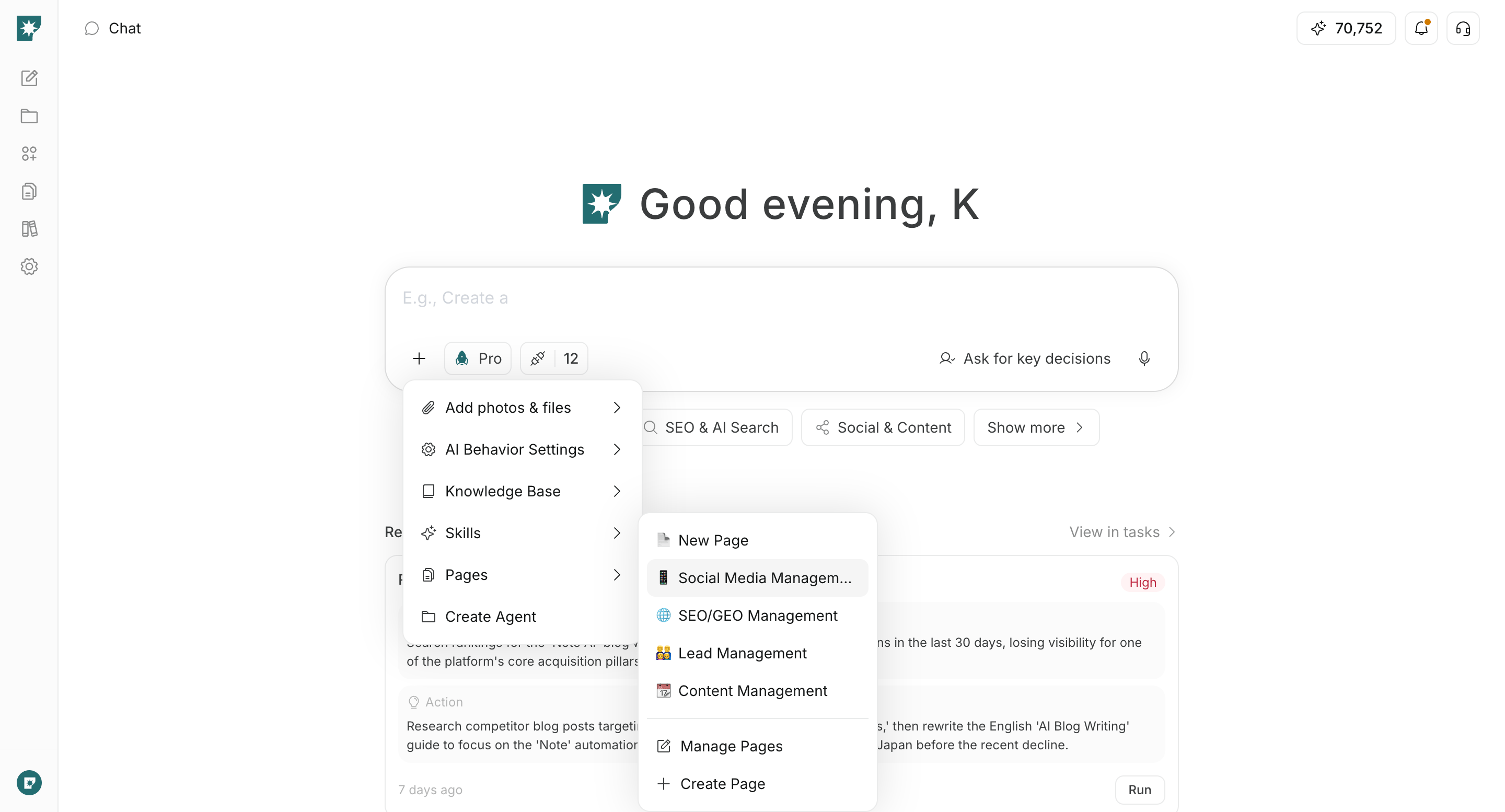
पेज से आप वर्कस्पेस के किसी मौजूदा पेज को वर्तमान चैट में संदर्भ के रूप में इस्तेमाल कर सकते हैं।इनपुट के नीचे + से पेज खोलें और वह पेज चुनें जिसका AI संदर्भ ले। चुने गए पेज की सामग्री AI को भेजी जाती है, इसलिए आप “इस प्रस्ताव का सारांश बनाएँ” या “इस पेज के आधार पर सुझाव बनाएँ” जैसे अनुरोध कर सकते हैं।सामान्य नियम के रूप में, अस्थायी फ़ाइलों के लिए फ़ोटो और फ़ाइलें जोड़ें, सामग्री के संग्रह के लिए ज्ञान आधार और वर्कस्पेस में संपादित व साझा जानकारी के लिए पेज इस्तेमाल करें।
इंटीग्रेशन नियंत्रित करता है कि मौजूदा चैट में AI किन बाहरी सेवाओं और खातों का उपयोग कर सकता है।इनपुट के नीचे इंटीग्रेशन खोलें और उपयोग किए जाने वाले इंटीग्रेशन चालू करें। यदि आप केवल खोज या सामग्री निर्माण नहीं, बल्कि जुड़ी सेवा से डेटा प्राप्त करने या कोई कार्रवाई करने का अनुरोध करते हैं, तो संबंधित सेवा और खाता जुड़ा होना सुनिश्चित करें।किसी असंबद्ध सेवा को इंटीग्रेशन जोड़ें से जोड़ें। अनावश्यक इंटीग्रेशन बंद रखने से स्पष्ट होता है कि AI मौजूदा अनुरोध में क्या उपयोग कर सकता है।