सिंहावलोकन
Table block page पर table format में जानकारी प्रबंधित करता है। आप custom table शुरुआत से बना सकते हैं या connected accounts के data को Linked Data columns के रूप में जोड़ सकते हैं।
कब उपयोग करें
जब आप इस तरह की जानकारी एक page पर व्यवस्थित करना चाहते हैं, तब इसका उपयोग करें।- initiatives, tasks और review items प्रबंधित करें
- posts, pages, search queries या अन्य records को row के अनुसार compare करें
- status, owner, dates और URLs को columns में प्रबंधित करें
- connected accounts की metrics को उसी table में देखें
Table जोड़ें
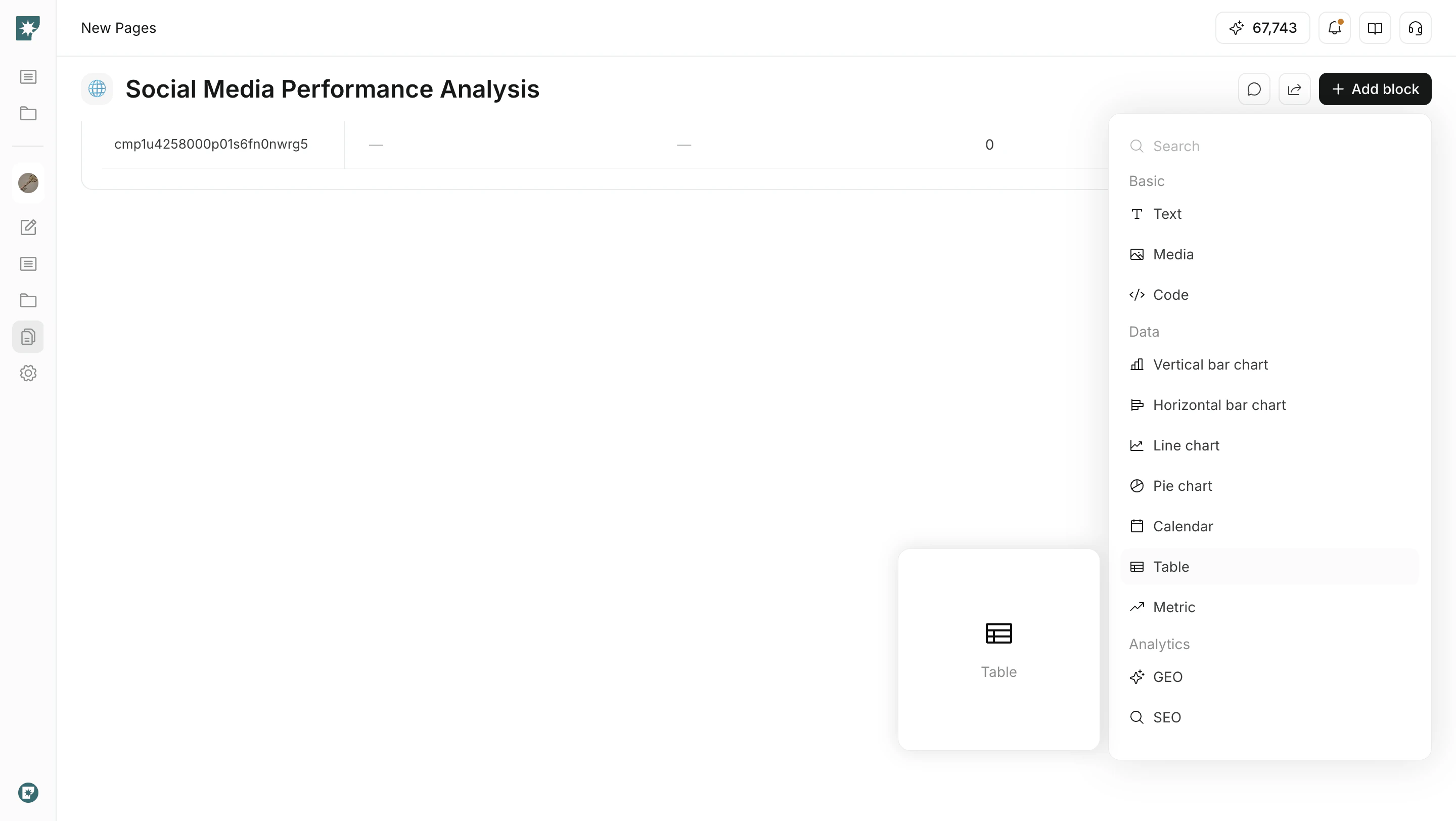
block menu से table insert करें।- target page खोलें
Add blockपर क्लिक करेंDataसेTableचुनें- ज़रूरी rows और properties जोड़ें
Properties जोड़ें
Properties वे information types हैं जो table columns के रूप में उपयोग होते हैं।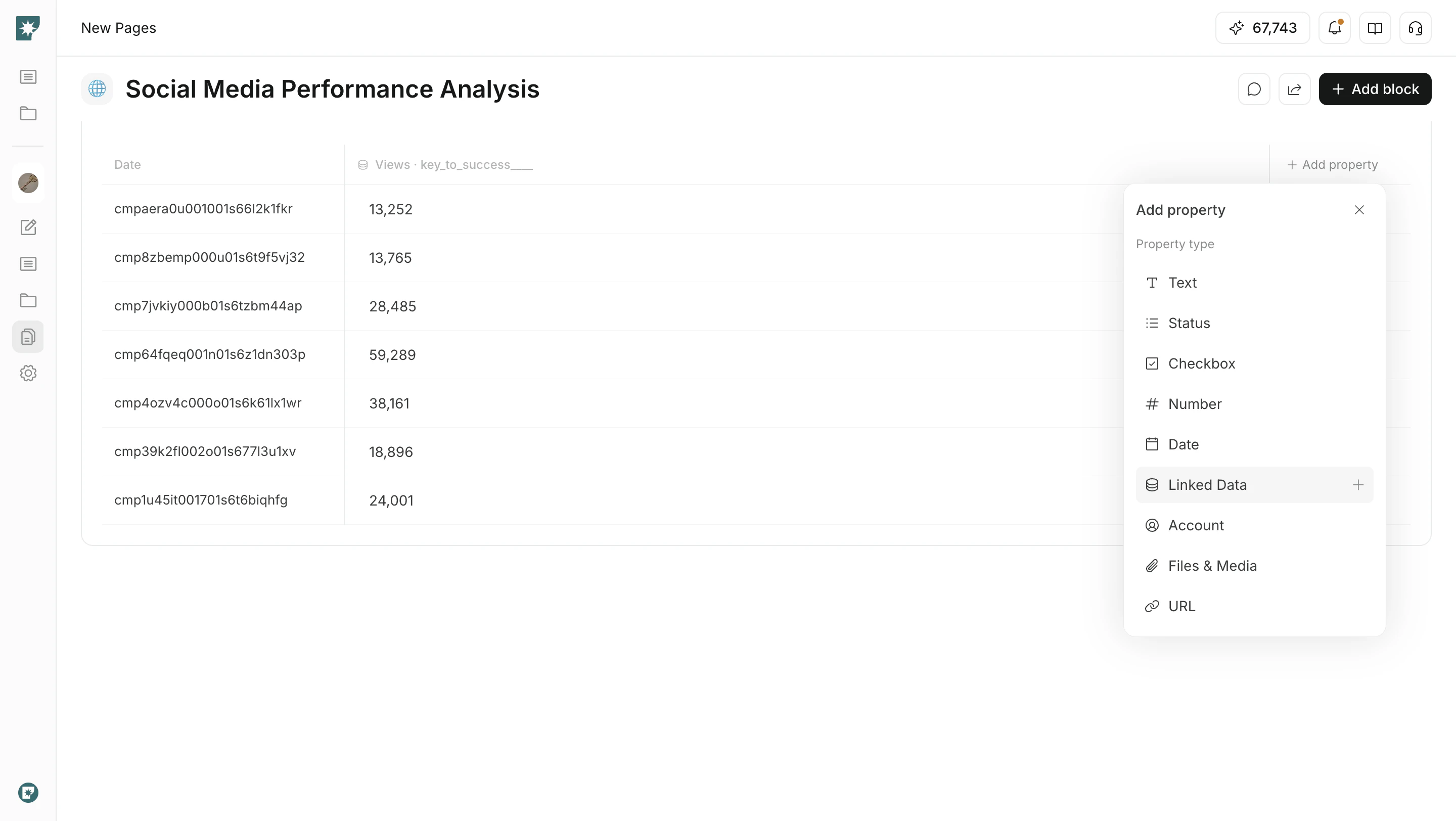
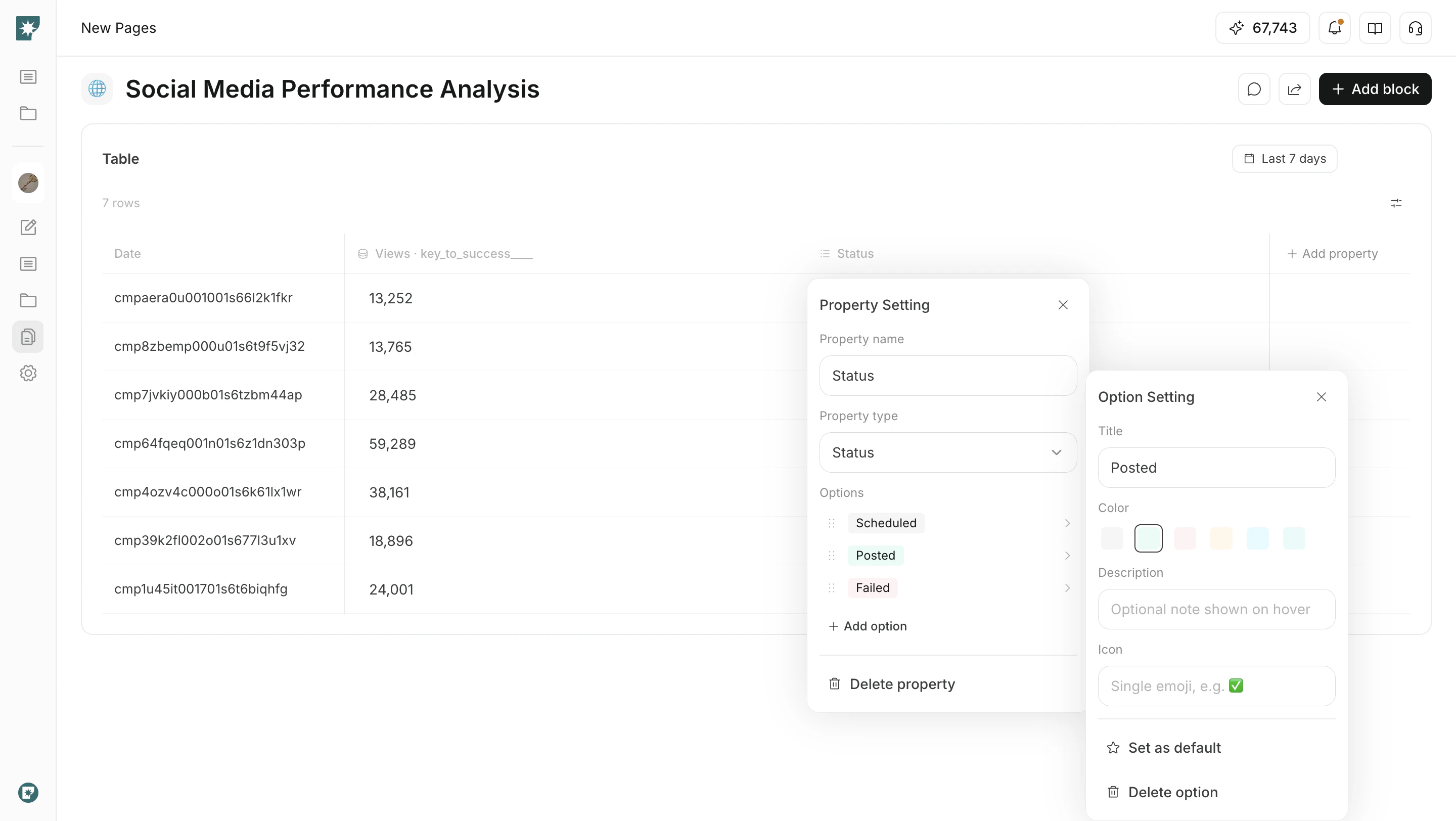
Status configure करें
Status property में आप options को अपने workflow के अनुसार समायोजित कर सकते हैं।
- options के नाम बदलें
- colors, descriptions और icons सेट करें
- अक्सर उपयोग होने वाले status को default बनाएं
- statuses को reorder करने के लिए drag करें
Linked data जोड़ें
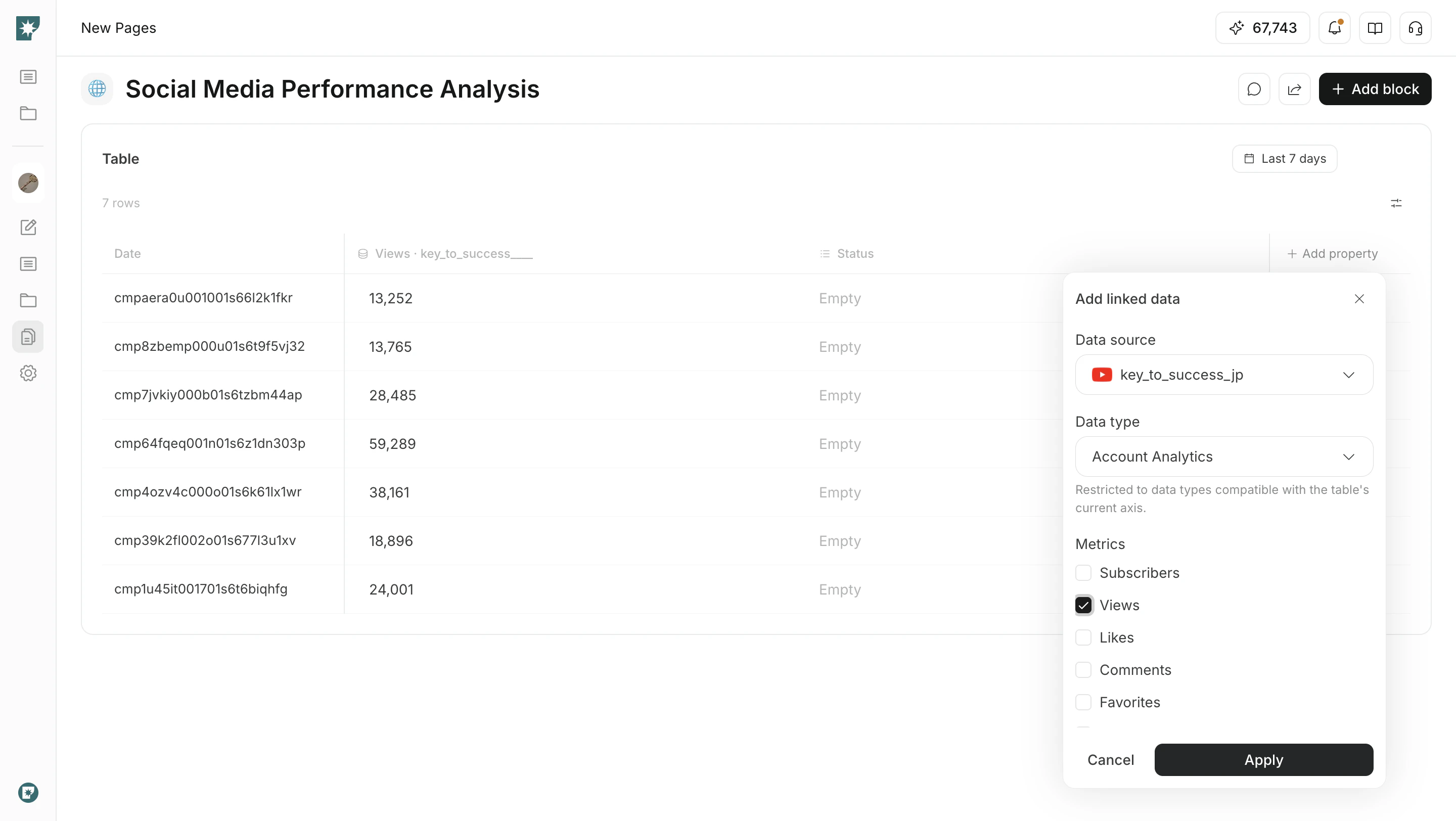
Linked Data connected accounts के data को table columns के रूप में दिखाने देता है।
Add propertyखोलेंLinked Dataचुनें- data source, data type, metrics और period चुनें
- इसे table में जोड़ने के लिए
Applyपर क्लिक करें
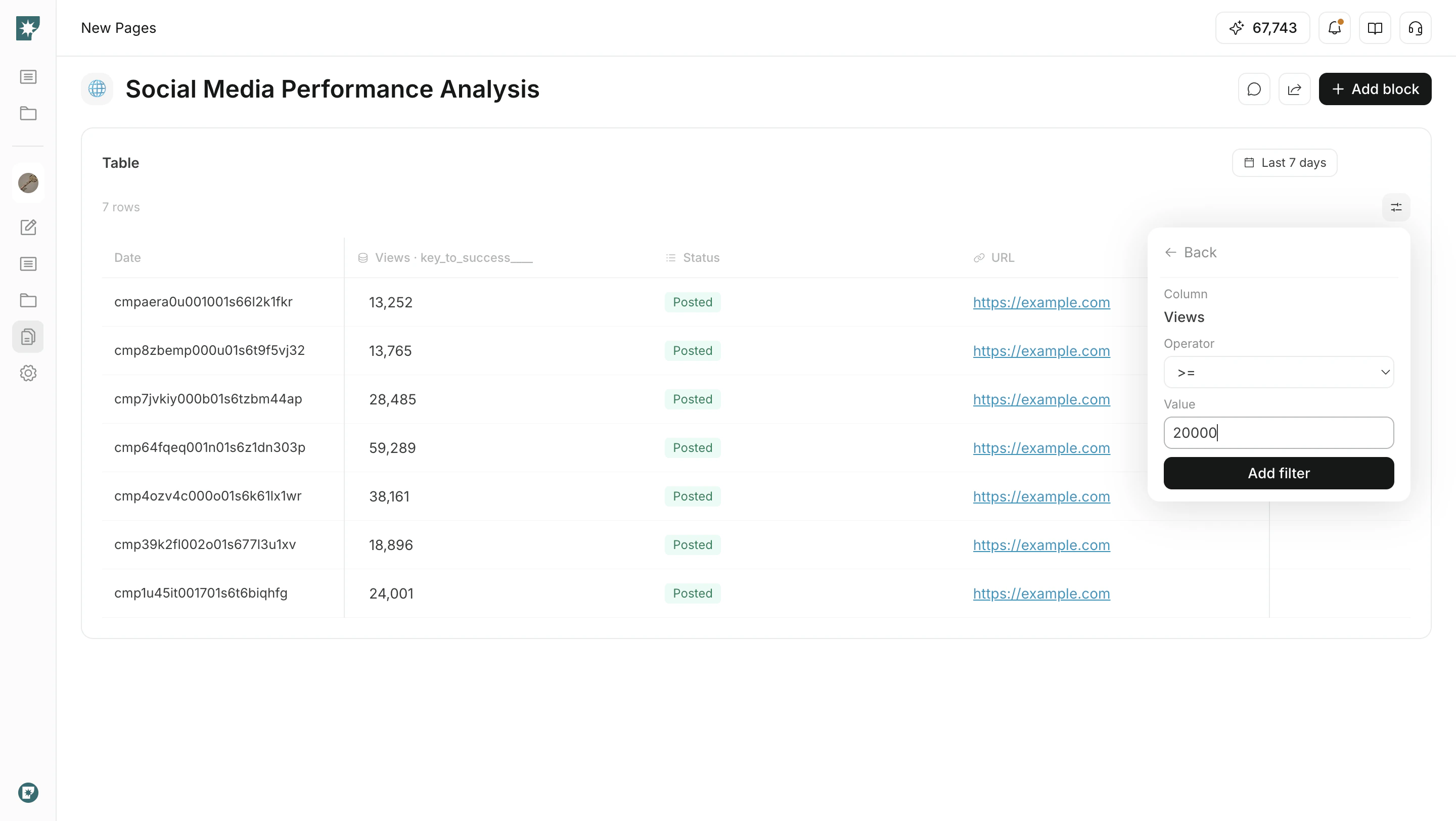
Filter और sort
जब table में कई rows हों, तो review को सीमित करने के लिए filters और sorting का उपयोग करें।Filter: matching rows दिखाने के लिए column, condition और value specify करेंSort: number, date या किसी अन्य column से rows को ascending या descending order में रखेंPagination: बड़ी tables को page by page review करें