

सिंहावलोकन
NoimosAI मेंAgent execution conditions, instructions और integrations सेट करके autonomous execution डिज़ाइन करने देता है। आवश्यकता होने पर आप Destination भी निर्दिष्ट कर सकते हैं।
execution results संबंधित चैट सेशन में सहेजे जाते हैं और सभी कार्य से खोले जा सकते हैं। Destination सेट करने पर Slack, LINE, Discord आदि में भी notification भेजे जा सकते हैं।
Agents उपयोग करने के दो तरीके
1. Autonomous execution के लिए agent का उपयोग करें
जब काम schedule पर या conditions पूरी होने पर चलना चाहिए, तबAgent उपयोग करें। conditions, instructions और integrations configure करने के लिए Add Agent पर क्लिक करें। जरूरत होने पर परिणाम साझा या save करने के लिए destination भी निर्दिष्ट करें।
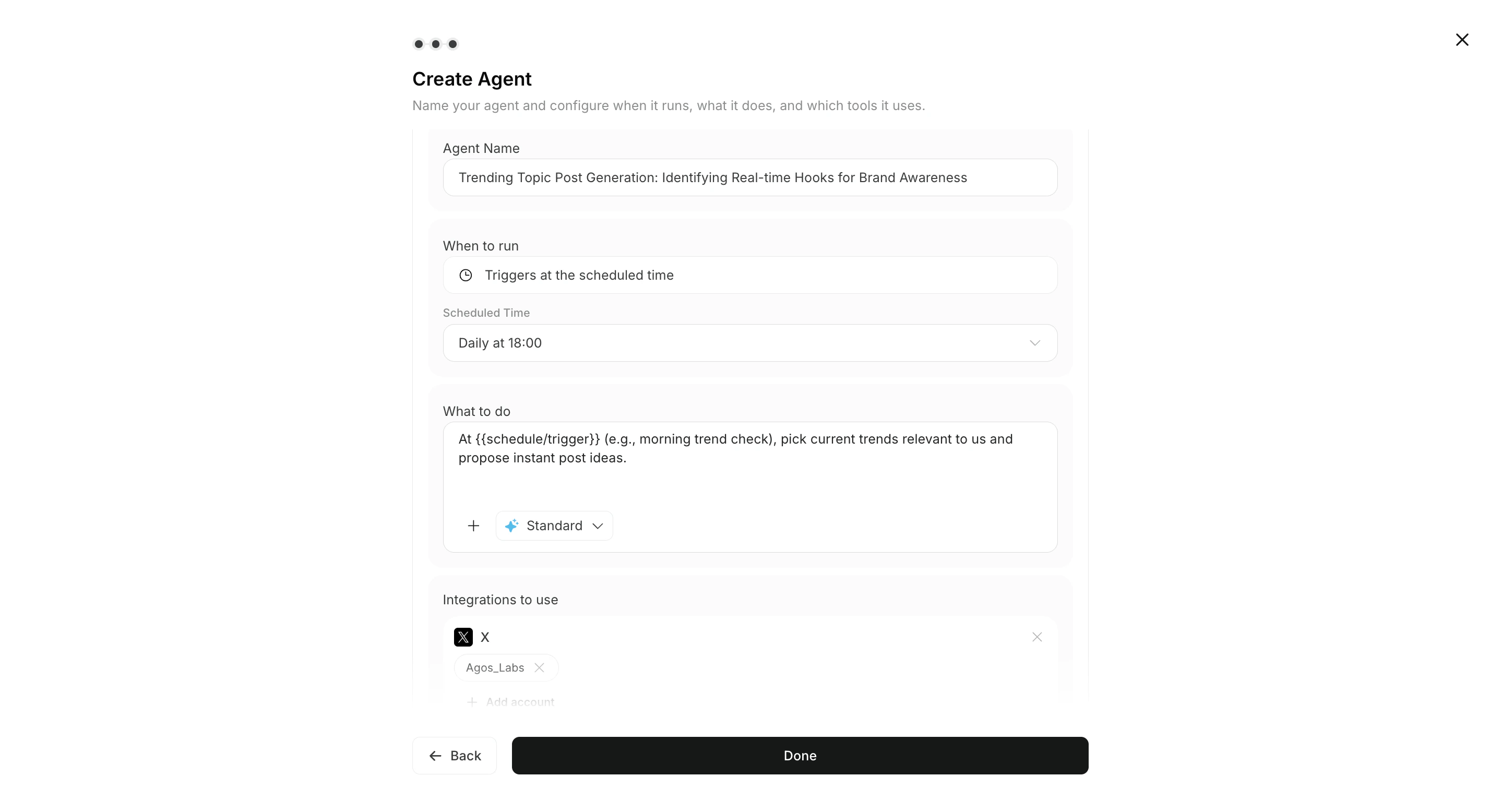
2. चैट में सीधे निर्देश दें
एकमुश्त requests और iteration के लिएChat उपयोग करें। output review करने के बाद उपयोगी काम को Create Agent से ongoing operation में ले जा सकते हैं।

भूमिकाएँ
Agent क्या करता है
- configured conditions के अनुसार tasks autonomously चलाता है
- allowed integrations और connected accounts का उपयोग करता है
- execution results को संबंधित चैट सेशन में सहेजता है और
सभी कार्यसे दिखाता है और जरूरत होने पर चुने गएDestinationपर notification भेजता है - Execution के दौरान workflow में अटैच images और Knowledge Base का संदर्भ लेता है
- execution results और context लौटाता है
Destination और output format
Destination वैकल्पिक है। उपयोग के अनुसार supported destination और format चुनें।
- Destination: Slack, LINE, Discord, Telegram, WhatsApp, email, Notion, Google Drive
- Output format: link, summary, PDF
लोग क्या करते हैं
- goals, quality standards और prohibited actions परिभाषित करते हैं
- outputs उपयुक्त हैं या नहीं, इसकी review करते हैं
- approval, revision और publishing पर अंतिम निर्णय लेते हैं
संबंधित पेज
वेबसाइट और उद्देश्य-आधारित उपयोग के मामले
यदि आप किसी स्पष्ट उद्देश्य से शुरू करना चाहते हैं, तो वेबसाइट गाइड या चैनल-आधारित उपयोग मामलों से आगे बढ़ें.3. Advisor Agent recommendations से शुरू करें
Normal agents बनाने या Chat में direct instructions देने के अलावा, हर workspace में default रूप से Advisor Agent शामिल होता है। Advisor Agent connected data और brand information का विश्लेषण करता है और prioritized actions recommend करता है। Recommendation परRun क्लिक करके dedicated task chat खोलें और भेजने से पहले execution prompt review करें।
Details के लिए Advisor Agent की बुनियादी बातें देखें।