Przejdź do głównej treści

Documentation Index

Fetch the complete documentation index at: https://docs.noimosai.com/llms.txt

Use this file to discover all available pages before exploring further.

Przegląd

Blocks are the building units of a page. Choosing the right block for the purpose keeps pages readable and operational.

Add block menu

Use Add block to insert a block that matches the purpose. You can also filter by block name in the search field. Add block menu
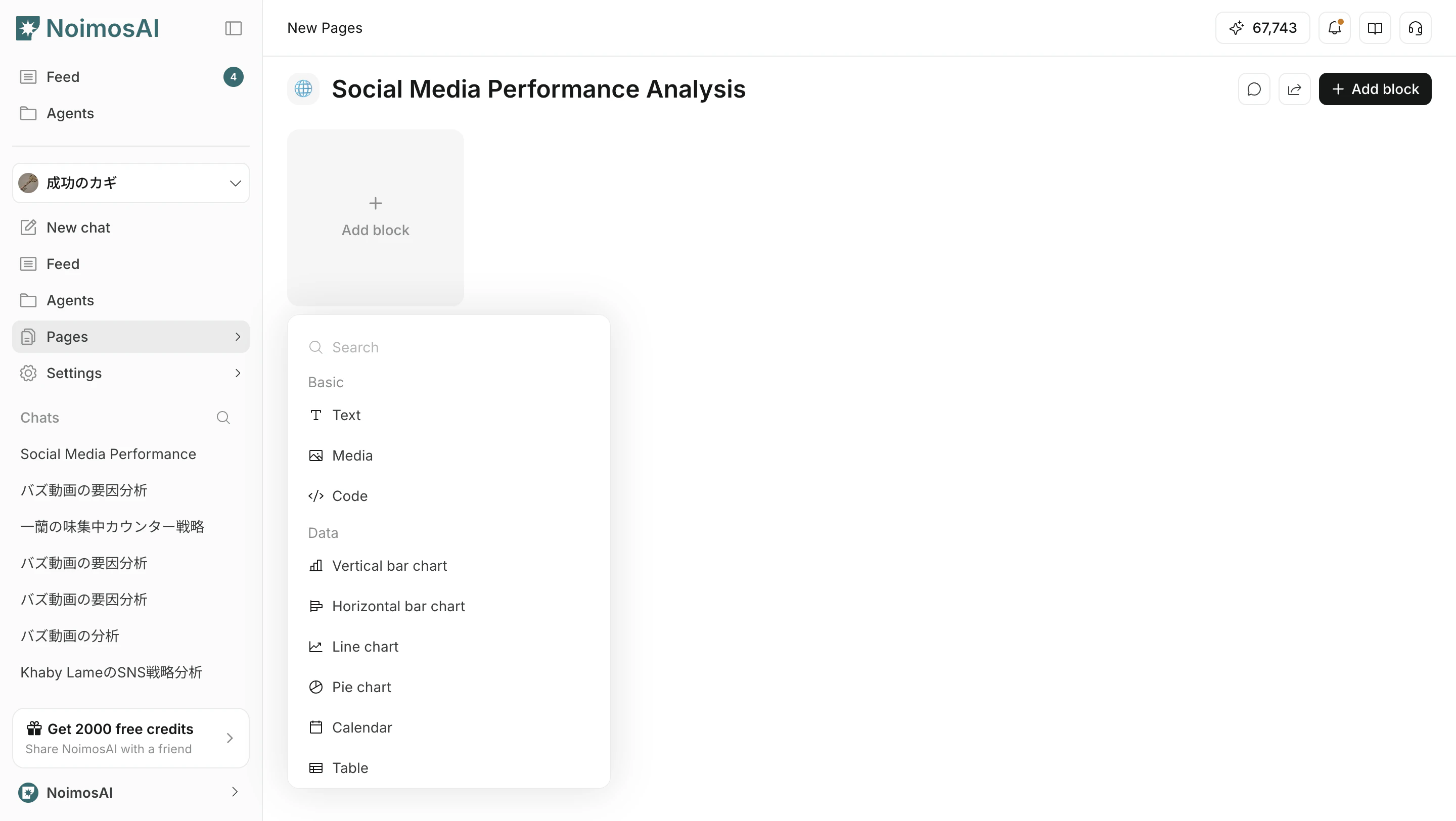
Categories

The UI is mainly organized into these categories.
  1. Basic
  2. Data
  3. Analytics
  4. Function
  5. Embed

Basic blocks

Blocks for writing and organizing basic information.
BlockPurpose
TextWrite headings, body text, notes, and other text content
MediaPlace images and other visual information
CodeFormat code or command examples

Data blocks

Blocks for checking numbers and time-based information.
BlockPurpose
ChartVisualize trends and understand changes
CalendarManage schedules by date
TableCreate tables from scratch or add connected data as columns
MetricCheck KPIs in a compact format
For details on table blocks, see Blok tabeli.

Analytics blocks

Blocks for SEO, GEO, and web analytics.
BlockPurpose
GEOCheck metrics for generative search
SEOCheck search visibility and traffic metrics
Website AnalyticsCheck web metrics such as visits and page views

Function blocks

Blocks for execution work and operational workflows.
BlockPurpose
Media LibraryReuse image and video assets
Content LibraryManage existing content across the workspace
InboxConsolidate comments and message responses
Post EditorCreate and adjust social post drafts
Article EditorDraft and edit articles
Audio EditorGenerate and edit audio

Embed blocks

Blocks for referencing external tool information inside a page.
BlockPurpose
NotionReference connected Notion pages or information

How to choose

  1. Clarify the page purpose first
  2. Use Basic blocks for context
  3. Use Data blocks for measurement and decisions
  4. Use Analytics blocks for SEO and GEO checks
  5. Use Function blocks for execution work

Powiązane strony