

Overview
The Advisor Agent is a built-in agent that analyzes the marketing data in your workspace and recommends the next actions to take, ordered by priority. Each workspace has one Advisor Agent. Unlike regular agents that users create, it does not need to be created or deleted. When you review a recommendation and clickRun, a task chat for that recommendation opens, and the prompt for execution is placed in the input box.
Clicking
Run does not send the prompt or publish any content. Review the content, then send it from the chat to start the task.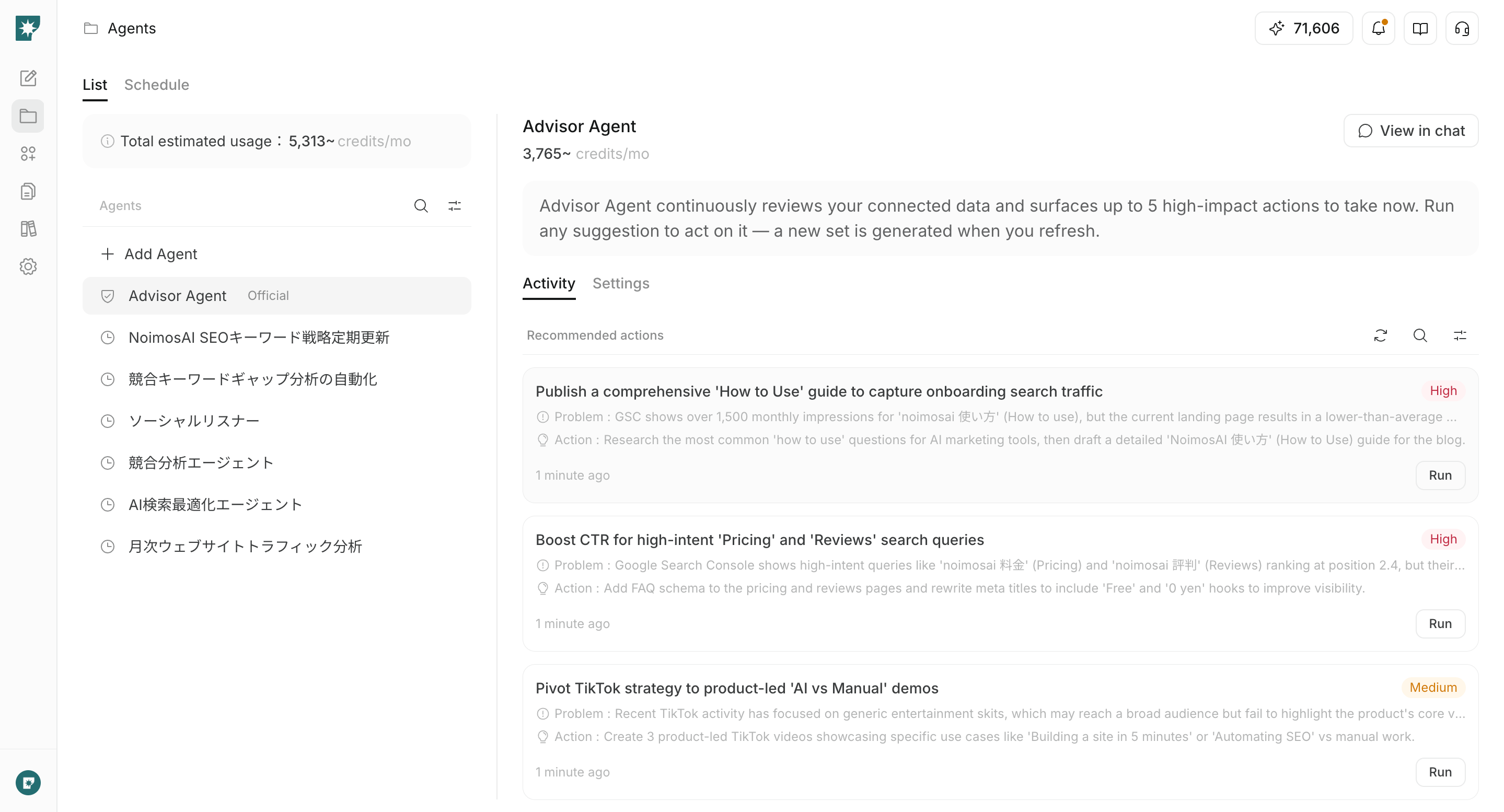
When to use it
Use the Advisor Agent when you want to narrow down the marketing tasks that should be prioritized now before comparing multiple data sources yourself. For example, you can use it for decisions and execution such as:- Improving website conversion paths based on Google Analytics data
- Finding queries where rankings or CTR can be improved based on Google Search Console data
- Deciding what social post to create next based on recent posting volume and engagement
- Expanding a theme that is getting traction on one channel into another social post or short video
- Deciding whether to prioritize traffic acquisition or conversion based on the traffic status of a website created in NoimosAI
Information used for recommendations
Recommendations are generated from the brand information saved in the workspace and the data from apps or websites configured as analysis targets. The main inputs include:- Workspace name and onboarding goals
- Brand name, products or services, value proposition, target audience, and business goals
- Google Analytics data such as sessions, users, and key events
- Google Search Console clicks, impressions, CTR, position, and search queries
- Recent social posting volume, impressions, and engagement
- Account information such as X follower count
- Published status, traffic, viewed pages, and referrers for websites created in NoimosAI
- Priorities saved in
Advisor Agent instructions (optional)
Review recommended actions
Recommended actions can be reviewed from the home screen or fromAgents.
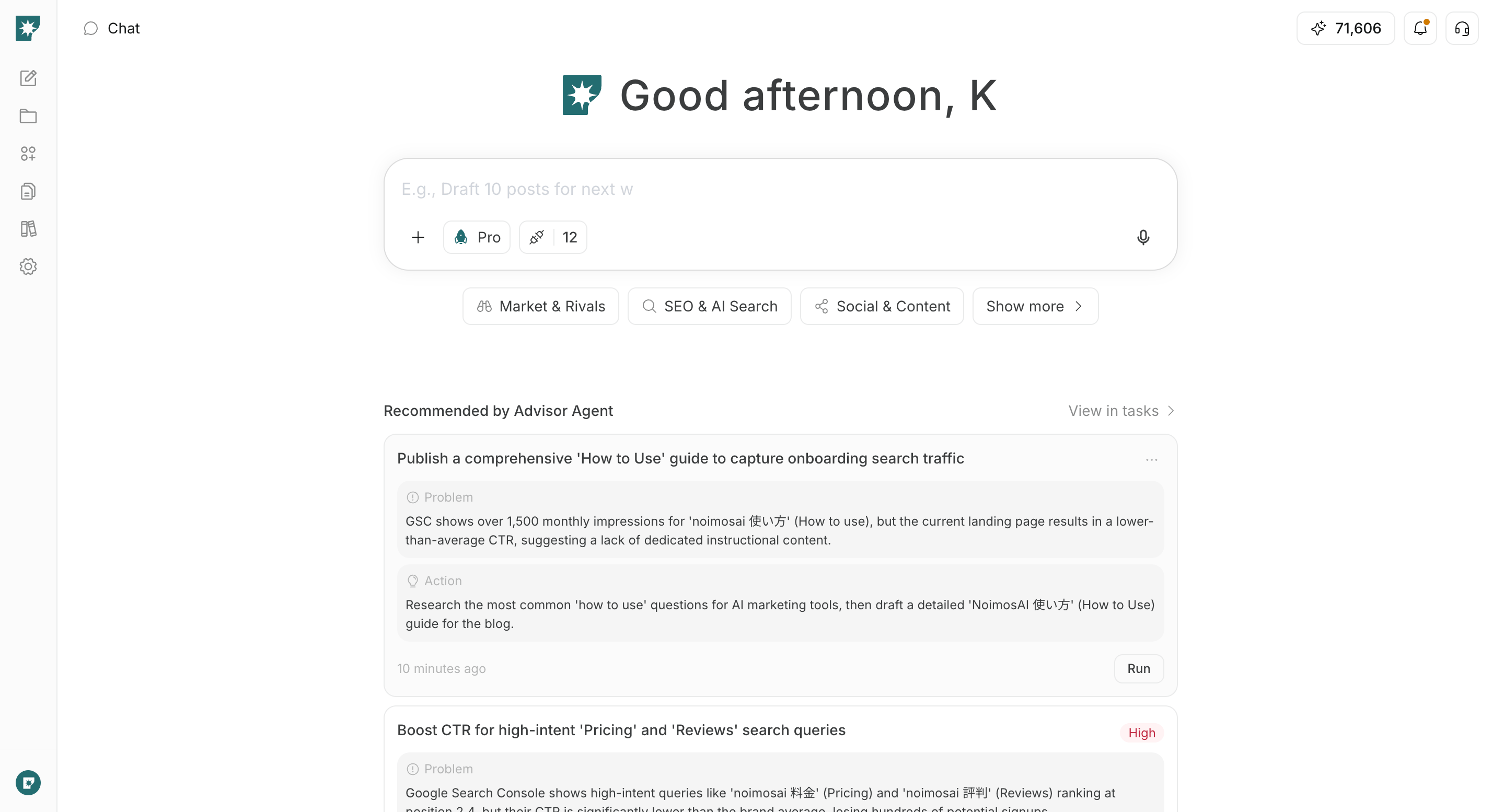
Review from the home screen
Advisor Agent recommendations on the home screen shows the actions that currently have high priority.
To review all recommendations, click View all. The Advisor Agent chat opens, and the right panel shows active recommendations.
Review from the Agents screen
SelectAdvisor Agent in Agents, then open Recommendations to search recommendations, switch status, and refresh them.
Active: Recommendations that have not been handled yet or are in progressCompleted: Recommendations marked as completedArchived: Recommendations you decided not to handle, or recommendations that were replaced by a refresh
Review recommendation details
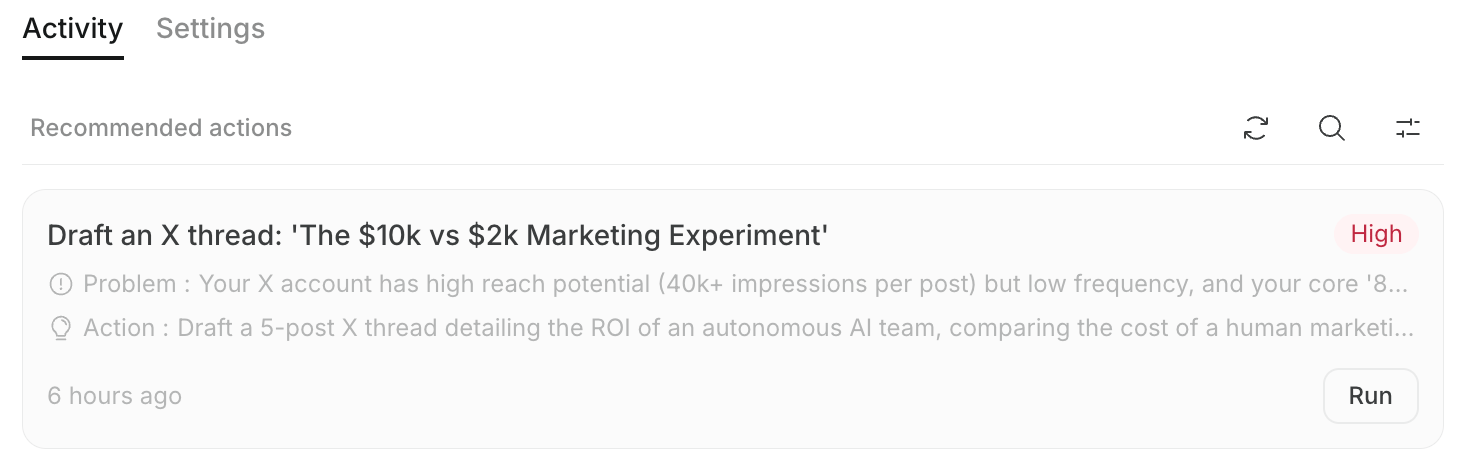
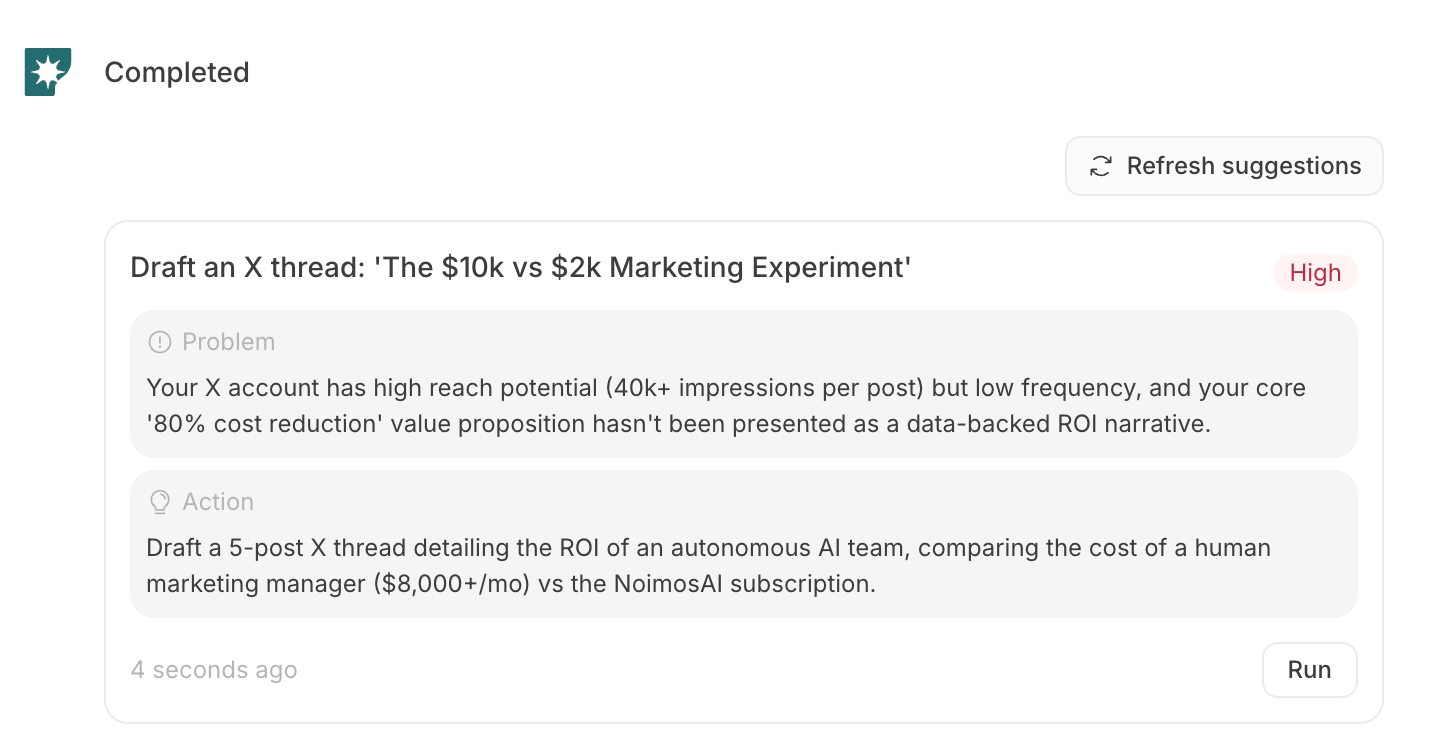
Each card shows the priority and the information needed for judgment and execution.- Priority:
High,Medium, orLow, based on the expected impact on traffic or conversion - Title: The specific task to do next
- Problem: A problem, opportunity, or unaddressed area identified from the data
- Action: What to do in response to the problem
- Status: Whether the recommendation is active, completed, or archived
- Running state: If the recommendation is in progress, the avatar of the member who started the task and
Runningare shown - Run / Open task: Start a new task chat, or return to a task chat that has already been started
Run a recommendation
After choosing a recommendation, review it in the dedicated task chat before running it.- Click
Runon the recommendation you want to execute.
- When the dedicated task chat opens, review the prompt placed in the input box.
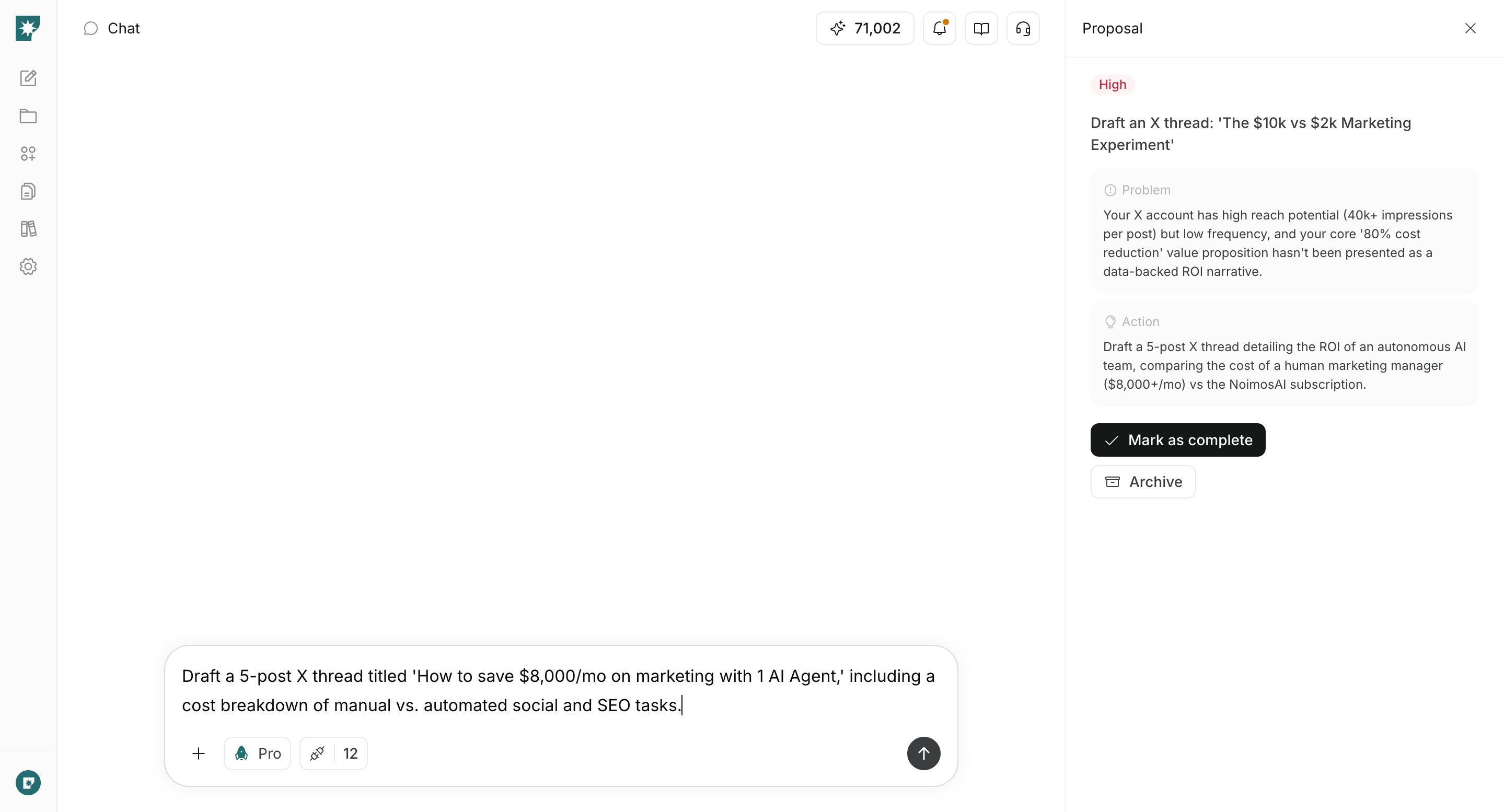
- Edit the prompt if needed, then send it.
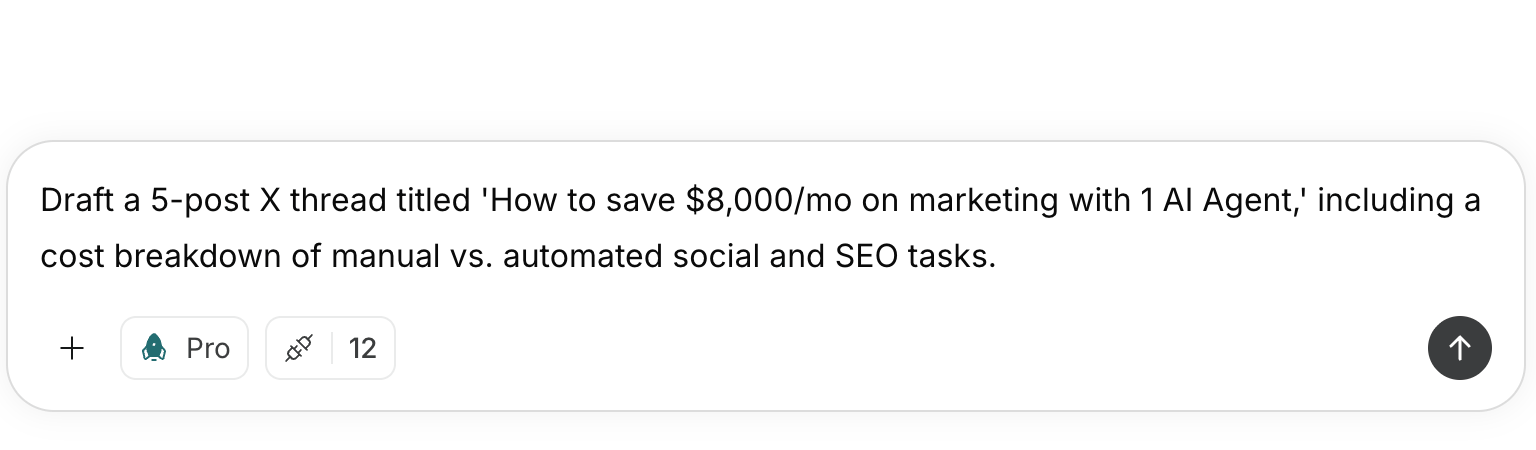
- Continue the task in chat, such as generation, analysis, or website improvement.
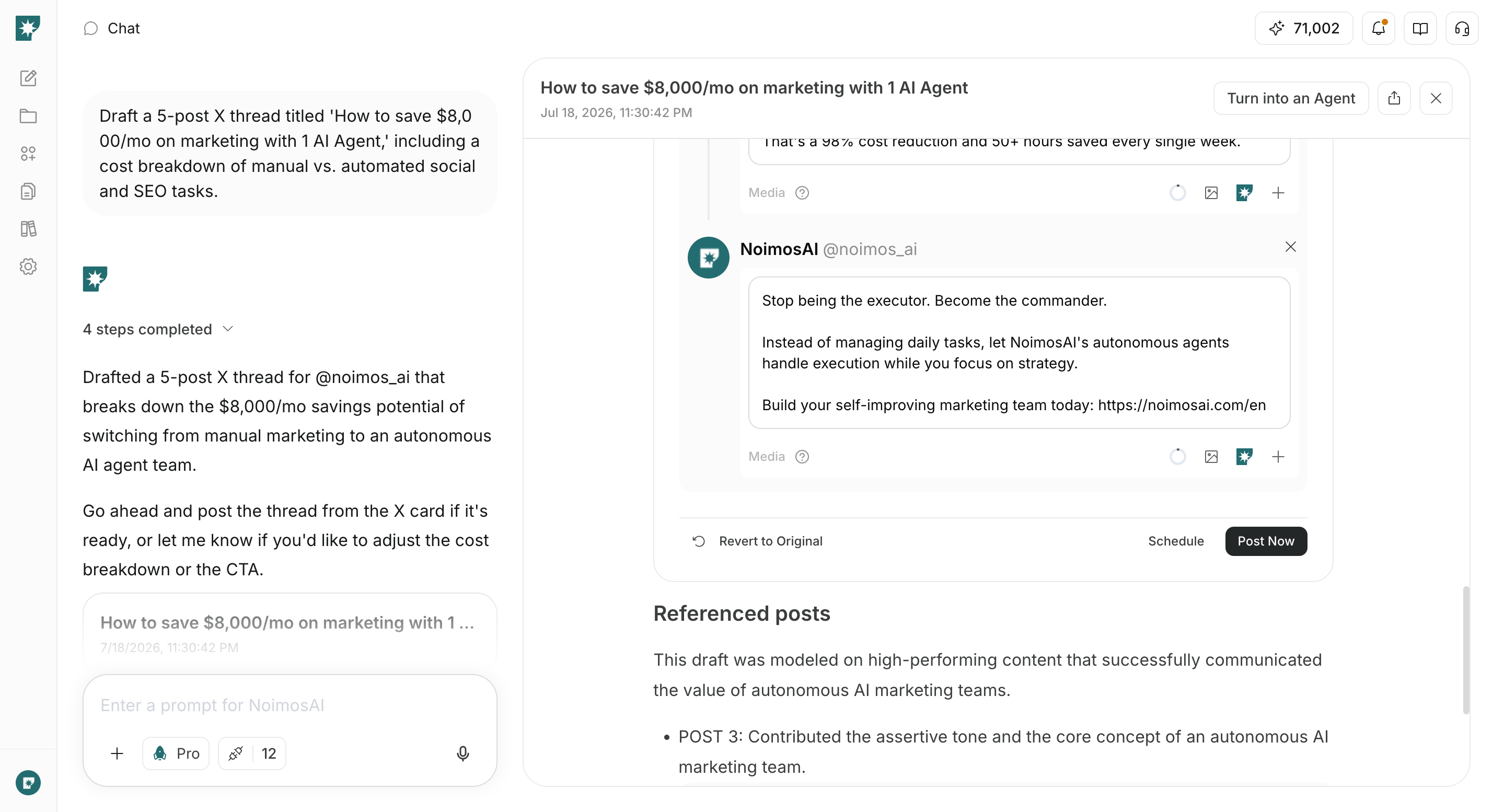
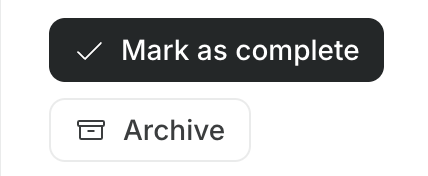
- Review the result, then select
Mark as completeorArchivefrom the recommendation panel.
Open task. You can also send additional instructions in the chat to adjust the output.
Refresh recommendations
If the current recommendations no longer fit the situation, or if you want to reflect changes in connected data, you can manually generate new recommendations. ClickRefresh recommendations in Recommendations or in the Advisor Agent chat. Active recommendations are replaced with new recommendations based on the latest workspace information and target data.
You can also run Refresh recommendations from the latest recommendation block shown inside the Advisor Agent chat.
- When workspace setup is complete and apps that can be analyzed are connected
- When you select
Mark as completeorArchivefor a recommendation and an active recommendation slot becomes available
Refresh recommendations.
Usually, up to 5 active recommendations are shown.
Refresh recommendations generates a new batch of recommendations, while Mark as complete or Archive may generate 1 new recommendation to fill the available slot.Credit usage
The Advisor Agent uses credits when it generates recommendations. Credit usage is not fixed. It is settled based on the actual AI model usage required for recommendation generation. The more connected apps and accounts included in the analysis, the more data and tool calls may need to be checked, which can increase usage. Credits may be used mainly for the following operations:- Initial recommendation generation
- Regenerating recommendations with
Refresh recommendations - Replenishing recommendations after selecting
Mark as completeorArchive
Run only opens the task chat and does not send the recommendation prompt. Analysis, generation, website improvement, and other work after you send the prompt in the task chat use credits separately, in the same way as normal chat or agent execution.
Configure the Advisor Agent
Open the Advisor AgentSettings from Agents to adjust the analysis targets and recommendation policy.
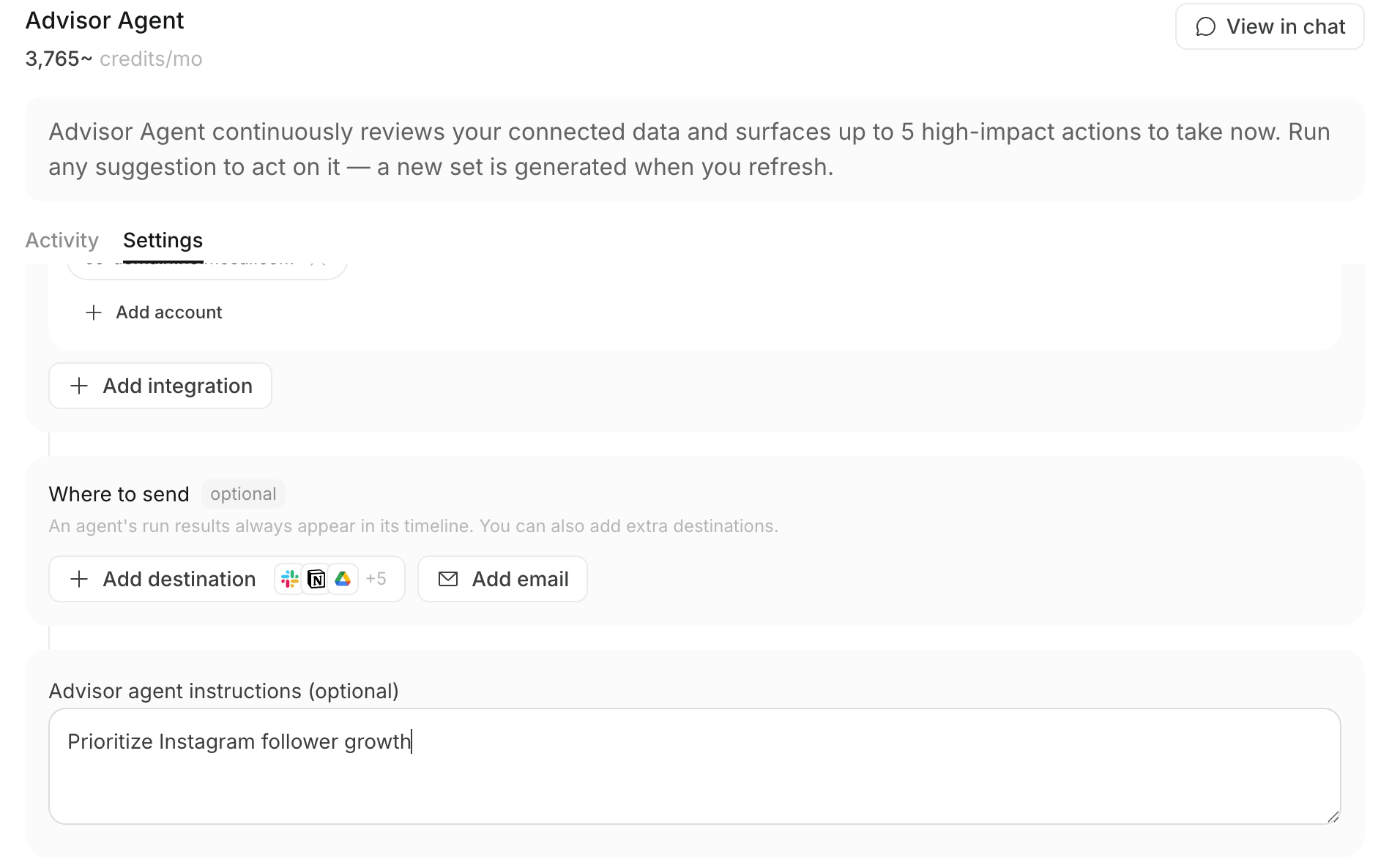
- Integrations: Apps and connected accounts to analyze
- Destinations: Places where newly generated recommendations are delivered
- Advisor Agent instructions (optional): Preferred channels and goals
Change instructions from chat
In the Advisor Agent chat, you can ask to changeAdvisor Agent instructions (optional) by entering requests such as “Prioritize Instagram” or “Show more SEO improvement recommendations.”
The change appears as a confirmation card. After you confirm it, the setting is updated. Changing the instructions does not automatically replace existing recommendations. To regenerate recommendations with the new focus, click Refresh recommendations.
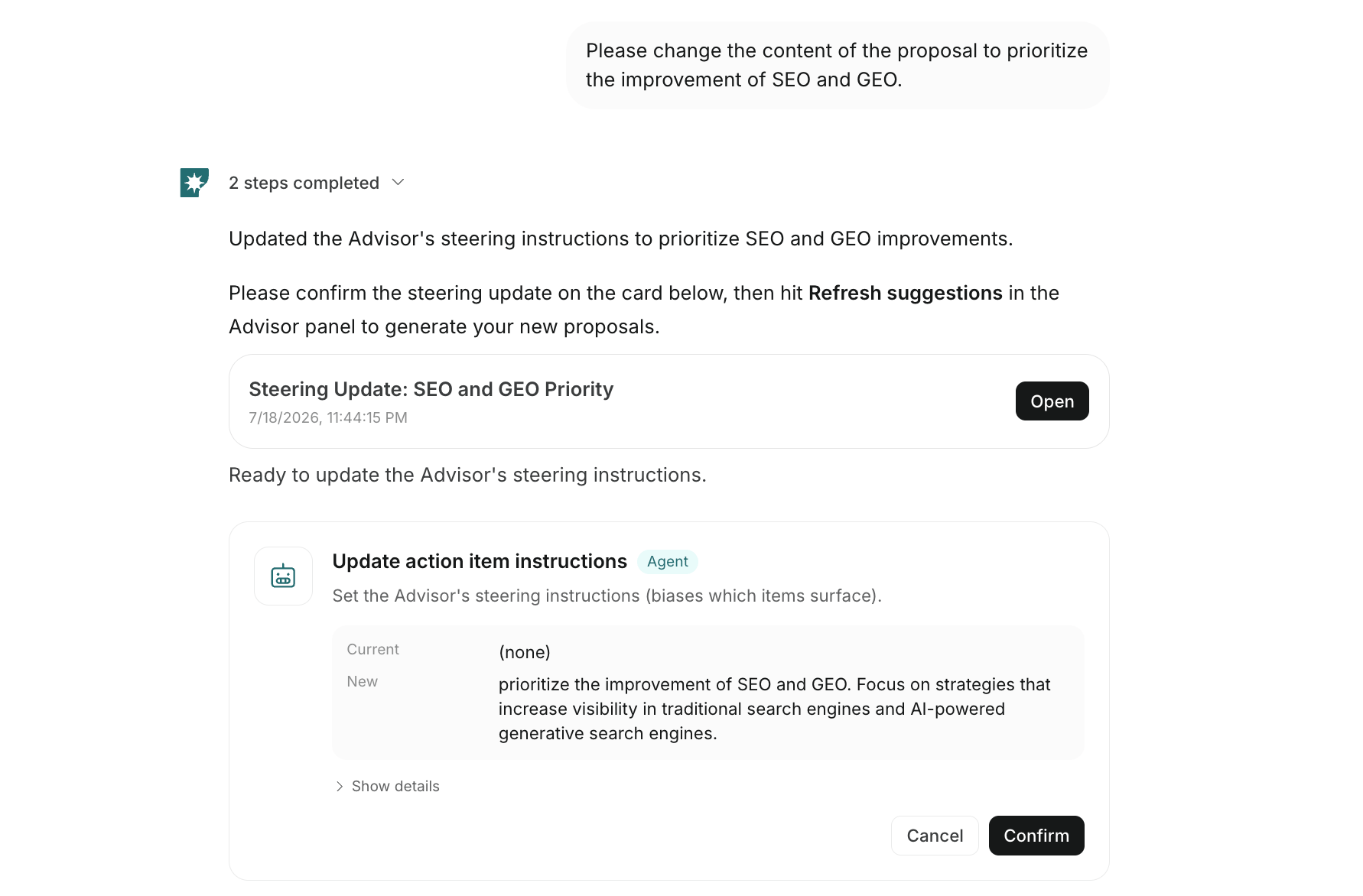
Chat changes mainly update the instructions that adjust recommendation policy. To change the connected apps or accounts used for analysis, or the destinations for recommendations, save those changes from the Advisor Agent
Settings.Language of recommendation text
The language used for recommendation titles, problems, actions, and similar text is determined separately from the app display language. The language is decided in this order:- The language used in
Advisor Agent instructions (optional) - The brand operating language inferred from the brand description, products or services, value proposition, target audience, business goals, and related fields
- English, if the language cannot be determined from either source
Notes when reviewing results
The Advisor Agent helps you decide priority tasks and start execution, but it does not automatically guarantee the accuracy of generated results or published content. Before publishing a website, article, social post, or other content externally, check the following:- Whether the period and numbers used for analysis match your purpose
- Whether the recommended action matches your current business goals
- Whether the generated text, image, video, or website content contains errors
- Whether a human is making the final decision for external publishing, sending, budget changes, and similar actions