

Overview
You can publish your website after reviewing its content in preview. With NoimosAI, you can create, edit, publish, and improve your website all in one place, enabling efficient management.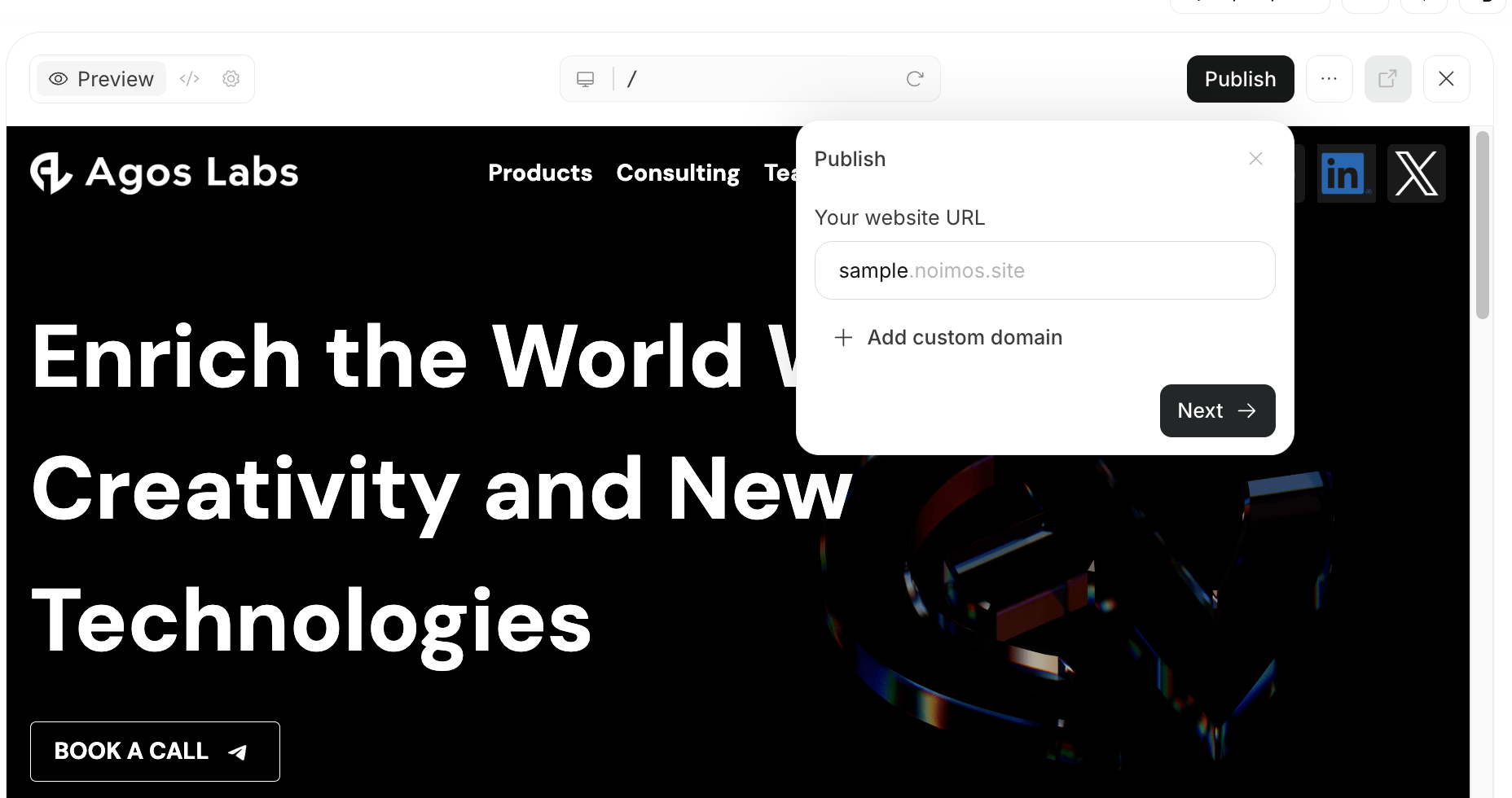
Things to Check Before Publishing
Before publishing, at minimum, check the following:- There are no errors in the text
- CTAs and link destinations are as intended
- There are no major layout issues on smartphone displays
- SEO and GEO measures are sufficient
Deciding the Publishing URL and Domain
When publishing your website, you decide the URL that external users will access. If you are not yet using a custom domain, you can publish using a NoimosAI subdomain. You can publish first to review the content and switch to a custom domain later. If you want to publish with a URL matching your brand or service name, connect a custom domain. If you already have a domain, enter it and configure DNS settings as needed. If you do not have a new domain, you can purchase one within NoimosAI. Domains purchased through NoimosAI allow connection and DNS setup to be handled on the NoimosAI side, reducing manual configuration and making publishing preparation easier.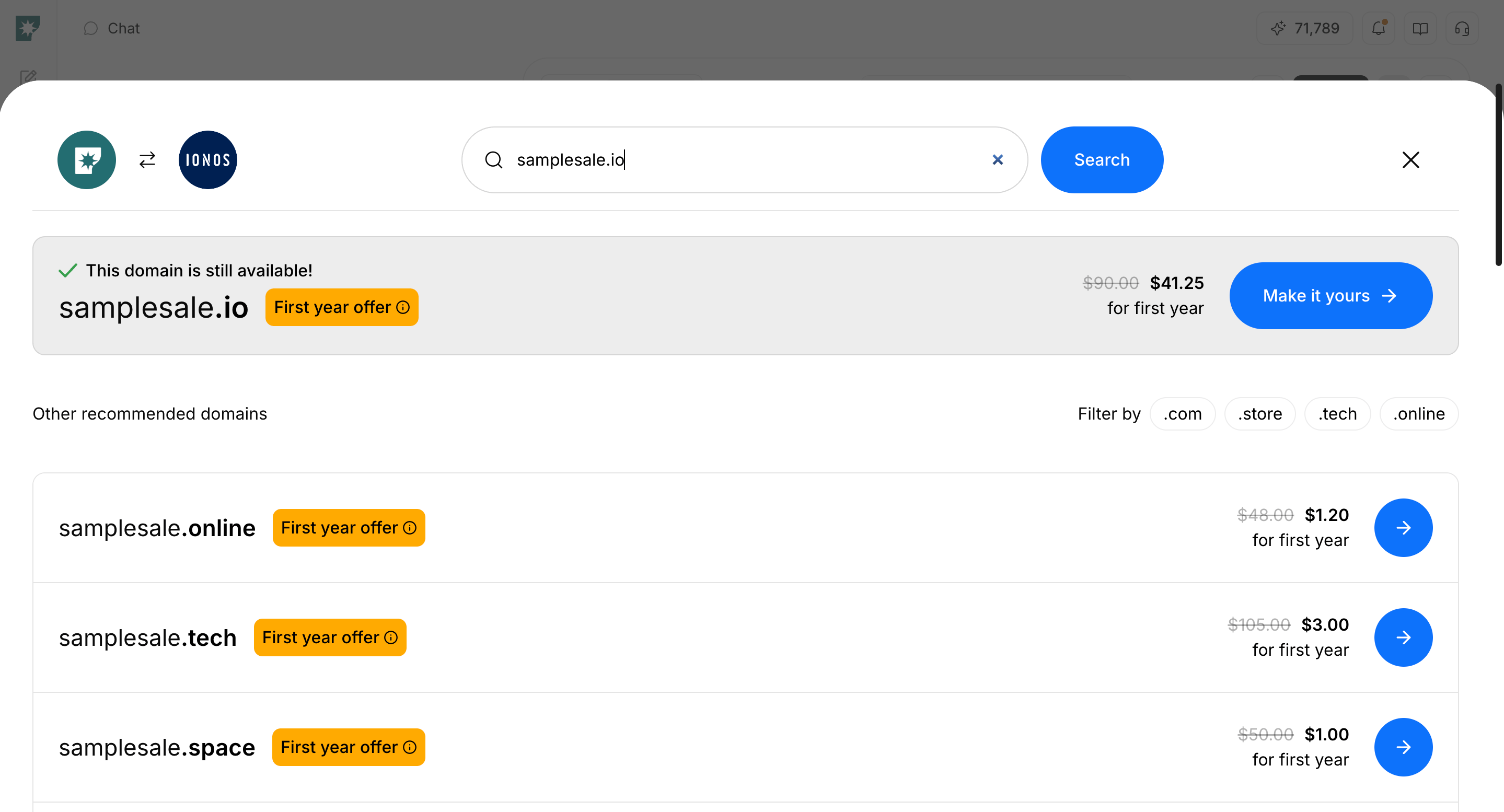
Publishing a New Website
- Open the target website
- Check the display in
Preview - Request corrections via chat if needed
- Open
Publish - Confirm the subdomain to use for the publishing URL
- If using a custom domain, connect the domain or purchase a new one
- Execute
Publish - Verify the display at the publishing URL
Updating a Published Website
When you edit a published website, review the changes before publishing the update.- Open the target website
- Request corrections via chat or make necessary edits
- Check the changes in
Preview - If there are no issues,
Publish Update - Confirm the changes are reflected at the publishing URL
Difference Between Preview and Publishing URL
Preview is a screen within NoimosAI to check the website you are editing. It lets you review content before publishing or changes not yet reflected on the published site.
Publishing URL is the URL issued after executing Publish, which external users can access. If you have not connected a custom domain, it is published on a NoimosAI subdomain. If you have connected a custom domain, it is published at that domain’s URL.