

Overview
UseBilling -> Usage to monitor Team credit balance, monthly consumption, and Workspace-level usage trends. You can also top up credits when needed.
When to use
Use the following cases to decide when this is appropriate.- Before launching higher-volume autonomous workflows.
- When credit balance is decreasing faster than expected.
- When you need to estimate whether to top up or change plan.
Where to find
Use the following path to open this area.Team -> Billing -> Usage.
Credit balance and top-up action
Use this section to understand credit balance and top-up action and what to confirm while completing this part.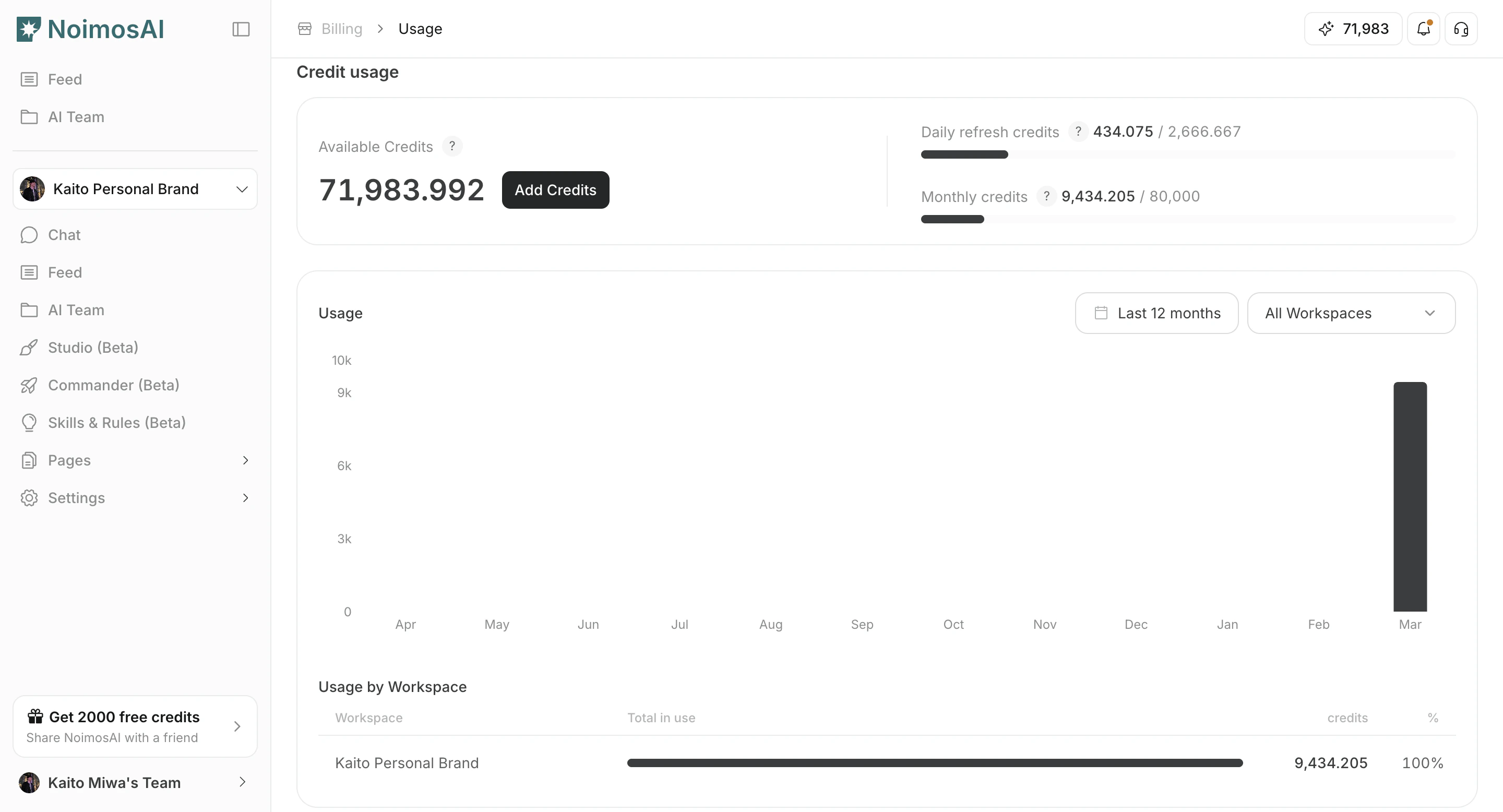
Workspace-level usage breakdown
Use this section to understand workspace-level usage breakdown and what to confirm while completing this part.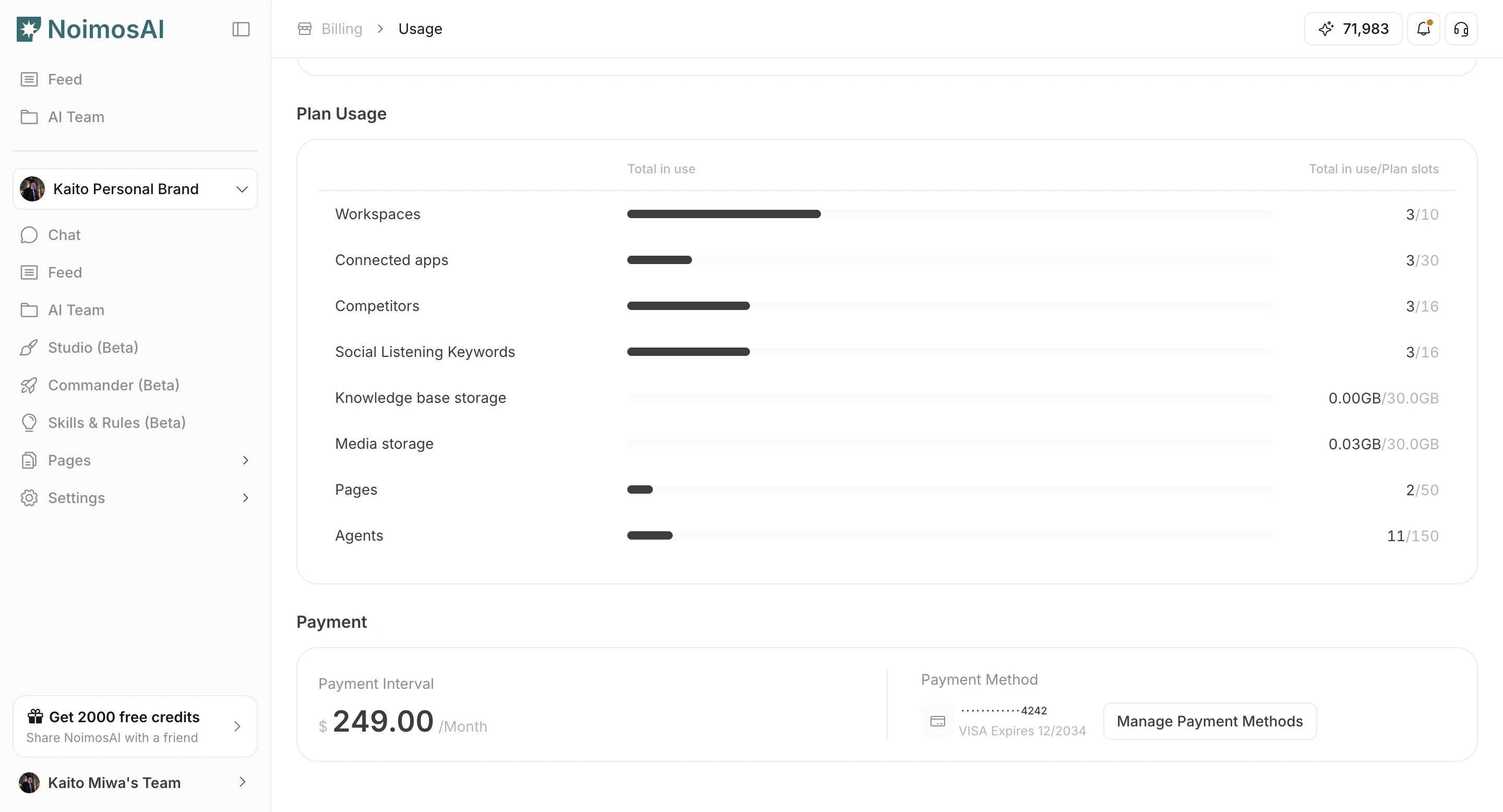
How to monitor and top up
Follow the steps below to complete this action.- Check current available credits.
- Review monthly consumption trends.
- Compare usage by Workspace to find major cost drivers.
- Open credit history for detailed changes.
- Click
Add Creditsto purchase additional credits.
Tips
Use these tips to improve consistency and output quality.- Combine this view with Agent execution volume to forecast upcoming usage.
- Reduce unnecessary reruns before purchasing more credits.