

Overview
Use this page to confirm your Team’s current plan and billing status before you scale usage, add members, or update subscriptions.When to use
Use the following cases to decide when this is appropriate.- Before increasing autonomous runs or adding more workspaces.
- When your Team receives a billing or renewal-related notice.
- Before deciding whether to upgrade, downgrade, or cancel.
Where to find
Use the following path to open this area.Team -> Billing -> Usagein thePlan Detailscard.
Plan details in Billing
Use this section to understand plan details in billing and what to confirm while completing this part.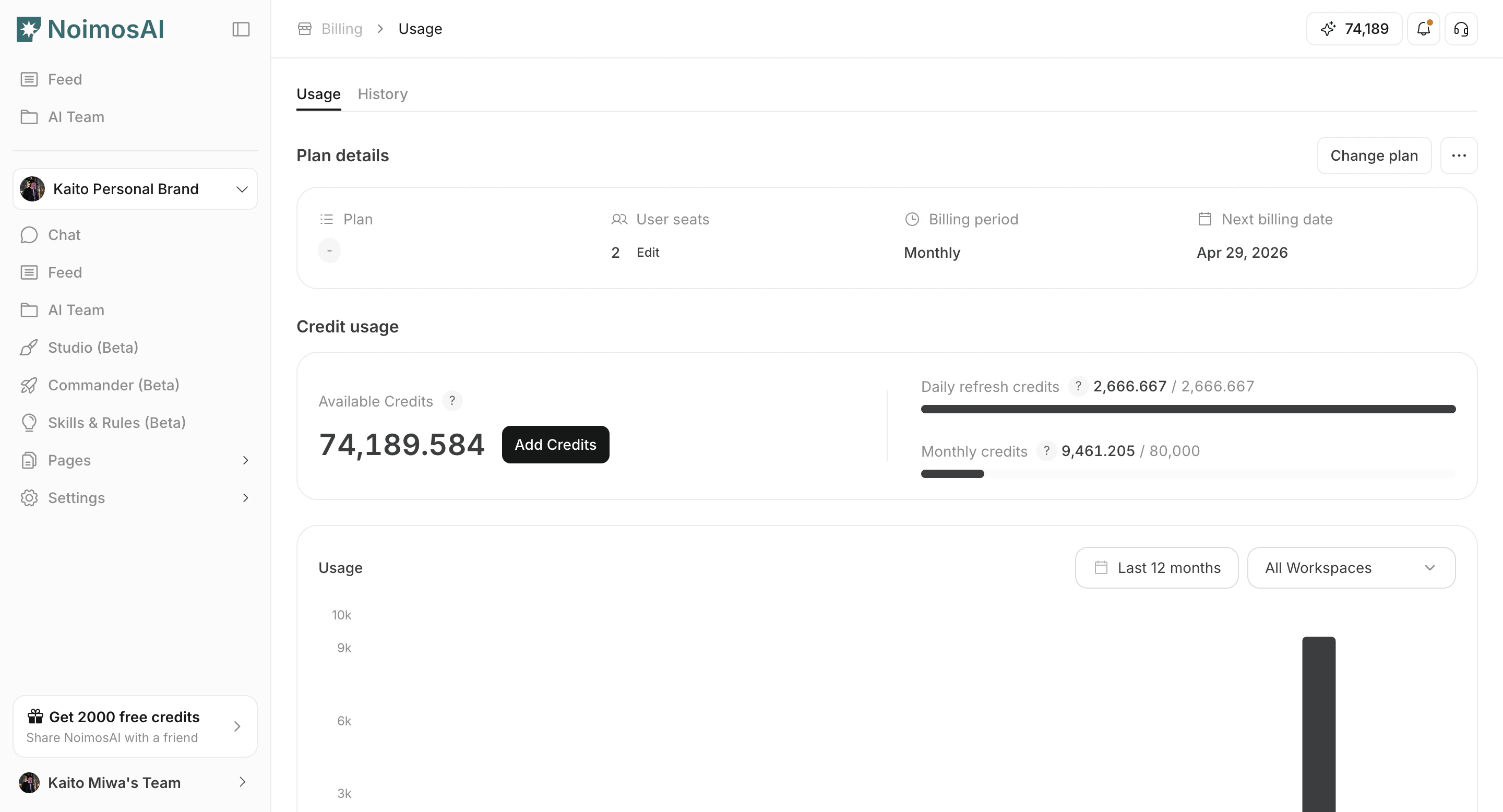
Plan limits and current usage
Use this section to understand plan limits and current usage and what to confirm while completing this part.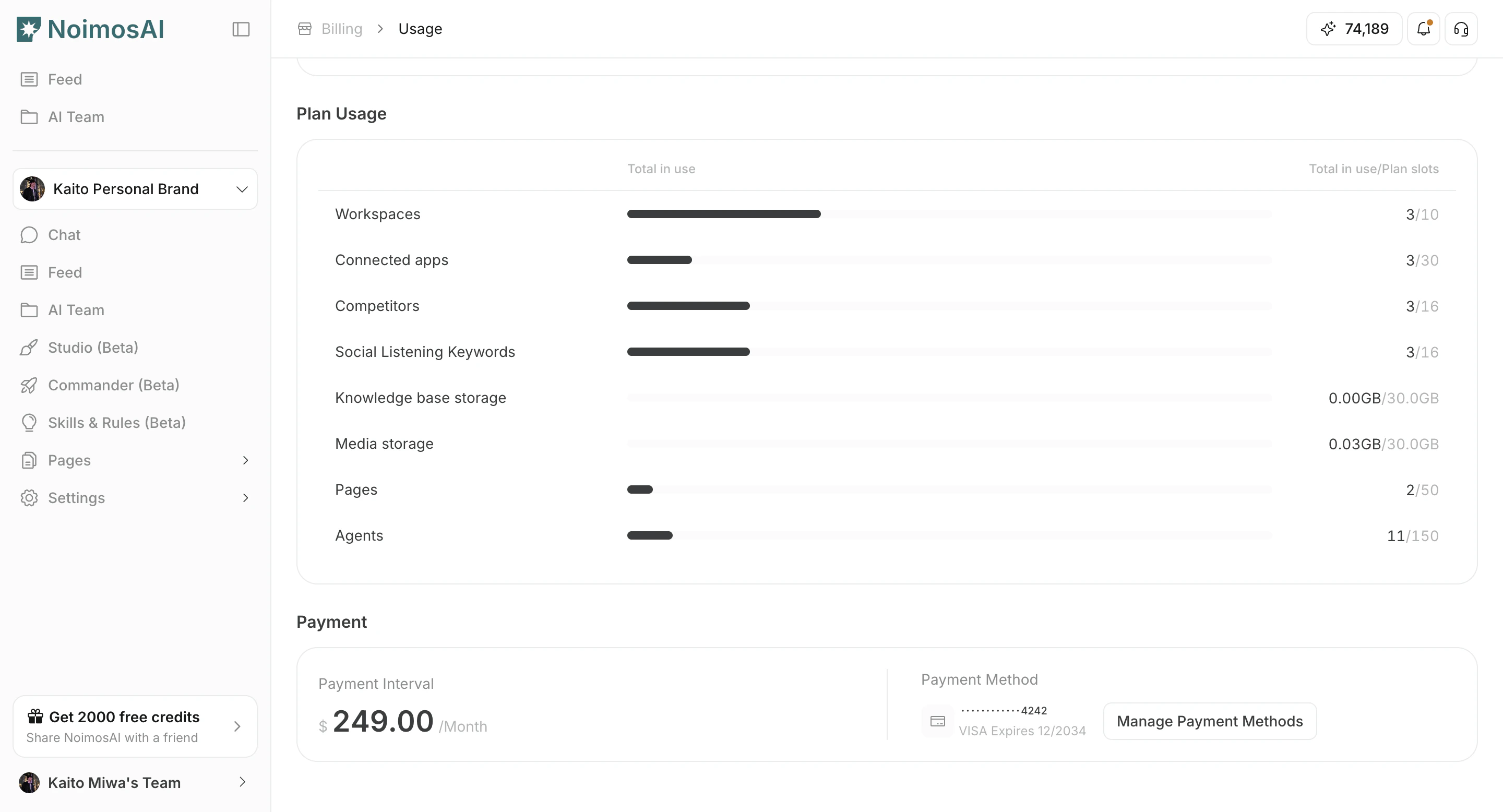
What to check
Use the checklist below to validate key items.- Current plan name (for example,
Pro,Team, orAdvanced) and subscription status. - Billing interval (monthly or annual) and next billing date.
- Seat quantity and plan limits.
- Trial end date or service end date, when applicable.
Tips
Use these tips to improve consistency and output quality.- Compare Team limits with Workspace-level usage before changing plan size.
- If payment status is overdue, update payment details first to avoid service disruption.