

Documentation Index
Fetch the complete documentation index at: https://docs.noimosai.com/llms.txt
Use this file to discover all available pages before exploring further.
What Feed Is
Feed is the place where triggered agent results are listed. Use it to see what ran, when it ran, and open each output for review.Where to Find It
Use the following path to open Feed.Workspace -> Feedshows results in the current Workspace.- If you have broader access, you can also monitor Feed activity at Team level.
Feed Result List
The list view shows core information for each run, such as title, status, agent name, and generated time.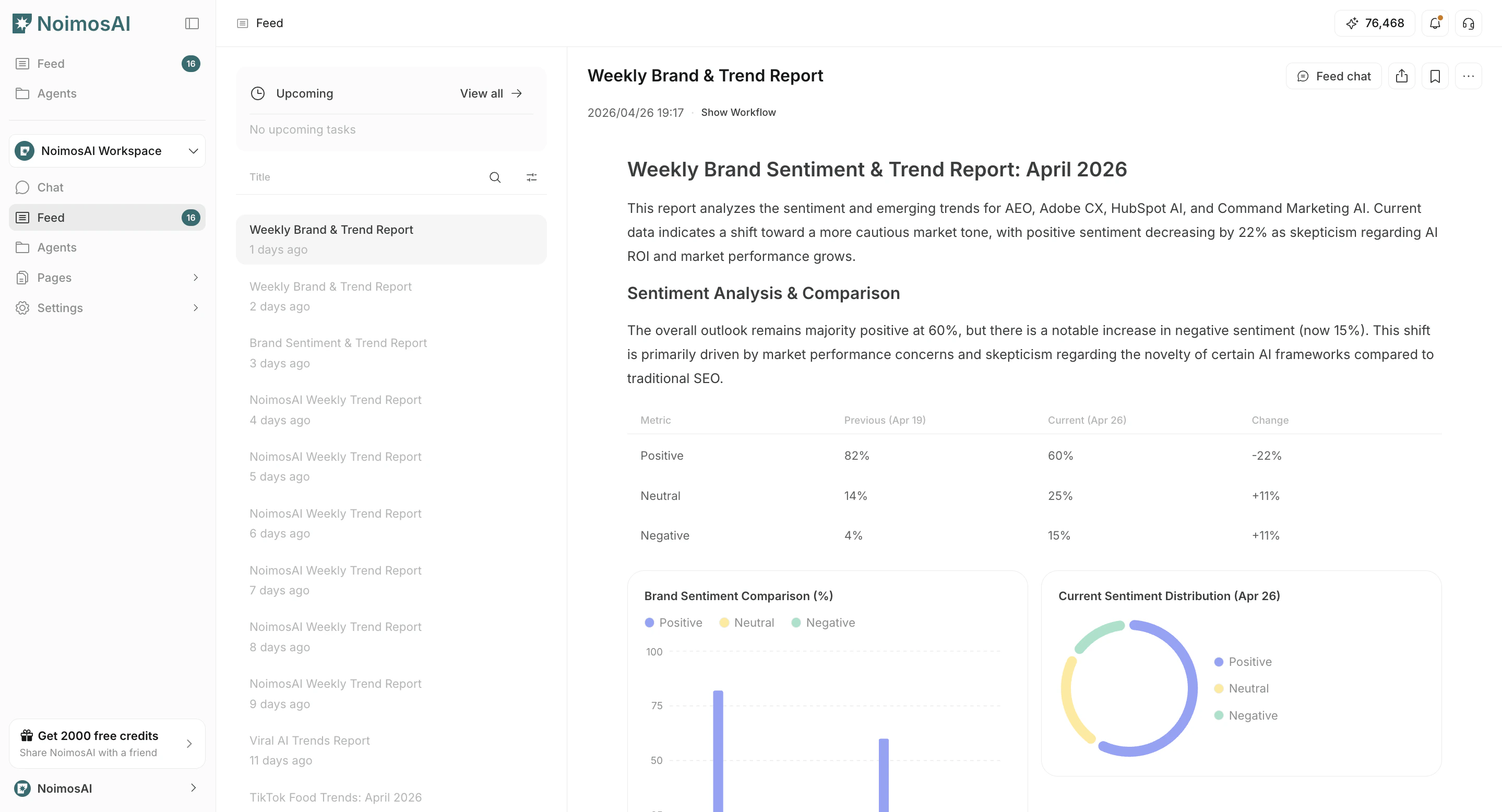
What You Can Do in Feed
The following actions are available in this screen.- Filter results by status and other conditions.
- Open a result to check full output details.
- Update status after review (for example, archive or restore).
- Use Feed Chat to ask additional questions or give additional instructions.
- In
Next Runs, clickView allto open Feed Schedule and check execution timing.