

Overview
Use public ad libraries and transparency data to understand competitor messaging and convert the insights into posts, landing pages, SEO articles, and campaigns.Recommended Setup
Integrations
Connect the channels, analytics sources, CMS, or website data needed for the workflow.Pages
Use Pages to organize drafts, tables, media, metrics, and review notes in one place.Starter Workflows
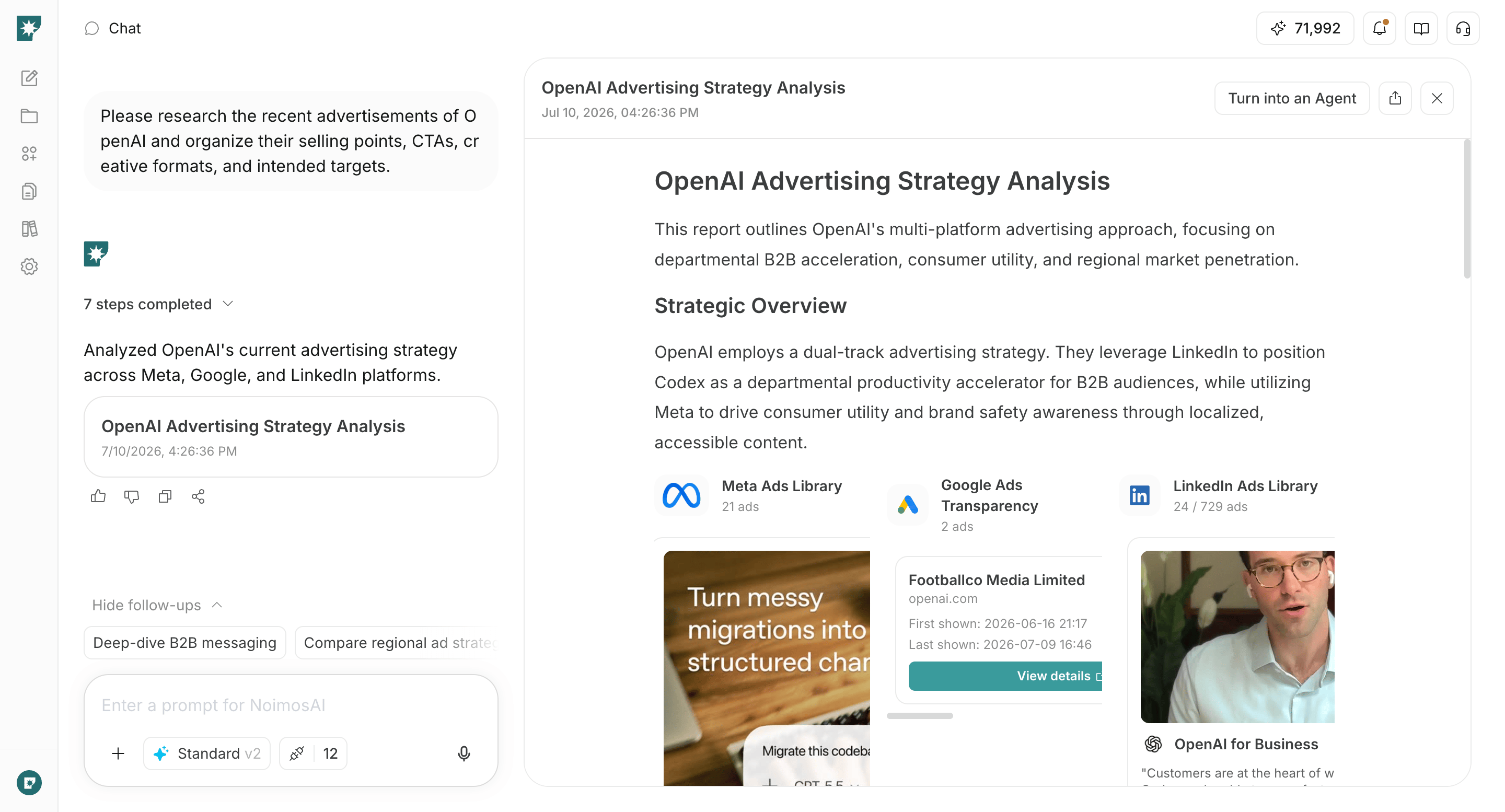
Workflow 1: Competitor Ad Research
Workflow 1: Competitor Ad Research
- Goal: Workflow 1: Competitor Ad Research.
- When to run: When this goal becomes the next priority.
- Prompt example:
Research ads from [competitor] and summarize claims, CTA, format, and offer. - Output: Competitor ad patterns.
- Review point: Confirm accuracy, brand fit, and the next action before publishing or sending.
Workflow 2: Message Comparison
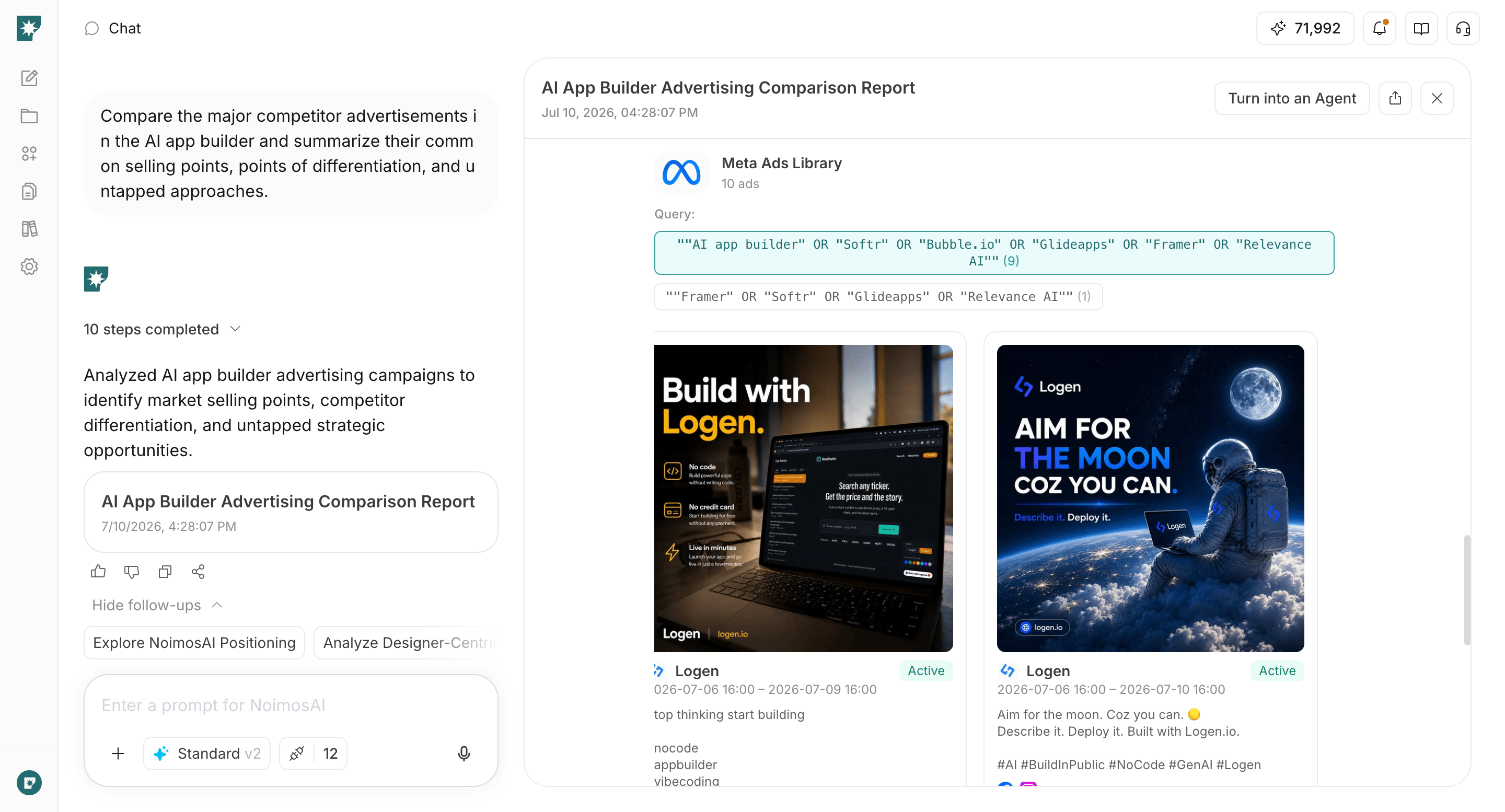
Workflow 2: Message Comparison
- Goal: Workflow 2: Message Comparison.
- When to run: When this goal becomes the next priority.
- Prompt example:
Compare the messaging of [brands] and identify reusable angles. - Output: A comparison of claims and positioning.
- Review point: Confirm accuracy, brand fit, and the next action before publishing or sending.
Workflow 3: Image, Video, and Audio Creation
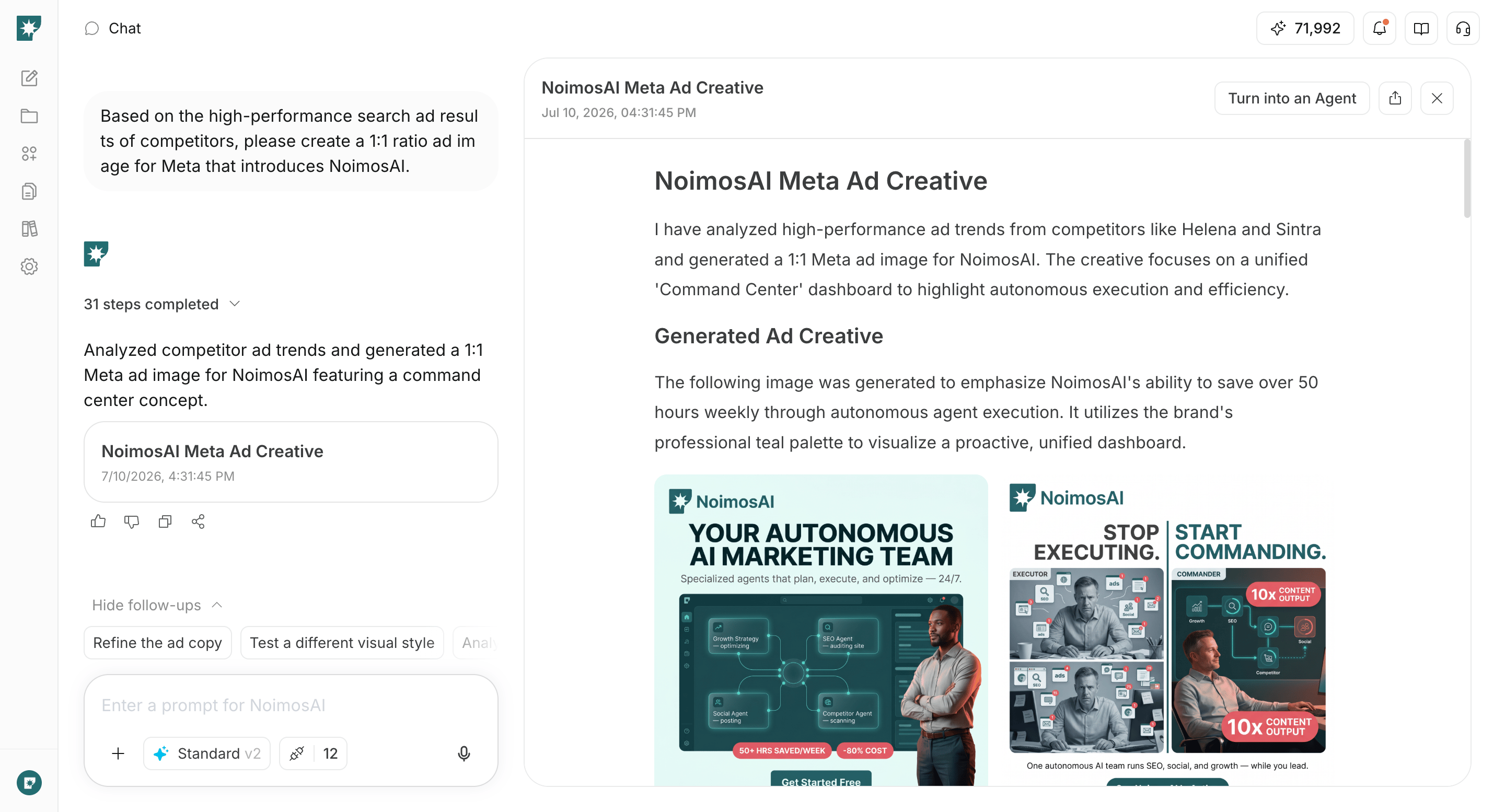
Workflow 3: Image, Video, and Audio Creation
- Goal: Workflow 3: Image, Video, and Audio Creation.
- When to run: When this goal becomes the next priority.
- Prompt example:
Turn ad research into image, video, and audio concepts for [product]. - Output: Creative assets and improvement directions.
- Review point: Confirm accuracy, brand fit, and the next action before publishing or sending.
Expected Benefits
- Move from a clear goal to the right workflow faster.
- Keep research, drafts, media, analysis, and next actions in one place.
- Reuse the same insights across channels and website improvements.