

First, check the connection method
Instagram can be connected using the following two methods. If the connection fails, the items to check differ depending on the chosen method.- Log in directly to Instagram (recommended)
- Requirements: An Instagram professional account (Business or Creator) and permission to access NoimosAI
- You can use features necessary for daily Instagram operations such as creating and publishing posts, responding to comments and DMs, checking mentions, and insight analysis.
- Log in via Facebook Page
- Requirements: An Instagram Business account linked to a Facebook Page, and the necessary permissions for the Facebook profile, Facebook Page, and Instagram business assets
- If you want to use hashtag search, retrieve information from other professional accounts, or use posts with product tags, log in via the Facebook Page.
If you cannot log in directly to Instagram
Since direct login to Instagram does not use Facebook Pages or business assets, the following four items should be checked:- Confirm in the Instagram app that the target account is Business or Creator.
- If you are logged into another Instagram account in your browser, log out and log back in with the account you want to connect.
- Check the access items displayed on the authentication screen and allow access to NoimosAI.
- Close the authentication screen and retry connecting by logging in directly to Instagram from NoimosAI’s integration screen.
Checklist for verification via Facebook Page
If you connect Instagram via Facebook Page and the account does not appear or cannot connect, please check from the top in order. Even if Facebook integration is complete, it does not necessarily mean the conditions required for Instagram integration are met.
Is Instagram a Business account?
Is Instagram a Business account?
Only Instagram Business accounts linked to Facebook Pages can connect to NoimosAI. Personal accounts cannot connect due to Meta restrictions. Creator accounts are professional accounts but may have limited features available to external tools.Open the target account in the Instagram app and check the account type from
Edit Profile or account settings. If it is a personal or Creator account, switch to a Business account and reconnect in NoimosAI.Is Instagram linked to the target Facebook Page?
Is Instagram linked to the target Facebook Page?
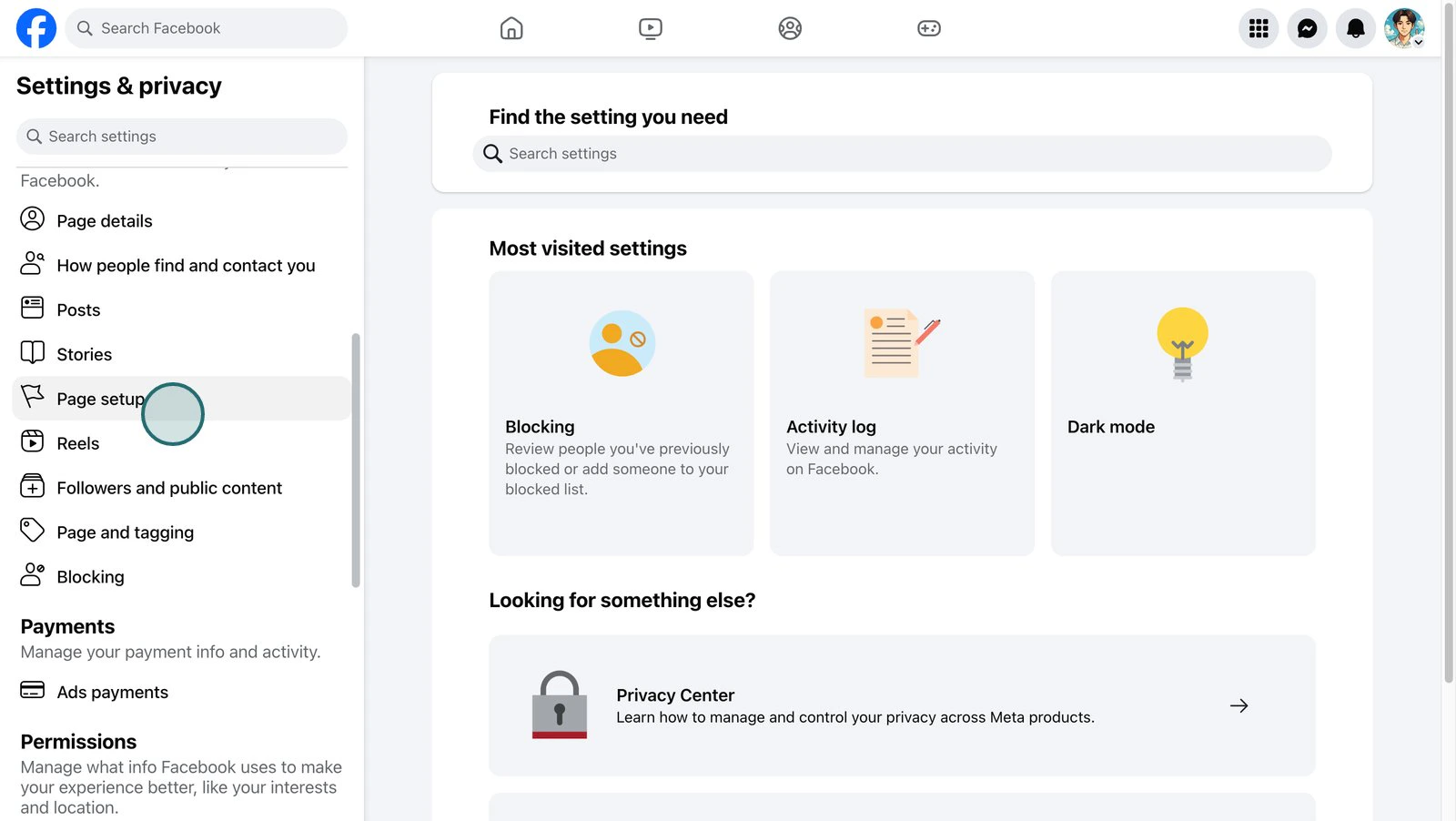
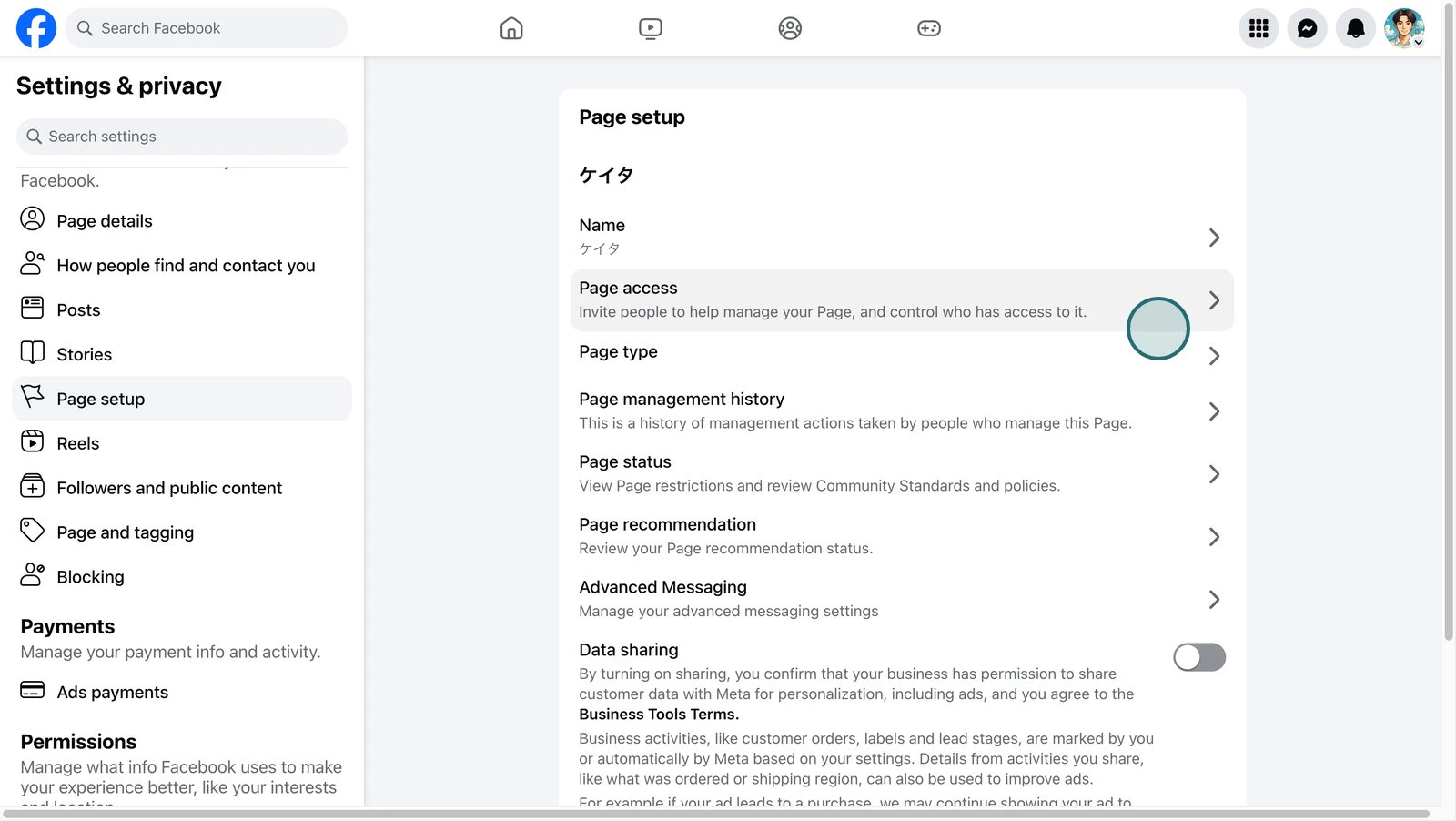
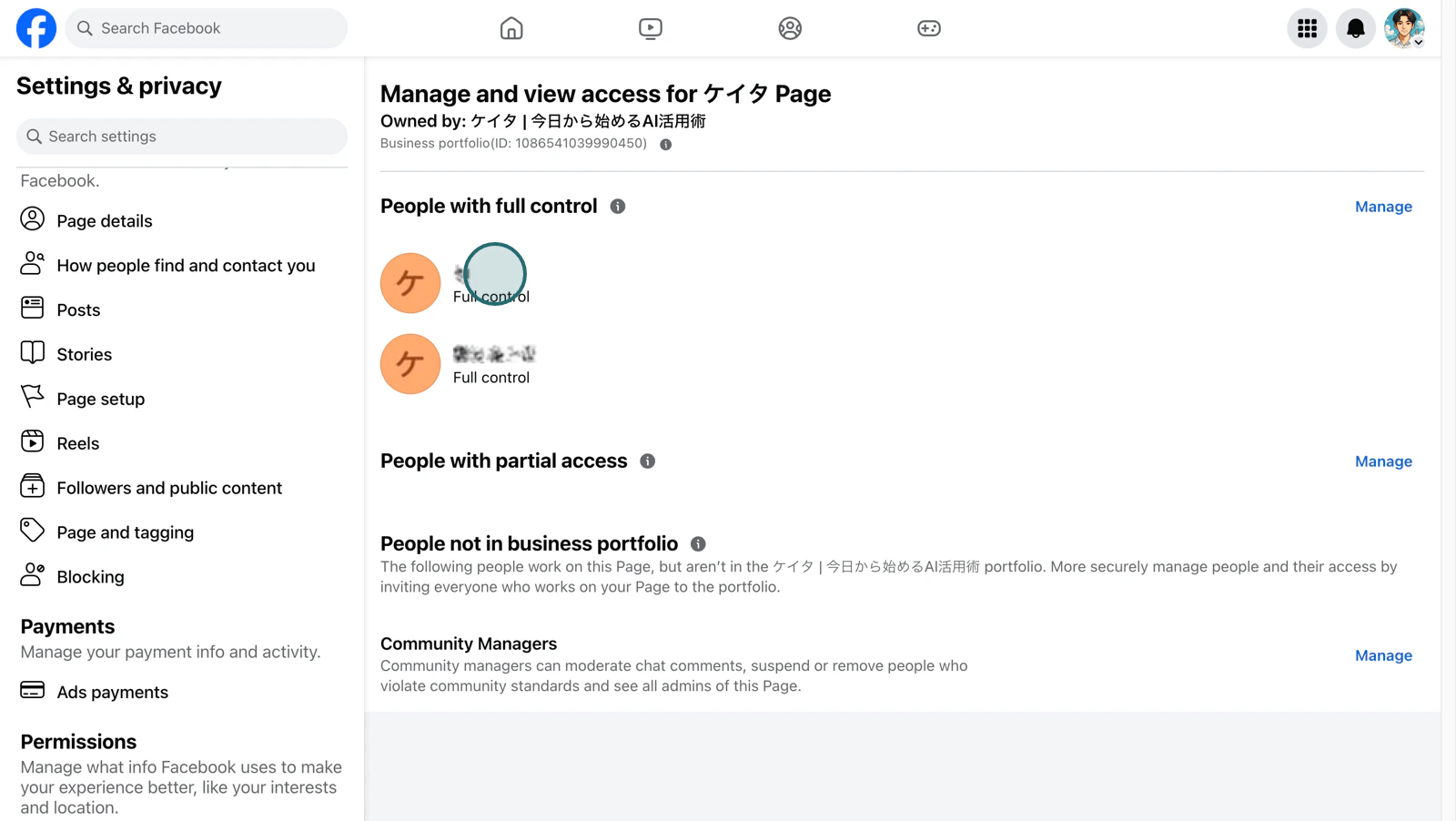
Instagram integration detects the target Instagram account through Facebook authentication. The Instagram Business account must be linked to the Facebook Page you want to connect in NoimosAI.If linked to another Facebook Page, even if it appears “linked” on that other page, NoimosAI cannot detect the Instagram account from the Facebook Page you selected. To check on Facebook, switch to the target page and follow these steps: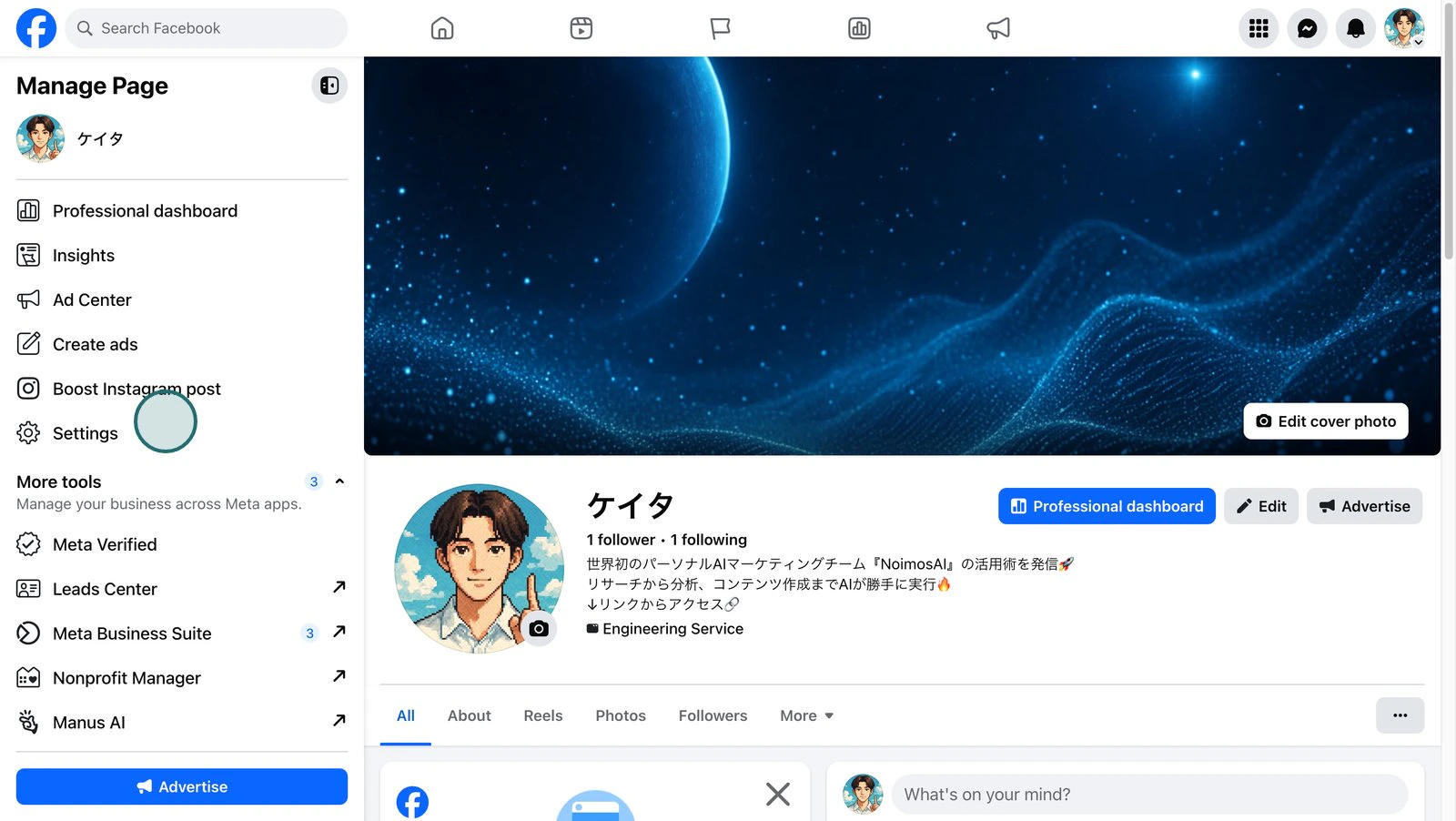
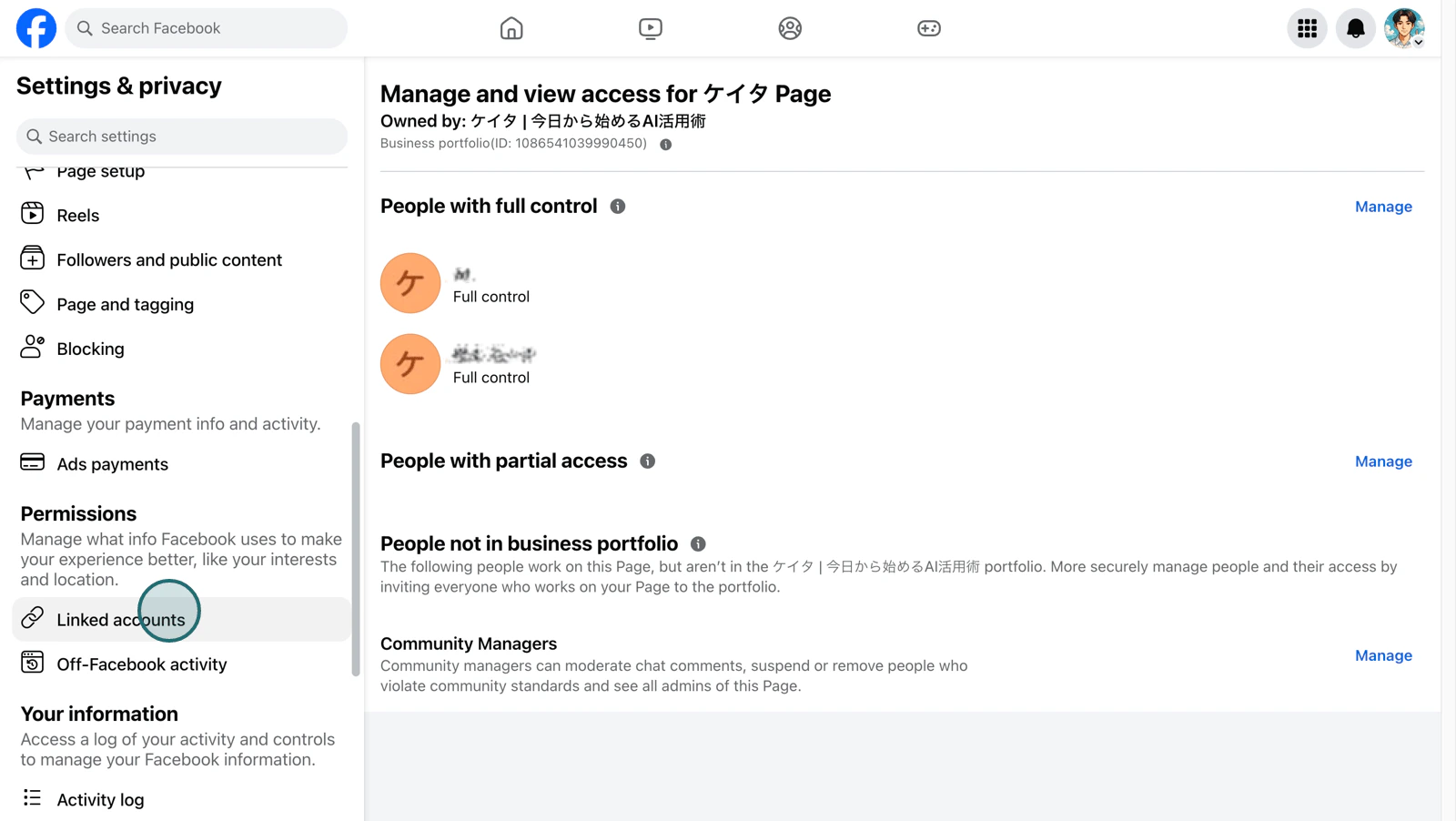
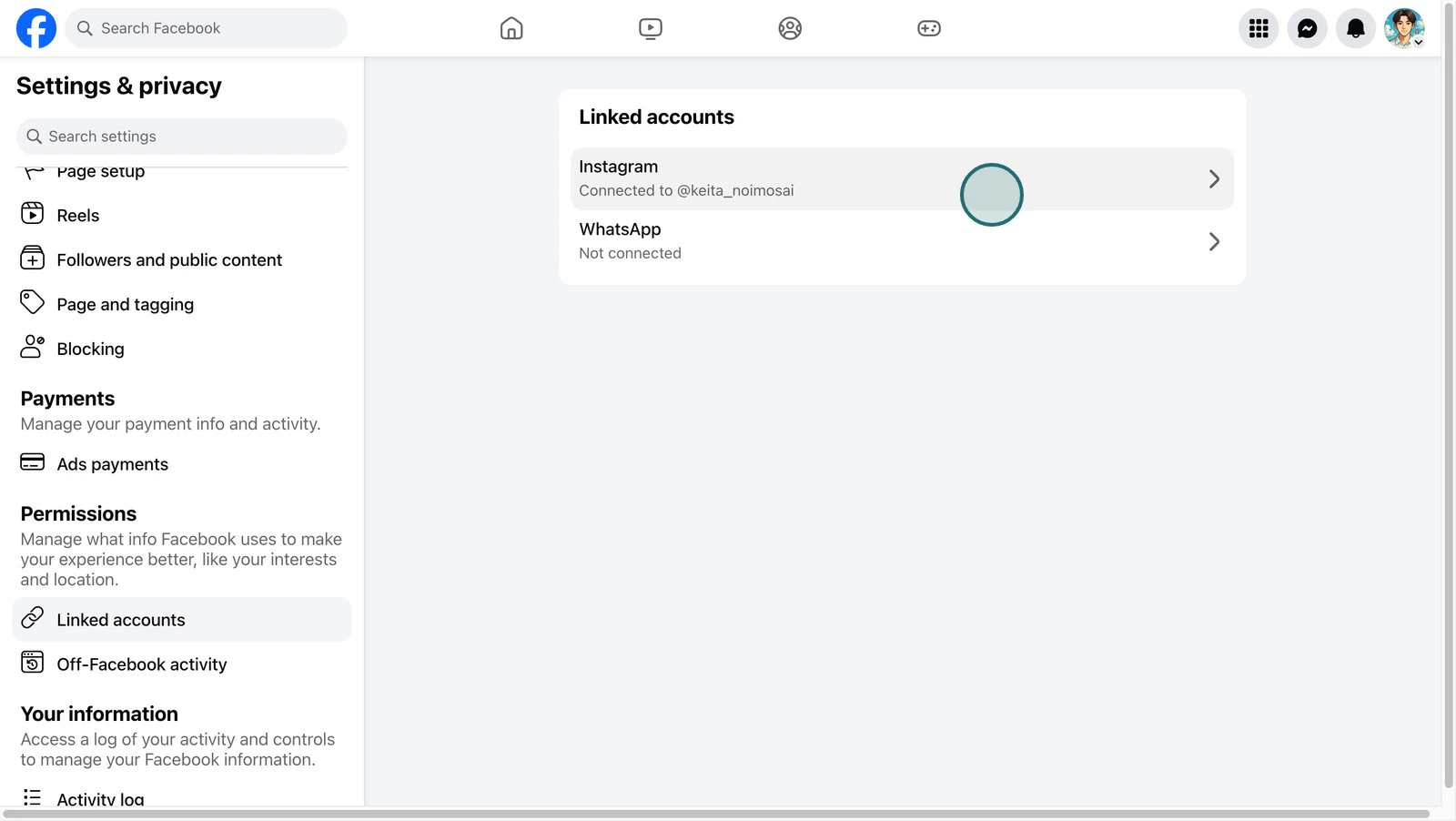
- Open
Settingson the Facebook Page.
- Open
Page Settings.
- Open
Page Access.
- Confirm the Facebook personal accounts with access permissions to the page.
- Next, select
Linked Accounts.
- Select Instagram.
- Confirm that the Instagram account you want to connect to NoimosAI is displayed among the connected Instagram accounts.
Edit Profile > Page in the Instagram app and check the connected Facebook Page. If a different page is selected, change it to the Facebook Page you want to connect in NoimosAI and reconnect.Is 'Allow access to Instagram messages in Inbox' enabled?
Is 'Allow access to Instagram messages in Inbox' enabled?
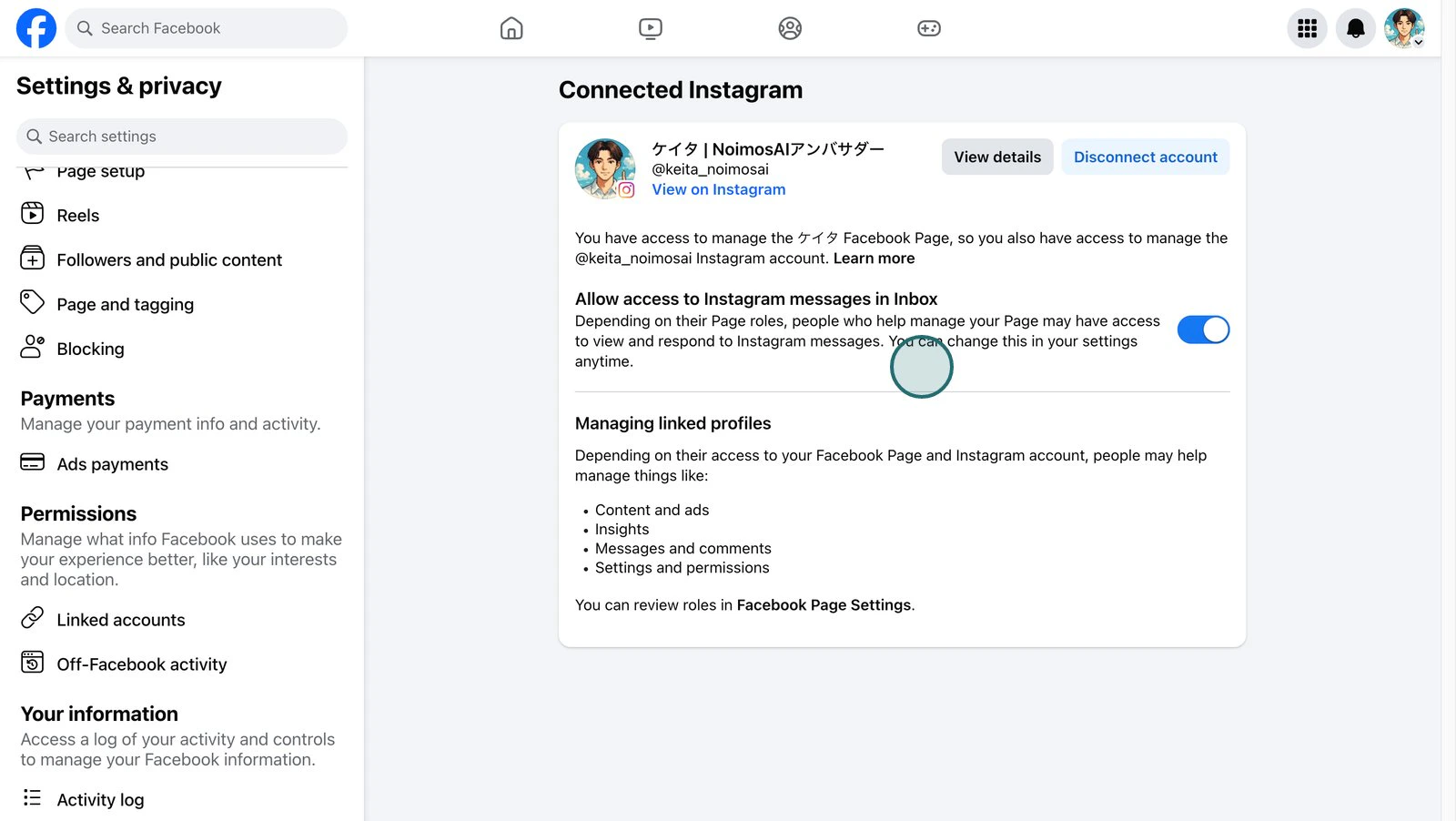
Even if the Facebook Page and Instagram account are connected, if
Allow access to Instagram messages in Inbox is off, you cannot complete integration with NoimosAI. This is a required condition when connecting via Facebook.Switch to the target Facebook Page and check in the following order:- Open
Settingson the Facebook Page. - Open
Linked Accounts. - Select Instagram.
- Turn on
Allow access to Instagram messages in Inbox. - If asked to log in again to Instagram or grant access, follow the on-screen instructions to complete.
Depending on Facebook’s interface, menu names and setting locations may differ. Please check settings related to Inbox or Instagram message access within Linked Accounts > Instagram.
Is the link between Instagram and Facebook Page pending confirmation?
Is the link between Instagram and Facebook Page pending confirmation?
Even if Instagram appears connected on the Facebook Page side, there may be pending link confirmations on Instagram or Facebook. In this state, the Instagram account may not appear on NoimosAI’s authentication screen.Confirm that the same Facebook Page is connected in both Facebook Page’s
Linked Accounts > Instagram and Instagram app’s Edit Profile > Page. If confirmation or re-login is requested, follow Meta’s instructions to finalize the link before reconnecting.Are you logged in with the correct Facebook personal account?
Are you logged in with the correct Facebook personal account?
Instagram integration via Facebook uses the Facebook personal account logged in on the browser for Meta authentication. If you are logged in with a different account that cannot manage the target Facebook Page, the page and Instagram account will not appear.Log out once from Facebook and log back in with the personal account that can manage the Facebook Page you want to connect in NoimosAI. Then restart Instagram integration from NoimosAI.
Does the Facebook personal account used for connection have management rights for the page?
Does the Facebook personal account used for connection have management rights for the page?
The Facebook personal account used for connection must have management permissions for the Facebook Page linked to Instagram.
- For classic pages: must have
AdminorEditorpage role - For new Page Experience: must have full or partial
Facebook Access - For pages under Business Manager: must have access to the target page as a business asset
Settings > Page Settings > Page Access on the Facebook Page and confirm the Facebook personal account used for connection has access permissions.Can the Facebook personal account access both the Facebook Page and Instagram account in Business Manager / Business Portfolio?
Can the Facebook personal account access both the Facebook Page and Instagram account in Business Manager / Business Portfolio?
If you manage Facebook Pages or Instagram accounts in Business Manager / Business Portfolio, access to the Facebook Page alone may not be sufficient. Confirm that the Facebook personal account used for connection is assigned both the Facebook Page and Instagram account as business assets.Open 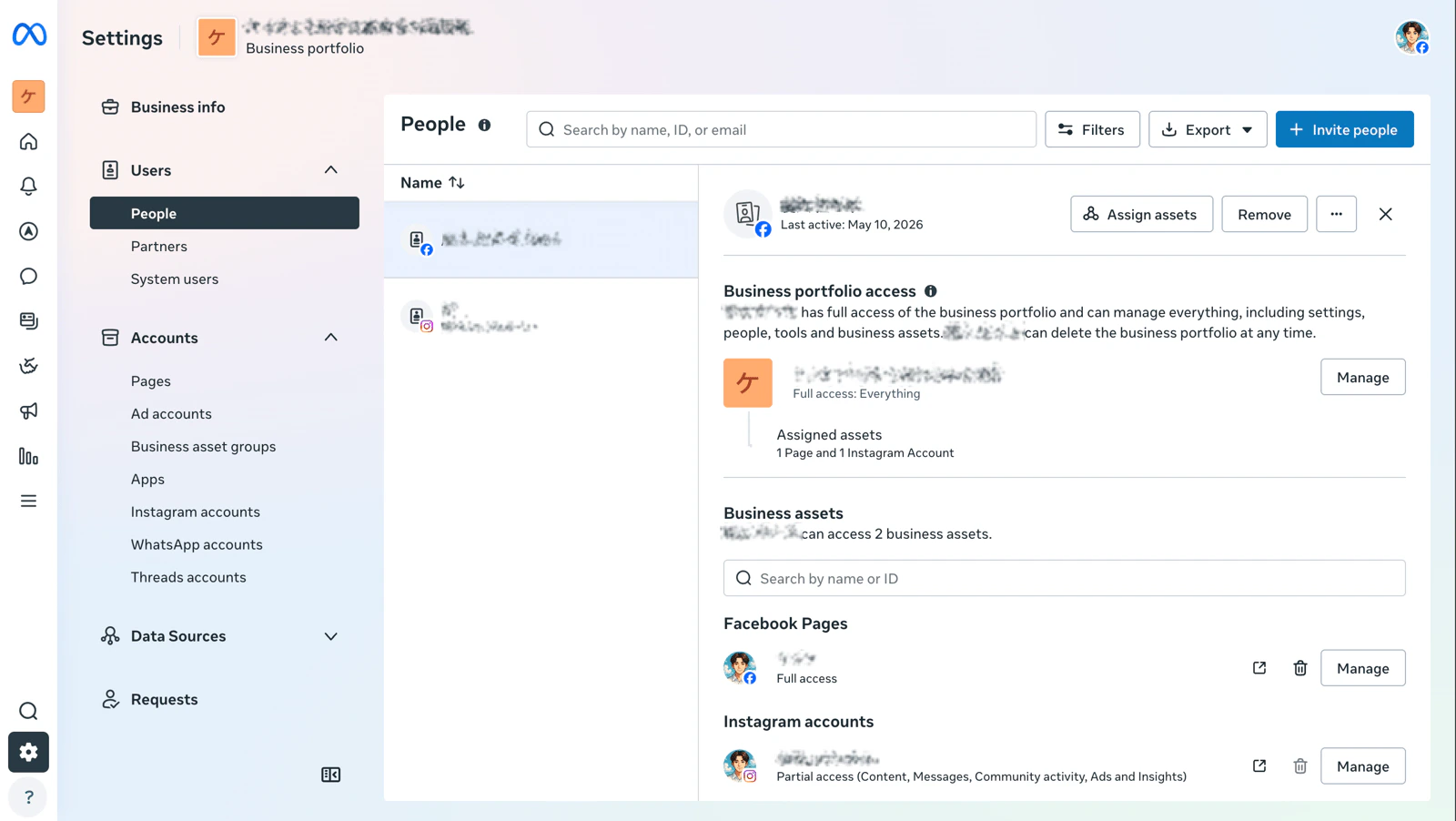
Business Settings in Meta Business Suite, select the Facebook personal account used for connection under Users > People. Confirm that the assigned assets include both:- The Facebook Page selected in NoimosAI
- The Instagram account linked to that Facebook Page
Have you partially revoked Meta permissions for NoimosAI?
Have you partially revoked Meta permissions for NoimosAI?
If you deselect the target Instagram, Facebook Page, business assets, or permission items on the Meta authentication screen, the Instagram account may not appear or may not be usable after connection.Open NoimosAI in Facebook’s
Settings & Privacy > Settings > Business Integrations and confirm that access to the target page and Instagram is allowed. If you may have previously allowed only partial permissions, delete the NoimosAI integration and reconnect, selecting and saving the target Instagram, Facebook Page, and business assets on the Meta authentication screen.Connection procedure via Facebook Page
The Meta authentication screen displayed during Instagram integration varies depending on your Facebook login status and past connection history. Please check the instructions that match the screen displayed. Multiple confirmation screens may appear consecutively.Confirm the state before connection
Confirm that the Instagram account is a Business account and linked to the Facebook Page used in NoimosAI. Also confirm thatAllow access to Instagram messages in Inbox is enabled in Facebook Page’s Settings > Linked Accounts > Instagram.
Start connection in NoimosAI
Open the Instagram integration screen in the target workspace’sIntegrations and select the method to log in via Facebook Page.
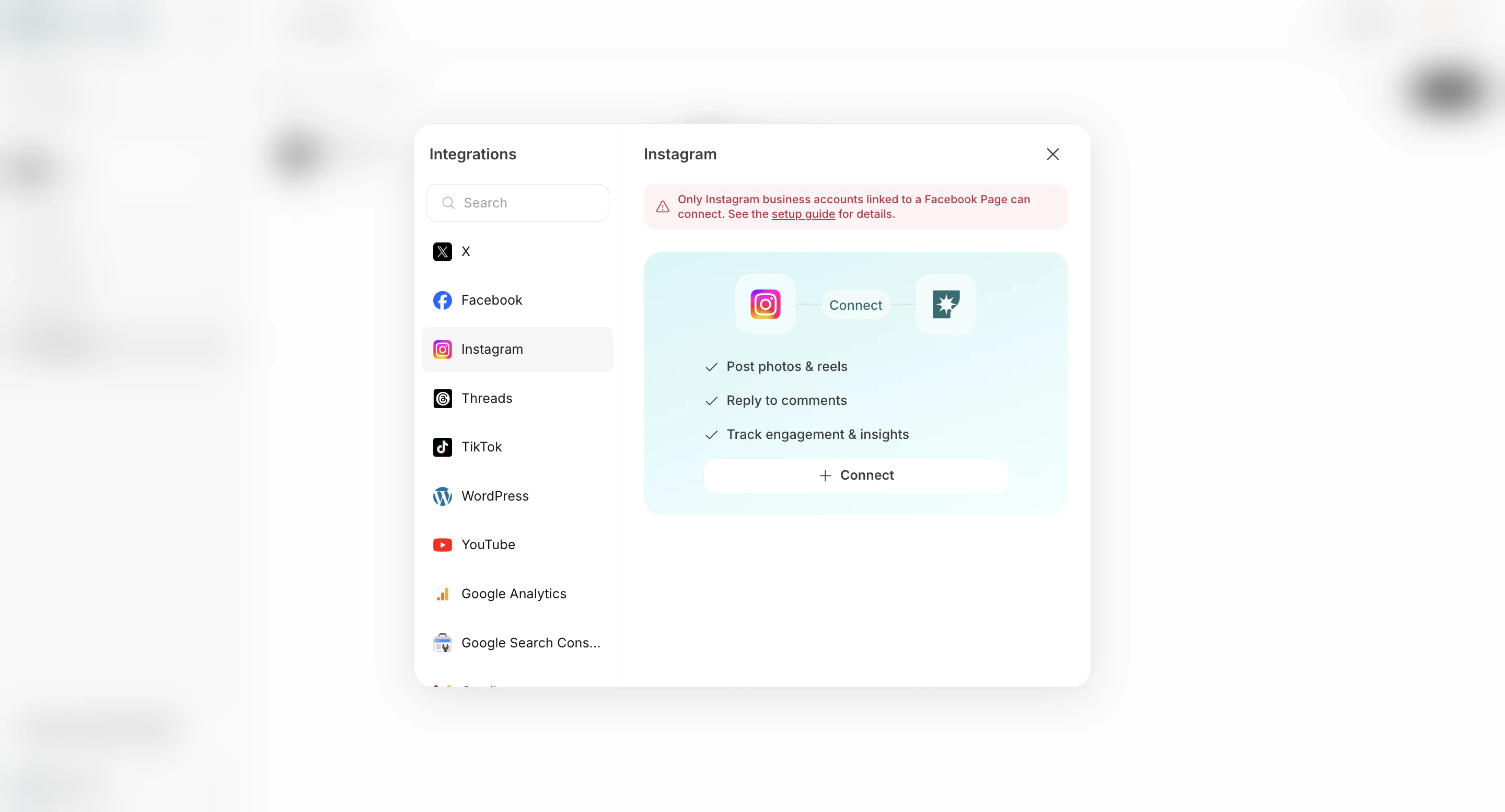
Confirm the Facebook profile used via Facebook Page
Here, confirm the Facebook profile that grants the Meta permissions required for Instagram integration to NoimosAI. This does not register the Facebook profile itself as the Instagram connection destination.If asked to log in to Facebook or select a profile
If you are not logged into Facebook or multiple profile information remains in the browser, a login or profile selection screen will appear. Log in with or select a profile that has access permissions to the Facebook Page linked to the Instagram account you want to connect. If managed via Business Portfolio, use a profile with access to both the Facebook Page and Instagram account.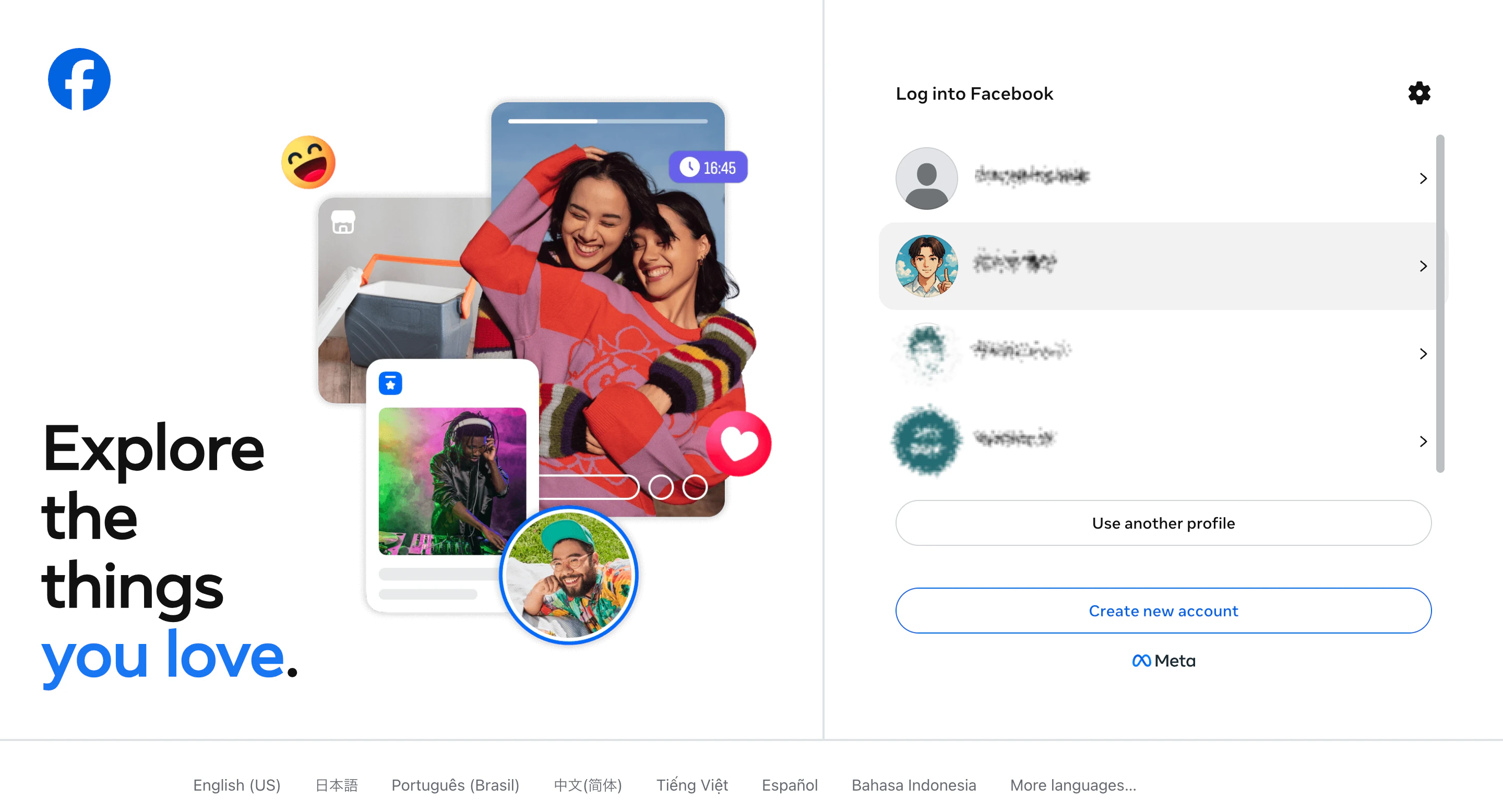
If “Continue as [Name]” is displayed
If you are logged into Facebook, a screen may appear asking if you want to continue authentication with the current profile. Confirm that the displayed profile has the necessary access permissions and clickContinue as [Name]. To use a different profile, click Log in with another account.
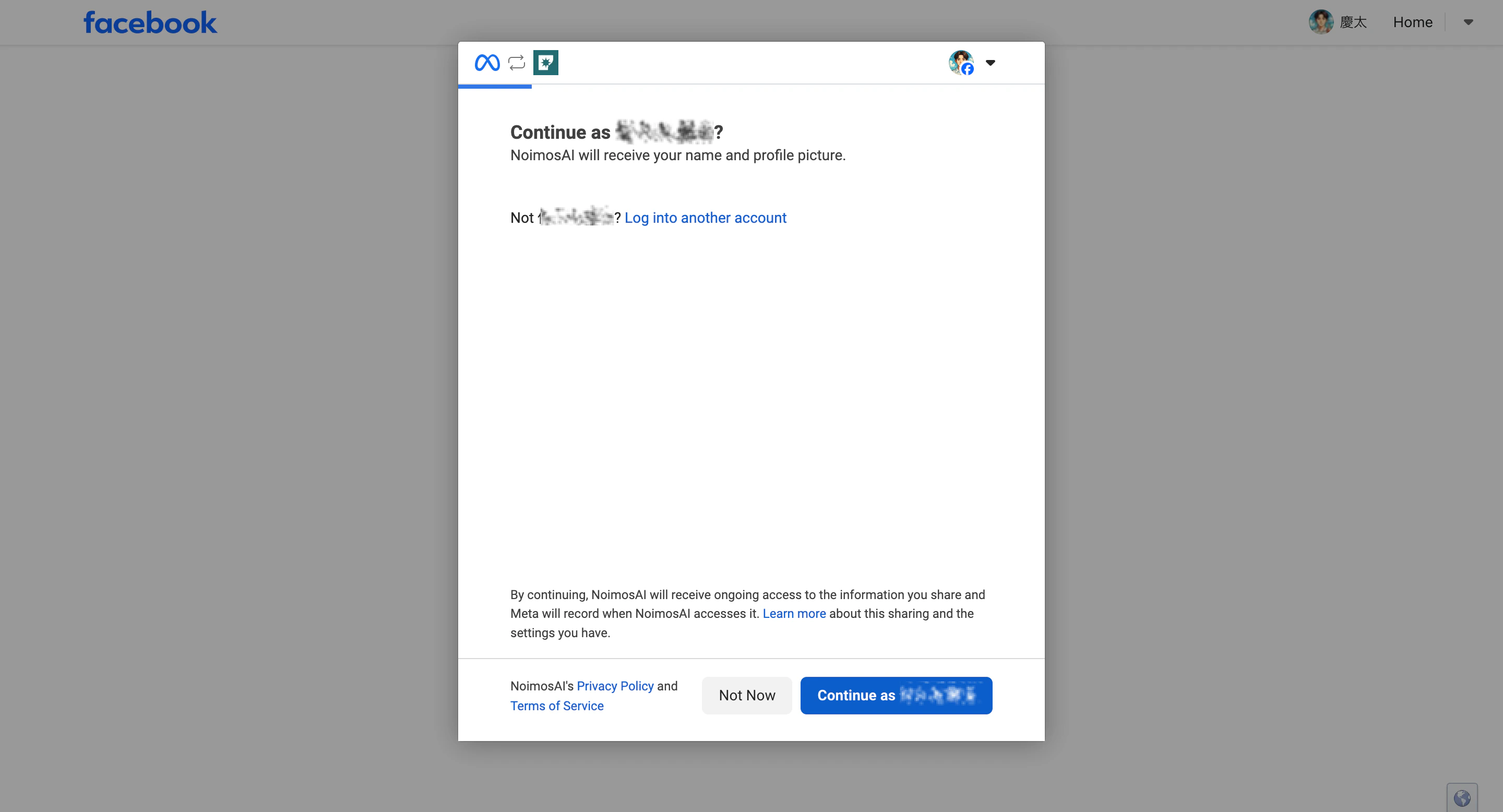
Both Facebook login and Continue as [Name] are operations to confirm the profile used. After that, depending on the connection status, a screen to select assets or use previous settings will appear.
Check past connection settings via Facebook Page
After confirming the profile, if there are settings previously authorized to NoimosAI remaining in Meta, a screen may appear asking whether to continue using the previous settings.To use the same settings as last time
ClickContinue. The range of Facebook Pages, Instagram accounts, and business assets previously authorized to NoimosAI will be reapplied.
If you previously authorized multiple pages or Instagram accounts, the entire permission range will be reapplied. It does not automatically select one asset.
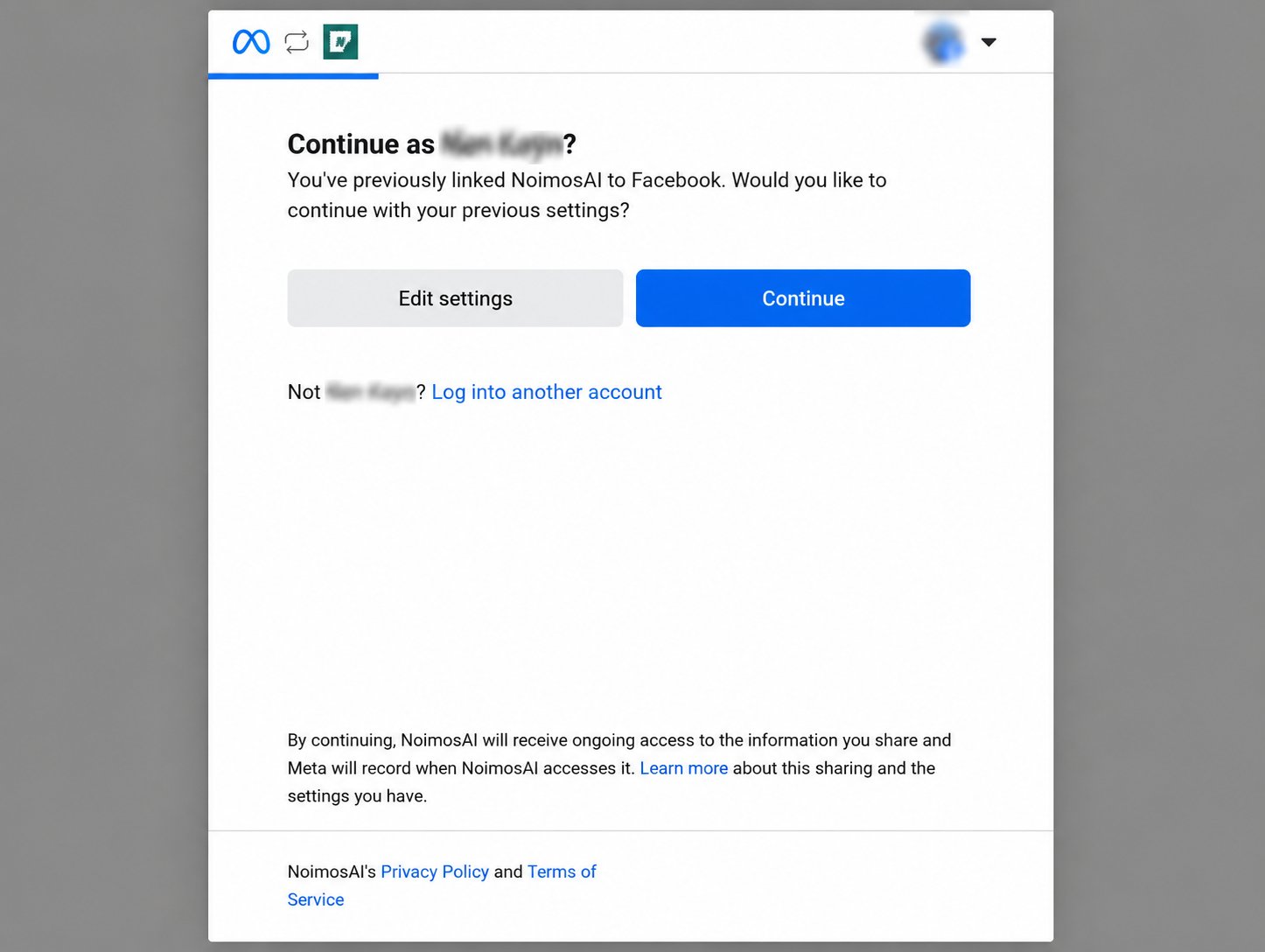
To review or change authorized assets
ClickEdit Settings. You can review and reselect the Facebook Pages, Instagram accounts, and business assets to allow access to NoimosAI.
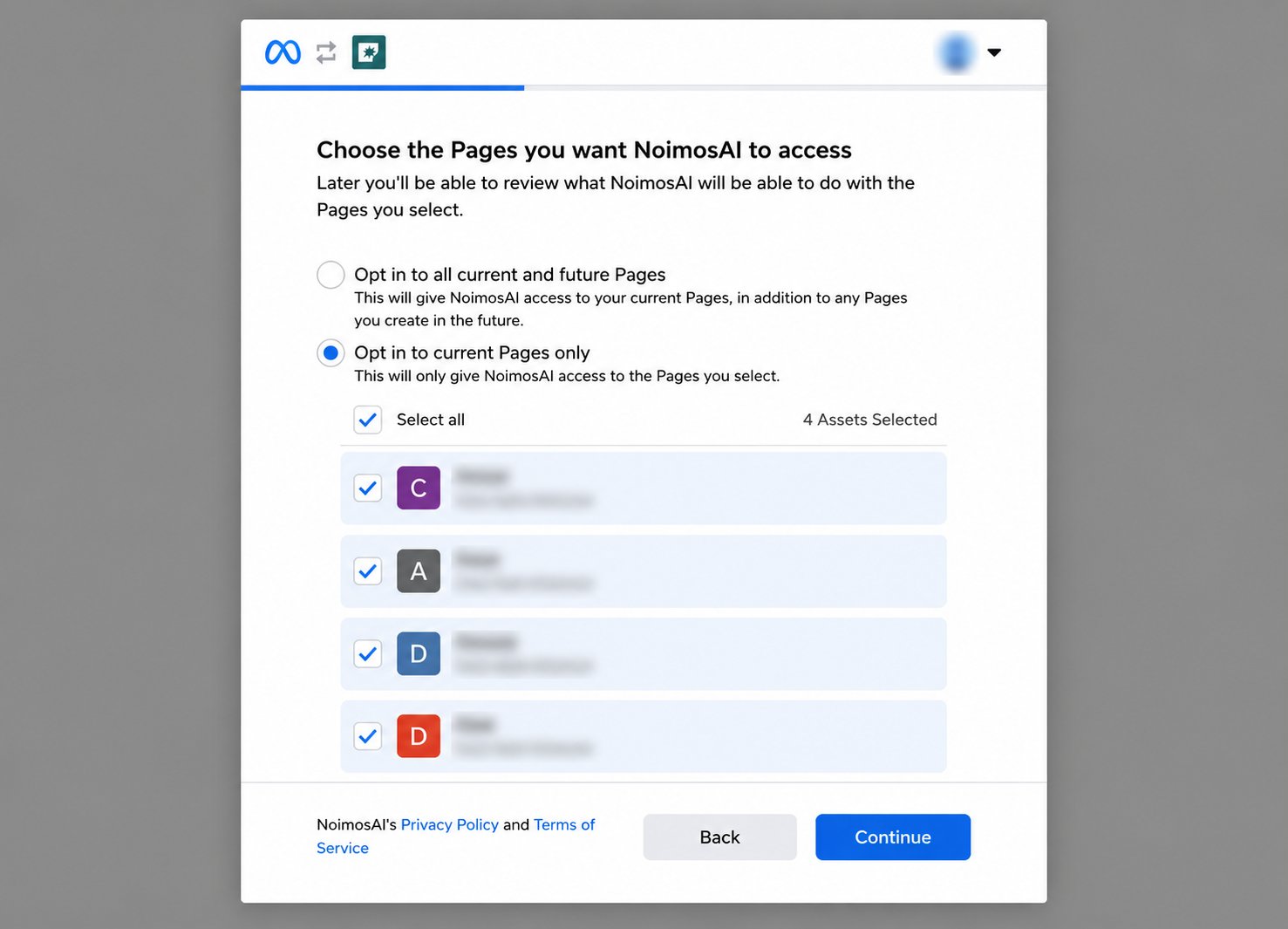
If you selectContinue, previous settings will be reapplied and the screen to select Facebook Pages or Instagram accounts may not appear. If you want to review or change the assets to connect, selectEdit Settings.
Select assets to authorize to NoimosAI
If connecting for the first time or if you selectedEdit Settings on the previous screen, select Instagram accounts, Facebook Pages, and business assets.
- Click
Get Started.
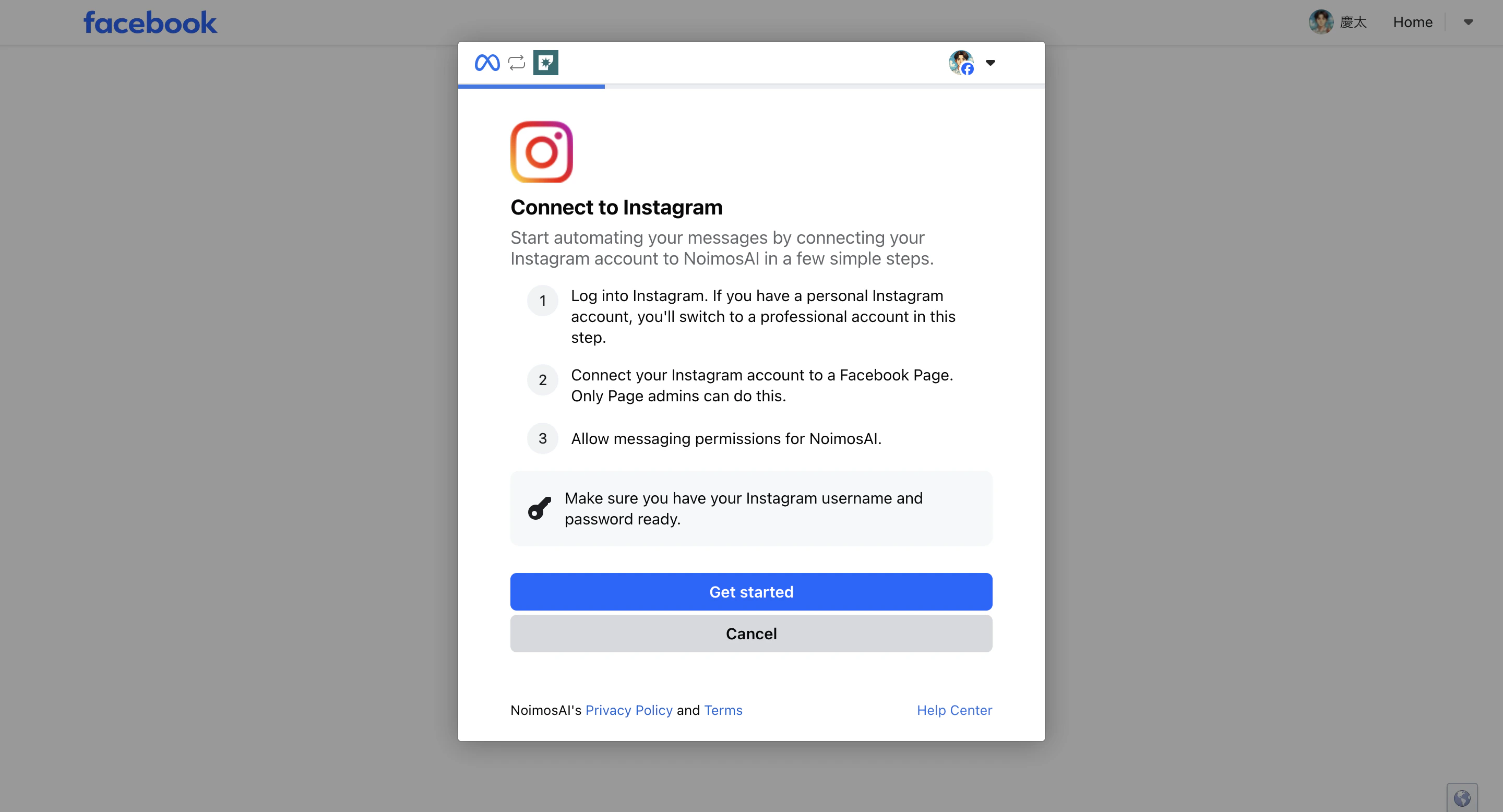
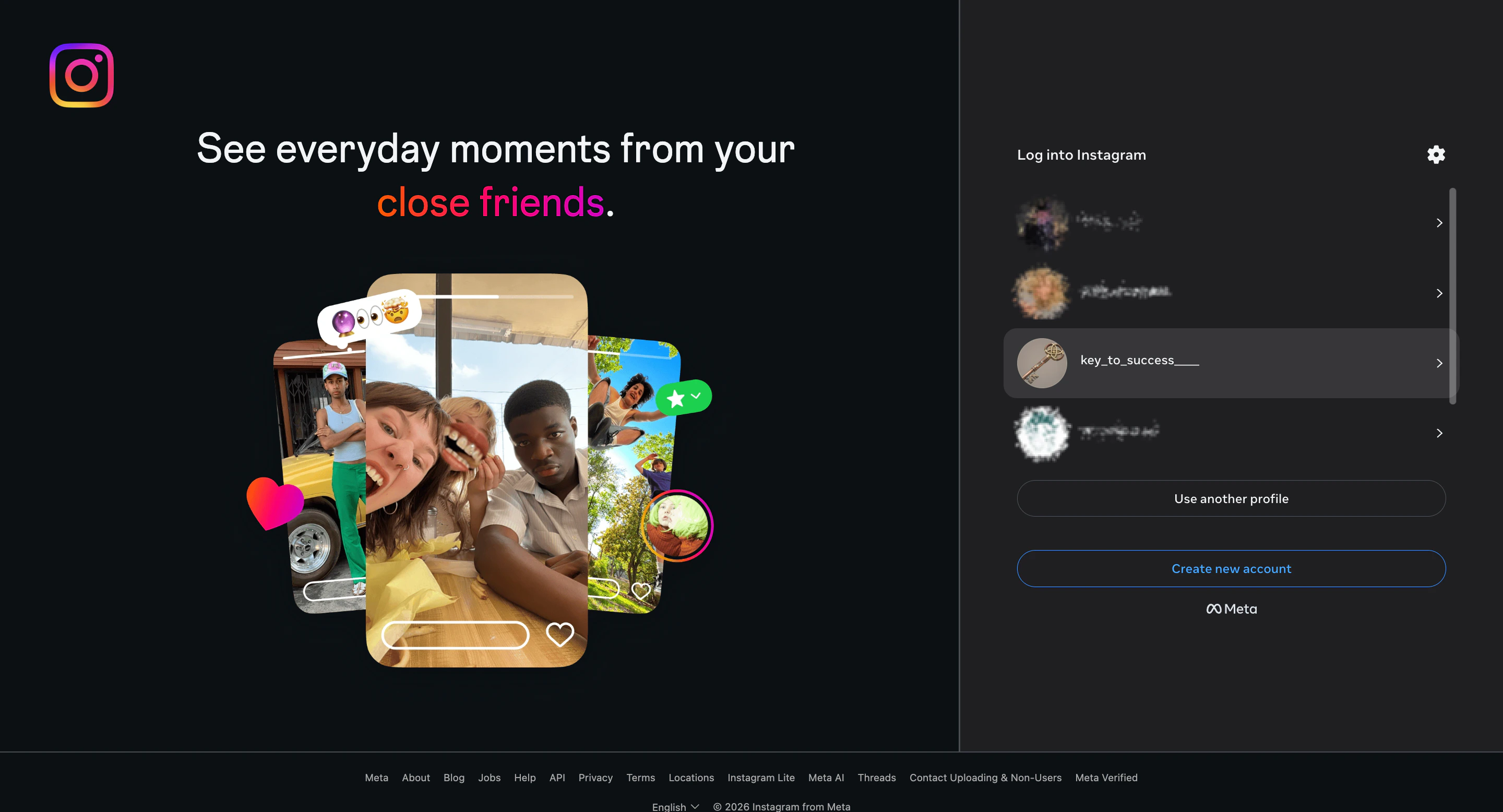
- Select the Instagram profile you want to connect.
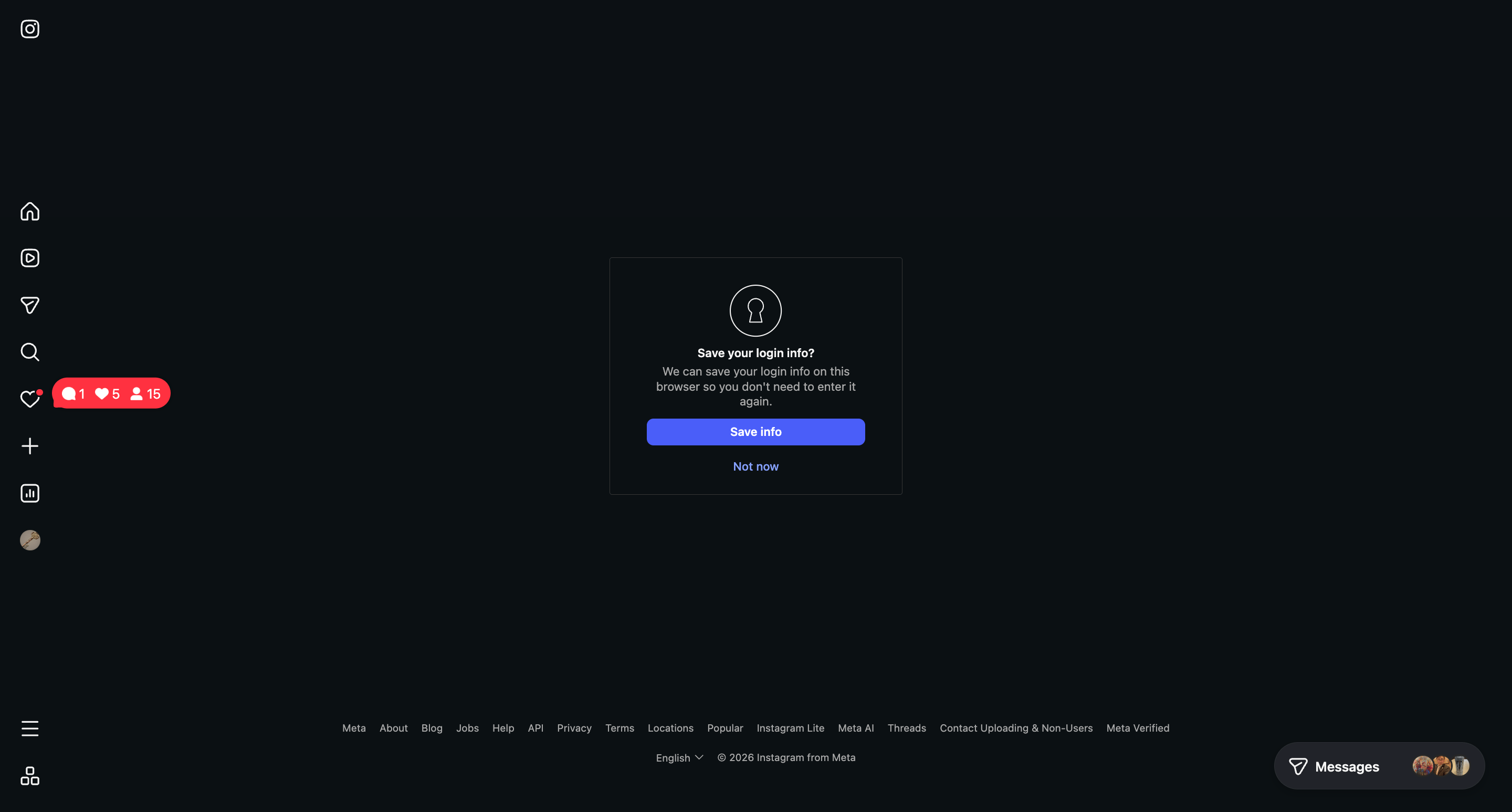
- If the Instagram screen opens, choose whether to save login information in the browser or not. Selecting either option proceeds to the next screen.
- Select the Facebook Page to authorize access to NoimosAI.
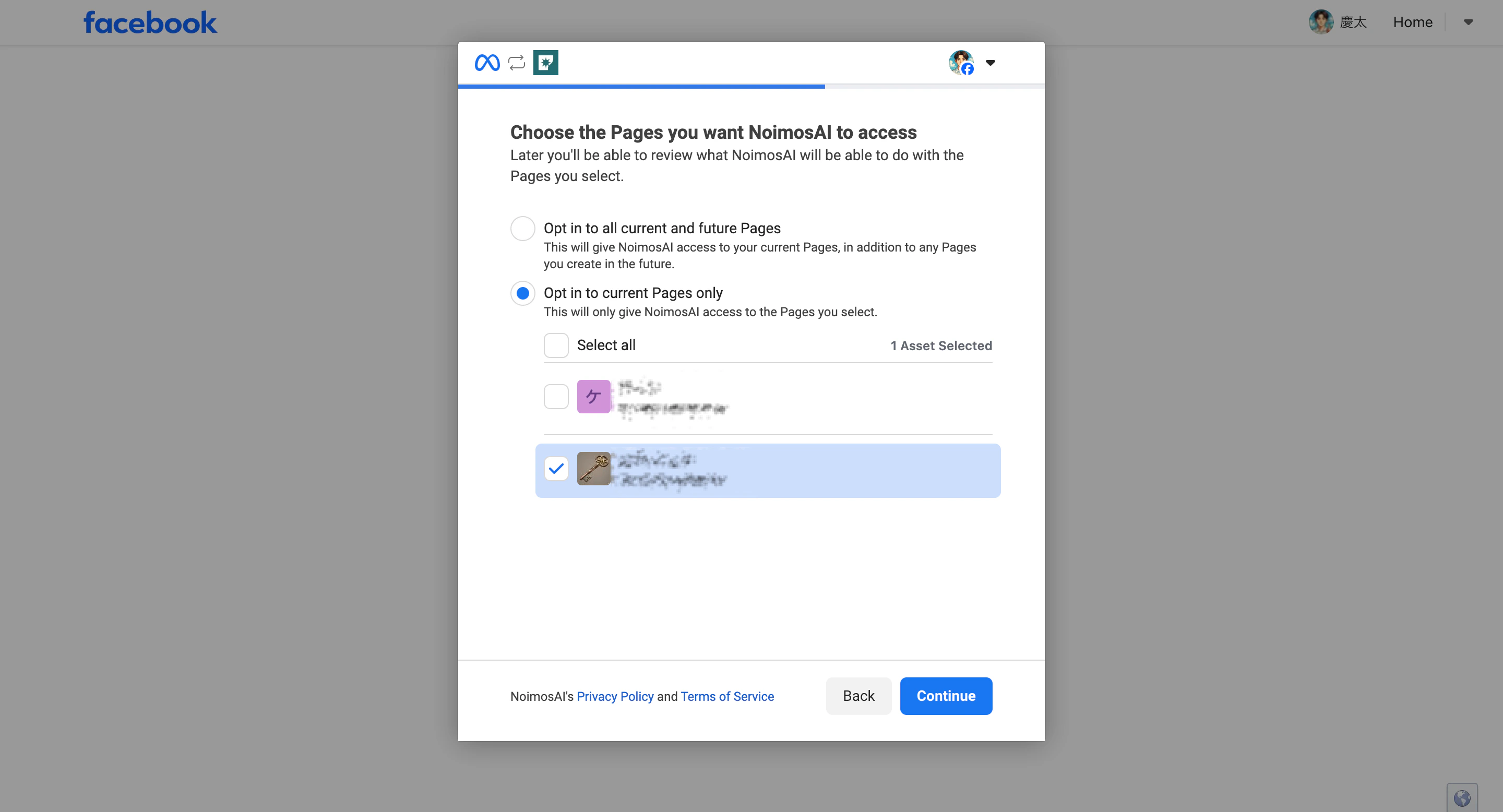
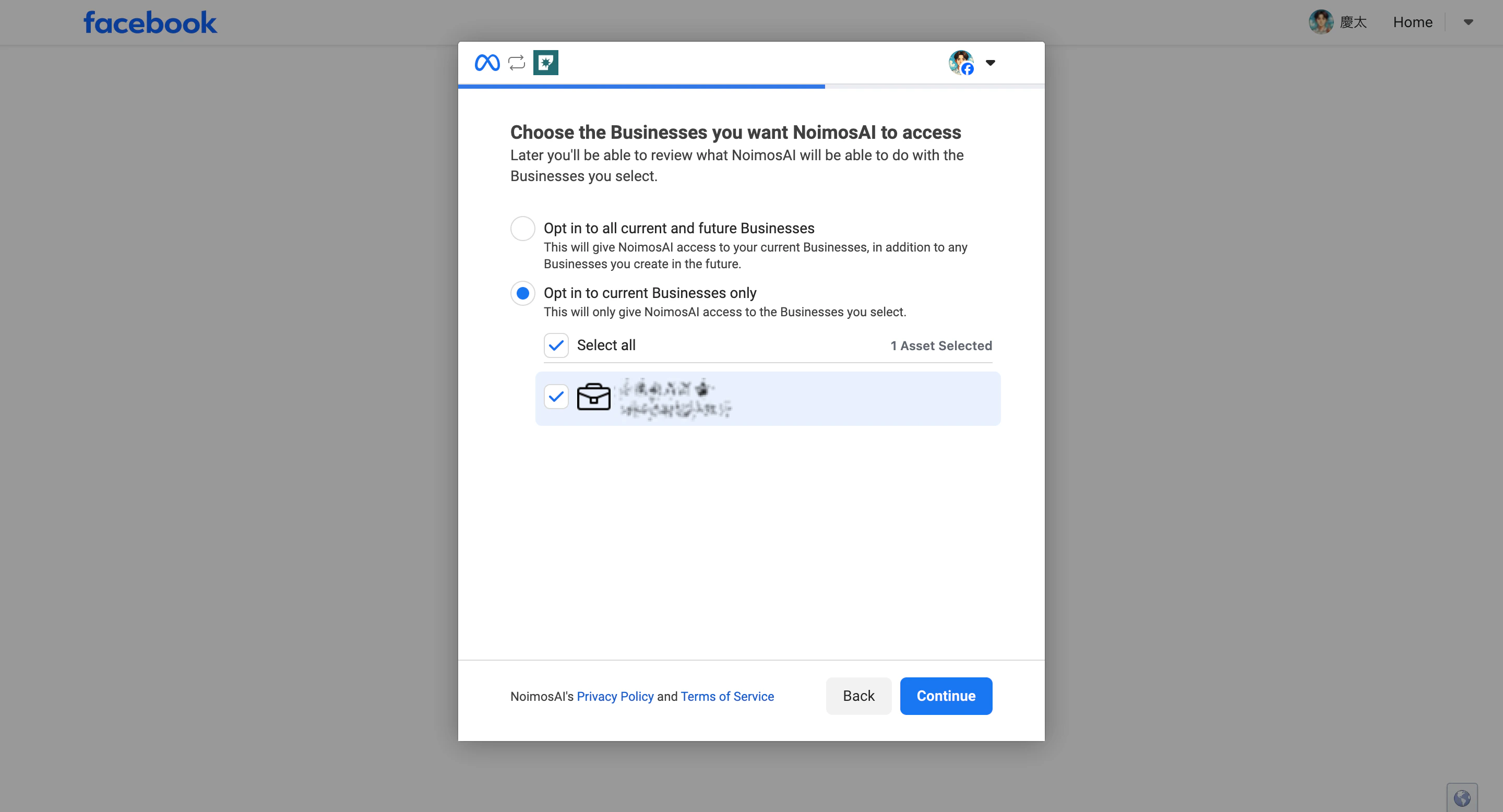
- Click
Continueto allow access to the selected Facebook business assets.
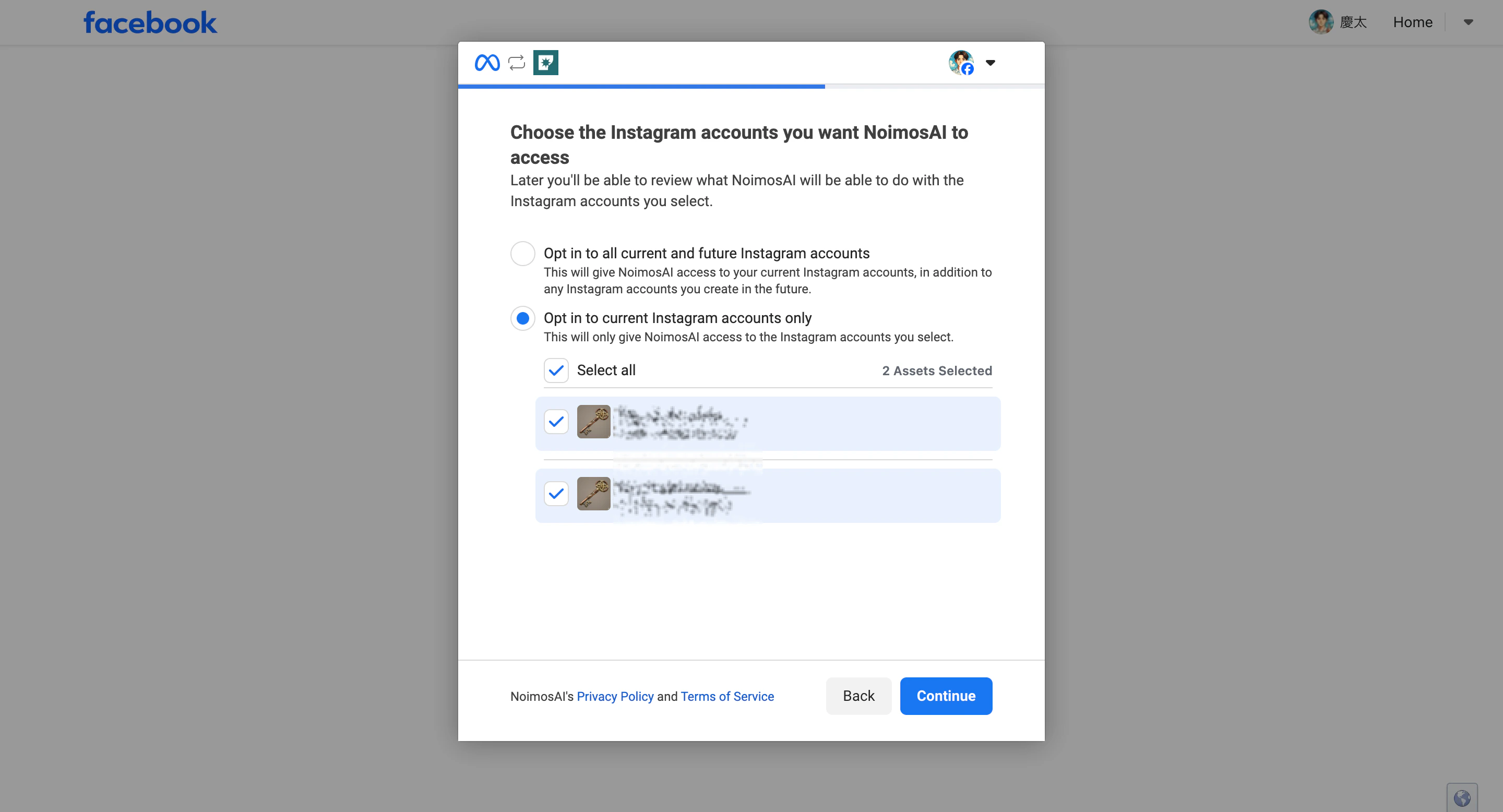
- Select the access permissions for the Instagram account and click
Continue.
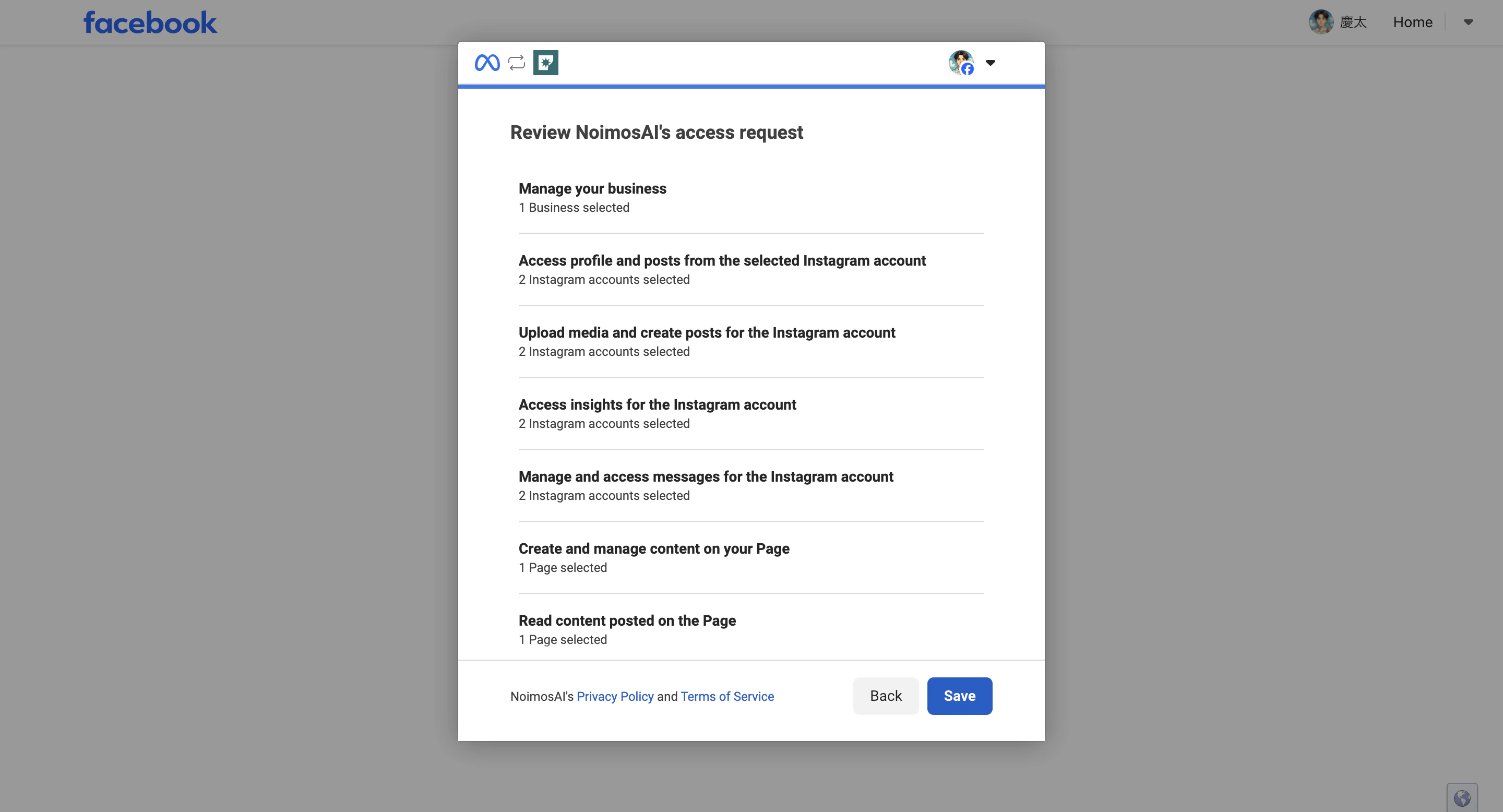
- Confirm that the target Instagram account, Facebook Page, and business assets are selected, then click
Save.
- Click
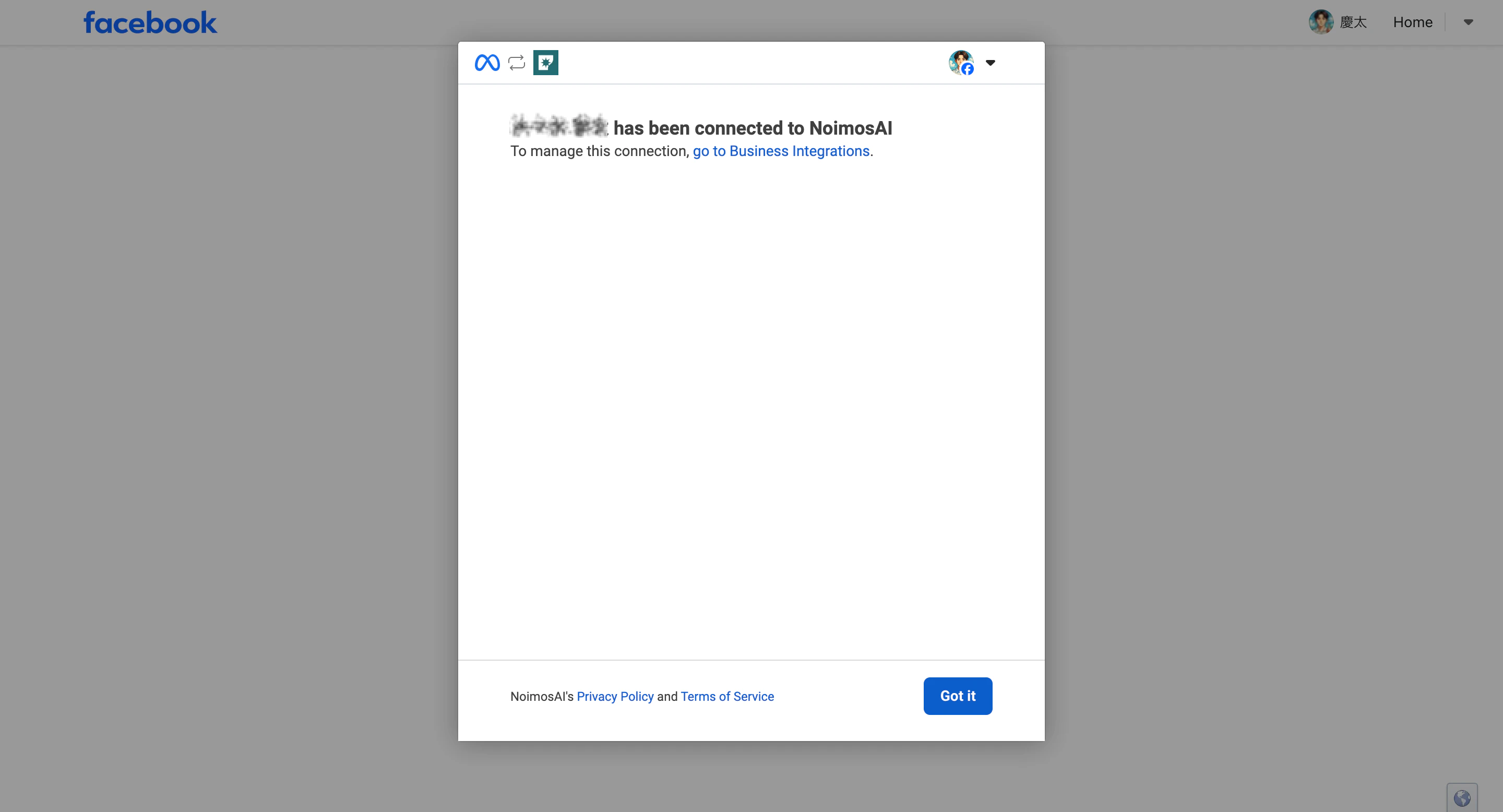
Doneto return to NoimosAI.
Common errors via Facebook Page
When “Sorry, something went wrong” is displayed
If the Meta authentication screen shows “Sorry, something went wrong. We’re working to fix it as soon as possible,” an error occurred in Meta’s connection process. This message is not an error from NoimosAI. Common causes include:- Temporary authentication error on Meta’s side
Allow access to Instagram messages in Inboxis off on the Facebook Page- Conflicting Facebook login information or cookies remaining in the browser
- Logged into multiple Facebook accounts simultaneously
- Access permissions for the target page or Business Portfolio assets are not correctly recognized by Meta
- Instagram and Facebook Page were connected just now and the connection status is not yet reflected in screens or authentication
- Past business integration permissions granted to NoimosAI do not match the current page and permission configuration
- Open Facebook Page’s
Settings > Linked Accounts > Instagramand confirm the target Instagram account is connected andAllow access to Instagram messages in Inboxis on. If off, turn it on and complete any requested access permissions. - Close the authentication screen and restart Instagram integration from NoimosAI.
- If not improved, log out from Facebook and log back in only with the Facebook personal account that has access to the target page.
- Log into NoimosAI and Facebook in a browser incognito window and retry connection.
- Check NoimosAI connection in Facebook’s
Settings & Privacy > Settings > Business Integrations. If old permissions remain, delete NoimosAI and reconnect, selecting pages and permissions again. - If still not resolved, wait 10–30 minutes and try connecting again.
When “Invalid request / Invalid redirect URL” is displayed
Even if this message appears on the Meta authentication screen, the cause is not necessarily only NoimosAI’s redirect URL settings. The combination of permissions for Instagram, Facebook Page, Facebook personal account, and Business Portfolio may not be valid on Meta’s side, preventing authentication. First, check the checklist above to confirm the target Instagram is linked to the correct Facebook Page,Allow access to Instagram messages in Inbox is on, and the Facebook personal account used for connection has access to both the page and Instagram.
If the error message says “Instagram Business profile linked to Facebook Page not found,” the main causes are:
- Instagram is not linked to the Facebook Page
- The linked Instagram is a personal account
- The link between Instagram and Facebook Page is not yet confirmed on Meta’s side
Allow access to Instagram messages in Inboxis off
If you still cannot connect
If you cannot connect after trying the checks for the selected connection method, please share the following information with support:- Exact error message
- Team name and workspace name
- Instagram account name
- Selected connection method
- Facebook Page name if connecting via Facebook
- Screenshots of the failed steps
References
- Meta for Developers: Instagram API with Instagram Login
- Meta for Developers: Instagram API with Facebook Login
- Meta Help Center: Connect or disconnect Facebook Page and Instagram account
- Meta Help Center: About the Meta Business Suite Inbox
- Meta Help Center: Add or change Facebook Pages connected to Instagram professional accounts
- Meta Help Center: Manage roles for shared Instagram Business accounts