

Overview
Tools define what external systems an agent can access. InAI Team -> Agent detail, you can enable tools, connect accounts, and control which accounts are used.
Tool States
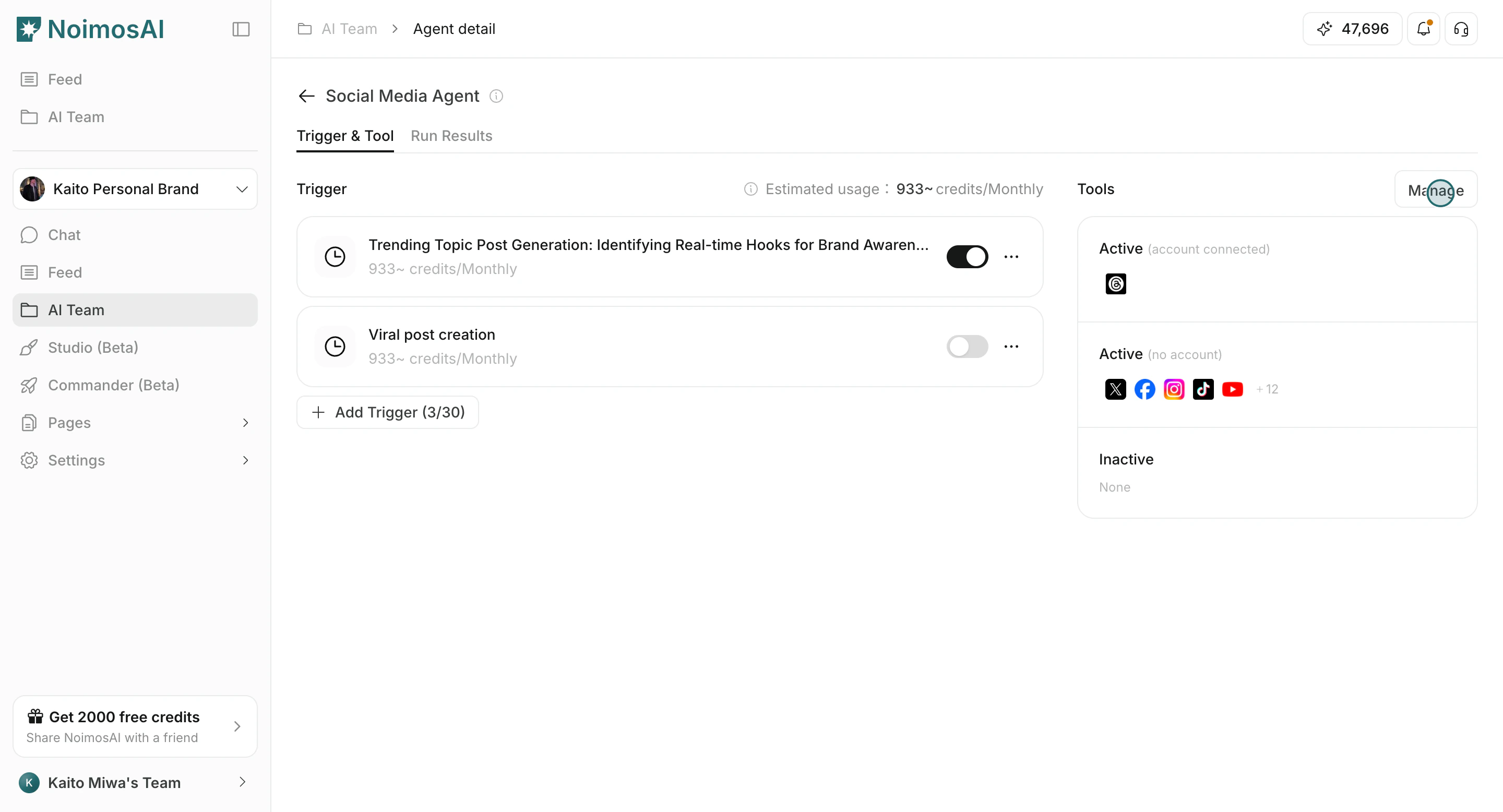
In the tools panel, they are grouped as:- Active (account connected): enabled and mapped to at least one account.
- Active (no account): enabled but not yet connected to an account.
- Inactive: not enabled for current use.
Connect and Enable a Tool
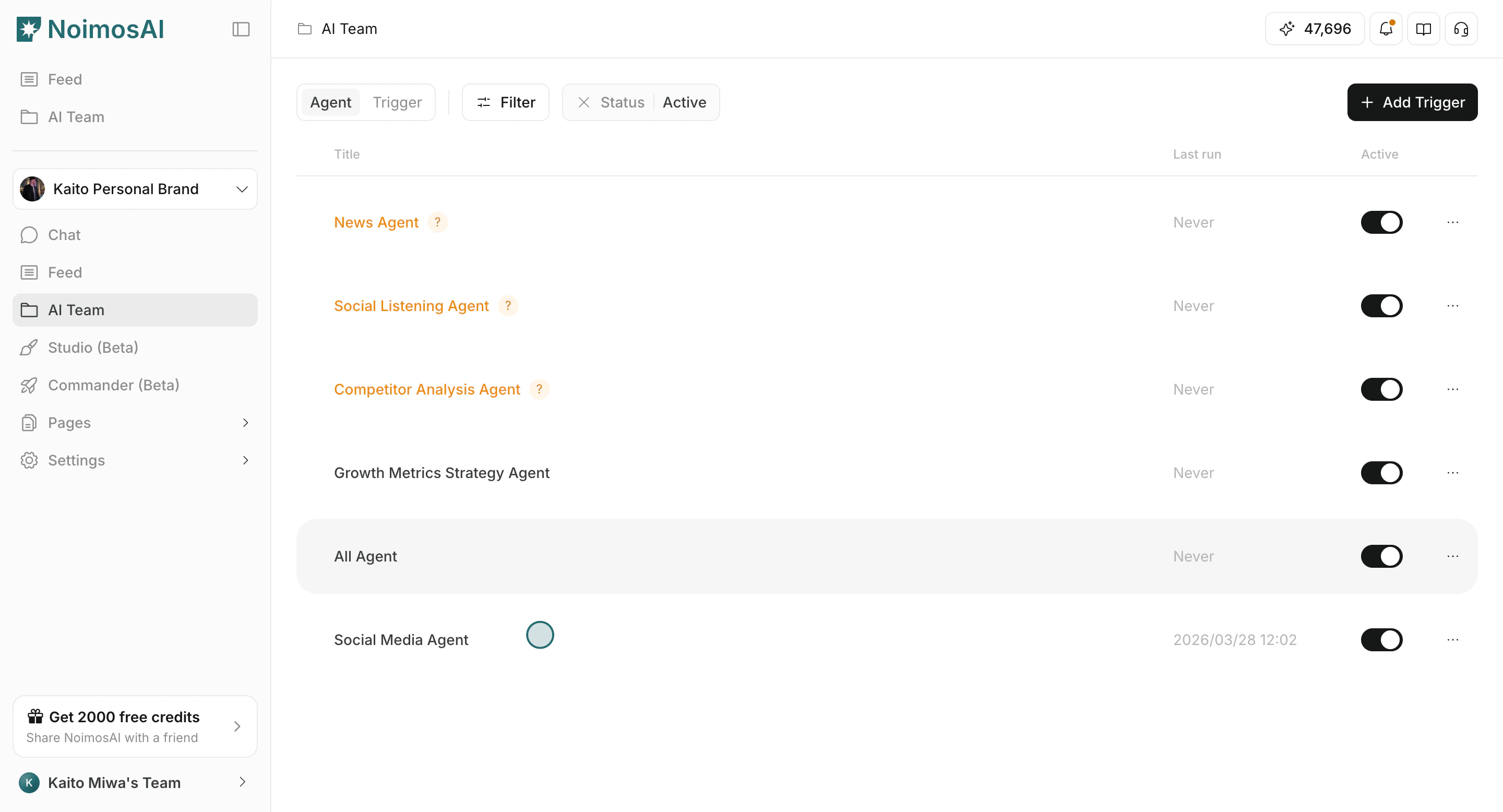
Use this section to understand connect and enable a tool and what to confirm while completing this part.- Open the agent in
AI Team.
- Click
Managein the tools area.
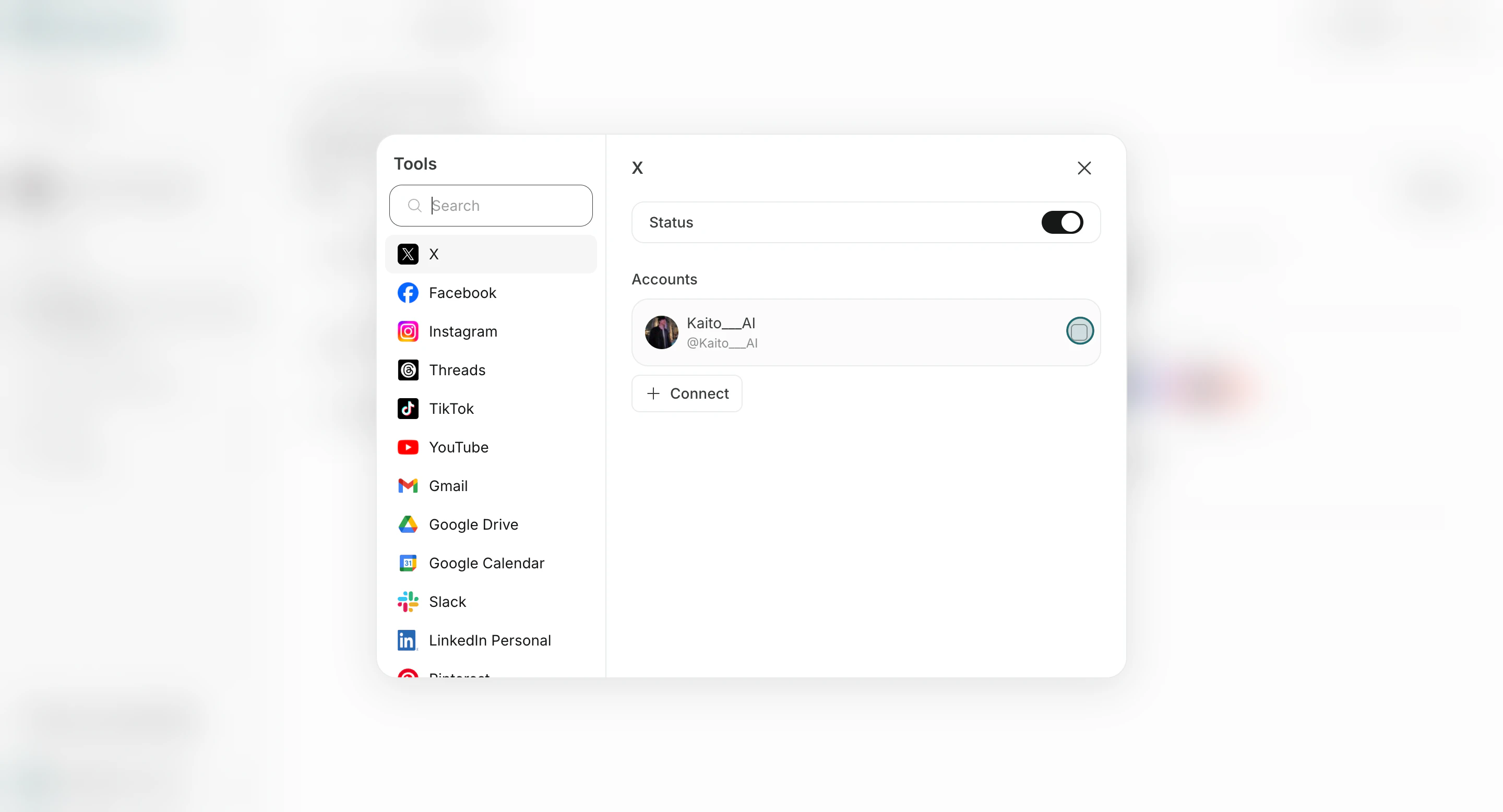
- Turn on the provider/tool you need.
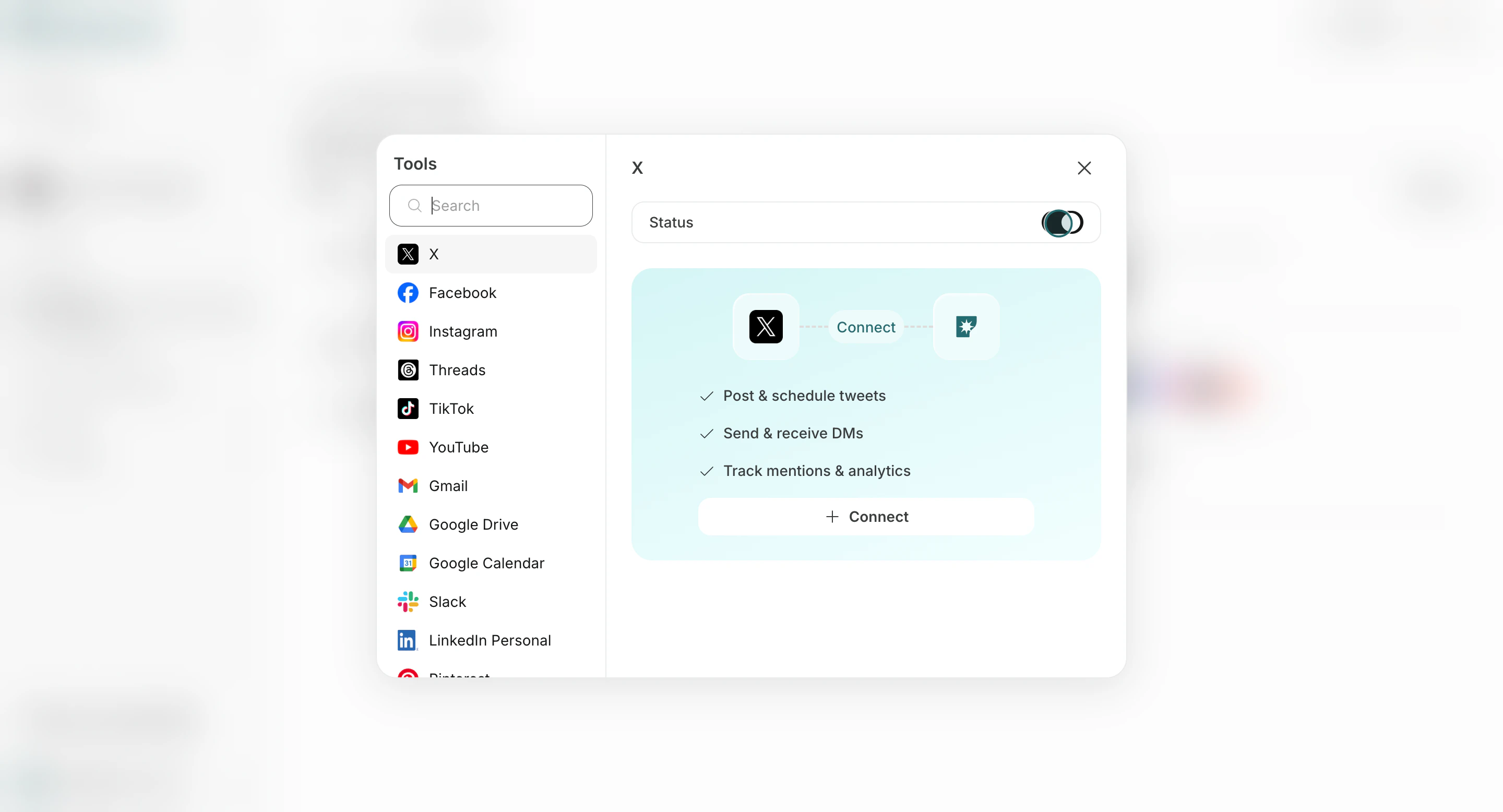
- Click
Connectand authorize or select an account.
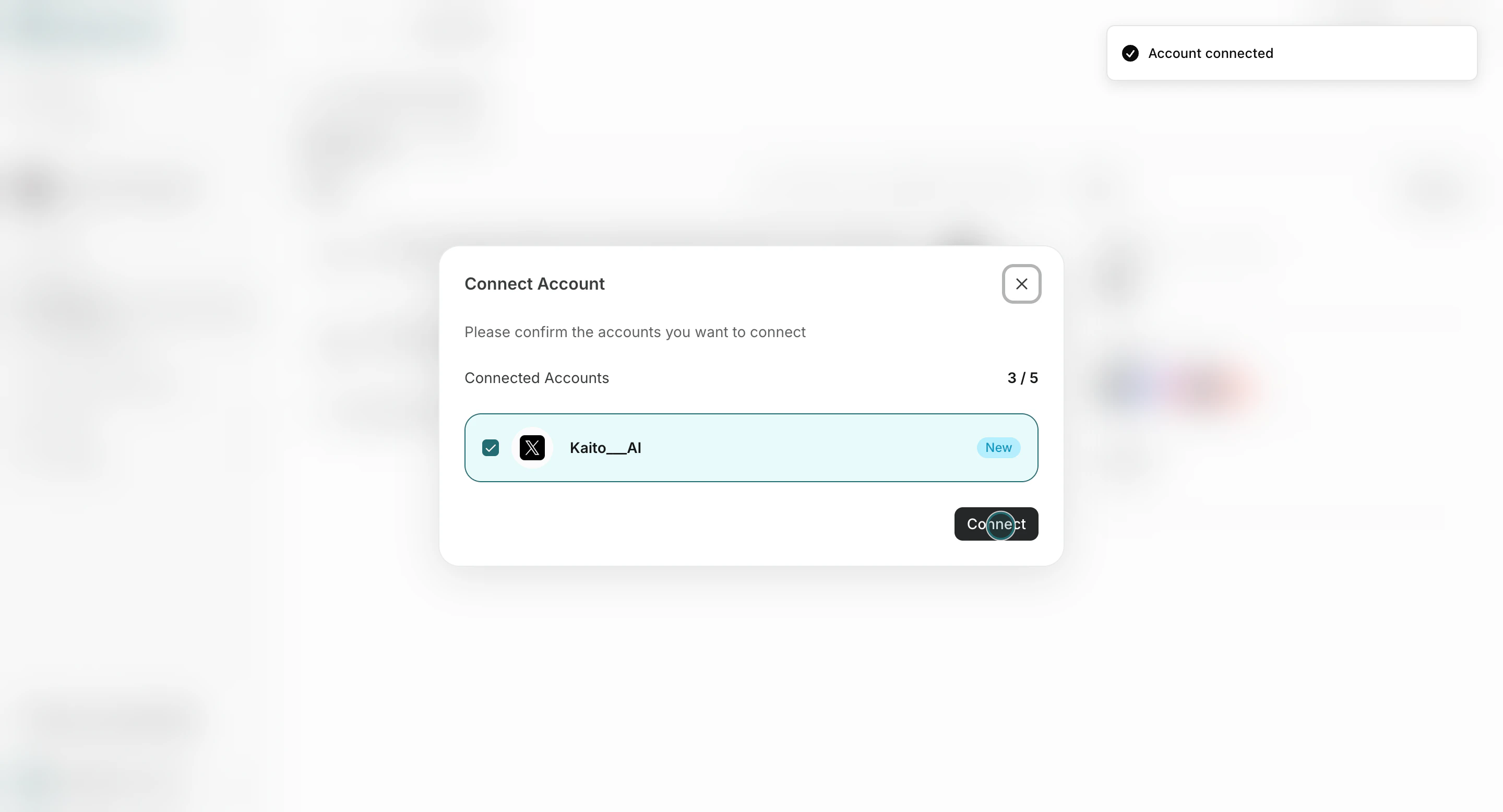
- Confirm account mapping.
Best Practices
Use these tips to improve consistency and output quality.- Enable only tools needed for each workflow.
- Verify account mapping before enabling high-frequency triggers.
- Re-check tools when output quality drops or run context changes.